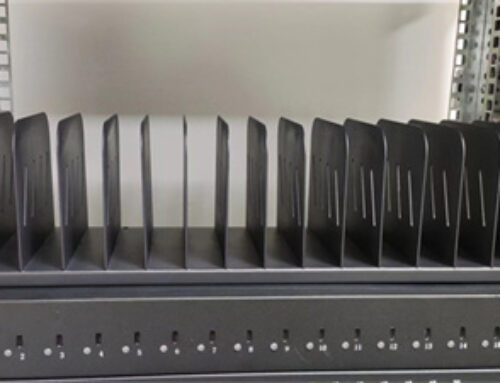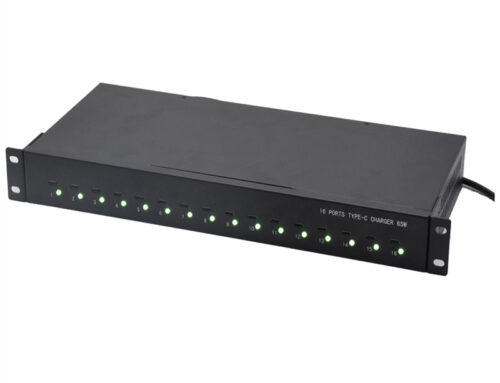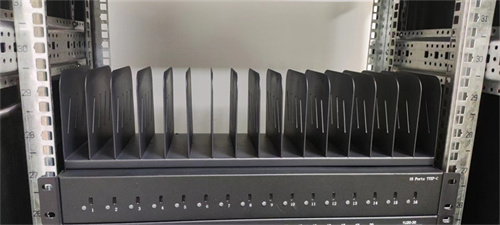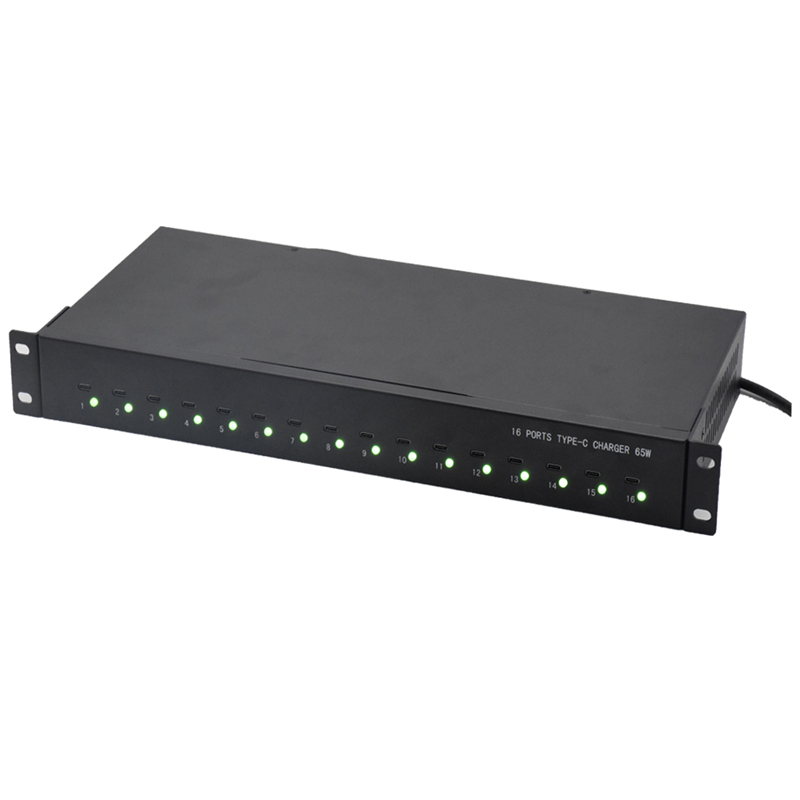
Managing multiple tablets, smartphones, and other mobile devices can quickly become difficult when each device requires its own charger, cable, and connection point. A centralized 16 port USB charger can simplify this process while keeping devices organized.
The Ladagogo A-16 1U Rack Mountable 16 Port USB Charger/Hub combines USB charging and hub functionality in a rack-mounted form factor. It can charge and sync up to 16 tablets, smartphones, and other mobile devices, while providing USB 2.0 data connectivity with transfer speeds of up to 480 Mbps.
Each USB port supports a maximum charger output of 2.4A, providing a defined charging capability for compatible connected devices. The unit also features a durable steel housing designed to mount within 1U of an EIA-standard 19-inch rack.
This combination of high port capacity, charging functionality, USB 2.0 connectivity, and rack-mountable construction makes the A-16 suitable for structured multi-device environments.
What Is the A-16 16 Port USB Charger/Hub?
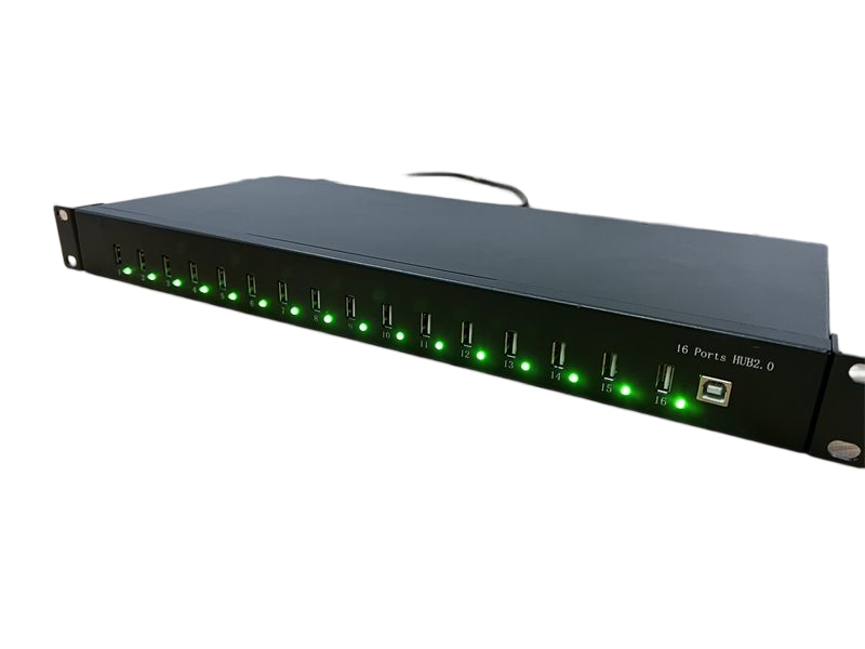
The A-16 is a 1U rack-mountable USB charger with an integrated USB hub.
The integrated design combines two important functions:
- Charging compatible mobile devices
- USB connectivity and synchronization with a host system
Instead of using multiple individual chargers and separate USB hubs, the A-16 provides a centralized 16-port solution.
The product is designed to support up to 16 connected tablets, smartphones, and other compatible mobile devices.
16 Port USB Charger Key Specifications
| Specification | A-16 Details |
|---|---|
| Product | 1U Rack Mountable 16 Port USB Charger/Hub |
| Model | A-16 |
| Port Count | 16 USB ports |
| Charging | Up to 2.4A maximum per USB port |
| Data Standard | USB 2.0 |
| Maximum Data Speed | Up to 480 Mbps |
| Charging & Syncing | Yes |
| Device Capacity | Up to 16 devices |
| Rack Size | 1U |
| Rack Standard | EIA-standard 19-inch rack |
| Housing | Durable steel |
| Backward Compatibility | Earlier USB standards |
16 Ports for Centralized Device Management
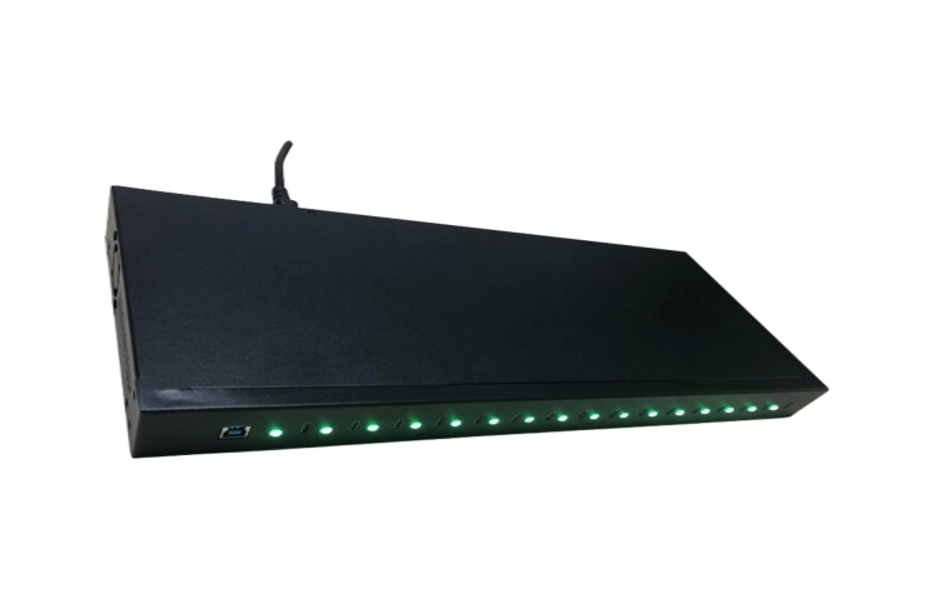
The A-16 provides 16 USB ports, allowing multiple mobile devices to be connected to a centralized charging and synchronization system.
This high port count is particularly useful for environments where many devices need to be available at the same time.
Potential connected devices include:
- Tablets
- Smartphones
- Other compatible mobile devices
- USB peripherals supported by the hub
Instead of managing individual charging points throughout a workspace, organizations can establish a dedicated location for device charging and synchronization.
This can help reduce cable clutter and simplify device management.
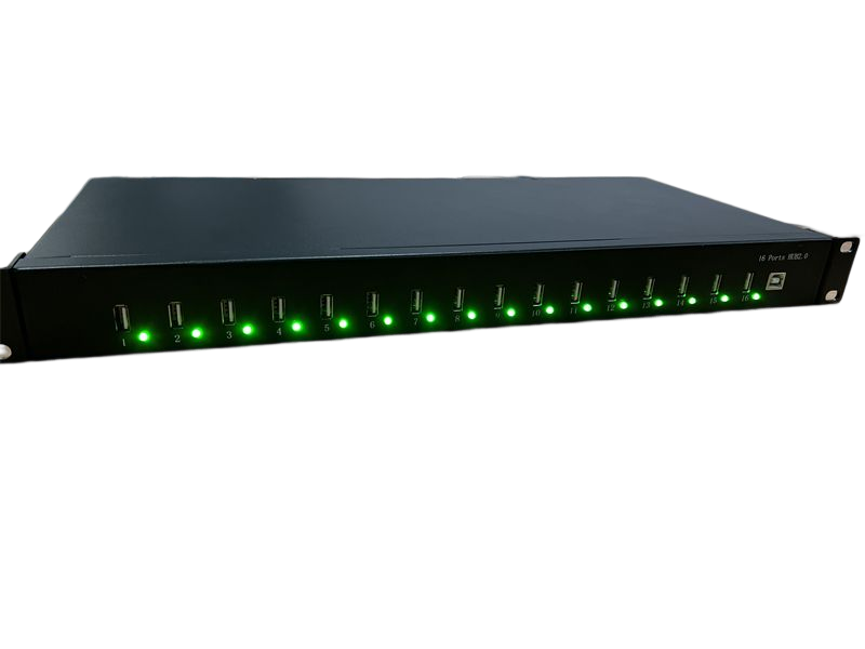
Charge and Sync Up to 16 Devices
One of the key features of the A-16 is its ability to charge and sync up to 16 tablets, smartphones, and other mobile devices.
The combination of charging and synchronization makes the unit useful for organizations that need more than a basic charging station.
For example, an organization may need to:
- Charge multiple tablets overnight
- Synchronize mobile devices with a computer
- Prepare smartphones for use
- Maintain shared devices
- Connect several devices for management tasks
The exact synchronization behavior depends on the host system, connected devices, operating system, cables, and applicable software.
Maximum Charging Output of 2.4A Per USB Port
Each USB port has a stated maximum charger output of 2.4A.
This provides a useful charging specification for compatible mobile devices.
At a typical USB charging voltage of 5V, 2.4A corresponds to:
5V × 2.4A = 12W
However, the supplied specification states the maximum output in terms of current rather than explicitly stating a 12W per-port power rating. Therefore, the 12W figure is the calculated electrical equivalent under a 5V condition, not a separate manufacturer-stated power specification.
Actual charging performance depends on the connected device and its charging requirements.
The 2.4A maximum should also not be interpreted as a guarantee that every connected device will always draw 2.4A. Devices determine their charging requirements, and actual current can be lower.
USB 2.0 Data Transfer up to 480 Mbps
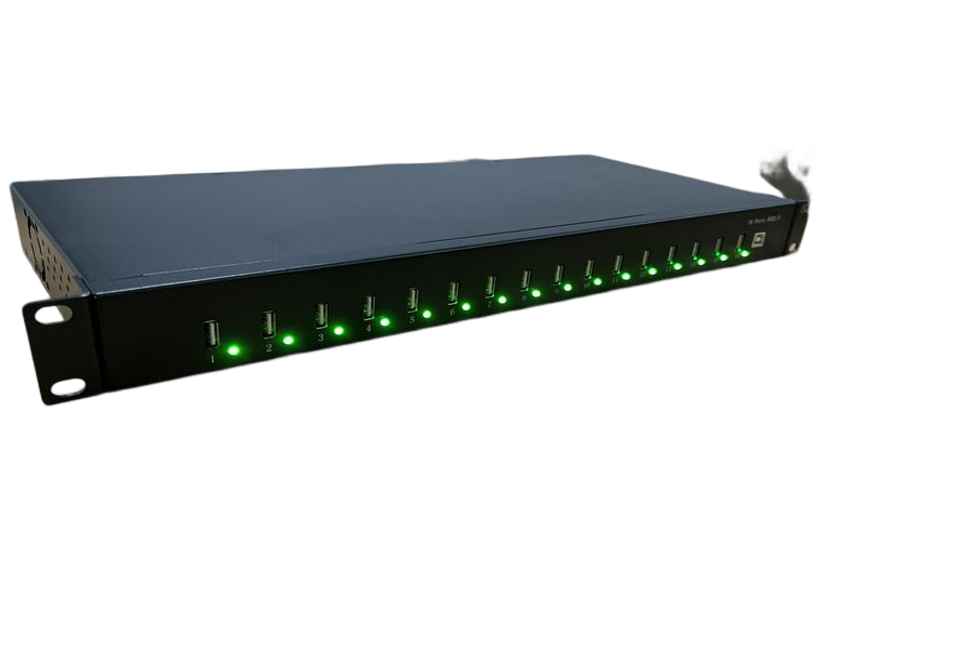
The A-16 supports USB 2.0 transfer speeds up to 480 Mbps.
This is the maximum theoretical data-transfer rate associated with the USB 2.0 High-Speed interface.
Real-world transfer speeds can be lower depending on:
- Connected device performance
- Host computer
- USB storage performance
- Cable quality
- File sizes
- Number of connected devices
- System workload
The 480 Mbps figure should therefore be understood as the interface’s maximum stated transfer rate rather than a guaranteed file-copy speed.
Backward Compatibility with Earlier USB Standards
The A-16 is backward compatible with earlier USB standards.
This is useful for organizations that continue to use older USB devices alongside USB 2.0-compatible equipment.
Backward compatibility can simplify deployment because users do not necessarily need to replace every existing USB peripheral when introducing the A-16 into an established workstation.
However, a device connected through an older USB standard will operate according to the capabilities of that older standard rather than automatically gaining USB 2.0 performance.
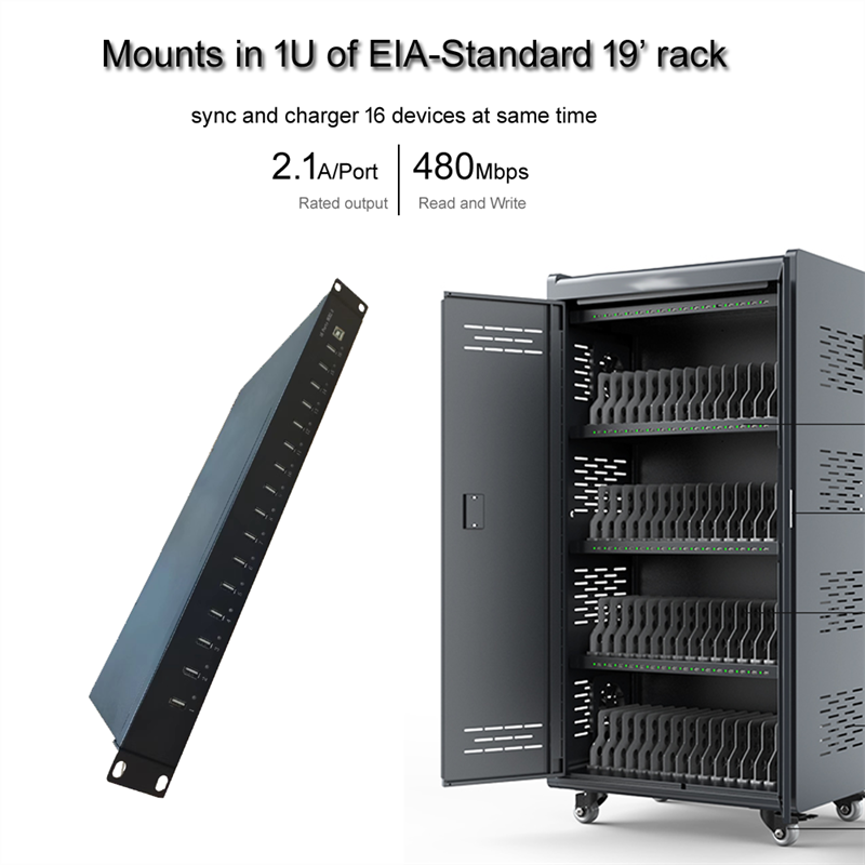
1U Rack-Mountable Design
The A-16 is designed to occupy 1U of rack space.
The term 1U refers to a standard rack unit used to describe equipment height in rack-mounted installations.
The unit is designed for an EIA-standard 19-inch rack, making it suitable for structured equipment environments.
Rack mounting can provide several advantages:
Better Space Utilization
The charger can be installed within existing rack infrastructure instead of occupying desk space.
Centralized Installation
Multiple devices can be connected at one designated charging and synchronization location.
Professional Equipment Layout
Rack installation can help maintain a consistent equipment arrangement in commercial and technical environments.
Easier Infrastructure Management
When multiple technology devices are already housed in a rack, integrating a rack-mounted USB charger can simplify physical organization.
Before installation, users should verify rack compatibility, available space, cable routing, and mounting requirements.
Durable Steel Housing
The A-16 features a durable steel housing.
A steel enclosure is well suited to installations where equipment is expected to remain in a fixed location and where a robust physical enclosure is desirable.
Potential environments include:
- IT rooms
- Offices
- Schools
- Commercial facilities
- Device-management areas
- Technical workstations
- Equipment rooms
- Industrial environments
The supplied specifications do not state the steel grade, thickness, environmental rating, or impact rating, so those details should not be assumed.
Charging and Data Connectivity in One Unit
The main advantage of an integrated charger/hub is that charging and data connectivity are brought together in one system.
A basic charging station may focus only on delivering power. A basic USB hub may focus primarily on data connectivity.
The A-16 combines both functions for compatible mobile devices.
This can be useful when devices need to be charged while also being connected to a host computer for synchronization or management.
Typical workflow
Connect → Charge → Sync → Manage
This centralized approach can be especially useful in environments where multiple devices are routinely prepared and maintained.
Applications of the A-16
The A-16 can support a range of multi-device charging and synchronization applications.
Schools and Educational Facilities
Schools often manage shared tablets and smartphones that need to be charged between classes or synchronized with administrative systems.
A 16-port rack-mounted charger can provide a centralized location for these devices.
Offices
Businesses may use multiple tablets and smartphones for communication, presentations, inventory, customer service, or other workflows.
The A-16 can help establish a designated charging and synchronization point.
IT Departments
IT teams can use centralized USB connectivity when managing multiple organizational devices.
The combination of charging and syncing can reduce the need for separate equipment.
Commercial Environments
Retail stores and other commercial facilities may use mobile devices for point-of-sale, inventory, customer engagement, or internal operations.
A rack-mounted charging solution can keep devices organized when they are not in use.
Service and Maintenance Areas
Technical teams that regularly work with multiple mobile devices can benefit from a centralized charging and synchronization setup.
A-16 Compared With Individual Chargers
| Feature | A-16 16 Port USB Charger/Hub | Individual Chargers |
| Number of Ports | 16 | Usually one device per charger |
| Charging | Yes | Yes |
| Maximum Stated Current | 2.4A per port | Varies |
| Data Sync | Yes | Depends on charger |
| USB Standard | USB 2.0 | Varies |
| Maximum Data Speed | Up to 480 Mbps | Depends on charger |
| Rack Mounting | 1U, 19-inch rack | Generally no |
| Housing | Steel | Varies |
| Device Management | Centralized | Distributed |
| Multi-Device Use | Up to 16 devices | Requires multiple chargers |
The main advantage of the A-16 is its combination of 16-port capacity, charging, synchronization, and rack-mounted installation.
A-16 Compared With a Standard USB Hub
A standard USB hub primarily expands the number of USB connections available from a host computer. The A-16 is designed with additional charging functionality.
| Feature | A-16 | Basic USB Hub |
| USB Ports | 16 | Varies |
| Charging Function | Yes | Varies |
| Maximum Charging Output | 2.4A per port | Varies |
| USB 2.0 | Yes | Depends |
| 480 Mbps | Yes | Depends |
| Charge & Sync | Yes | Data-focused |
| Rack Mountable | 1U / 19-inch | Usually no |
| Steel Housing | Yes | Varies |
| Commercial Installation | Suitable | Depends |
For users who only need additional USB ports for occasional peripherals, a basic hub may be sufficient. For multi-device charging and synchronization in a structured installation, the A-16 offers a more centralized configuration.
How to Set Up the A-16
Step 1: Select the Rack Location
Choose an appropriate location within an EIA-standard 19-inch rack.
Step 2: Mount the Unit
Install the A-16 into the available 1U rack space using appropriate rack hardware.
Step 3: Connect the Host System
Connect the hub to the appropriate computer or host system using a compatible USB connection.
Step 4: Connect Mobile Devices
Connect compatible tablets, smartphones, and other devices to the available USB ports.
Step 5: Organize the Cables
Route cables carefully to reduce strain and keep the rack installation organized.
Step 6: Verify Charging and Sync
Check that connected devices are recognized correctly and that charging and synchronization work as intended.
Factors That Affect Charging Performance
Although the A-16 provides a maximum charging output of 2.4A per USB port, actual device charging behavior can vary.
Important factors include:
Device Requirements
Different smartphones and tablets have different charging requirements.
Battery Condition
A device may draw different amounts of current depending on its battery level and charging state.
Cable Quality
The cable connecting the device can affect charging and data reliability.
Number of Connected Devices
With up to 16 devices connected, the overall system workload can affect how devices operate.
Device Compatibility
The A-16’s charging and synchronization functions depend on the capabilities of the connected devices and host system.
Best Practices for Using the A-16
Use Appropriate Cables
Choose cables suitable for both charging and data synchronization where both functions are required.
Avoid Cable Strain
Because the unit may be installed in a rack, make sure cables have enough slack and are not sharply bent or pulled.
Keep the Rack Organized
Use cable management practices to keep the 16 connections clearly organized.
Verify Device Compatibility
Test the intended smartphones, tablets, and other mobile devices before deploying the system widely.
Consider Data Requirements
The A-16 uses USB 2.0, so users with high-speed data-transfer requirements should ensure that 480 Mbps maximum interface capability is appropriate for their workflow.
Maintain Proper Rack Installation
Ensure the rack provides suitable physical support and that the equipment is installed according to applicable rack and electrical safety practices.
Who Should Use the A-16?
The A-16 is designed for users who need centralized charging and USB connectivity for multiple devices.
Potential users include:
- Schools
- Offices
- IT departments
- Training centers
- Commercial facilities
- Retail environments
- Service centers
- Device-management teams
- Technical workstations
- Industrial environments
Its 1U rack-mounted format is especially relevant when organizations already use standard 19-inch equipment racks.
Frequently Asked Questions
How many devices can the A-16 support?
The A-16 can charge and sync up to 16 tablets, smartphones, and other compatible mobile devices.
What is the maximum charging output per USB port?
Each USB port has a maximum charger output of 2.4A.
What USB standard does the A-16 use?
The A-16 supports USB 2.0.
What is the maximum USB 2.0 transfer speed?
The product supports USB 2.0 transfer speeds of up to 480 Mbps.
Is the A-16 backward compatible?
Yes. The product is specified as backward compatible with earlier USB standards.
Can the A-16 charge and sync at the same time?
Yes. The product is specifically designed as a USB charger with an integrated hub and supports charging and syncing for up to 16 compatible devices.
Is the A-16 rack mountable?
Yes. It is designed to occupy 1U of an EIA-standard 19-inch rack.
What is the housing made from?
The unit features a durable steel housing.
Is 2.4A the guaranteed current every device will receive?
No. 2.4A is the maximum stated output per USB port. Actual current depends on the connected device and its charging requirements.
Is 480 Mbps the guaranteed real-world transfer speed?
No. 480 Mbps is the stated maximum USB 2.0 transfer speed. Actual transfer performance can be lower depending on the computer, connected device, files, cables, and system conditions.
Conclusion
The Ladagogo A-16 1U Rack Mountable 16 Port USB Charger/Hub is designed to provide centralized charging, USB connectivity, and synchronization for environments managing multiple mobile devices.
With 16 USB ports, up to 2.4A maximum charging output per port, USB 2.0 data transfer speeds up to 480 Mbps, backward compatibility with earlier USB standards, and support for up to 16 tablets, smartphones, and other compatible devices, the A-16 combines charging and hub functionality in a single rack-mounted solution.
Its 1U form factor and EIA-standard 19-inch rack compatibility make it particularly useful for structured installations where space, organization, and centralized device management are important. The durable steel housing further supports fixed commercial and technical installations.
The A-16 is well suited to environments such as schools, offices, IT departments, commercial facilities, service centers, and other locations where multiple devices need to be charged and synchronized from one centralized system.
For deployment, users should consider the charging requirements of their devices, USB cable compatibility, the 480 Mbps USB 2.0 data capability, rack installation requirements, and cable organization.
By combining 16-port charging, USB 2.0 connectivity, synchronization, and 1U rack mounting, the A-16 provides a practical centralized solution for multi-device charging and management.