Introduction
The 6-in-1 USB-C Docking Station T260 provides a centralized solution for connecting external storage, displays, networking, USB accessories, and power through a compatible USB-C computer. While USB-C offers a convenient single-cable connection, users may still need additional ports for external storage, displays, wired networking, USB accessories, and power.
The 6-in-1 USB-C Docking Station T260 combines several of these functions in a single device. Its most distinctive feature is its dual-function design, working as both a USB-C docking station and an M.2 SSD hard disk box.
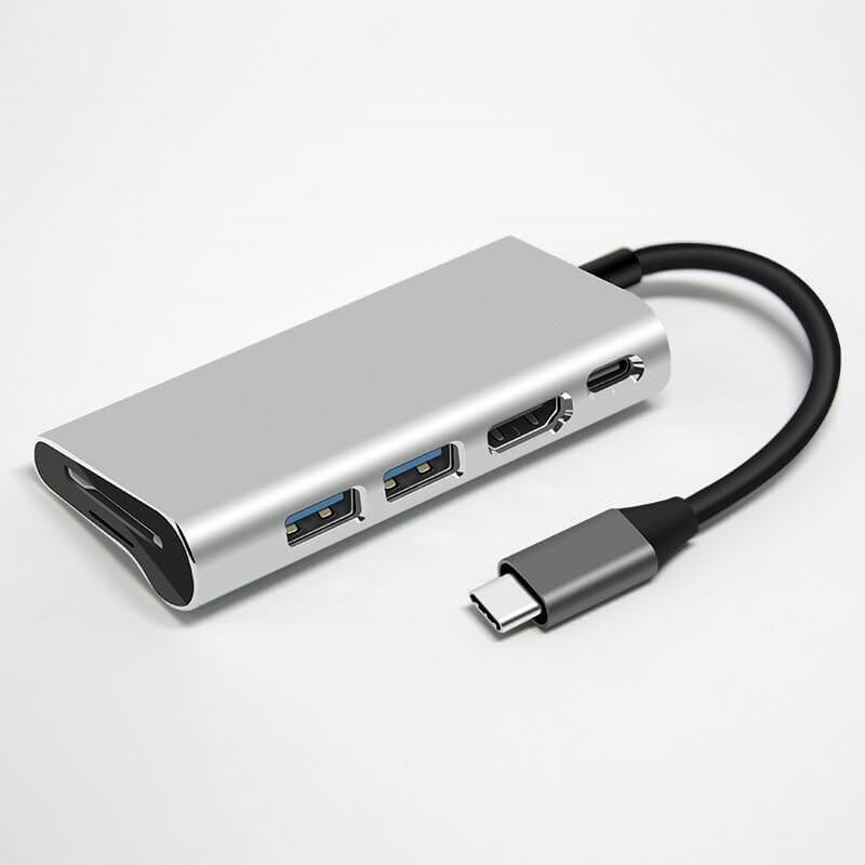
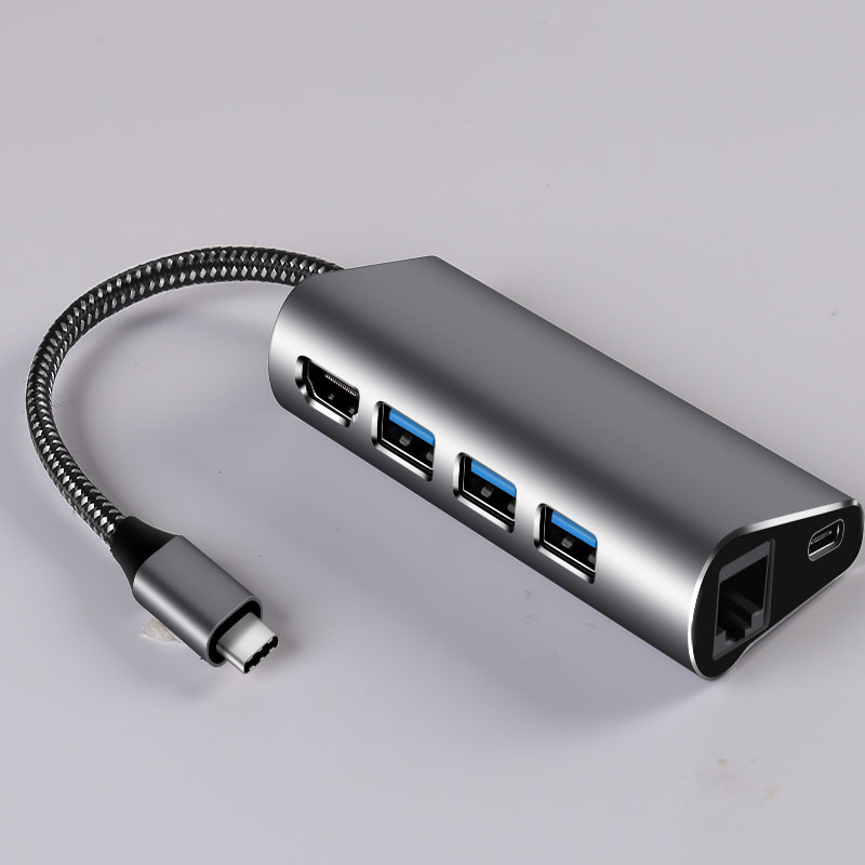
The T260 supports NVMe and SATA dual-protocol M.2 SSDs, with a stated maximum read/write speed of 5Gbps. Alongside SSD functionality, it provides two USB 3.0 ports, one RJ45 Gigabit Ethernet port, one 4K HDMI output, and one PD power supply connection.
For users who need external storage and everyday connectivity without carrying several separate adapters, this combination can provide a more centralized workstation setup.
The T260 also uses graphene heat dissipation technology for the SSD enclosure and features a completely tool-free installation design, eliminating the need for screws during SSD installation.
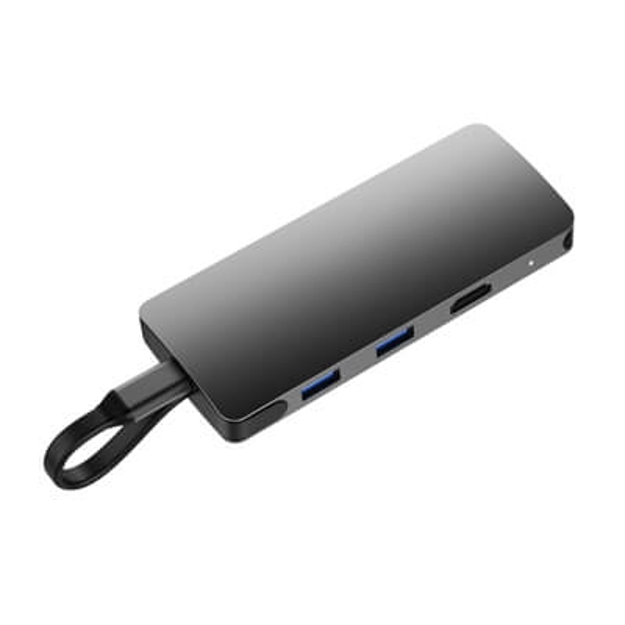
What Is the T260 6-in-1 USB-C Docking Station?
The T260 is a multifunctional USB-C docking station and M.2 SSD enclosure designed to combine storage expansion with connectivity.
Instead of using one adapter for external storage, another for Ethernet, another for HDMI, and additional adapters for USB peripherals, the T260 brings these functions together.
Its stated functions include:
- USB-C docking station
- M.2 SSD enclosure
- NVMe M.2 SSD support
- SATA M.2 SSD support
- Two USB 3.0 ports
- Gigabit Ethernet
- 4K HDMI
- PD power input
- Graphene-based SSD heat dissipation
- Tool-free SSD installation
This combination makes the T260 useful for laptop users, professionals, content workflows, data storage, office environments, and portable workstations.
Key Specifications
| Feature | Specification |
| Model | T260 |
| Product Type | 6-in-1 USB-C Docking Station |
| Main Functions | Docking station + M.2 SSD enclosure |
| SSD Protocols | NVMe & SATA |
| SSD Type | M.2 SSD |
| Stated Maximum Read/Write Speed | Up to 5Gbps |
| USB Ports | 2 × USB 3.0 |
| Ethernet | 1 × RJ45 Gigabit Ethernet |
| Display | 1 × 4K HDMI |
| Power | 1 × PD power supply connection |
| SSD Cooling | Graphene heat dissipation technology |
| SSD Installation | Tool-free, no screws required |
| Categories | Data & Hub, Uncategorized, USB C HUB |
The supplied specifications do not state the exact supported M.2 form factors, HDMI refresh rate, maximum PD wattage, USB 3.0 port power output, Ethernet auto-negotiation details, or supported host operating systems. These specifications should be confirmed where they are important to a particular setup.
6-in-1 USB-C Docking Station T260: Dual Function
The standout feature of the T260 is its dual-function design.
It operates as a USB-C docking station while also providing an enclosure for an M.2 SSD.
This can be particularly useful for users who need both connectivity and additional storage.
For example, a laptop user could connect the T260 through USB-C and gain access to:
- External M.2 storage
- USB 3.0 peripherals
- Wired Gigabit Ethernet
- 4K HDMI display connectivity
- PD power input
This reduces the need for multiple separate accessories and can help create a more organized workstation.
NVMe and SATA Dual-Protocol M.2 SSD Support
The T260 supports both NVMe and SATA M.2 SSD protocols.
This dual-protocol capability provides flexibility when selecting compatible M.2 storage.
NVMe and SATA are different storage communication protocols, so users should verify that their specific M.2 SSD matches the supported physical format and protocol requirements of the T260.
The ability to accommodate both protocols can be valuable for users who work with different types of M.2 storage or want greater flexibility when upgrading external storage.
Up to 5Gbps Read/Write Speed
The product specifications state a maximum read/write speed of 5Gbps for the supported SSD functionality.
This provides a useful level of bandwidth for external storage applications such as:
- File transfers
- Document storage
- Media management
- Backup tasks
- Portable project storage
- General workstation storage
However, 5Gbps should be treated as the stated maximum interface speed, not as a guaranteed real-world SSD performance figure.
Actual read and write performance can depend on:
- The installed SSD
- SSD protocol
- Host computer
- USB-C interface
- File type
- File size
- Operating system
- Thermal conditions
- Other connected devices
The SSD itself may have a higher native performance capability, but the overall connection can be limited by the T260’s stated interface speed.
Graphene Heat Dissipation Technology
The T260 uses graphene heat dissipation technology for its SSD enclosure.
Heat management is an important consideration for high-performance storage because sustained data transfers can cause an SSD to generate heat.
The supplied specification states that the graphene design is intended to maximize fast heat conduction.
This can help support thermal management during storage-intensive workloads.
However, graphene heat dissipation should not be interpreted as a guarantee that an SSD will never experience thermal throttling. Actual temperatures depend on the SSD, workload, ambient conditions, enclosure design, and other factors.
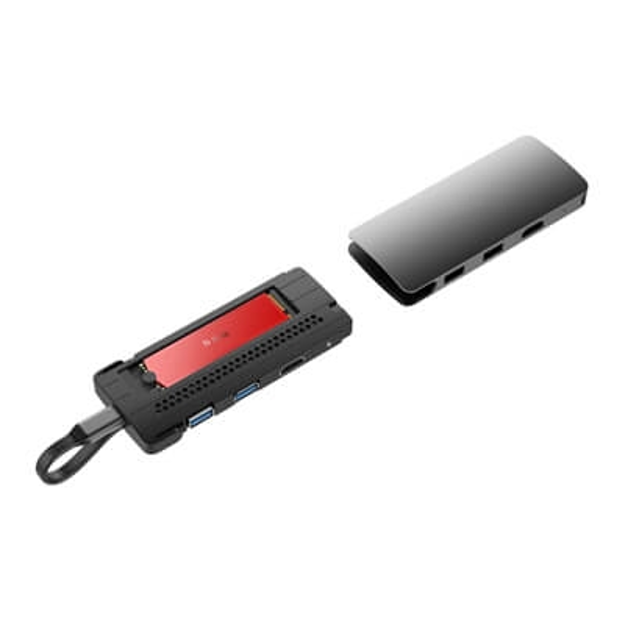
Tool-Free SSD Installation
Installing an M.2 SSD traditionally may involve opening an enclosure and securing the drive with a small screw.
The T260 simplifies this process with a completely tool-free installation design.
According to the supplied specifications, no screw is required for installation.
This can be useful for users who frequently swap storage drives or prefer a simpler installation process.
A typical workflow is:
- Open the SSD enclosure according to the product design.
- Insert the compatible M.2 SSD.
- Secure it using the tool-free mechanism.
- Close the enclosure.
- Connect the T260 to the host device through USB-C.
- Initialize or format the SSD if required by the operating system.
The exact installation mechanism should be followed according to the manufacturer’s instructions.
Two USB 3.0 Ports
The T260 provides two USB 3.0 ports.
These ports can expand the number of USB peripherals available to a USB-C laptop or compatible computer.
Potential devices include:
- USB keyboards
- Mice
- Flash drives
- External peripherals
- USB accessories
- Compatible storage devices
USB 3.0 connectivity can be useful when users need more bandwidth than older USB standards provide.
Actual performance depends on the connected peripheral, host system, cable, and overall workload.
4K HDMI Output
The T260 includes one HDMI port supporting 4K output.
This allows users to connect a compatible external display through the docking station.
A larger external monitor can be useful for:
- Office productivity
- Graphic design
- Video workflows
- Presentations
- Research
- Multitasking
- Extended desktop setups
The supplied specifications confirm 4K HDMI support but do not specify the supported refresh rate or exact HDMI version. These details should be verified if a specific 4K resolution and refresh-rate combination is required.
Gigabit Ethernet Connectivity
Wireless networking is convenient, but wired Ethernet can be useful when users need a direct network connection.
The T260 provides one RJ45 1GB Ethernet port, providing Gigabit Ethernet connectivity according to the supplied specifications.
A wired network connection can be useful for:
- Office networks
- Large file transfers
- Business workstations
- Network storage
- Stable wired connectivity
- Internet access where Ethernet is preferred
Actual network performance depends on the network infrastructure, Ethernet cable, router or switch, internet connection, and host system.
PD Power Supply Connection
The T260 includes one PD power supply connection.
Power Delivery, commonly abbreviated as PD, is a USB-C power-delivery technology that allows compatible devices and chargers to negotiate appropriate power levels.
The supplied specifications do not state the exact PD wattage or supported voltage/current profiles. Therefore, no specific charging wattage should be assumed from the product description alone.
Users who plan to power a laptop through the docking station should verify the required PD specifications of both the T260 and their computer.
One-Cable Workstation Expansion
One of the major advantages of a USB-C docking station is the ability to consolidate several connections.
With the T260, a compatible laptop can potentially access external storage, USB peripherals, Ethernet, HDMI, and PD power through the docking station.
This can help reduce the number of adapters required around a workstation.
For example, a professional desk setup could include:
Laptop → T260 → SSD + HDMI display + USB peripherals + Ethernet + PD power
The exact capabilities available simultaneously can depend on the host system and the specifications of each connected device.
Benefits of the T260
Multifunctional Design
The T260 combines docking and M.2 SSD enclosure functionality in one device.
NVMe and SATA Support
Dual-protocol M.2 support provides greater storage flexibility.
High-Speed Storage Interface
The SSD functionality supports stated read/write speeds of up to 5Gbps.
4K Display Support
The HDMI output supports 4K display connectivity.
Gigabit Ethernet
The RJ45 port provides 1GB Ethernet connectivity.
USB 3.0 Expansion
Two USB 3.0 ports provide additional peripheral connectivity.
Tool-Free Installation
The SSD can be installed without screws according to the supplied product specifications.
Graphene Heat Dissipation
The SSD enclosure uses graphene heat dissipation technology to support heat conduction.
Applications of the T260
Laptop Workstations
The T260 can turn a USB-C laptop into a more connected workstation by providing access to external storage, display, Ethernet, USB peripherals, and PD.
Home Offices
Home-office users can benefit from having several common connectivity functions centralized in one compact docking station.
Professional Workspaces
Professionals who work with external storage, wired networking, displays, and USB accessories can use the T260 to simplify their desk setup.
Data and File Management
The M.2 SSD enclosure can provide additional external storage for documents, projects, backups, and other files.
Creative Workflows
External SSD storage and 4K display connectivity can be useful in photography, design, video, and other media-oriented workflows, subject to the capabilities of the connected computer and SSD.
Travel Workstations
A multifunctional dock can reduce the number of separate accessories users need to carry when moving between workspaces.
T260 vs a Standard USB-C Hub
| Feature | T260 6-in-1 Docking Station | Standard USB-C Hub |
| M.2 SSD Enclosure | Yes | Usually not included |
| NVMe Support | Yes | Varies |
| SATA M.2 Support | Yes | Varies |
| SSD Speed | Up to 5Gbps stated | Depends on model |
| USB 3.0 Ports | 2 | Varies |
| Gigabit Ethernet | Yes | Depends on model |
| 4K HDMI | Yes | Depends on model |
| PD | Yes | Depends on model |
| Tool-Free SSD Installation | Yes | Usually not applicable |
| Graphene SSD Heat Dissipation | Yes | Usually not included |
The T260’s main distinction is its combination of M.2 storage functionality and docking connectivity.
T260 vs a Separate SSD Enclosure and Dock
| Feature | T260 | Separate Accessories |
| Docking Station | Integrated | Separate |
| SSD Enclosure | Integrated | Separate |
| Ethernet | Integrated | May require another adapter |
| HDMI | Integrated | Separate accessory may be required |
| USB Expansion | Integrated | Separate hub |
| PD | Integrated | Depends on setup |
| Cable Management | Centralized | More cables |
| Portability | One multifunctional unit | Multiple devices |
A combined design can simplify a workstation, although users should always verify that the integrated specifications meet their specific requirements.
How to Install an M.2 SSD
Step 1: Select a Compatible SSD
Choose an M.2 SSD that matches the supported NVMe or SATA protocol and physical requirements of the T260.
Step 2: Open the Enclosure
Access the SSD compartment according to the manufacturer’s instructions.
Step 3: Insert the SSD
Place the compatible M.2 SSD into the designated connector.
Step 4: Use the Tool-Free Mechanism
Secure the SSD using the built-in tool-free installation mechanism.
Step 5: Close the Enclosure
Ensure the enclosure is properly closed before connecting it to the computer.
Step 6: Connect Through USB-C
Connect the T260 to the compatible USB-C host device.
Step 7: Initialize the Drive
If the SSD is new, the operating system may require initialization, partitioning, or formatting before the drive can be used.
Best Practices for Using the T260
Verify SSD compatibility: NVMe and SATA are different protocols. Confirm that your M.2 SSD is supported before installation.
Check the physical M.2 format: Protocol compatibility alone does not establish compatibility with every physical M.2 size.
Use a suitable USB-C connection: The host interface should support the functionality you intend to use.
Check laptop display support: 4K HDMI support on the dock does not automatically mean every USB-C laptop can output video. The host USB-C port must support the required display functionality.
Use suitable PD equipment: Confirm the laptop’s power requirements and the dock’s supported PD specifications.
Allow adequate ventilation: Graphene heat dissipation helps with heat conduction, but adequate airflow is still useful during sustained workloads.
Safely eject storage: Use the operating system’s safe-eject function before disconnecting an external SSD during active data operations.
What to Consider Before Buying
SSD Protocol
The T260 supports NVMe and SATA dual-protocol M.2 SSDs. Verify your drive’s protocol before purchase.
Storage Form Factor
Confirm the physical M.2 size supported by the enclosure.
Data Speed
The stated maximum read/write speed is 5Gbps. If your workflow requires higher external storage bandwidth, consider the complete interface specification.
HDMI Requirements
The T260 supports 4K HDMI, but the supplied information does not specify the maximum refresh rate.
Ethernet
The product includes 1GB RJ45 Ethernet. Check your network infrastructure if Gigabit performance is required.
PD Requirements
Exact PD wattage is not supplied. Laptop users should confirm the required charging power.
Host USB-C Capability
Not every USB-C port supports the same functions. For display output and other advanced dock features, confirm that the host USB-C port supports the required technologies.
Frequently Asked Questions
What is the T260?
The T260 is a 6-in-1 USB-C docking station with an integrated M.2 SSD enclosure.
Does the T260 support NVMe SSDs?
Yes. The product supports NVMe M.2 SSDs.
Does it support SATA M.2 SSDs?
Yes. The T260 supports SATA M.2 SSDs as well.
What is the maximum stated SSD read/write speed?
The supplied specification states a maximum read/write speed of 5Gbps.
Does it have USB 3.0 ports?
Yes. It includes two USB 3.0 ports.
Does the T260 support Ethernet?
Yes. It includes one RJ45 1GB Ethernet port.
Does it support 4K HDMI?
Yes. The T260 includes one 4K HDMI output.
Does it support Power Delivery?
Yes. The product includes one PD power supply connection. The exact supported wattage is not provided in the supplied specifications.
Does SSD installation require screws?
No. The T260 is specified as having a completely tool-free installation design.
What cooling technology does the SSD enclosure use?
The T260 uses graphene heat dissipation technology for the SSD enclosure.
Can I use any M.2 SSD?
The product supports NVMe and SATA M.2 SSD protocols, but the exact physical M.2 form factors supported are not specified in the supplied information. Verify compatibility before purchase.
Will every USB-C laptop support all T260 functions?
Not necessarily. USB-C ports can have different capabilities. Display output, PD, data, and other functions depend on the host system’s USB-C implementation.
Does 4K HDMI mean every laptop can output 4K?
No. The docking station supports 4K HDMI output, but the connected laptop must also support the required video-output functionality through its USB-C port.
Conclusion
The 6-in-1 USB-C Docking Station T260 combines external storage and everyday connectivity in a single multifunctional device.
Its dual-function design allows it to work as both a USB-C docking station and an M.2 SSD enclosure, supporting NVMe and SATA dual-protocol M.2 SSDs with a stated maximum read/write speed of up to 5Gbps.
Beyond storage, the T260 provides two USB 3.0 ports, one RJ45 Gigabit Ethernet port, one 4K HDMI output, and one PD power connection. This makes it suitable for users who want to connect external storage, USB peripherals, wired networking, an external display, and power through a centralized docking solution.
The graphene heat dissipation technology adds a thermal-management feature for the SSD enclosure, while the tool-free installation design makes installing a compatible M.2 SSD simpler by eliminating the need for screws.
The T260 can be useful for laptop workstations, home offices, professional environments, data-management workflows, creative setups, and portable workstations.
Before purchasing, users should verify important details not included in the supplied specifications, particularly the supported M.2 physical sizes, exact PD wattage, HDMI refresh rate, host USB-C requirements, and other system-specific compatibility requirements.
With its combination of NVMe/SATA M.2 storage support, USB 3.0 connectivity, 4K HDMI, Gigabit Ethernet, PD, graphene heat dissipation, and tool-free installation, the T260 6-in-1 USB-C Docking Station provides a centralized solution for expanding both storage and connectivity from a compatible USB-C computer.