10 Port Sync&Charge HUB 120W TH-10A: Reliable Multi-Device Charging and Data Sync
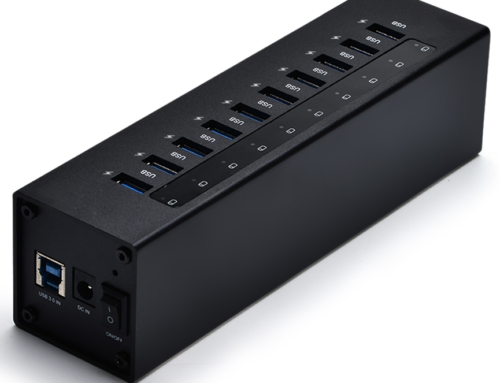
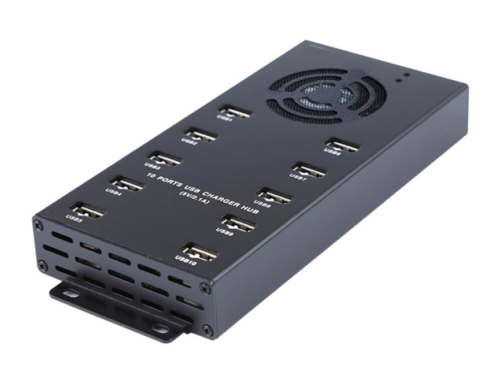
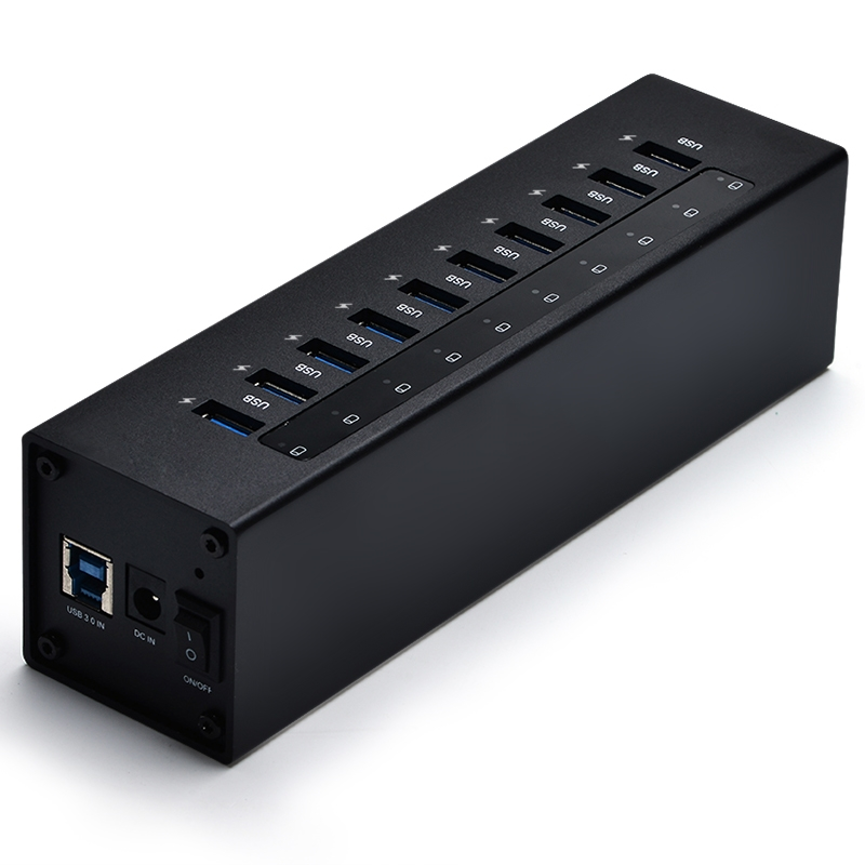
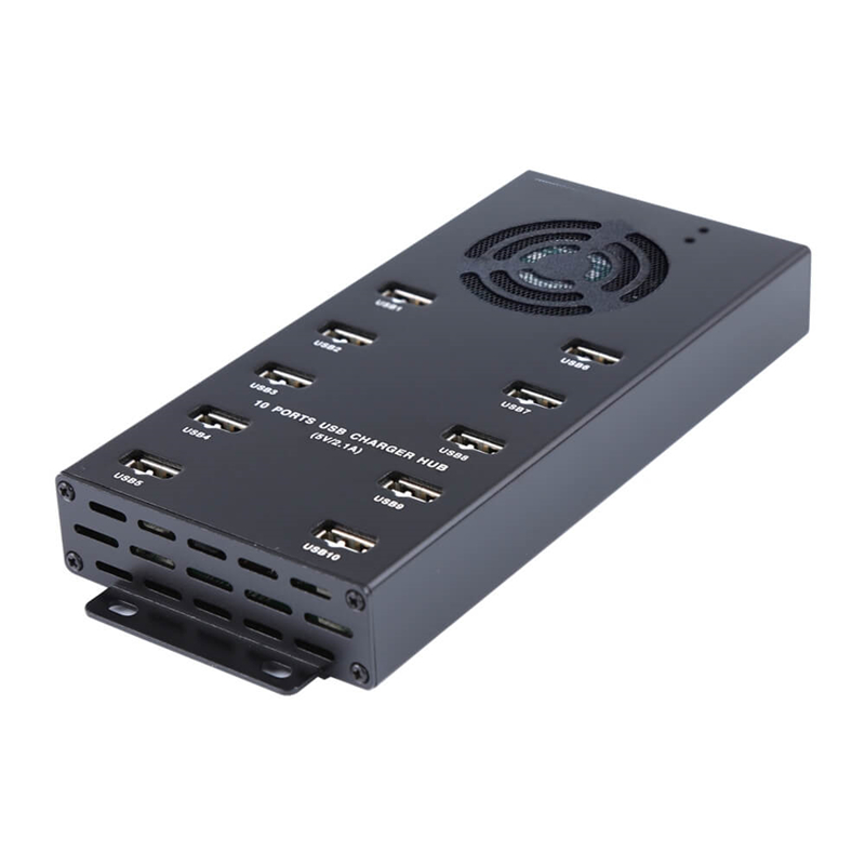
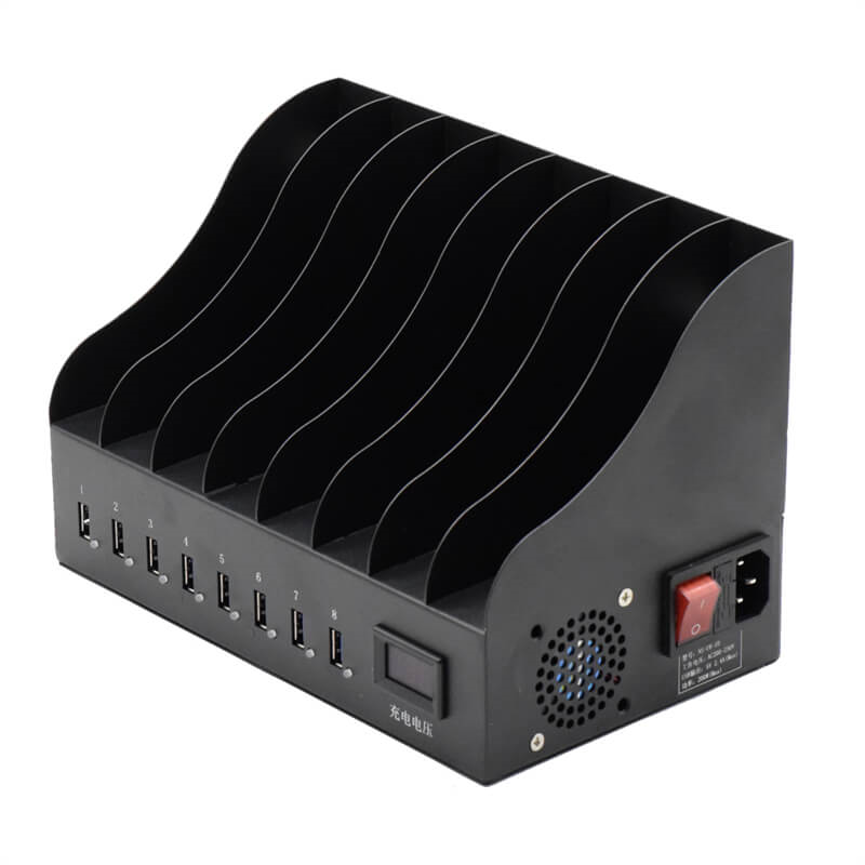
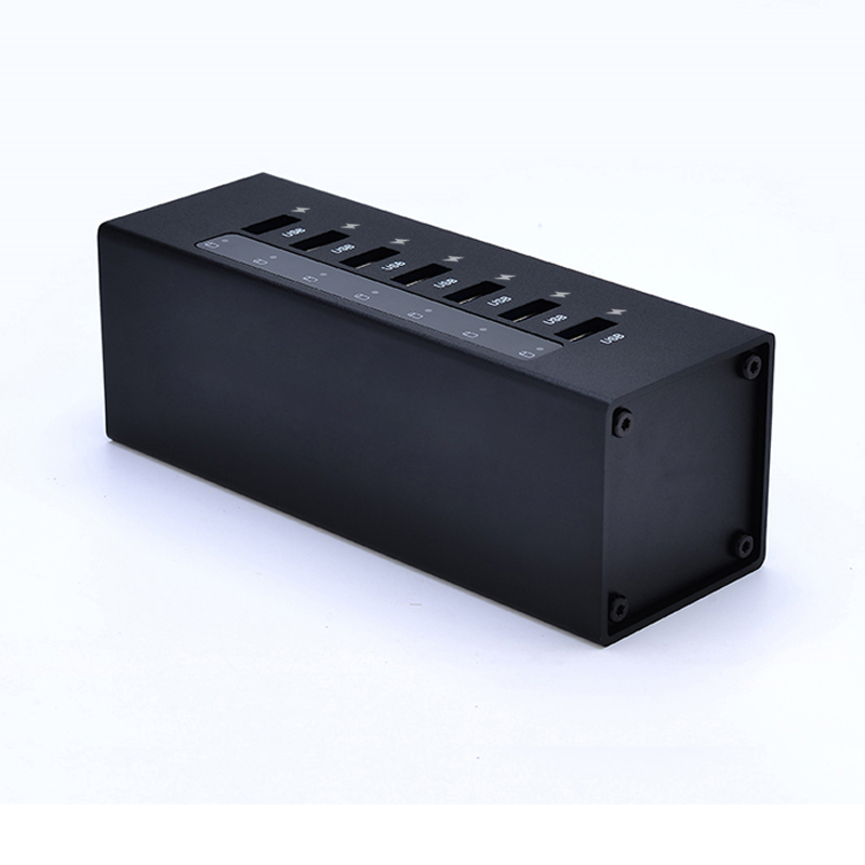
The 10 Port Sync&Charge HUB 120W Model TH-10A is designed to provide a centralized solution for multi-device charging and synchronization.
Featuring 10 USB ports, the TH-10A is built for environments where several USB devices need to be connected at the same time. Its 120W power supply provides the overall power source for the hub, while the stated 12W power output is designed to support efficient charging.
The TH-10A also includes a built-in surge protection system, helping provide an additional layer of protection for connected equipment against electrical surge conditions. Its industrial mounting design makes installation practical in environments where a secure, organized, and space-efficient setup is important.
As a Charge & Sync Hub and Data & Hub, the TH-10A is suitable for offices, educational facilities, IT environments, device management areas, commercial locations, and other applications involving multiple USB-connected devices.
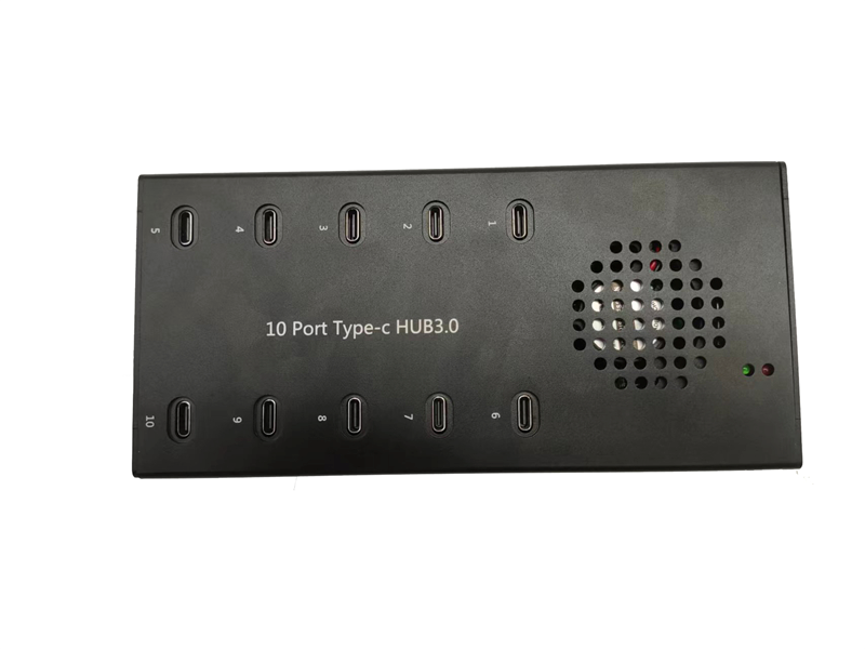
What Is the TH-10A The 10 Port Sync&Charge HUB 120W Model TH-10A is designed to provide a centralized solution for multi-device charging and synchronization.
The TH-10A is a multi-port USB hub designed to combine device charging and data synchronization in one centralized solution.
Instead of requiring multiple individual charging connections or separate USB hubs, the TH-10A provides 10 USB ports within a single unit.
This design can make it easier to organize a multi-device charging environment while keeping connected equipment in one location.
The product is particularly useful when a business, school, organization, or technical environment needs to manage several USB devices simultaneously.
Its main capabilities include:
- 10 USB ports
- Data synchronization and charging
- 120W power supply
- 12W stated power output
- Built-in surge protection
- Industrial mounting design
- Multi-device connectivity
The exact USB connector type, data-transfer standard, per-port charging specifications, and supported device list were not provided, so those details should be confirmed from the manufacturer before deployment.
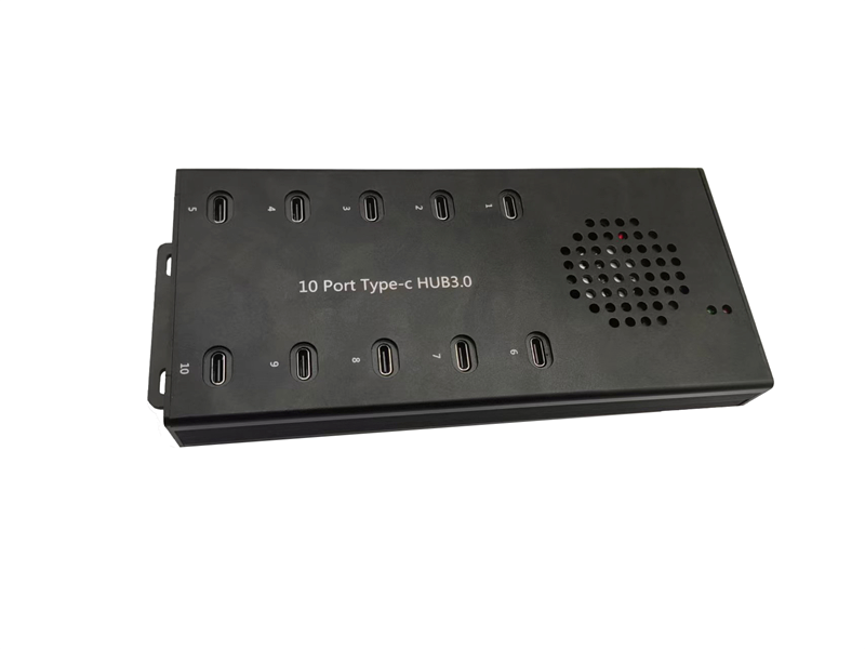
Key Features of the TH-10A
1. 10 USB Ports for Charging and Data Sync
The TH-10A provides 10 USB ports designed for both data synchronization and charging.
Having multiple ports available from one hub can simplify device management, particularly in environments where several smartphones, tablets, or other USB devices need to be connected simultaneously.
Rather than maintaining numerous individual charging solutions, users can establish a centralized USB connection point.
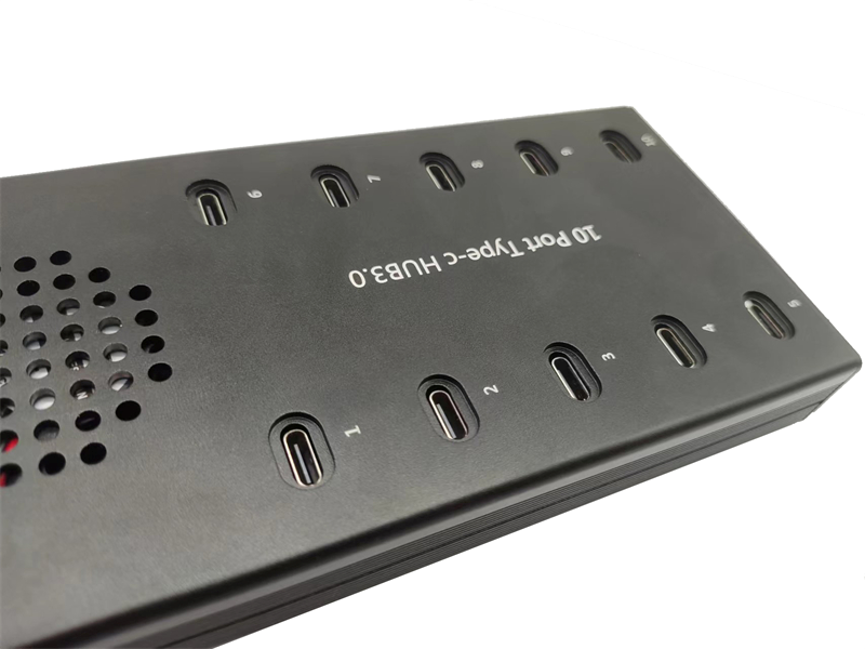
2. 120W Power Supply
The TH-10A features a 120W power supply designed to provide reliable power for the hub and connected devices.
The 120W figure should be understood as the stated power-supply capacity of the system rather than automatically assuming that every port can deliver a particular wattage.
Actual available power depends on the hub’s internal power distribution and the requirements of the connected devices.
3. 12W Power Output
The supplied specification states 12W power output for fast and efficient charging.
This figure should be treated according to the manufacturer’s stated output specification. It should not automatically be interpreted as 12W guaranteed to every one of the 10 ports simultaneously unless the manufacturer specifically confirms that configuration.
Actual charging performance can vary depending on the connected device, cable, charging circuitry, and power distribution of the hub.
4. Built-In Surge Protection
The TH-10A includes a built-in surge protection system.
Surge protection is designed to help protect connected equipment from certain electrical surge conditions. This is especially useful in multi-device environments where several pieces of equipment are connected to the same charging system.
Users should still follow appropriate electrical safety practices and the manufacturer’s installation instructions.
5. Industrial Mounting Design
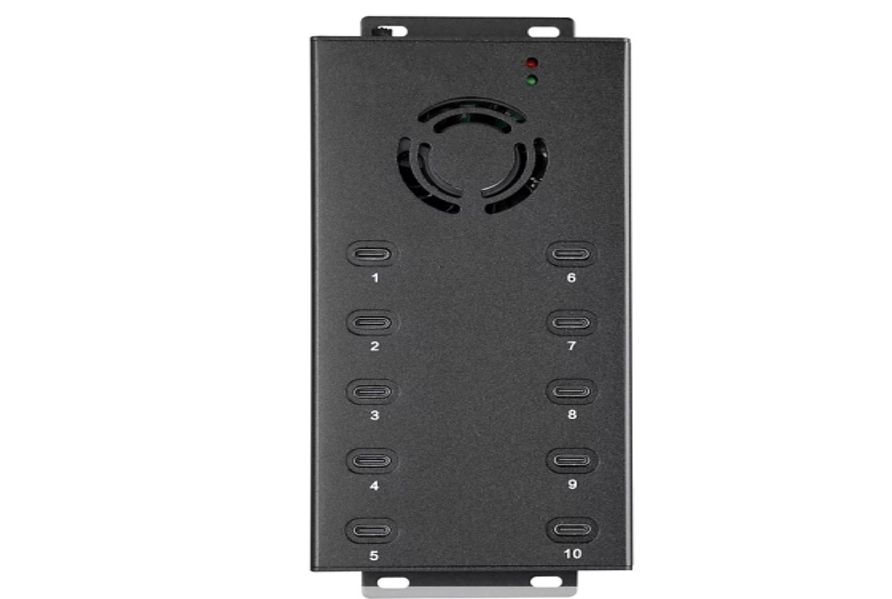
The TH-10A features an easy-to-install industrial mounting design.
A mounting-oriented design can be beneficial in professional installations where equipment needs to remain securely positioned instead of simply sitting loosely on a desktop.
This can help create a more organized installation in:
- IT rooms
- Device management areas
- Laboratories
- Schools
- Offices
- Commercial facilities
- Technical workspaces
Technical Specifications
| Specification | TH-10A Details |
| Product Name | 10 Port Sync&Charge HUB 120W |
| Model | TH-10A |
| USB Ports | 10 |
| Main Function | Data synchronization and charging |
| Power Supply | 120W |
| Stated Power Output | 12W |
| Surge Protection | Built-in |
| Mounting Design | Industrial mounting design |
| Charging | Yes |
| Data Sync | Yes |
| USB Connector Type | Not specified |
| USB Data Standard | Not specified |
| Per-Port Output | Not specified beyond stated 12W output |
| Supported Devices | Not specified |
| Dimensions | Not specified |
| Weight | Not specified |
| Product Categories | Charge & Sync Hub, Data & Hub, Multi-ports USB C HUB |
Understanding the 120W Power Supply and 12W Output
The TH-10A includes two different power figures: 120W power supply and 12W power output.
These figures should not be treated as interchangeable.
120W Power Supply
The product specification identifies a 120W power supply for reliable charging. This represents the stated power capacity of the power supply used by the system.
It does not necessarily mean that every USB port can provide 120W, nor does it mean that 120W is delivered to every connected device.
12W Power Output
The product information separately identifies 12W power output for charging.
The exact distribution of this output across the 10 ports has not been specified. Therefore, it is more accurate to describe 12W as the stated product output rather than claiming 12W per port.
For professional deployments, buyers should confirm the manufacturer’s detailed per-port power specifications.
Why Charge and Sync Functionality Matters
A basic charging hub is primarily designed to provide power. A charge-and-sync hub adds data communication, making it useful for environments where devices need to be connected to a computer or management system as well as charged.
The TH-10A is positioned for both functions.
This can be useful when devices need to be:
- Charged
- Connected to a host system
- Synchronized
- Managed
- Updated
- Prepared for use
- Organized in a centralized charging environment
The exact synchronization workflow depends on the connected devices, operating system, software, cables, and USB specifications supported by the hub.
Benefits of the TH-10A 10-Port Hub
Centralized Device Charging
Ten USB ports allow multiple devices to be connected through one centralized hub.
This can reduce the need for several separate charging units and make a multi-device setup easier to manage.
Simplified Data Synchronization
Because the product is designed for both data sync and charging, it can support workflows where connected devices need to communicate with a host system.
Professional Installation
The industrial mounting design makes the TH-10A suitable for installations where secure positioning and efficient use of space are important.
Additional Surge Protection
The built-in surge protection system provides an additional protection feature for the charging setup.
Suitable for Multi-Device Environments
The 10-port configuration makes the hub useful for organizations managing several USB-connected devices at once.
Applications of the TH-10A
Educational Institutions
Schools and training facilities often manage multiple tablets or other USB devices. A centralized hub can help organize charging and synchronization.
Offices
Businesses can use multi-port USB hubs to manage company-owned mobile devices and other USB-powered equipment.
IT Departments
IT teams can benefit from a centralized connection point when devices need to be charged, synchronized, configured, or maintained.
Device Management
Organizations that regularly deploy multiple mobile devices can use the hub as part of a centralized device-management station.
Laboratories and Technical Workspaces
Technical environments may require several USB devices to remain connected and organized. The mounting design can be useful in these settings.
Commercial Environments
The TH-10A can be considered for commercial installations where multiple USB devices need a centralized charging and synchronization solution.
TH-10A vs. Standard USB Charging Hub
| Feature | TH-10A Sync&Charge HUB | Standard USB Charging Hub |
| USB Ports | 10 | Varies |
| Charging | Yes | Yes |
| Data Synchronization | Yes | May vary |
| Power Supply | 120W | Varies |
| Stated Power Output | 12W | Varies |
| Surge Protection | Built-in | Depends on model |
| Mounting | Industrial mounting design | Often desktop-oriented |
| Best For | Multi-device professional environments | General charging |
The TH-10A’s combination of charging, synchronization, surge protection, and industrial mounting makes it particularly relevant for structured multi-device installations.
TH-10A vs. Individual Chargers
Using individual chargers for every device can become difficult to manage as the number of devices increases.
A centralized 10-port hub provides a more organized alternative.
| Consideration | TH-10A | Individual Chargers |
| Centralized charging | Yes | No |
| Number of USB ports | 10 | Usually one connection per charger |
| Data synchronization | Supported | Depends on charger/setup |
| Installation | Industrial mounting design | Individual installations |
| Cable management | Centralized setup | More distributed |
| Surge protection | Built-in system | Depends on individual charger |
| Multi-device management | Easier | More fragmented |
For organizations managing multiple devices, centralization can improve organization and simplify routine charging workflows.
How to Use the TH-10A
Step 1: Choose the Installation Location
Select a suitable location where the hub can be securely mounted and where connected USB cables can be managed safely.
Step 2: Install the Hub
Use the industrial mounting design according to the manufacturer’s installation instructions.
The exact mounting hardware and installation method were not specified, so users should follow the supplied documentation.
Step 3: Connect the Power Supply
Connect the TH-10A to its appropriate 120W power supply according to the manufacturer’s requirements.
Step 4: Connect USB Devices
Connect compatible USB devices to the available ports using suitable cables.
Step 5: Synchronize Devices When Required
If data synchronization is required, connect the appropriate host system and use compatible software.
Step 6: Monitor Charging
Confirm that connected devices are charging correctly and remain within the hub’s intended operating conditions.
Best Practices for Multi-Device Charging
Use Appropriate USB Cables
The quality and capability of a USB cable can affect both charging and data performance. Use cables suitable for the connected devices and intended function.
Do Not Assume 12W Per Port
The stated 12W power output should not be automatically interpreted as 12W available to each of the 10 ports simultaneously. Confirm the manufacturer’s detailed per-port specifications if this is important to your installation.
Consider Total Power Requirements
When connecting multiple devices, consider their combined charging requirements and the hub’s stated power capabilities.
Follow Mounting Instructions
Use the manufacturer’s recommended mounting procedure to ensure the industrial installation is secure.
Maintain Proper Ventilation
Avoid covering the unit or installing it in a location that restricts appropriate airflow.
Keep Cables Organized
Use a structured cable-management approach to prevent cables from becoming tangled or disconnected.
What to Consider Before Buying a 10-Port Charge & Sync Hub
Before selecting a multi-port USB hub, evaluate the following:
Number of devices:
Determine how many devices need to be connected at the same time.
Charging requirements:
Check the charging requirements of each device and compare them with the hub’s confirmed output specifications.
Data synchronization:
If device synchronization is required, confirm the supported USB data standard and software compatibility.
Mounting requirements:
Consider whether a desktop, wall-mounted, rack-mounted, or industrial mounting solution is appropriate for your environment.
Power requirements:
Review the overall system power supply and how available power is distributed between connected devices.
Protection features:
A built-in surge protection system can be valuable in professional multi-device installations.
Frequently Asked Questions
What is the TH-10A?
The TH-10A is a 10 Ports Sync&Charge HUB designed for charging and data synchronization of multiple USB devices.
How many USB ports does the TH-10A have?
The TH-10A has 10 USB ports for data synchronization and charging.
What is the power supply rating?
The TH-10A is specified with a 120W power supply.
What is the stated power output?
The product specification states a 12W power output for fast and efficient charging.
Does the TH-10A have surge protection?
Yes. The TH-10A includes a built-in surge protection system.
Is the TH-10A designed for industrial installation?
Yes. It features an easy-to-install industrial mounting design.
Can the TH-10A charge and sync devices?
Yes. The product is specifically designed for data synchronization and charging through its 10 USB ports.
Does every USB port provide 12W?
The supplied specifications do not explicitly state that 12W is available per individual port. The product is described as having a 12W power output, so the exact per-port distribution should be confirmed with the manufacturer.
Does the 120W rating mean every connected device receives 120W?
No. The 120W figure refers to the stated power supply. It should not be interpreted as 120W per port or 120W delivered individually to every connected device.
What devices can be connected to the TH-10A?
The supplied information does not provide a specific supported-device list. Compatible USB devices can be considered, but exact compatibility should be confirmed based on the device, USB connector, charging requirements, and synchronization requirements.
Is the TH-10A suitable for offices?
Yes. Its 10-port design, charging and synchronization capabilities, surge protection, and industrial mounting design can make it suitable for professional office environments.
Conclusion
The 10 Ports Sync&Charge HUB 120W TH-10A is designed to provide a centralized solution for organizations and users who need to charge and synchronize multiple USB devices.
With 10 USB ports, a 120W power supply, stated 12W power output, built-in surge protection, and an industrial mounting design, the TH-10A combines multi-device connectivity with features intended for reliable and organized installations.
Its charge-and-sync functionality makes it useful for offices, educational institutions, IT departments, laboratories, training facilities, commercial environments, and other locations where several USB devices need to be managed.
The 120W power-supply rating and 12W output specification should be interpreted separately, and buyers should confirm detailed per-port output, USB standard, connector type, and device compatibility before selecting the hub for a specific installation.
For organizations looking for a centralized multi-device charging and synchronization solution with professional mounting and protection features, the TH-10A provides a practical platform for building an organized USB device-management setup.