Introduction
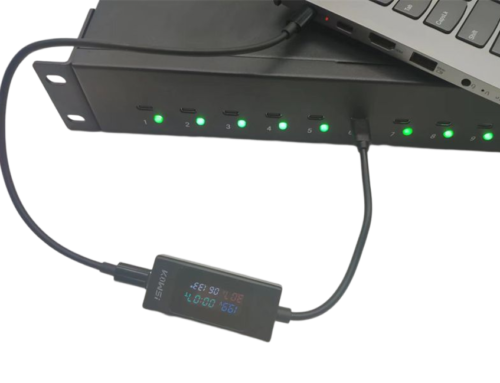
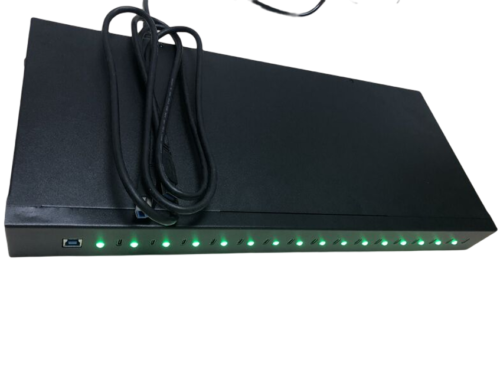
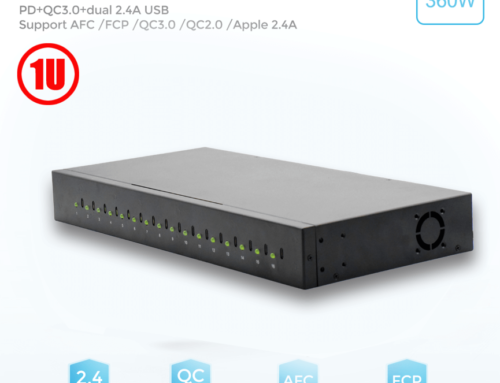
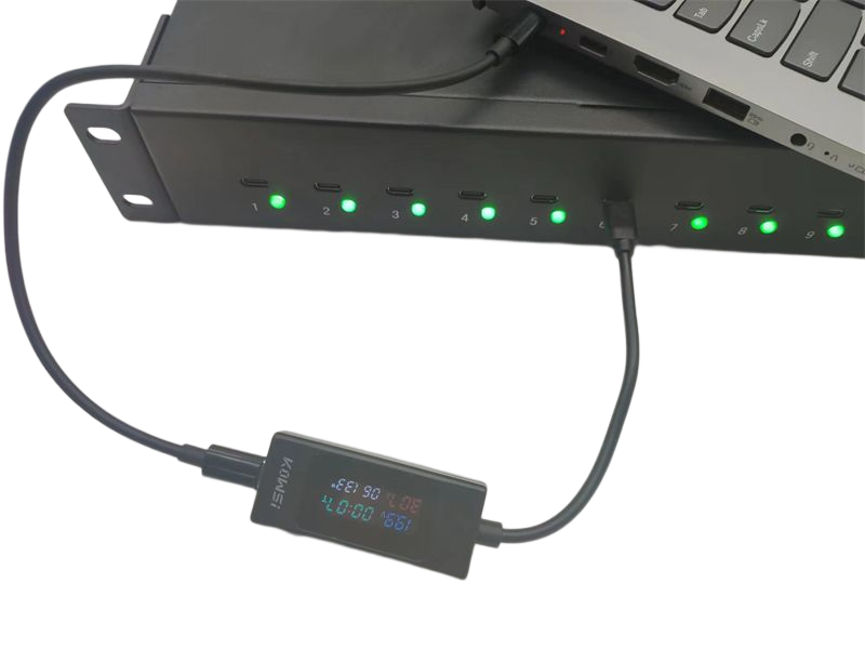
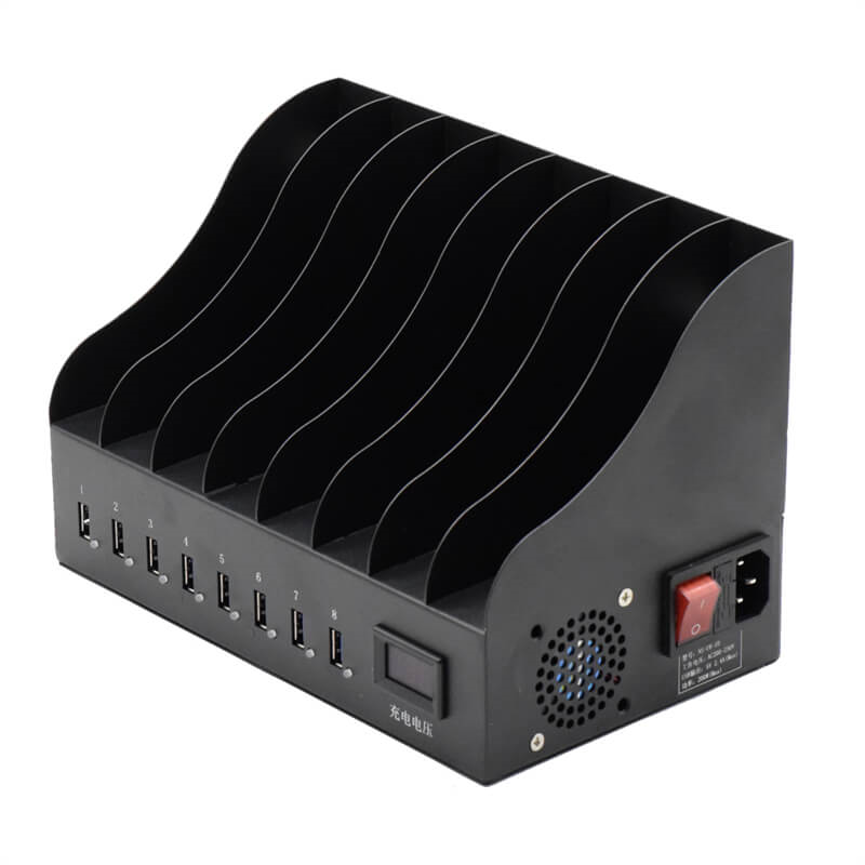
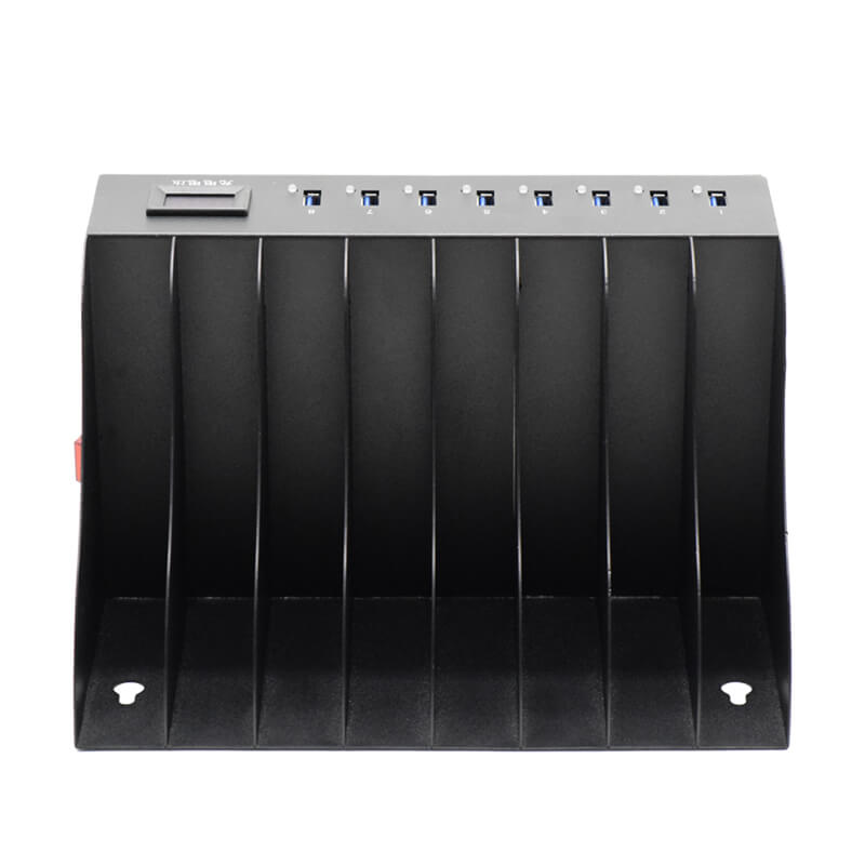
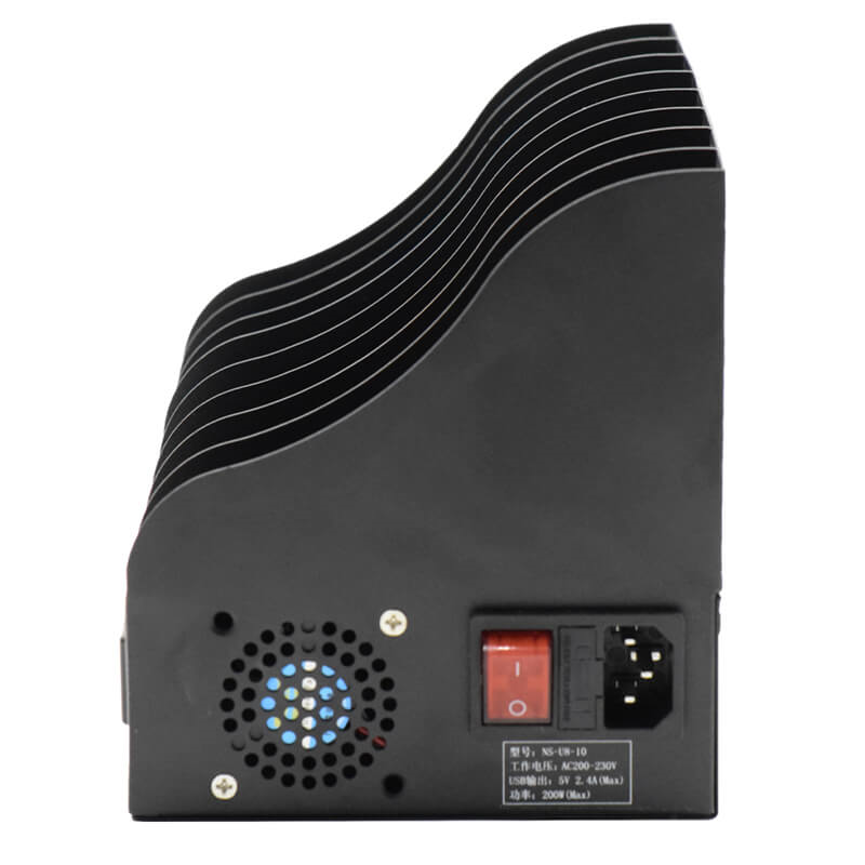
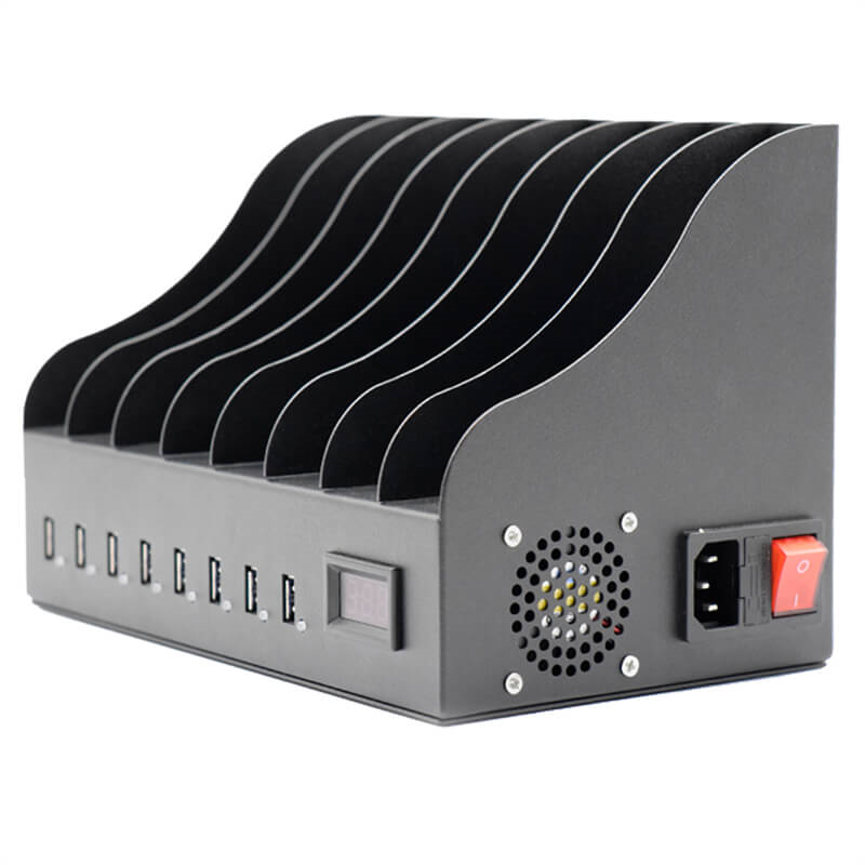
The 8 Ports USB Charging Docking solution is designed to charge multiple compatible electronic devices from one centralized charging station. It can support up to eight devices at the same time, including tablets, cell phones, laptops, and other USB-powered devices.
The The 8 Ports USB Charging Docking solution provides a centralized way to charge multiple compatible electronic devices in homes, offices, classrooms, and shared workspaces.solution provides a centralized way to charge multiple compatible electronic devices through USB connections. It can charge up to eight devices at the same time, including tablets, cell phones, and laptops, according to the supplied product specifications.
Each port supports up to 5V and 2.4A, providing a theoretical maximum of approximately 12W per port based on the stated voltage and current. This makes the product suitable for compatible battery-intensive devices that can accept the available charging output.
The charging dock also includes protection against overheating, overcurrent, and overcharging, providing additional safety features for a multi-device charging environment.
Whether used as a home charging station, office charging solution, classroom device station, or shared charging point, an 8-port configuration offers a practical balance between device capacity and centralized organization.
What Is an 8 Ports USB Charging Docking Solution?
An 8 Ports USB Charging Docking solution is a multiport charging device designed to provide charging connections for several electronic devices from a centralized unit.
Instead of using separate chargers for each smartphone, tablet, or compatible device, users can connect multiple devices to the available USB ports.
The product supports up to eight devices simultaneously, helping users create a dedicated charging area in environments where multiple devices are regularly used.
The basic charging setup can be represented as:
Power Source → 8-Port USB Charging Dock → USB Cables → Compatible Devices
The exact charging performance depends on the connected device, USB cable, battery condition, and the device’s own charging circuitry.
Key Specifications
| Feature | Specification |
| Product | 8 Ports USB Charging Docking |
| Number of Ports | 8 |
| Maximum Voltage | Up to 5V per port |
| Maximum Current | Up to 2.4A per port |
| Calculated Maximum Power | Approximately 12W per port |
| Device Capacity | Up to 8 devices |
| Connection | USB |
| Supported Devices | Tablets, cell phones, laptops, and compatible USB-powered devices |
| Safety Protection | Overheating, overcurrent, and overcharging protection |
| Product Categories | Desktop Multi-Port Charger, Multiport USB Charger |
Charge Up to 8 Devices Simultaneously
The most notable feature of this charging dock is its ability to support up to eight electronic devices at the same time.
This capacity can be useful in situations where several devices need to be charged together. Instead of locating multiple wall chargers, users can establish one dedicated charging area.
For example, a household could use the charging dock for several smartphones and tablets. An office could provide a shared charging location for employees. A classroom could use it for compatible student devices.
The centralized approach can make everyday charging more convenient and easier to organize.
Devices That Can Be Charged
According to the supplied specifications, the charging dock can support:
- Tablets
- Cell phones
- Laptops
- Other compatible USB-powered electronic devices
Compatibility should always be checked for the specific device, especially for laptops, because laptop charging requirements can vary significantly between models.
Up to 5V and 2.4A Per Port
The product specifies up to 5V and 2.4A per port.
Using the standard power equation:
Power = Voltage × Current
The theoretical maximum power is:
5V × 2.4A = 12W
Therefore, each port has a calculated maximum capability of approximately 12W under the stated 5V/2.4A specification.
This specification can be useful for charging battery-intensive devices that support this level of USB charging.
However, the 12W figure should not be interpreted as a guarantee that every connected device will always draw 12W. Actual charging power is determined by several factors, including the device’s charging circuitry, battery condition, cable quality, and power requirements.
Charging Battery-Intensive Devices
Some devices have larger batteries and therefore require more charging current than smaller electronics.
Tablets are a common example. They may require a higher charging current than smaller USB-powered accessories or older mobile devices.
The charging dock’s up to 2.4A per-port capability provides a useful charging option for compatible battery-intensive devices.
Users should remember that a device only draws the amount of current it is designed to accept. The charger providing a maximum capability does not mean every device will automatically use that maximum.
This makes it important to consider both the charger’s specifications and the device manufacturer’s charging requirements.
Safety Protection for Multi-Device Charging
When several electronic devices are connected to a single charging solution, built-in protection features become an important consideration.
The 8 Ports USB Charging Docking solution includes three stated protection features:
Overheating Protection
Overheating protection is designed to help protect the charging system when temperatures become excessive.
Heat management is especially relevant when multiple devices are charging at the same time.
Overcurrent Protection
Overcurrent protection helps protect the charging system when current exceeds an appropriate operating level.
This feature can provide an additional layer of protection during normal charging operation.
Overcharging Protection
Overcharging protection is another safety feature included with the product. It is intended to help protect connected devices during the charging process.
Although these protections add safety value, users should still use compatible equipment, suitable USB cables, and proper charging practices.
Benefits of an 8-Port USB Charging Station
A multiport charging solution can provide several practical advantages.
Centralized Charging
All compatible devices can be connected to one dedicated charging location rather than being distributed across multiple power outlets.
Reduced Cable and Adapter Clutter
Using a multiport charging system can help reduce the number of individual charging adapters needed around a workspace.
Convenient Multi-Device Charging
Up to eight devices can be connected at the same time, making the product useful for shared environments.
Better Charging Organization
A designated charging area can make it easier to identify devices that are charging and keep charging cables organized.
Suitable for Different Environments
The product can be used in homes, offices, classrooms, meeting rooms, shared workspaces, and other locations where multiple compatible devices require charging.
Applications of the 8 Ports USB Charging Docking Solution
1. Home Charging
Modern homes can have numerous smartphones, tablets, and other electronic devices.
An 8-port charging station can provide one central location for family members to charge their devices.
Instead of placing individual adapters around the home, users can establish a dedicated charging area.
2. Office Charging
Employees frequently rely on smartphones and tablets during the workday.
A centralized USB charging station can provide a convenient location for charging devices without requiring employees to search for spare outlets.
It can also help keep workspaces more organized.
3. Classroom Charging
Educational institutions increasingly use tablets and other digital devices.
An 8-port charging solution can help teachers organize charging between classes or activities.
It may be especially useful when a smaller number of devices need charging than would require a large commercial charging cabinet.
4. Meeting Rooms
Meetings often involve multiple people carrying smartphones, tablets, or compatible laptops.
Providing a dedicated charging station can be a convenient addition to a meeting room, especially during longer sessions.
5. Shared Workspaces
Coworking spaces and shared offices can benefit from centralized charging because users may bring different devices with different charging needs.
An 8-port station can provide a common charging point without requiring every user to occupy a separate wall outlet.
6. Reception and Waiting Areas
Businesses can also consider charging stations for reception areas, waiting rooms, and other shared spaces where visitors may need to charge their mobile devices.
8-Port Charging Dock vs. Individual Chargers
Choosing between a multiport charging station and individual chargers depends on the environment and number of devices.
| Feature | 8-Port USB Charging Dock | Individual USB Chargers |
| Device Capacity | Up to 8 devices | Usually one or a few per charger |
| Charging Location | Centralized | Distributed |
| Organization | Easier to manage centrally | More adapters and cables |
| Shared Use | Suitable | Less convenient |
| Per-Port Output | Up to 5V/2.4A | Depends on charger |
| Protection | Overheating, overcurrent, overcharging | Depends on individual charger |
| Best For | Multiple-device environments | Individual charging needs |
For users regularly charging several devices, centralized charging can simplify the overall setup.
Understanding the 12W Per-Port Rating
It is important to distinguish between a per-port maximum and the total system power.
The supplied specification states:
5V, 2.4A per port
Therefore:
5V × 2.4A = 12W per port
If eight ports individually reached that maximum, the mathematical sum would be:
8 × 12W = 96W
However, 96W should not be presented as the confirmed total system power rating, because no total wattage specification was provided.
The actual power available across all ports depends on the charger’s internal power architecture and how connected devices draw power.
This distinction is important when comparing multiport charging solutions.
Factors That Affect Actual Charging Speed
The maximum charger specification is only one part of the charging equation.
Device Requirements
Every device has its own charging limitations. A device that supports a lower input level will not necessarily use the full 2.4A capability.
USB Cable
The cable must be capable of supporting the required charging current. Poor-quality or damaged cables can negatively affect charging performance.
Battery Level
A device’s charging behavior can change depending on its battery level. Charging may slow as the battery approaches a higher charge level.
Device Temperature
Electronic devices can reduce charging performance when operating temperatures become excessive.
Charging Circuitry
The charging circuitry inside the device determines how much power it accepts.
For these reasons, up to 2.4A should be viewed as the port’s stated maximum capability rather than a guaranteed charging speed for every device.
Best Practices for Using the Charging Dock
Use Suitable USB Cables
Choose cables that are appropriate for the device and its charging requirements.
Inspect Cables Regularly
Do not use cables with exposed wires, damaged connectors, or significant physical wear.
Keep the Charging Area Organized
A dedicated charging location can reduce cable tangling and make it easier to manage several devices.
Avoid Blocking Ventilation
Do not cover the charging equipment with clothing, paper, or other materials that could restrict airflow.
Check Device Compatibility
Before charging laptops or other higher-power devices, verify that the specific device is compatible with the available charging output.
Follow Manufacturer Guidelines
Always follow the charging and safety recommendations provided for the connected devices.
How to Select a Multiport USB Charger
Before choosing an 8-port charging station, consider the following factors:
| Factor | What to Consider |
| Number of Ports | How many devices need to be charged simultaneously? |
| Per-Port Output | Does the output meet the device requirements? |
| Device Types | Are smartphones, tablets, laptops, or other devices being charged? |
| Safety Features | Does the product include appropriate protection? |
| Total Power | Is a system-level wattage rating provided? |
| Cable Requirements | Are suitable cables available? |
| Environment | Home, office, classroom, or shared workspace? |
| Charging Organization | Will a centralized charging area improve device management? |
The 8-port format is particularly useful when users need more capacity than a small desktop charger but do not require a much larger charging cabinet.
Frequently Asked Questions
How many devices can the charging dock support?
The product can charge up to eight electronic devices at the same time via USB connection.
What devices can be charged?
The supplied specifications mention tablets, cell phones, and laptops, along with other compatible USB-powered devices.
What is the maximum output per port?
Each port supports up to 5V and 2.4A.
What is 5V at 2.4A in watts?
The theoretical maximum is approximately 12W per port:
5V × 2.4A = 12W
Does the charger provide 12W to every device?
Not necessarily. 12W is the theoretical maximum based on the stated voltage and current. Actual charging depends on the connected device, cable, battery condition, and charging circuitry.
Can it charge tablets?
Yes. The product is designed to support tablets and provides up to 2.4A per port for compatible battery-intensive devices.
Can it charge laptops?
The supplied product information states that laptops can be charged through the USB connection. However, laptop power requirements vary by model, so compatibility should be confirmed for a specific laptop.
What safety features are included?
The charging dock provides protection against overheating, overcurrent, and overcharging.
Is this suitable for office use?
Yes. An 8-port charging configuration can be useful in offices, especially when several employees need to charge smartphones, tablets, or other compatible devices.
Is it suitable for home use?
Yes. It can provide a centralized charging point for multiple compatible household devices.
Conclusion
The 8 Ports USB Charging Docking solution offers a convenient way to centralize charging for multiple electronic devices. Supporting up to eight devices simultaneously, it can help simplify charging in homes, offices, classrooms, meeting rooms, shared workspaces, and other multi-device environments.
Its up to 5V and 2.4A per-port specification provides a theoretical maximum of approximately 12W per port, making it suitable for compatible smartphones, tablets, and other USB-powered devices. The supplied specifications also mention laptop charging, although users should verify compatibility because laptop power requirements vary by model.
The built-in overheating, overcurrent, and overcharging protection adds important safety features for everyday multi-device charging.
For users looking for an 8-port USB charger, multiport USB charging station, or centralized charging solution, this product provides a practical approach to keeping several compatible devices powered while reducing the need for multiple individual chargers.