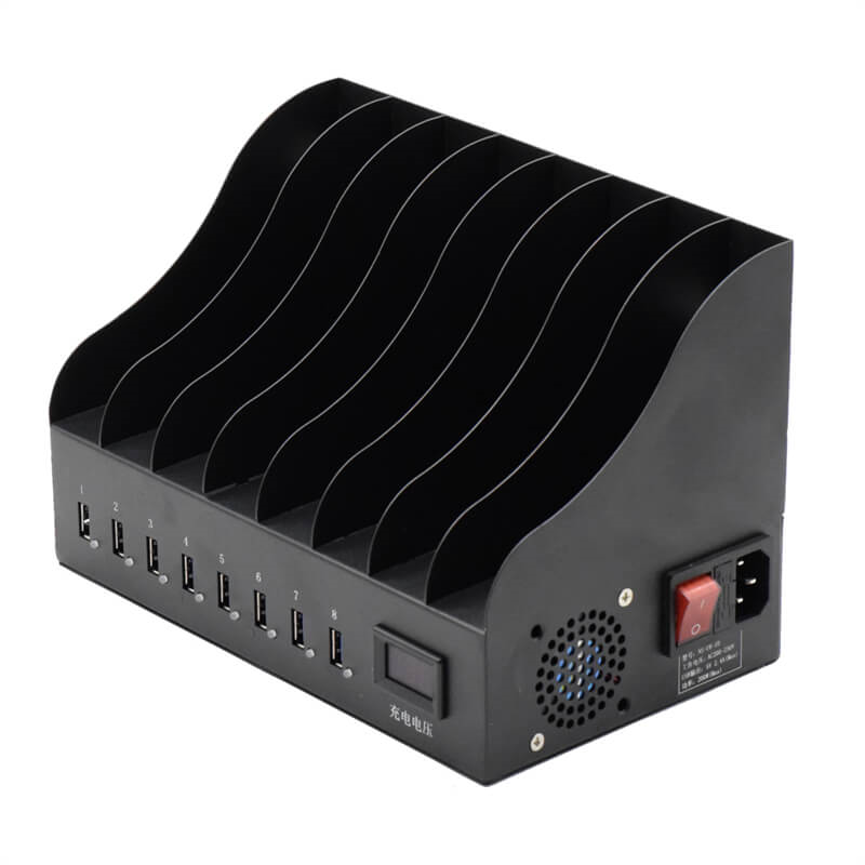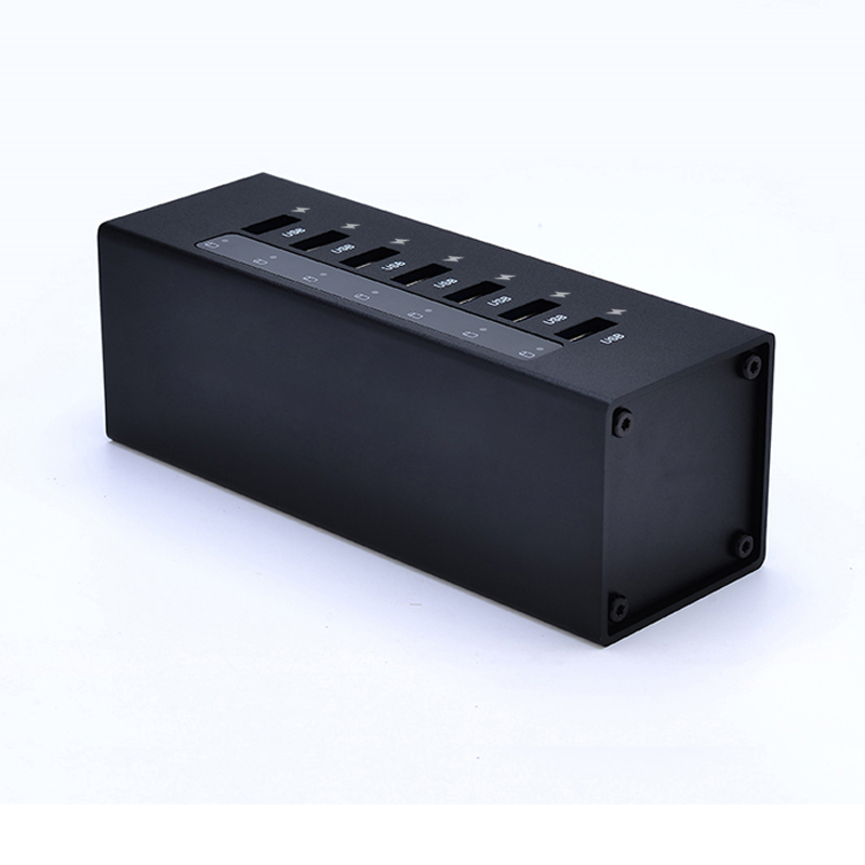
Up to 10 USB Devices
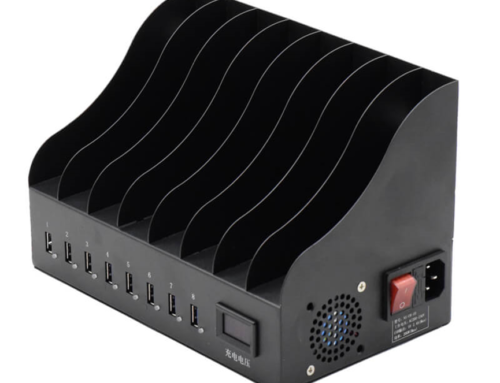
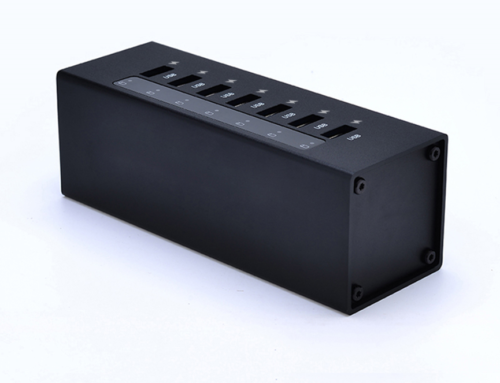
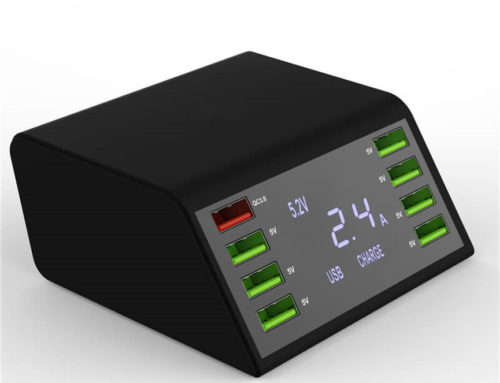
Discover the 10 Port Sync&Charge HUB A-10 for charging and syncing up to 10 USB devices with USB 2.0 data transfer.Discover the Discover the 10 Port Sync Charge HUB A-10 for charging and syncing up to 10 USB devices with USB 2.0 data transfer. A-10 for charging and syncing up to 10 USB devices with USB 2.0 data transfer.
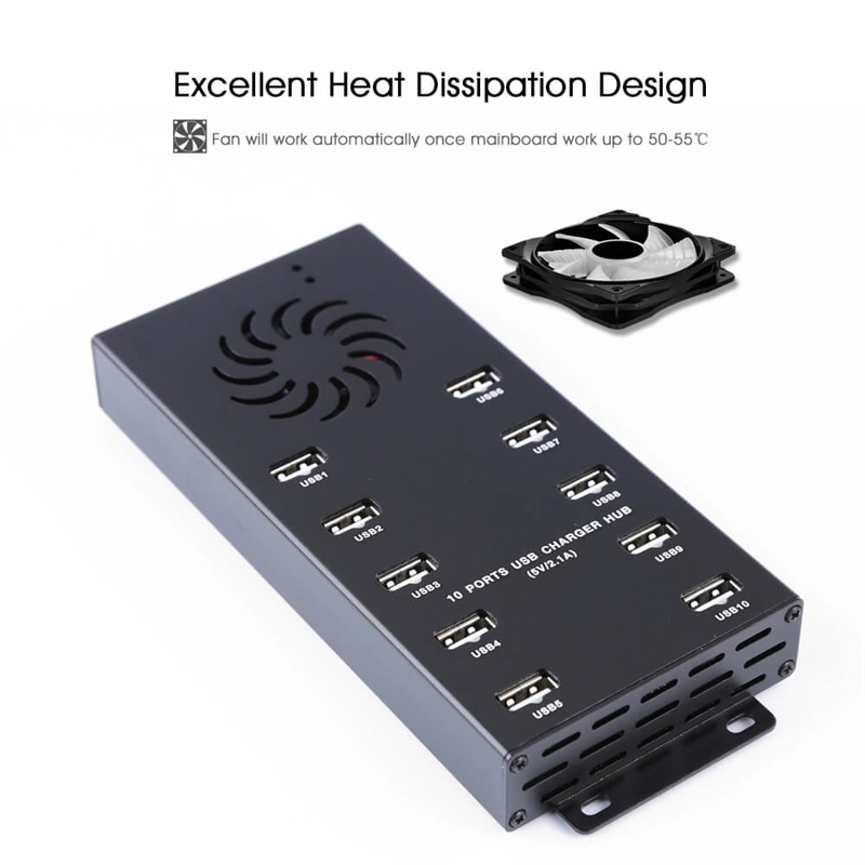
With 10 USB ports, the A-10 can charge and sync up to 10 compatible devices. Each USB port supports a maximum charge output of 2.4A, while the hub supports USB 2.0 data transfer rates up to 480 Mbps.
The hub is designed for environments where multiple iPads, iPods, iPhones, or other USB-charged devices need to be connected and managed simultaneously. Its charge-and-sync functionality can help organizations reduce cable clutter and simplify device management.
The A-10 is categorized as a Charge & Sync Hub, Data & Hub, and USB 2.0 HUB, making it suitable for applications that require both USB charging and data synchronization.
What Is the A-10 Sync&Charge HUB?
The A-10 Sync&Charge HUB is a multi-port USB hub designed to combine two important functions: device charging and USB data synchronization.
Instead of connecting several devices individually to separate computer USB ports, users can connect multiple compatible USB devices through the hub.
The A-10 supports up to 10 connected devices in its intended charge-and-sync configuration. This makes it particularly useful for environments such as:
- Schools and educational institutions
- Computer labs
- Offices
- Training centers
- Device management environments
- Retail and service locations
- Testing environments
- IT departments
- Shared workspaces
The hub supports USB 2.0 data transfer rates of up to 480 Mbps, making it suitable for synchronization and other USB 2.0 data-transfer applications.
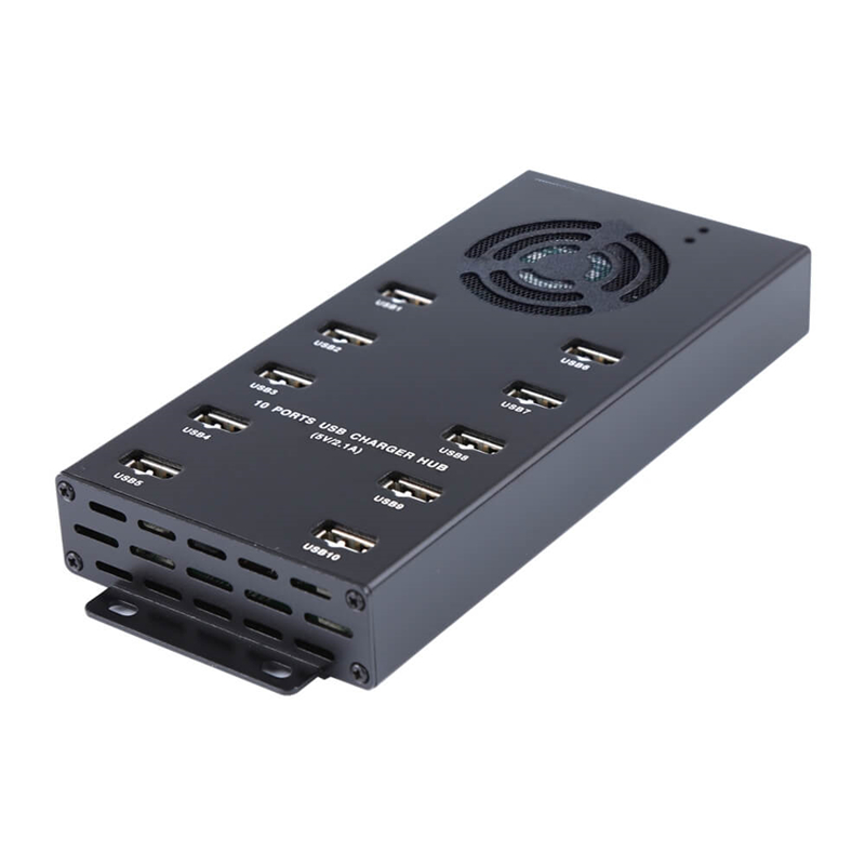
Key Features of the Key Features of the 10 Port Sync Charge HUB A-10 | USB 2.0 Hub
1. 10 USB Ports for Multi-Device Management
The 10 Port Sync Charge HUB A-10 provides 10 USB ports, allowing users to connect multiple compatible devices through one centralized hub.
This can be especially useful when an organization needs to charge or synchronize several mobile devices at the same time.
Instead of managing separate USB connections for every device, the hub creates a more organized connection point.
2. Up to 2.4A Maximum Charge Output Per USB Port
Each USB port has a maximum charge output of 2.4A.
This specification represents the maximum stated current output per port. Actual charging current can vary depending on the connected device and its charging requirements.
The hub is therefore designed to provide suitable charging power for compatible USB-charged devices while allowing multiple devices to be connected simultaneously.
3. USB 2.0 Data Transfer Up to 480 Mbps
The A-10 supports USB 2.0 data transfer rates up to 480 Mbps.
This enables the hub to perform data synchronization between compatible USB devices and a host system.
USB 2.0 is widely supported by many computers and USB devices, making the A-10 practical for environments where reliable device synchronization is required.
4. Charge and Sync Functionality
One of the main advantages of the A-10 is that it combines charging and synchronization.
Depending on the device and compatible software, users can use the hub to:
- Charge connected devices
- Synchronize supported USB devices
- Transfer data
- Manage multiple USB connections
- Maintain a centralized device connection point
This makes it more versatile than a charging-only hub.
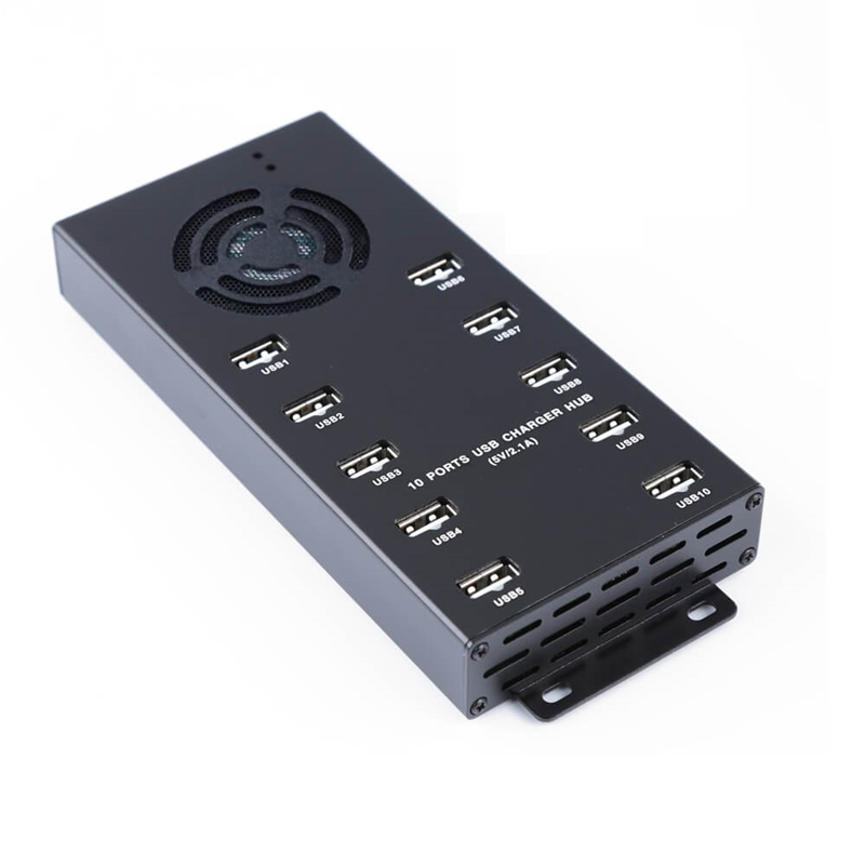
5. Optimized Charging for Connected Devices
The 10 Port Sync Charge HUB A-10 provides a centralized connection point for multiple compatible devices.
This means the charging behavior can vary according to the connected device rather than simply forcing the same current level on every device.
The stated 1.1A figure should not be confused with the hub’s maximum 2.4A per-port output capability.
Technical Specifications
| Specification | A-10 Details |
| Product Name | 10 Ports Sync&Charge HUB |
| Model | A-10 |
| Number of USB Ports | 10 |
| Maximum Charge Output | Up to 2.4A per USB port |
| Data Standard | USB 2.0 |
| Maximum Data Transfer Rate | Up to 480 Mbps |
| Charging | Yes |
| Data Synchronization | Yes |
| Device Capacity | Up to 10 compatible devices |
| iPad Charging | Up to 1.1A as needed for quick-charging iPads |
| Supported Device Types | iPads, iPods, iPhones and other USB-charged devices |
| Software Sync | Supports syncing USB devices using compatible software |
| Product Category | Charge & Sync Hub, Data & Hub, USB 2.0 HUB |
| Tags | USB Hub Charger, USB Hub Powered |
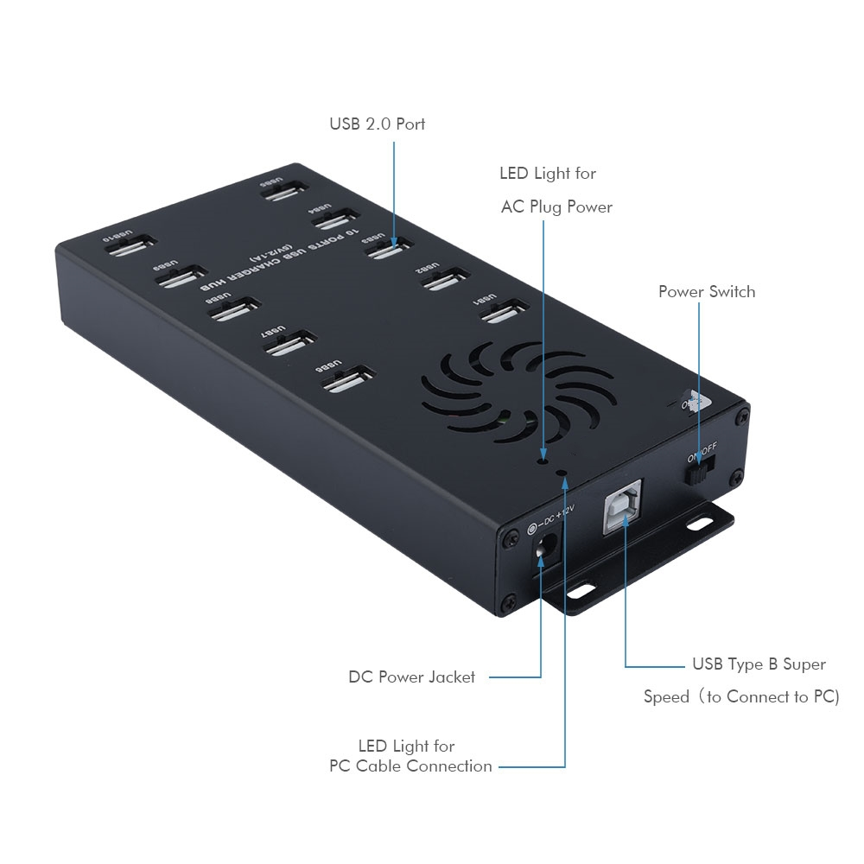
Understanding the A-10’s Charging Specifications
The A-10 includes two important charging figures: 2.4A maximum per USB port and up to 1.1A for iPads as needed.
These figures describe different aspects of the product’s charging behavior.
2.4A Maximum Per Port
The product specification states that each USB port has a maximum charge output of 2.4A.
This is the maximum current capability stated for an individual USB port. It should not be interpreted as a guarantee that every connected device will draw 2.4A.
Up to 1.1A for Quick-Charging iPads
The product specification also states that the hub provides the optimum charge level for each device, including up to 1.1A as needed for quick-charging iPads.
This indicates that charging is dependent on the requirements of the connected device.
Actual charging performance can vary according to:
- Device model
- Battery condition
- Charging circuitry
- USB cable
- Device charging requirements
- Available power
- Charging mode
- Host/software configuration where applicable
For this reason, maximum port capability and actual device charging current should be treated as separate specifications.
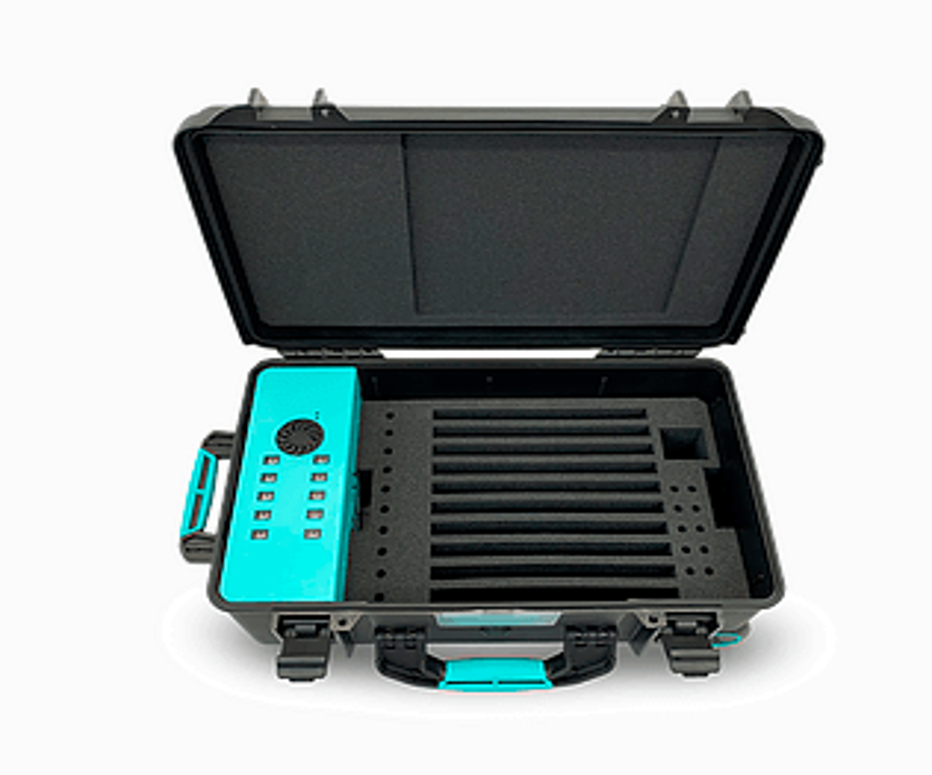
USB 2.0 Data Transfer Performance
The A-10 supports USB 2.0 transfer rates up to 480 Mbps.
This makes it suitable for synchronization and general USB 2.0 data-transfer tasks.
The phrase “up to 480 Mbps” represents the maximum theoretical USB 2.0 transfer rate. Real-world transfer speeds can be lower depending on the host computer, connected device, files being transferred, USB cables, software, and other system conditions.
The A-10 is therefore best understood as a USB 2.0 charge-and-sync hub, rather than a high-speed USB 3.x data hub.
The 10 Port Sync Charge HUB A-10 combines charging and synchronization for compatible USB devices.
A charging hub and a synchronization hub do not necessarily serve the same purpose.
A charging-only hub is primarily designed to provide power to connected devices. A sync-capable hub adds data connectivity, allowing supported devices to communicate with a host system.
The A-10 combines both functions.
For example, an organization managing multiple iPads could connect several devices to the hub and use compatible software to synchronize them while also charging the devices.
This can make the hub useful for device deployment, maintenance, content updates, or routine device management.
The 10 Port Sync Charge HUB A-10 provides a centralized connection for charging and synchronizing compatible USB devices.
Step 1: Connect the Hub
Connect the A-10 according to the manufacturer’s installation requirements.
Step 2: Connect USB Devices
Connect compatible iPads, iPhones, iPods, or other USB devices to the available USB ports.
With 10 USB ports, the hub can accommodate up to 10 compatible devices in its intended configuration.
Step 3: Connect to the Host System When Syncing
For data synchronization, connect the hub to the appropriate host system and use compatible device-management or synchronization software.
Step 4: Allow Devices to Be Recognized
The host computer and software should detect compatible connected devices.
Recognition and synchronization behavior can depend on the device, operating system, drivers, software, and permissions.
Step 5: Charge and Synchronize
Once connected and recognized, compatible devices can be charged and synchronized according to their requirements and the capabilities of the connected system.
Benefits of the A-10 10-Port USB Hub
Centralized Device Management
The A-10 provides a central connection point for up to 10 USB devices.
This can make multi-device management easier than handling numerous individual connections.
Less Cable Clutter
Connecting several devices through one organized hub can create a cleaner and more manageable workspace.
Charging and Data in One Solution
The A-10 is designed for both charging and synchronization, making it useful for environments where devices need to be powered and managed.
Support for Multiple Device Types
The supplied specifications specifically mention iPads, iPods, iPhones, and other USB-charged devices.
USB 2.0 Compatibility
With USB 2.0 support and transfer rates up to 480 Mbps, the A-10 can handle many standard synchronization and data-transfer tasks.
Applications of the 10 Port Sync&Charge HUB
Schools and Classrooms
Educational environments may need to manage multiple iPads or other USB devices. A centralized charge-and-sync hub can simplify device charging and synchronization.
Computer Labs
Computer labs can use the A-10 as a centralized USB connection point for multiple compatible devices.
IT Departments
IT teams may need to connect, charge, synchronize, or configure several devices during routine maintenance.
Training Centers
Training organizations using multiple mobile devices can benefit from centralized charging and synchronization.
Offices
Businesses that provide smartphones or tablets to employees can use a multi-port hub to manage several devices from a common location.
Device Testing and Service
Repair, testing, and service environments may need multiple USB devices connected at the same time.
Shared Workspaces
A multi-port hub can provide a practical centralized solution where several devices need charging or synchronization.
A-10 vs. Standard USB Charging Hub
| Feature | A-10 Sync&Charge HUB | Standard Charging Hub |
| USB Ports | 10 | Varies |
| Charging | Yes | Yes |
| Data Synchronization | Yes | May not support it |
| USB Data Standard | USB 2.0 | Varies |
| Maximum Data Rate | Up to 480 Mbps | Varies |
| Maximum Port Current | Up to 2.4A | Varies |
| Multi-Device Support | Up to 10 devices | Varies |
| iPad Charging Support | Up to 1.1A as needed | Varies |
| Primary Advantage | Charging + synchronization | Primarily charging |
The main distinction is the A-10’s combined charge-and-sync functionality. Buyers who only need to provide power may not require synchronization capabilities, while organizations managing multiple devices can benefit from both functions.
A-10 vs. Individual USB Chargers
Using individual chargers for every device can work for small-scale charging, but it can become difficult to manage when the number of devices increases.
The A-10 provides a centralized alternative.
| Consideration | A-10 | Individual Chargers |
| Number of devices | Up to 10 | Usually one per charger |
| Cable management | Centralized | Multiple charger connections |
| Synchronization | Supported | Depends on setup |
| Device management | Centralized | Distributed |
| Workspace organization | More centralized | More clutter possible |
| Multi-device charging | Yes | Requires multiple chargers |
For organizations managing multiple compatible USB devices, centralized charging and synchronization can simplify everyday workflows.
Best Practices for Using the A-10
Use Compatible Cables
Use USB cables appropriate for the connected devices and intended charging or synchronization function.
Check Device Compatibility
Although the product specifically supports iPads, iPods, iPhones, and other USB-charged devices, compatibility with a particular device should be confirmed when deploying the hub in a specialized environment.
Use Compatible Software
The A-10 supports synchronization using compatible software. Make sure the host system and device-management software recognize the connected devices correctly.
Avoid Exceeding Port Limits
The product supports up to 10 connected devices, so users should operate the hub within its intended port capacity.
Monitor Charging Behavior
The stated 2.4A maximum per port is a capability rather than a guarantee that every device will draw that amount. Allow the connected device to determine its required charging level.
Keep Connections Organized
Labeling cables and devices can be helpful when managing several similar smartphones or tablets simultaneously.
What to Consider Before Buying a Multi-Port Sync Hub
Before selecting a charge-and-sync hub, consider:
Number of devices:
Determine how many devices need to be connected simultaneously.
Charging requirements:
Check the charging current required by the devices you plan to use.
Data requirements:
If synchronization is important, verify the required USB data standard and transfer speed.
Software compatibility:
Confirm that your operating system and device-management software support the intended synchronization workflow.
Cable requirements:
Make sure appropriate data-and-charging cables are available for all connected devices.
Device compatibility:
Verify compatibility with the exact smartphones, tablets, media players, or other USB devices being deployed.
Frequently Asked Questions
How many devices can the A-10 charge and sync?
The A-10 can charge and sync up to 10 compatible USB devices according to the supplied specifications.
What is the maximum charging current per USB port?
Each USB port has a maximum charge output of 2.4A.
Does the A-10 support USB 2.0?
Yes. The A-10 supports USB 2.0 data transfer rates up to 480 Mbps.
Can the A-10 charge iPads?
Yes. The supplied specifications specifically state that the hub can charge and sync iPads, with up to 1.1A as needed for quick-charging iPads.
Can the A-10 charge iPhones and iPods?
Yes. The product specifications state that the A-10 supports charging and syncing iPads, iPods, iPhones, and other USB-charged devices.
Is the A-10 a charging-only USB hub?
No. It is designed as a Sync&Charge HUB, meaning it supports both charging and data synchronization for compatible devices.
What is the maximum USB 2.0 transfer speed?
The A-10 supports USB 2.0 data transfer rates of up to 480 Mbps.
Does every device receive 2.4A?
Not necessarily. The 2.4A figure is the maximum charge output per USB port. Actual charging current depends on the requirements and charging behavior of the connected device.
Can the A-10 synchronize USB devices?
Yes. The product is designed to sync USB devices using compatible software.
Is the A-10 suitable for schools?
Yes. Its ability to charge and synchronize up to 10 devices makes it suitable for environments such as classrooms, training centers, and educational technology labs, provided the devices and software are compatible.
Conclusion
The 10 Ports Sync&Charge HUB A-10 is a practical multi-device USB solution designed to combine charging and data synchronization in one centralized hub. With 10 USB ports, up to 2.4A maximum charge output per port, and USB 2.0 data transfer rates up to 480 Mbps, it is designed for organizations and users managing multiple compatible USB devices.
Its ability to charge and sync up to 10 iPads, iPods, iPhones, or other USB-charged devices makes it particularly useful for schools, offices, IT departments, training centers, service environments, and shared workspaces.
The A-10’s combination of charging and synchronization makes it more versatile than a basic charging-only hub. By centralizing multiple device connections, it can also help simplify cable management and multi-device workflows.
For best results, users should select compatible cables, verify software compatibility, and consider the charging and data requirements of the devices being connected. With the right setup, the A-10 provides a convenient way to organize multi-device charging and synchronization through a single USB 2.0 hub.