Introduction
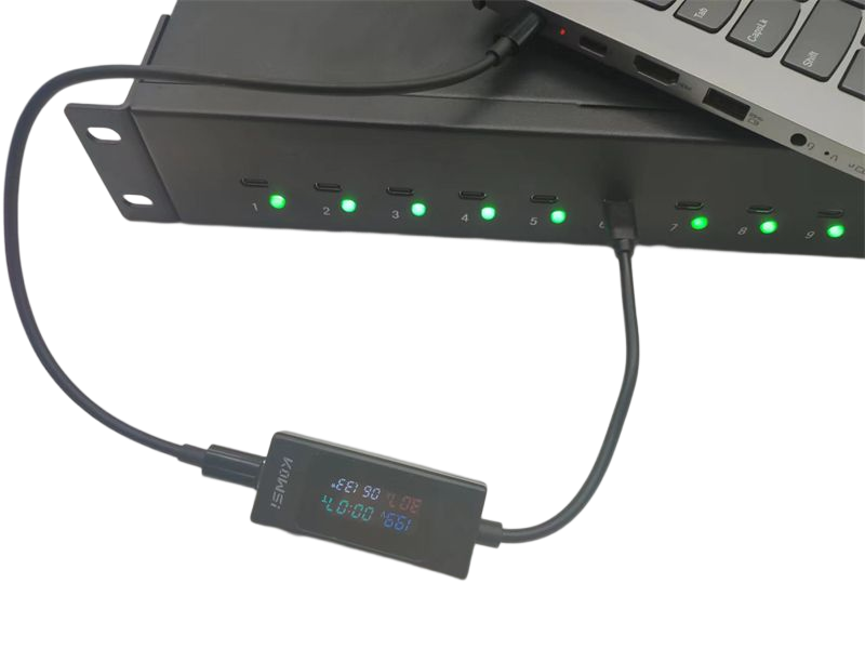
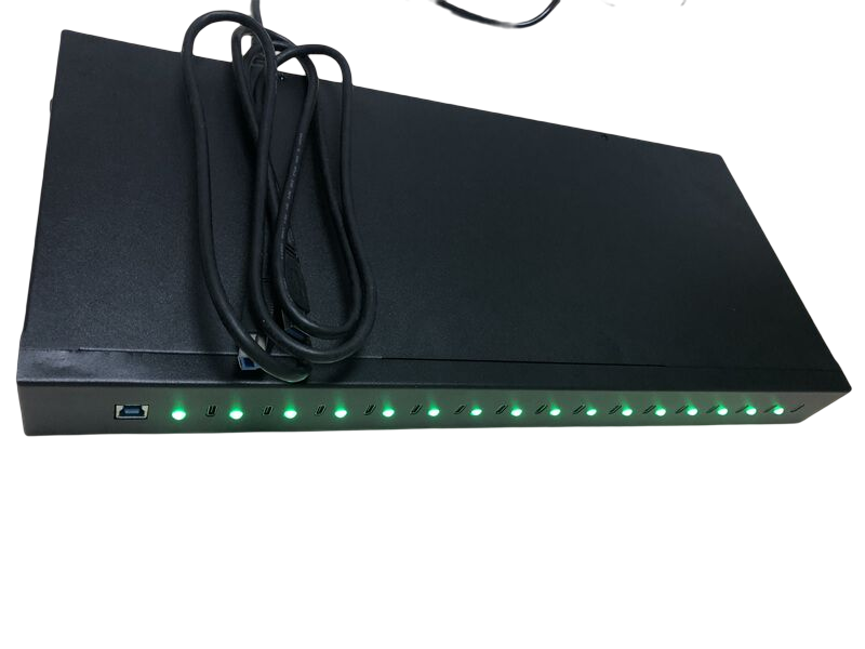
16 Ports USB-C Charger 360W is designed as a centralized charging solution for businesses, schools, data centers, training facilities, and commercial organizations.
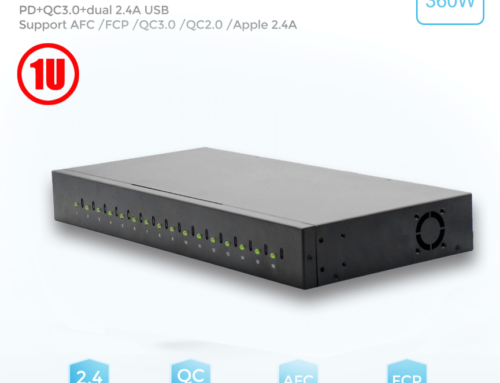
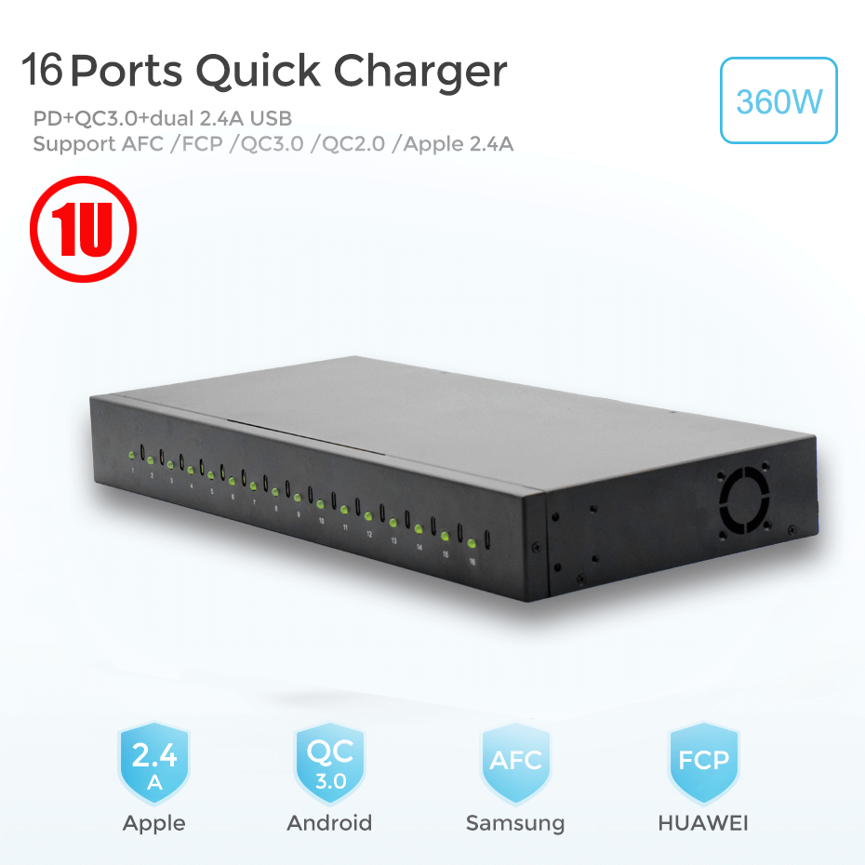
The 16 Ports USB-C Charger 360W Power Supply, Model TC-16, is designed as a centralized charging solution with 16 Type-C ports and 20W output per port. Its rack-oriented design allows it to be integrated into compatible 19-inch rack systems and charging cabinets, making it suitable for professional installations.
The charger also features LED indicators for active ports, mounting brackets for easier installation, and a sturdy construction intended for long-term use.
With its combination of multi-port charging, rack installation, status indicators, and centralized power delivery, the TC-16 is designed to simplify charging in environments where multiple USB-C devices need to remain powered and organized.
What Is a TC-16?
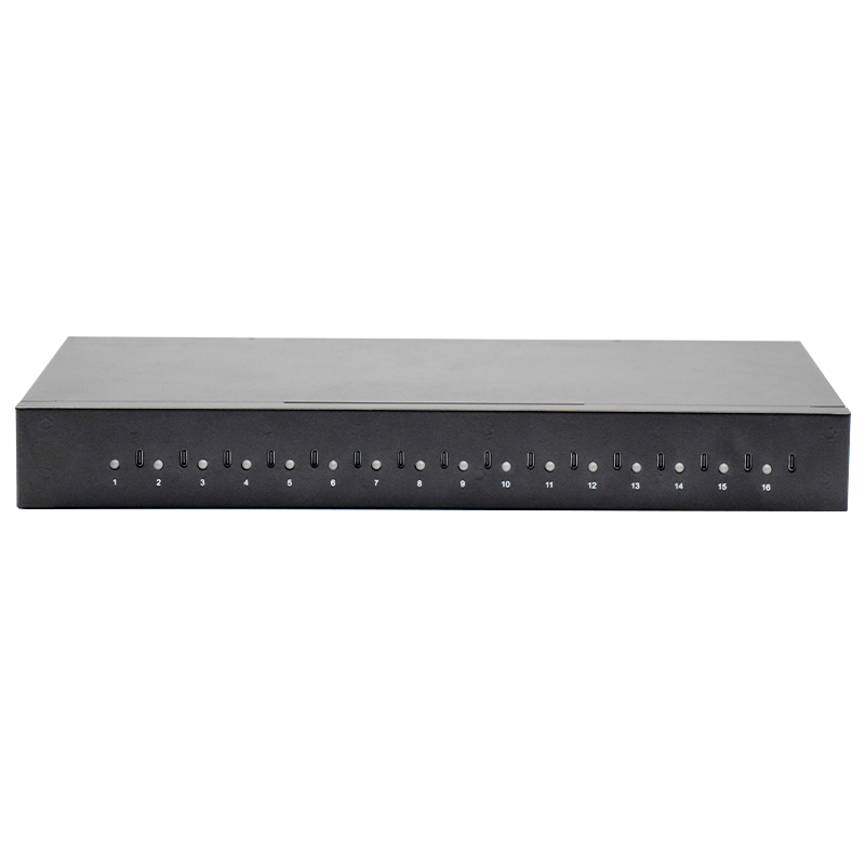
The 16 Ports USB-C Charger 360W is a multi-port Type-C charging system designed to provide centralized charging for multiple compatible devices.
The model provides:
- 16 USB-C charging ports
- Up to 20W per port
- 360W power supply specification
- LED activity indicators
- Mounting brackets
- 19-inch rack-oriented design
- Sturdy construction
Rather than using a separate charger for each device, organizations can install one centralized charging unit and connect multiple USB-C devices to it.
This makes the product particularly relevant for professional environments where many devices need to be charged at the same time.
What Is a 16 Ports USB-C Charger 360W?
| Specification | Details |
| Model | TC-16 |
| Product Type | 16 Ports USB-C Charger |
| Total Power Supply | 360W |
| Number of Ports | 16 |
| Output Per Port | Up to 20W |
| Port Type | USB Type-C |
| Port Status | LED indicator |
| Installation | Mounting brackets |
| Rack Design | 19-inch rack |
| Construction | Sturdy construction |
| Main Application | Centralized multi-device charging |
| Category | Multiport USB Charger / Type C Charger / Charging Cabinet |
Understanding the Power Specifications
There is an important distinction between the 360W power supply rating and the stated 20W maximum output per port.
Sixteen ports × 20W per port represents a theoretical maximum of 320W of simultaneous per-port output. The product is specified with a 360W power supply, providing system-level power capacity beyond the stated 16 × 20W port output.
Actual output depends on the connected devices, charging requirements, and internal power-management design.
20W Per USB-C Port
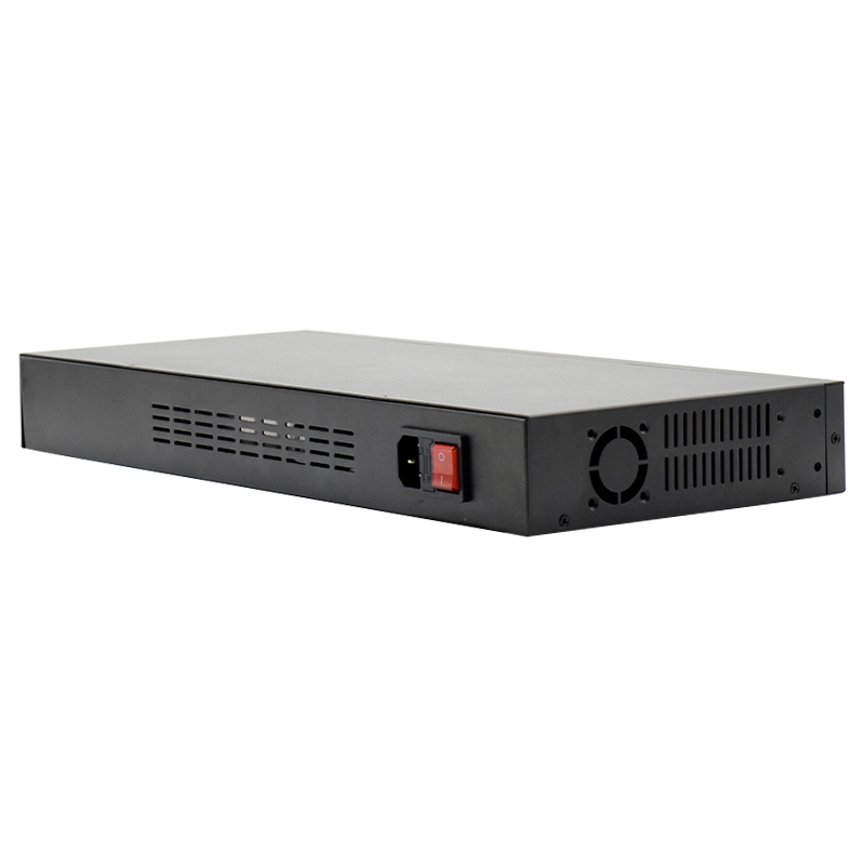
Each port is specified to provide up to 20W of charging power.
This makes the charger suitable for a wide range of compatible USB-C mobile devices.
Potential applications include:
- Smartphones
- Tablets
- Portable electronics
- Business devices
- Educational devices
- Other compatible USB-C equipment
The actual charging speed depends on the device, cable, charging protocol, and power requirement.
Why 20W Per Port Is Useful
Different devices require different amounts of charging power. A 20W port provides more charging capability than many basic low-power USB charging ports.
For compatible devices, this can provide a practical balance between charging performance and centralized multi-device capacity.
360W Centralized Power Supply
The TC-16 is specified with a 360W power supply.
A higher-capacity centralized power system is useful when multiple ports may be active simultaneously.
Instead of relying on numerous individual adapters, the charging cabinet provides a single centralized charging infrastructure.
This can simplify:
- Power management
- Installation
- Device charging
- Cable organization
- Equipment maintenance
The available power should always be considered alongside the actual output specifications and connected-device requirements.
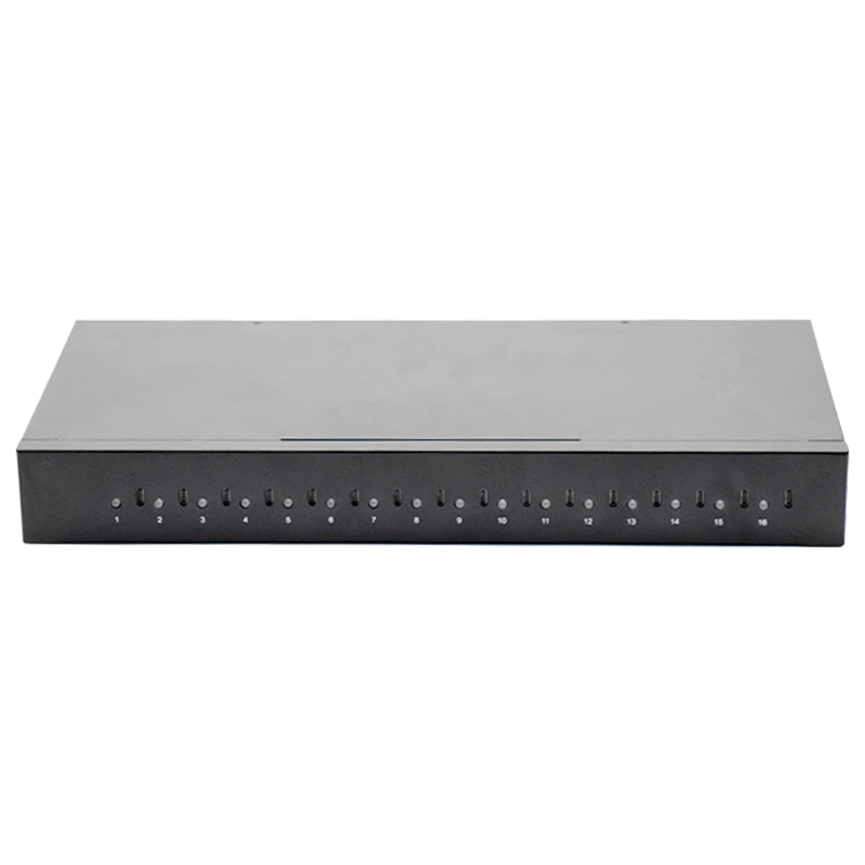
19-Inch Rack Design
One of the defining features of this charger is its 19-inch rack design.
The 19-inch rack format is widely used for professional technology installations, equipment cabinets, server rooms, and structured IT environments.
A rack-compatible charging solution allows organizations to incorporate device charging into an existing equipment infrastructure.
Where Rack Installation Can Be Useful
A rack-mounted or rack-oriented charger can be useful in:
- Server rooms
- IT departments
- Equipment rooms
- Corporate offices
- Schools
- Training facilities
- Commercial technology installations
- Device management areas
Instead of occupying valuable desk space, the charging equipment can be positioned within a designated rack or compatible cabinet.
Mounting Brackets for Easy Installation
The TC-16 includes mounting brackets designed to make installation easier.
Mounting hardware can be especially useful for professional installations where the charging equipment needs to remain securely positioned.
A typical installation workflow may involve:
Select Rack Location → Position Charger → Attach Mounting Brackets → Secure Unit → Connect Power → Connect Devices
The exact installation procedure should follow the manufacturer’s instructions and the specifications of the rack or cabinet being used.
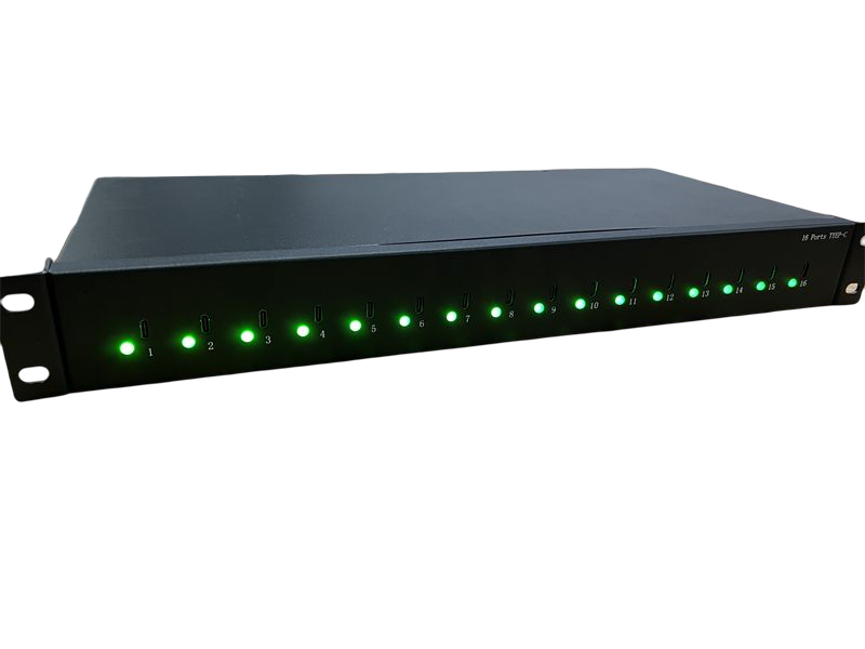
LED Indicators Show Port Activity
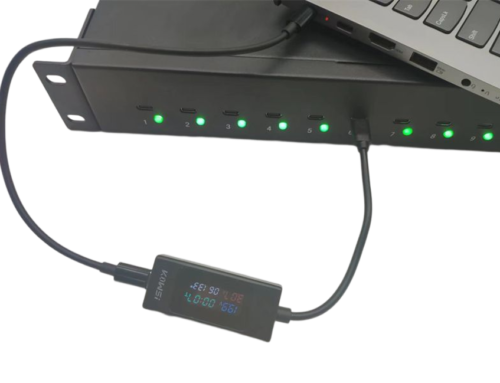
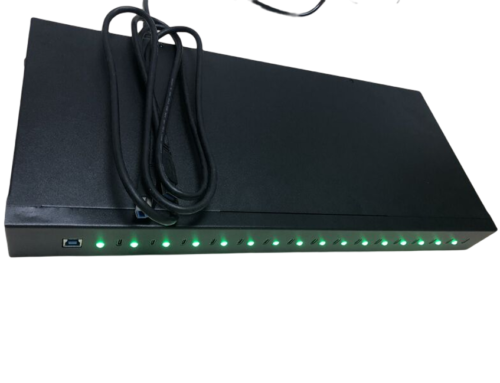
The charger includes an LED indicator for each port to show when the port is active.
This may appear to be a small feature, but it can be valuable when managing multiple devices.
Without individual indicators, it can be difficult to determine whether a particular port is active without checking the connected device.
Benefits of LED Port Indicators
LED indicators can help users:
- Identify active ports
- Quickly check charging activity
- Troubleshoot connections
- Confirm that a device is connected
- Monitor the charging setup visually
For a 16-port system, this type of visual feedback can make daily device management more convenient.
Sturdy Construction for Long-Term Use
The product is described as having sturdy construction for long-lasting use.
A charging unit intended for commercial or professional environments may be connected and disconnected frequently, so physical durability is an important consideration.
A sturdy design can be particularly useful in environments where the equipment is expected to remain installed for extended periods.
Potential applications include:
- Schools
- Offices
- IT departments
- Commercial facilities
- Training centers
- Equipment rooms
Proper installation and handling remain important for maintaining the equipment over time.
Benefits of the 16 Ports USB-C Charger
1. Centralized Charging
The 16-port design provides one central location for charging multiple compatible USB-C devices.
2. 20W Per Port
Each port can provide up to 20W according to the supplied specifications.
3. 360W Power Supply
The 360W system power rating provides centralized power capacity for the charging infrastructure.
4. Rack Integration
The 19-inch rack design allows the charger to be incorporated into compatible professional installations.
5. Easy Installation
Included mounting brackets can simplify physical installation.
6. Port Activity Monitoring
LED indicators allow users to see when individual ports are active.
7. Durable Construction
The sturdy construction is designed for long-lasting use in professional environments.
Applications of a 16-Port USB-C Charging Cabinet
Schools and Educational Institutions
Schools may manage large numbers of tablets and other USB-C devices.
A centralized rack charging cabinet can provide a dedicated location where devices are connected after classroom use.
Example Workflow
Class Ends → Devices Are Collected → Devices Enter Charging Area → USB-C Cables Connected → LEDs Show Active Ports → Devices Charge → Ready for Next Class
This can help establish a consistent charging routine.
Corporate Offices
Modern workplaces may have multiple company-owned tablets, smartphones, and other USB-C equipment.
A centralized charging cabinet can help employees return devices to one designated location.
This can reduce the number of individual chargers spread across desks and meeting rooms.
IT Departments
IT departments frequently manage company devices and may need a dedicated charging area for equipment.
The rack design of the TC-16 can be particularly useful when the organization already has standardized equipment racks.
Training Centers
Training organizations can use shared tablets and mobile devices during workshops and classes.
At the end of a session, devices can be returned to a centralized charging location.
The LED indicators can also help staff quickly identify active connections.
Commercial Facilities
Retail stores, warehouses, service centers, and other businesses may use mobile devices for:
- Inventory
- Communication
- Customer service
- Employee training
- Product information
- Operational tasks
A multi-port charging cabinet can provide a dedicated charging infrastructure for compatible devices.
16-Port USB-C Charger vs. Individual Chargers
Individual chargers may work well for one or two devices, but managing a larger fleet can become increasingly complicated.
| Feature | Individual Chargers | 16-Port USB-C Charger |
| Number of Charging Ports | Usually one per charger | 16 |
| Centralized Power | No | Yes |
| Output Per Port | Varies | Up to 20W |
| Rack Integration | Usually unavailable | 19-inch rack design |
| Port Activity Indicators | Depends on charger | Yes |
| Installation | Multiple units | Centralized |
| Cable Management | Can become cluttered | More organized |
| Commercial Deployment | Depends on setup | Designed for professional use |
| Mounting Hardware | Varies | Mounting brackets included |
For organizations with many devices, centralized charging can simplify both installation and daily management.
Understanding 1U Charging Cabinets
The product is associated with the 1U charging cabinet category.
In rack equipment, U refers to a standard rack unit measurement used to describe the vertical height of rack-mounted equipment. A 1U device is designed around one rack-unit height.
The exact physical dimensions and installation requirements should always be confirmed using the manufacturer’s technical documentation before installation.
A compact rack-oriented charging solution can be valuable where rack space is limited and organizations want to integrate charging into an existing infrastructure.
How to Organize a Multi-Device Charging Area
A charging cabinet is most effective when combined with a clear device-management process.
Step 1: Assign Device IDs
Give each tablet, smartphone, or other shared device a unique identification number.
Step 2: Assign Charging Locations
Where practical, establish a consistent location or cable for each device.
Step 3: Connect Devices
Plug compatible USB-C devices into the available charging ports.
Step 4: Check LED Indicators
Use the port LEDs to identify active connections.
Step 5: Complete Charging
Leave devices connected until they reach the desired charge level.
Step 6: Return Devices
After charging, return devices to their designated storage or user locations.
This process can help reduce misplaced devices and make charging responsibilities easier to manage.
Factors to Consider Before Installation
Device Compatibility
Verify that the devices being charged support the required USB-C charging specifications.
Power Requirements
Check the charging requirements of each device before connecting it to the system.
Rack Compatibility
Confirm that the installation location is compatible with the product’s 19-inch rack design and mounting requirements.
Cable Selection
Use USB-C cables that are appropriate for the desired charging performance.
Ventilation and Environment
Install the equipment in a suitable environment according to the manufacturer’s installation requirements.
Electrical Infrastructure
Ensure the power connection and surrounding electrical infrastructure are appropriate for the equipment’s rated requirements.
Best Practices for Maintaining the Charging System
Regular maintenance can help keep a multi-port charging system organized and functional.
Inspect USB-C Cables
Look for damaged insulation, bent connectors, or loose connections.
Keep Ports Clean
Dust or debris can affect physical connections, so ports should be kept clean according to appropriate equipment-maintenance procedures.
Monitor LED Activity
If a port behaves differently from expected, use the LED indicator as an initial visual check.
Keep the Rack Organized
Avoid unnecessary cables around the charging cabinet.
Do Not Modify the Equipment
Unauthorized modifications can create safety and performance issues.
Follow Installation Instructions
Always follow the manufacturer’s installation and operating recommendations.
Frequently Asked Questions
How many devices can the 16 Ports USB-C Charger 360W charge?
The TC-16 provides 16 USB-C charging ports, allowing multiple compatible devices to be charged simultaneously.
How much power does each port provide?
Each port is specified to provide up to 20W.
What is the total power rating?
The charger is specified as a 360W 16-port Type-C charger.
Does 16 × 20W equal 360W?
Not exactly. Sixteen ports at 20W each represent a theoretical maximum of 320W of per-port output. The product’s specified 360W power supply is a system-level rating and should not be interpreted simply as 22.5W available from every port.
Can the charger be installed in a server rack?
The product is designed around a 19-inch rack format and includes mounting brackets. Compatibility with a specific rack or cabinet should be confirmed before installation.
What do the LED indicators show?
The LED indicators show when individual ports are active, providing a quick visual indication of port activity.
Is the charger suitable for commercial environments?
Yes. Its multi-port design, rack installation capability, sturdy construction, and centralized charging architecture make it suitable for many commercial and professional applications.
Does it charge every USB-C device at 20W?
No. Up to 20W is the specified port capability. Actual charging depends on the connected device, cable, charging protocol, and device power requirements.
Conclusion
The 16 Ports USB-C Charger 360W Power Supply, Model TC-16, provides a centralized charging solution for organizations managing multiple USB-C devices.
With 16 Type-C ports, up to 20W per port, a 360W power supply specification, LED activity indicators, mounting brackets, and a 19-inch rack design, the charger is designed for organized professional installations.
Its rack-oriented format makes it particularly useful for schools, corporate offices, IT departments, training centers, commercial facilities, and other environments where multiple devices need to be charged from a centralized location.
The combination of 20W per-port charging, visual LED indicators, easy mounting, and sturdy construction gives the TC-16 a practical role in modern device-management infrastructure.
For organizations looking to replace scattered individual chargers with a more structured charging setup, the 16 Ports USB-C Charger 360W offers a centralized approach that can help improve organization, simplify installation, and make multi-device charging easier to manage.