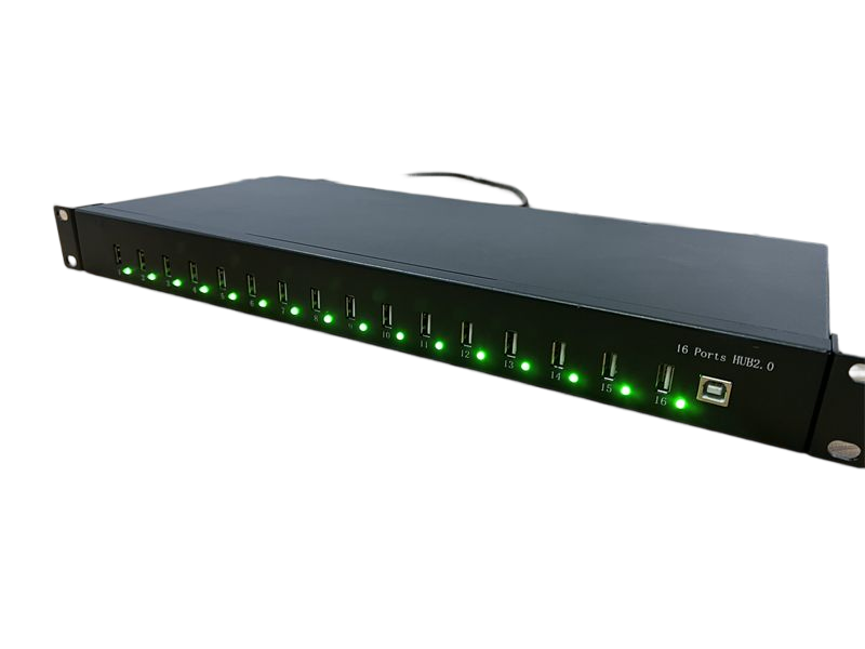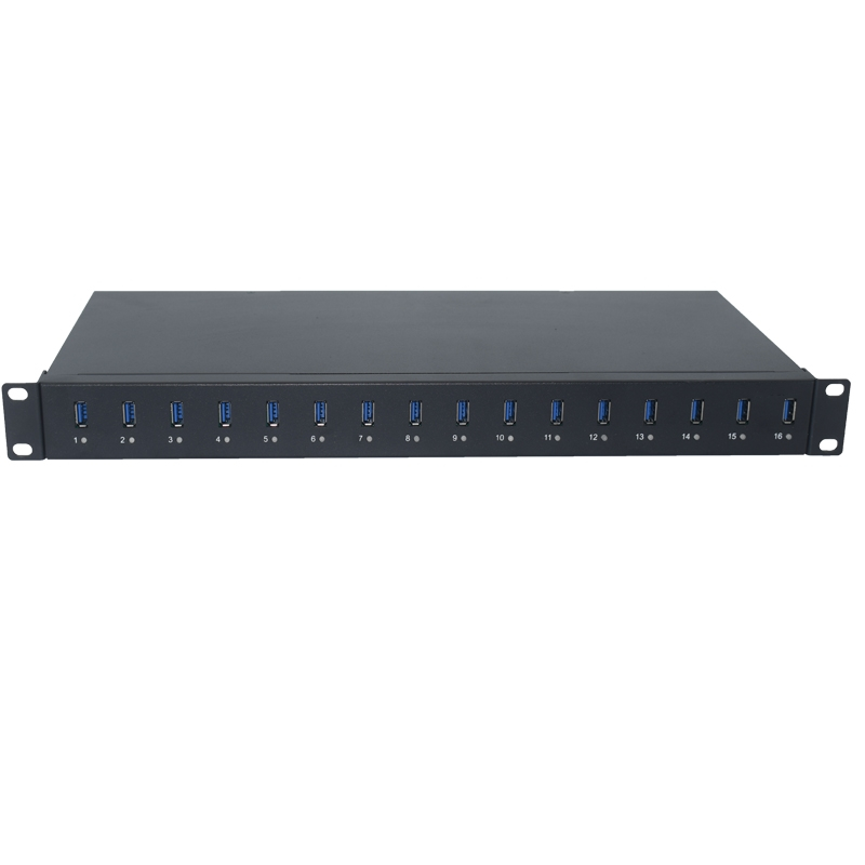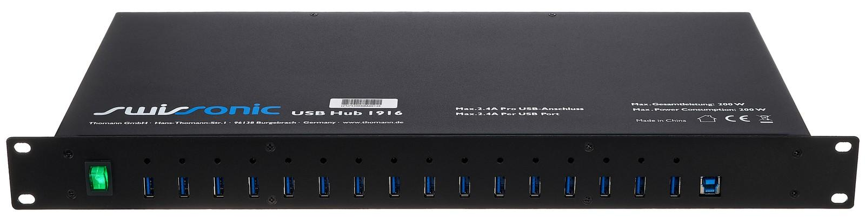
Introduction
20 Port USB 3.0 Hub B-20 is designed for charging, synchronization, and centralized management of multiple USB devices.IT departments, telecommunications environments, repair centers, and mobile-device refurbishment operations often need a centralized solution that can handle multiple devices while keeping the workspace organized.
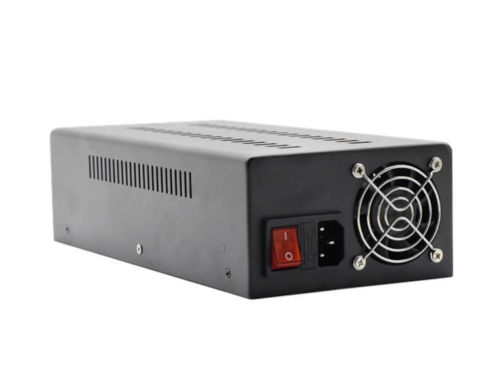
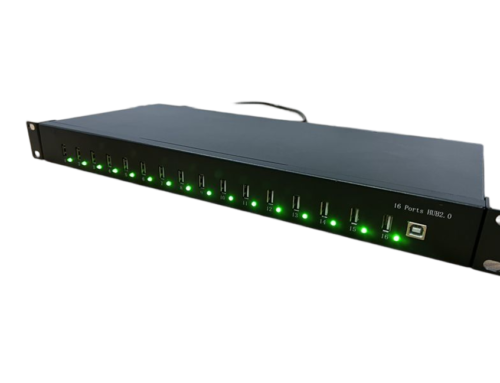
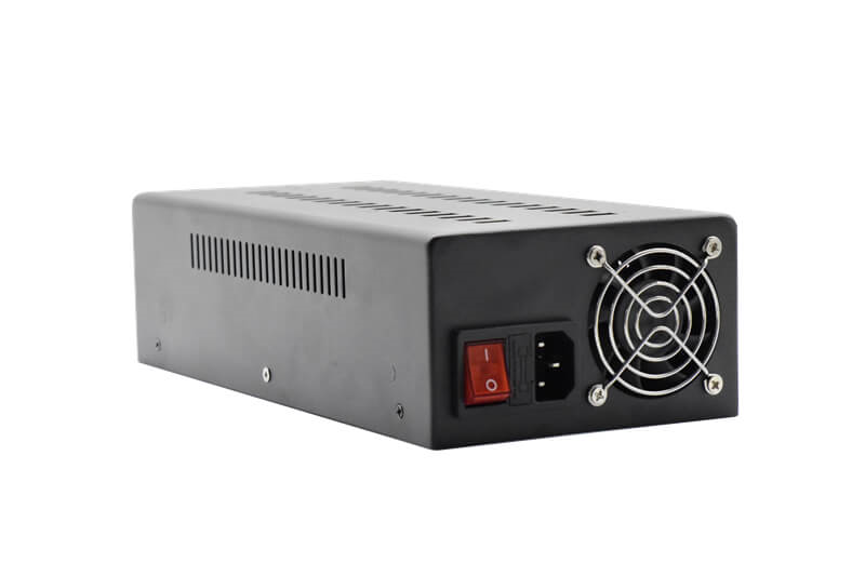
The 20 Ports Sync&Charge 3.0 HUB B-20 is designed for these multi-device environments. It combines USB 3.0 connectivity with charging and synchronization capabilities in a high-capacity hub designed to support up to 20 connected devices. The unit features a 200W power supply, cooling fan design, mounting brackets, and an LED indicator for practical operation in professional environments.
With its focus on charging, data connectivity, and multi-device management, the B-20 is particularly suitable for IT departments, data telecommunications, smartphone repair, tablet servicing, and mobile-device refurbishment.
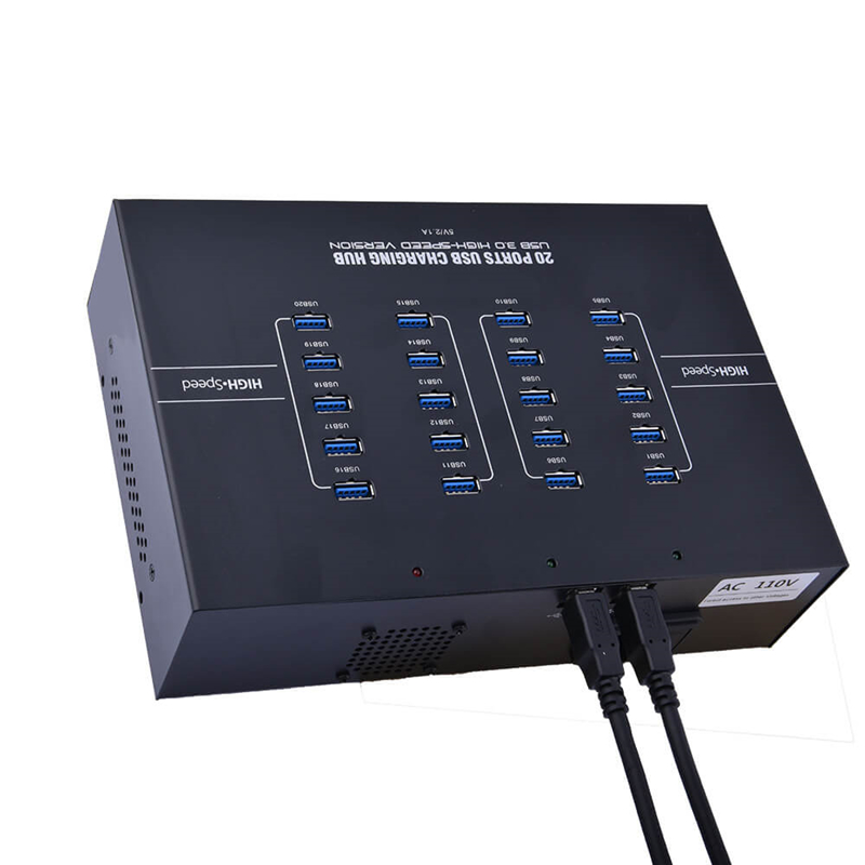
What Is the 20 Port Sync&Charge 3.0 HUB B-20?
The B-20 is a 20-port USB 3.0 Sync&Charge HUB designed to centralize connectivity for multiple USB devices.
Instead of connecting numerous devices through separate hubs or directly to a computer, the B-20 provides a single centralized platform for managing multiple USB connections.
Its main capabilities include:
- 20-port multi-device connectivity
- USB 3.0 data transfer
- Charging and synchronization functionality
- 200W power supply
- Cooling fan design
- Mounting brackets
- LED status indication
- Professional multi-device applications
The combination of these features makes the B-20 suitable for environments where multiple smartphones, tablets, and other USB-connected devices need to be managed simultaneously.
20 Port USB 3.0 Hub: Key Features of the B-20
20-Port Multi-Device Connectivity
The most important feature of the B-20 is its 20-port design. Having 20 USB connections in one centralized unit can simplify workflows where many devices need to be connected at the same time.
This can be useful for:
- IT departments
- Device testing stations
- Smartphone repair centers
- Tablet refurbishment facilities
- Telecommunications environments
- Service centers
- Device management operations
Rather than managing numerous separate hubs, a 20-port configuration provides a more centralized approach. The 20 Port USB 3.0 Hub helps organize charging, synchronization, and data-management workflows.
USB 3.0 Data Transfer
The B-20 uses USB 3.0 technology, providing a higher-speed interface than older USB 2.0 connectivity.
USB 3.0 can be useful when the connected devices need to exchange, transfer, synchronize, or manage data. The actual transfer performance, however, can depend on the connected device, cable, computer interface, storage hardware, software, and other factors.
Therefore, the USB 3.0 specification should be viewed as the interface capability rather than a guarantee that every connected device will operate at the same practical speed.
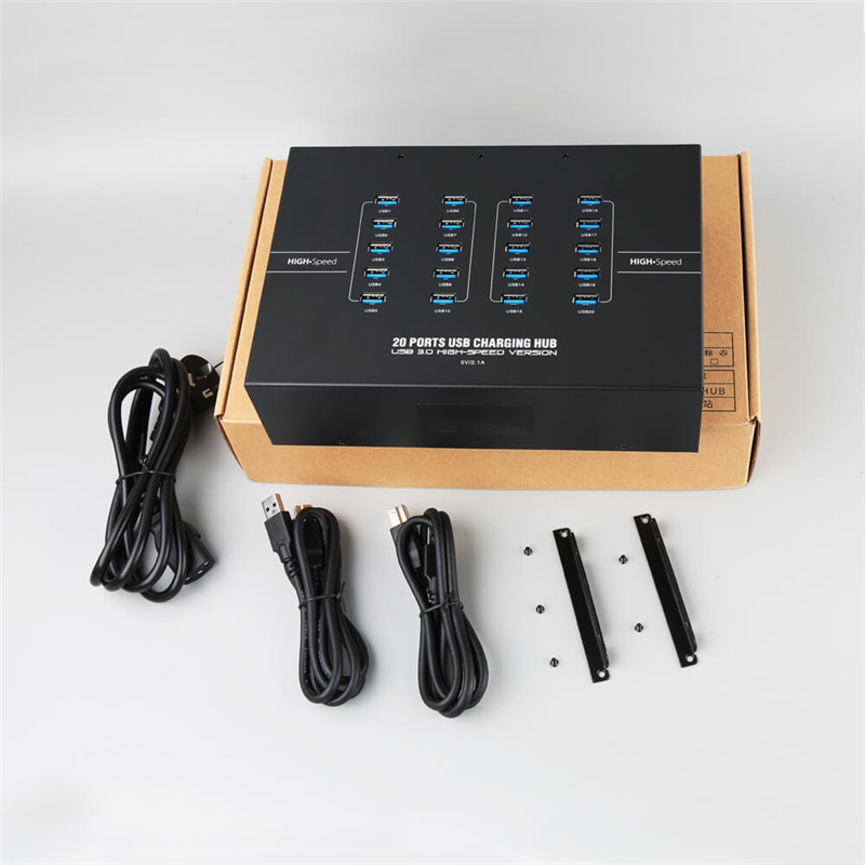
200W Power Supply
The B-20 features a 200W power supply designed to support its multi-device operating environment.
It is important to distinguish the 200W figure from individual port output. The supplied specification identifies 200W as the power-supply rating, but it does not specify a separate maximum charging wattage for each of the 20 ports.
Actual power consumption can vary according to the connected devices and the system’s power distribution.
For example, connecting 20 devices does not mean that each port automatically receives 10W or another calculated amount. The actual available charging power depends on the hub’s internal design and connected-device requirements.
Cooling Fan Design for Multi-Device Operation
Operating many connected devices can generate additional heat, particularly in professional environments where equipment may remain active for extended periods.
The B-20 includes a cooling fan design to support thermal management.
This feature is particularly useful for installations where the hub is expected to handle multiple connected devices during regular work cycles.The 20 Port USB 3.0 Hub is suitable for IT departments and professional device-management environments.
The cooling system can help make the B-20 more appropriate for professional environments than a basic desktop USB hub without dedicated cooling.
Users should still ensure that the unit has sufficient ventilation and that the cooling openings are not blocked.
Mounting Brackets for Professional Installation
The B-20 includes mounting brackets, making it easier to integrate the hub into an organized equipment setup.
Mounting hardware can be especially useful in:
- IT workstations
- Repair benches
- Device refurbishment stations
- Telecommunications environments
- Equipment cabinets
- Commercial service areas
A properly mounted hub can help reduce cable clutter and keep the charging and synchronization area more organized.
Before installation, users should confirm that the available mounting space and hardware configuration are appropriate for the intended setup.
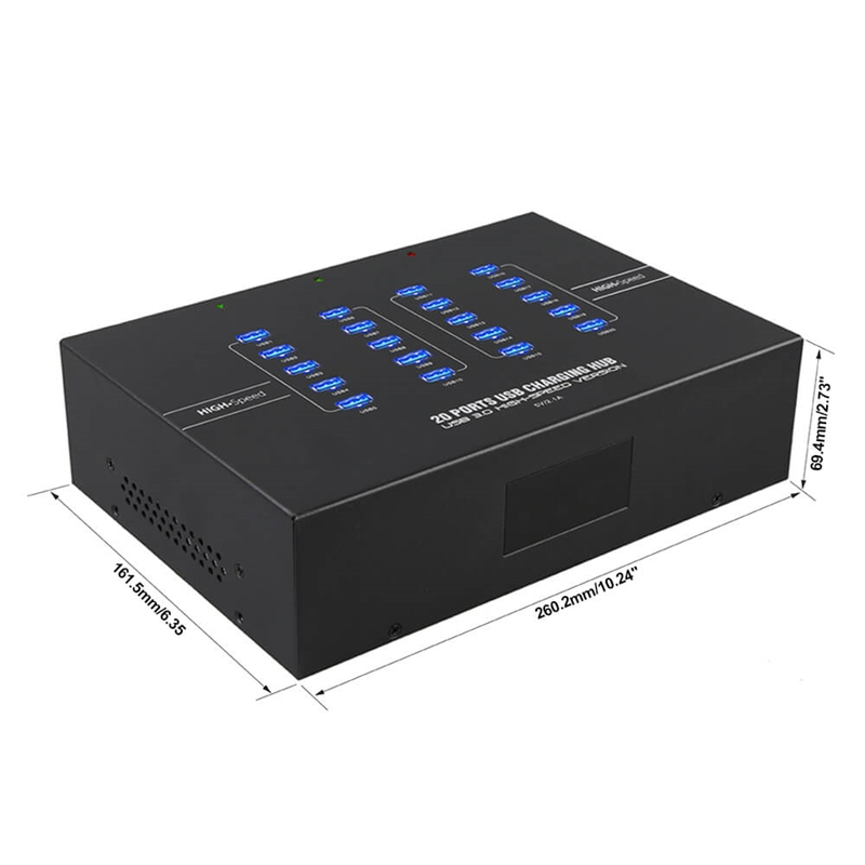
LED Indicator for Easy Status Monitoring
The B-20 also includes an LED indicator that provides a convenient visual status reference.
An LED indicator can make it easier for technicians or operators to identify whether the unit is powered or operating without repeatedly checking the connected computer or power source.
This is especially helpful in professional environments where equipment may be installed as part of a larger workstation or device-management system.
Charging and Synchronization in One Hub
The B-20 is positioned as a Sync&Charge HUB, meaning its purpose goes beyond simply providing additional USB ports.
Charging and synchronization can be useful when technicians need to manage both device power and data-related workflows from the same centralized setup.
For example, a refurbishment workstation may need to:
- Connect multiple smartphones or tablets.
- Supply power to connected devices.
- Transfer or synchronize required data.
- Perform testing or software-related tasks.
- Disconnect and replace devices as work progresses.
A centralized hub can make this process easier to organize compared with using multiple individual chargers and separate USB hubs.
Actual synchronization functionality can depend on the connected device, operating system, cable, software, and application being used.
Ideal Applications for the B-20
The manufacturer-provided application areas make the B-20 particularly relevant to professional device-management environments.
IT Departments
IT teams often need to connect multiple USB devices for maintenance, configuration, testing, updates, or data-management tasks.
The 20-port design allows multiple devices to be connected through a centralized hub.
Data Telecommunications
Telecommunication environments can involve large numbers of mobile and USB-connected devices.
The B-20 can provide a centralized connection point for workflows involving charging, synchronization, and device management.
Smartphone Refurbishment
Refurbishment centers may process many smartphones throughout the day.
A multi-port Sync&Charge hub can help technicians create a dedicated workstation for connecting and managing several devices during testing and refurbishment processes.
Tablet Refurbishment
Tablets can similarly benefit from centralized charging and synchronization workflows.
The B-20 can be incorporated into a refurbishment station where multiple compatible tablets are connected for inspection, servicing, or software-related operations.
Repair Centers
Repair technicians can use a multi-port hub to organize USB-connected devices around a dedicated repair or diagnostic workstation.
This can reduce the need for numerous individual hubs and chargers occupying valuable workspace.
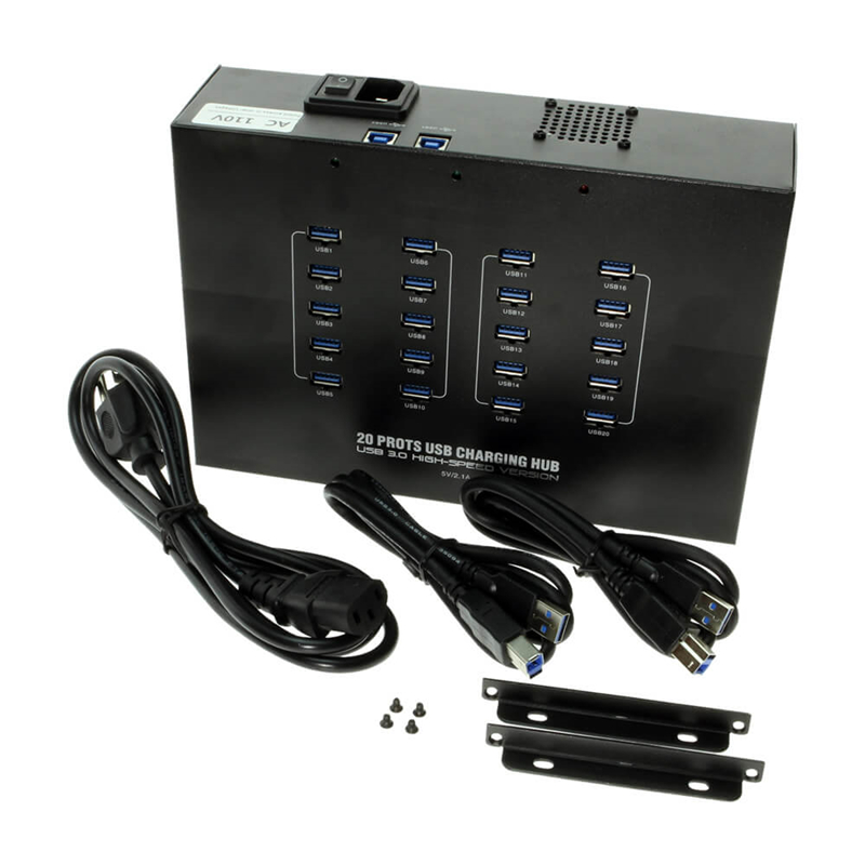
B-20 Technical Specifications
| Specification | Details |
| Product | 20 Ports Sync&Charge 3.0 HUB |
| Model | B-20 |
| Number of Ports | 20 |
| USB Standard | USB 3.0 |
| Power Supply | 200W |
| Charging Function | Supported as Sync&Charge HUB |
| Data Function | USB 3.0 connectivity |
| Cooling | Cooling fan design |
| Mounting | Mounting brackets |
| Status Indicator | LED indicator |
| Primary Applications | IT, data telecommunications, smartphone and tablet refurbishment |
| Product Type | Powered USB 3.0 Sync & Charge Hub |
Important: The supplied specifications do not state the exact individual-port charging current or wattage, detailed USB 3.0 transfer-rate figure, USB Power Delivery support, Quick Charge support, or specific voltage profiles. These should be confirmed before purchasing if they are required for a particular application.
200W Power Supply vs. Individual Port Output
One of the most important specifications to understand is the difference between the overall power supply and individual port output.
The B-20 is specified with a 200W power supply. This indicates the rated power available to the overall system.
It does not mean:
- Each port delivers 200W.
- 20 ports each deliver 10W.
- Every connected device receives the same amount of power.
- Every device will charge at the same speed.
Actual charging performance depends on the connected device and the hub’s internal power distribution.
Factors such as battery condition, device charging circuitry, cable quality, and the device’s own charging requirements can also affect charging behavior.
USB 3.0: Why It Matters for Device Management
USB 3.0 is useful when a workflow requires more than simply supplying power.
For refurbishment and IT environments, data connectivity can be important for tasks such as:
- Device synchronization
- File transfer
- Device configuration
- Testing
- Software-related workflows
- Data management
- Device preparation
The actual data-transfer performance will depend on the entire connection chain. A USB 3.0 hub cannot make a USB 2.0 device operate beyond its own USB 2.0 capability.
Similarly, the connected computer, cable, device, and software can influence practical performance.
B-20 vs. a Basic USB Hub
| Feature | B-20 Sync&Charge HUB | Basic USB Hub |
| Ports | 20 | Varies |
| USB 3.0 | Yes | May vary |
| Charging & Sync | Designed for both | May primarily focus on connectivity |
| Power Supply | 200W | Varies |
| Cooling Fan | Yes | Not always available |
| Mounting Brackets | Included | Usually not included |
| LED Indicator | Yes | Depends on model |
| Professional Refurbishment Use | Suitable | Depends on model |
| Multi-Device Management | High-capacity design | Depends on port count |
The B-20 is specifically designed around a high-capacity, professional multi-device environment, while a basic USB hub may be intended primarily to expand the number of USB connections available from a computer.
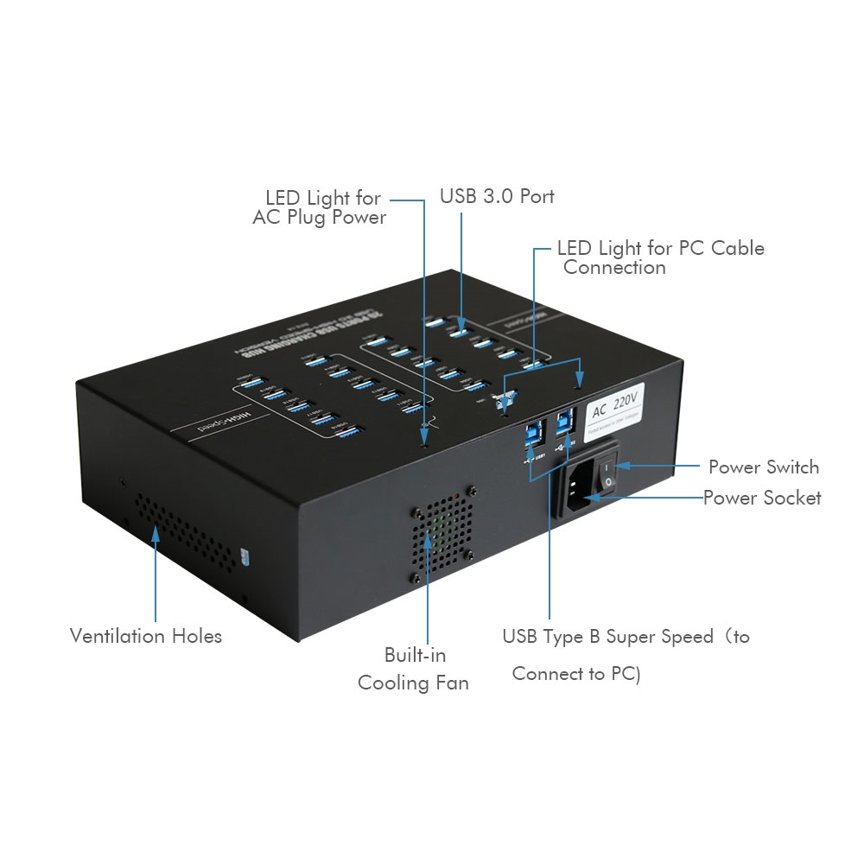
How to Set Up the 20 Port Sync&Charge HUB
A practical setup can follow these general steps:
Step 1: Select the Installation Location
Place or mount the B-20 in an area with sufficient ventilation and convenient access to the devices being managed.
Step 2: Connect the Power Supply
Connect the hub to its appropriate power source according to the manufacturer’s installation instructions.
Step 3: Connect the Hub to the Host System
Use the appropriate USB connection between the hub and the host computer or compatible system.
Step 4: Connect Devices
Connect smartphones, tablets, or other compatible USB devices to the available ports.
Step 5: Verify the LED Indicator
Check the LED indicator to confirm the expected operating status.
Step 6: Begin the Required Workflow
Once connected, the hub can be used for compatible charging, synchronization, data management, testing, or refurbishment tasks.
Best Practices for Using the B-20
Use Suitable USB Cables
For reliable USB 3.0 data performance, use cables appropriate for the required USB standard. A lower-specification cable can limit practical transfer performance.
Avoid Blocking the Cooling System
Because the B-20 includes a cooling fan, maintain adequate airflow around the unit. Avoid covering ventilation areas or placing the hub in an unnecessarily confined space.
Organize Connected Devices
When working with 20 devices, cable management becomes important. Labeling cables or assigning devices to specific ports can make large-scale workflows easier to manage.
Monitor Device Requirements
Different smartphones and tablets can have different charging and data requirements. Confirm that connected devices are compatible with the hub and intended workflow.
Avoid Overloading the System
The 200W rating represents the overall power-supply capacity. Users should consider the combined requirements of their connected devices rather than assuming every port can continuously operate at an identical maximum output.
Who Should Choose the B-20?
The B-20 can be a practical option for organizations that need centralized USB connectivity for a large number of devices.
It is particularly relevant for:
- IT professionals
- Telecommunications teams
- Smartphone repair businesses
- Tablet repair centers
- Refurbishment companies
- Device testing facilities
- Electronics service centers
- Commercial device-management operations
For a home user who only needs two or three USB connections, a 20-port professional hub may provide considerably more capacity than necessary. Its value becomes more apparent in environments where multiple devices are managed regularly.
What to Consider Before Buying
Before selecting the B-20 for a specific installation, consider the following:
Number of devices: Determine whether 20 ports match the required workflow.
Power requirements: The B-20 has a 200W power supply, but exact individual-port output should be confirmed if your devices have specific charging requirements.
Data requirements: USB 3.0 is suitable for higher-speed USB data workflows, but practical performance depends on connected hardware.
Mounting: Check whether the included mounting brackets fit the intended workstation or installation location.
Cooling: Make sure there is sufficient airflow around the cooling fan and ventilation areas.
Device compatibility: Confirm that the smartphones, tablets, or other USB devices being managed are compatible with the hub and the required software.
Cable requirements: Use appropriate cables for both charging and USB 3.0 data performance.
Frequently Asked Questions
How many devices can the B-20 connect?
The B-20 is a 20-port Sync&Charge HUB, providing connectivity for up to 20 USB devices when compatible with the intended workflow.
Does the B-20 support USB 3.0?
Yes. The B-20 is specified as a USB 3.0 HUB and is designed for USB 3.0 data connectivity.
Is the 200W rating per port?
No. The supplied 200W specification refers to the power supply for the overall hub, not 200W for each individual port.
Does the B-20 support charging?
Yes. It is specifically described as a Sync&Charge HUB, combining charging and synchronization functionality.
Does it have active cooling?
Yes. The B-20 includes a cooling fan design to assist with heat management during operation.
Does the B-20 include mounting hardware?
The supplied specification lists mounting brackets as part of the product features.
Is there an LED indicator?
Yes. The B-20 includes an LED indicator for visual status monitoring.
What is the B-20 used for?
It is suitable for IT, data telecommunications, and smartphone/tablet refurbishment applications, as well as other professional multi-device management environments.
Does the B-20 support USB Power Delivery?
USB 3.0 and USB Power Delivery are different technologies. The supplied specifications do not state that the B-20 supports USB Power Delivery, so a specific PD capability should not be assumed without confirmation.
What is the maximum charging wattage per port?
The supplied specifications provide the overall 200W power-supply rating, but they do not provide a specific maximum wattage for each port. The exact per-port charging specification should be confirmed with the manufacturer.
Conclusion
The 20 Ports Sync&Charge 3.0 HUB B-20 is designed as a centralized USB solution for professional environments where multiple devices need to be connected, charged, and synchronized.
Its 20-port configuration, USB 3.0 connectivity, 200W power supply, cooling fan, mounting brackets, and LED indicator make it suitable for demanding multi-device workflows. The product is particularly relevant to IT departments, telecommunications environments, smartphone repair operations, tablet servicing, and refurbishment facilities.
For organizations managing large numbers of USB devices, the B-20 can help create a more centralized and organized workstation. Before deployment, users should verify the exact per-port charging specifications, device compatibility, cable requirements, and software requirements for their particular workflow.
Overall, the B-20 is positioned as a professional USB 3.0 Sync&Charge hub for environments where high port capacity and organized multi-device connectivity are important.