19″ Rackmount 16 Ports USB Charge & Sync Hub: A-16
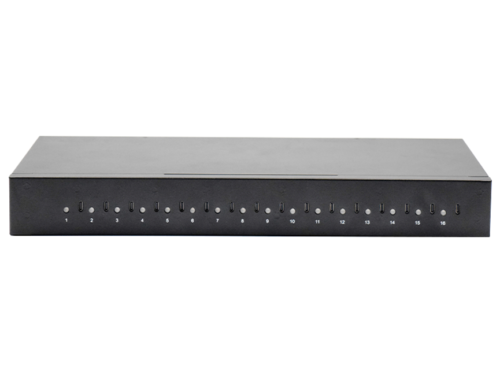
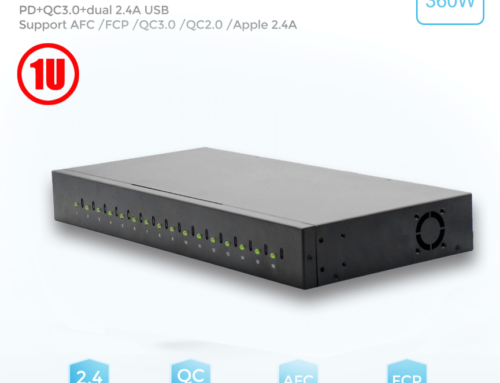
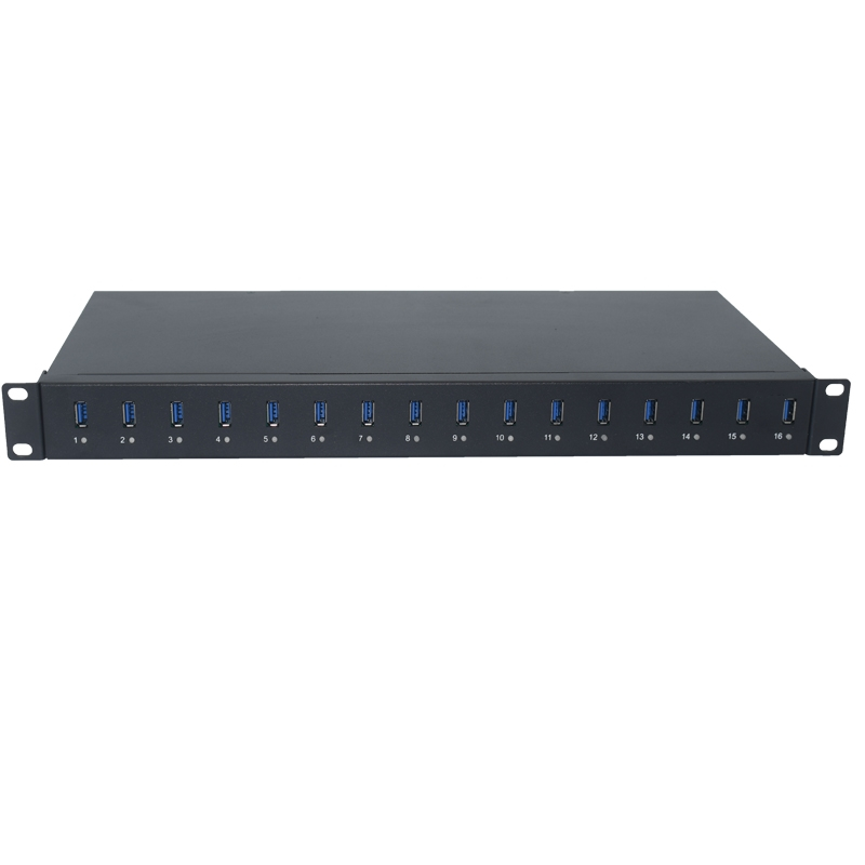
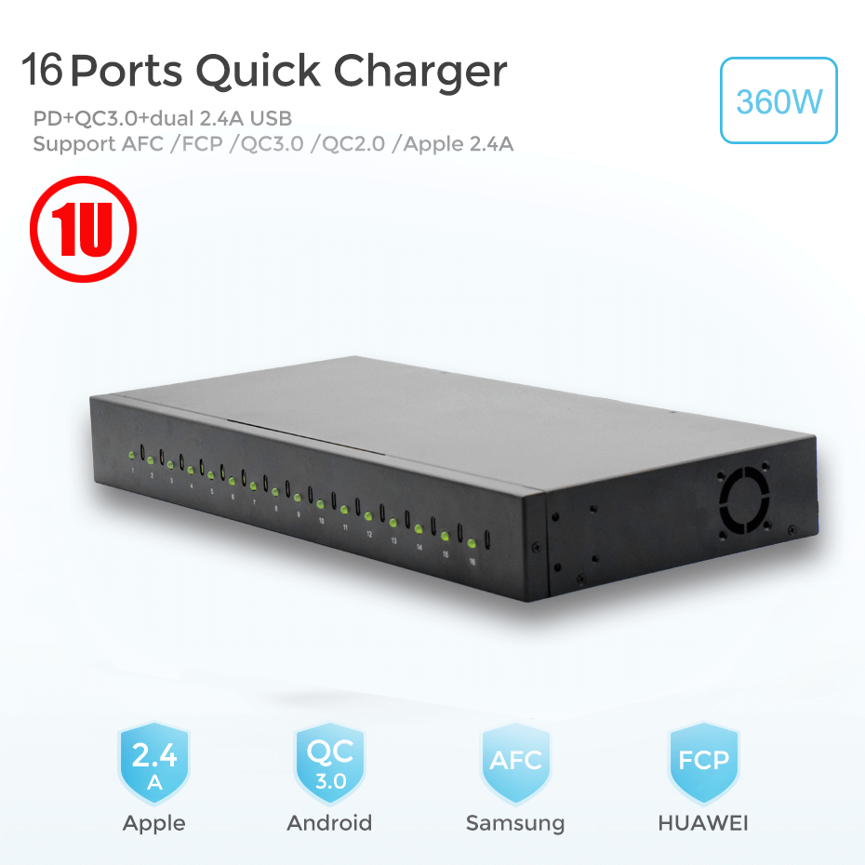
19 Rackmount 16 Port USB Hub is designed to provide centralized USB connectivity for multiple devices in professional rack-based environments.The 19″ Rackmount 16 Ports USB Charge & Sync Hub – Model A-16 is designed as a centralized USB 2.0 hub for environments where multiple devices need to be connected and managed from one location.
With USB 2.0 compatibility, support for High-Speed, Full-Speed, and Low-Speed USB communication, LED indicators for port status, and self-powered operation, the A-16 provides a practical solution for commercial, industrial, educational, and IT environments.
Its rackmount form factor also makes it suitable for organized installations where USB connectivity needs to be integrated into a 19-inch rack or server rack setup.
What Is the A-16 19″ Rackmount USB Hub?
The A-16 USB Charge & Sync Hub is a rackmountable multi-port USB hub designed to provide centralized USB connectivity for multiple downstream devices.
According to the supplied specifications, the unit supports USB 2.0 and is compatible with earlier USB 1.1 revisions. It supports USB data rates of up to 480 Mbps, along with Full-Speed 12 Mbps and Low-Speed 1.5 Mbps operation.
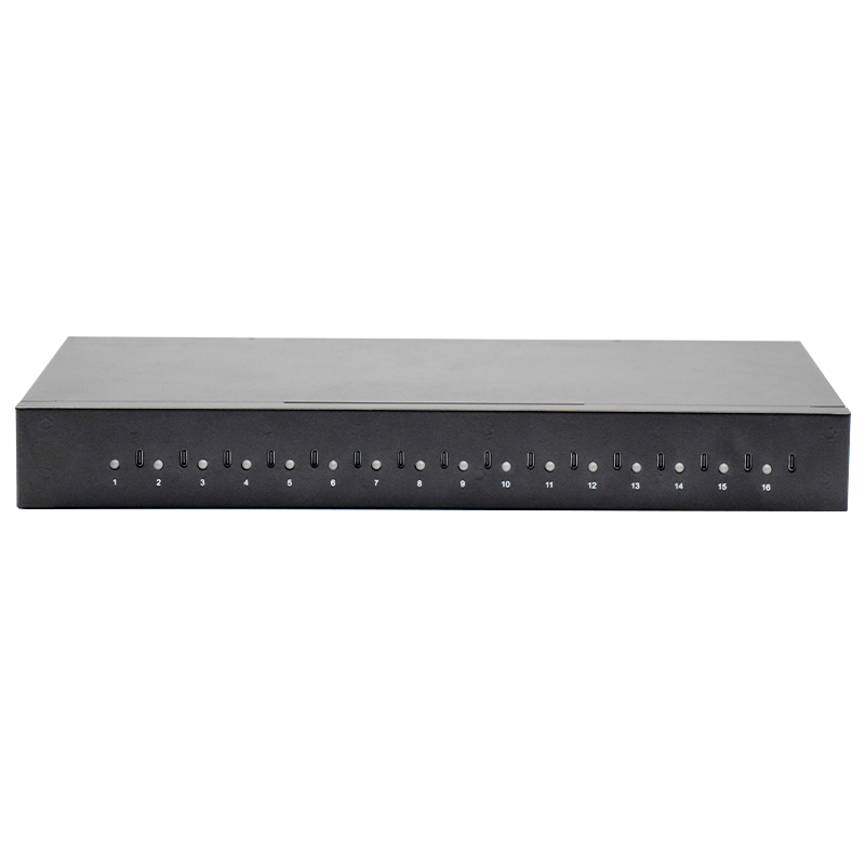
The hub also provides LED indicators that allow users to monitor the condition or activity of individual downstream ports.
This makes the A-16 particularly useful where multiple USB devices need to be connected, synchronized, or monitored from a centralized rack-mounted location
Key Specifications
| Feature | Specification |
| Product |
|
| Model | A-16 |
| USB Standard | USB 2.0 |
| Backward Compatibility | USB 1.1 revisions |
| USB Ports | 16 simultaneous downstream connections |
| USB Speed | Up to 480 Mbps |
| Full-Speed | 12 Mbps |
| Low-Speed | 1.5 Mbps |
| Operating Mode | Self-powered |
| Port Indicators | LED status indicators |
| Form Factor | 19-inch rackmount |
| Primary Function | USB charging, connectivity, and synchronization |
| Applications | Industrial, commercial, educational, IT environments |
Note: The supplied product description contains the phrase “Supplies 20 Downstream Facing USB 2.0 Ports,” while the product name specifies 16 ports. Because the model is identified as an A-16 16-port hub, this article treats it as a 16-port product. The exact physical port count should be confirmed against the manufacturer’s current datasheet before publication.

USB 2.0 High-Speed Connectivity
One of the main capabilities of the A-16 is its support for the USB 2.0 specification.
USB 2.0 provides a maximum theoretical signaling rate of 480 Mbps, commonly referred to as High-Speed USB. The hub also supports lower USB speeds, allowing compatible devices operating at Full-Speed and Low-Speed rates to communicate through the system.
Supported USB speeds
| USB Mode | Maximum Signaling Rate |
| High-Speed | 480 Mbps |
| Full-Speed | 12 Mbps |
| Low-Speed | 1.5 Mbps |
The actual transfer speed experienced by a connected device depends on the device itself, USB cable, connected peripherals, host system, and the type of data being transferred.
Therefore, the 480 Mbps specification should be understood as the maximum USB 2.0 interface rate, rather than a guaranteed real-world file-transfer speed.
16-Port Centralized USB Connectivity
The A-16 is designed to centralize multiple USB connections in one rack-mounted unit.
Instead of using numerous individual USB hubs distributed throughout an installation, a centralized hub can simplify device organization and cable management.
A typical setup can follow this structure:
Host Computer → A-16 Rackmount Hub → Multiple USB Devices
This arrangement can be useful in environments where technicians or administrators regularly connect several peripherals or devices for data transfer, synchronization, testing, or charging.
LED Indicators for Port Monitoring
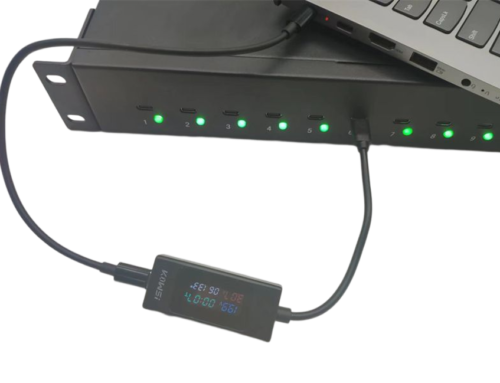
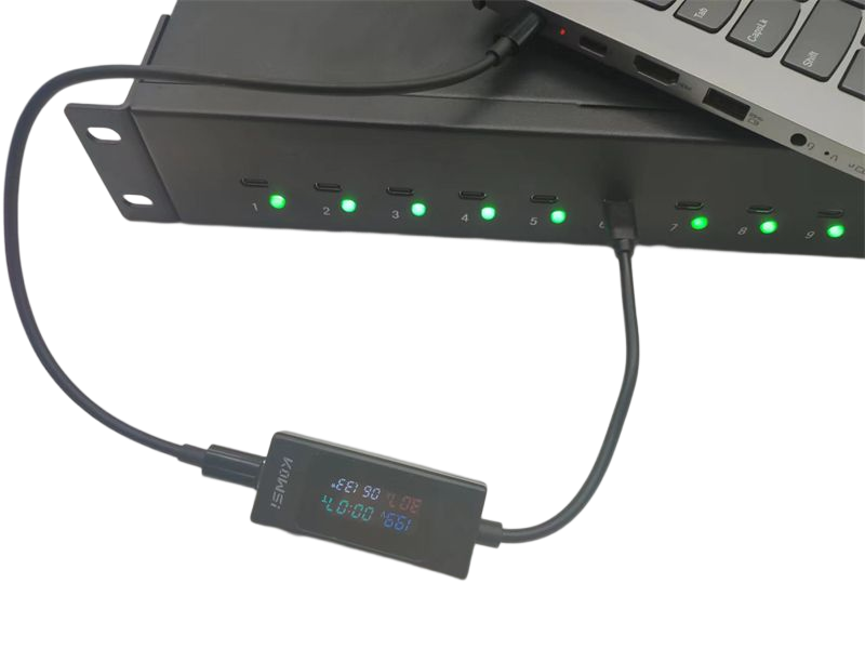
The A-16 includes LED indicators for downstream port status.
These indicators provide a convenient visual reference for checking whether individual ports are active or showing a particular operating condition.
For installations with many connected devices, this can be especially helpful because technicians can quickly identify active connections without having to inspect every cable individually.
Benefits of LED port indicators
- Quick visual port identification
- Easier troubleshooting
- Better visibility of connected devices
- Simplified rack maintenance
- Faster checking of port activity
- Improved operational awareness
LED indicators are particularly valuable in server rooms, IT departments, laboratories, and other technical environments where multiple connections may be active simultaneously.

Self-Powered USB Hub Design
The A-16 supports a self-powered operating mode.
A self-powered USB hub uses its own power source rather than relying entirely on the USB host connection. This design is useful for installations where several downstream USB devices need to operate through one centralized hub.
It can help provide a more suitable infrastructure for multi-device environments than a basic bus-powered USB hub.
However, the amount of power available to individual connected devices depends on the hub’s electrical design and power specifications. Users should therefore verify the manufacturer’s power-output specifications when planning applications involving power-intensive USB devices.
USB Charge and Sync Functionality
A major advantage of a charge and sync hub is that it combines centralized USB connectivity with device synchronization capabilities.
The A-16 can be incorporated into workflows where USB devices need to communicate with a host system for tasks such as:
- Data synchronization
- Device configuration
- File transfers
- Peripheral connectivity
- Device testing
- Charging, where supported by the hub’s power architecture
For organizations managing multiple devices, having these functions centralized can make daily operations more organized.

Multi-Transaction USB Architecture
The supplied specifications state that the A-16 supports a Multi Transaction Translator (MTT) architecture and up to 16 simultaneous non-periodic transactions.
A Multi Transaction Translator can improve the way a USB 2.0 hub handles communication involving multiple USB devices, particularly when different USB speeds are involved.
This is relevant in environments where several USB peripherals may be communicating at the same time.
Rather than considering the hub simply as a collection of physical USB ports, the MTT architecture is part of the internal USB communication design that helps manage traffic between connected devices and the host.

19-Inch Rackmount Design
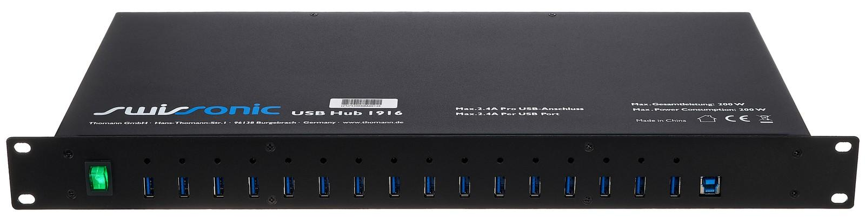
The A-16 is designed for installation in a 19-inch rack environment.
This makes it suitable for structured installations where equipment is organized inside standard rack cabinets or server racks.
A rack-mounted USB hub can help keep USB connectivity equipment in a centralized and accessible location.
Advantages of rackmount installation
| Advantage | Description |
| Centralized connectivity | Multiple USB connections are managed from one location |
| Better organization | Reduces scattered USB hubs and adapters |
| Rack integration | Fits into structured rack-based environments |
| Easier maintenance | Technicians can access connections from a centralized position |
| Cable management | Helps create a more organized installation |
| Professional deployment | Suitable for commercial and industrial environments |
Before installation, users should verify the exact rack dimensions, mounting hardware, available rack space, and power requirements.
Applications of the A-16 USB Charge & Sync Hub
The combination of multiple USB ports, rackmount construction, USB 2.0 connectivity, and LED indicators makes the A-16 suitable for a variety of professional applications.
1. IT Departments
IT teams can use a centralized USB hub for connecting and managing multiple peripherals, test devices, storage devices, and other USB equipment.
2. Server Rooms
The rackmount design allows USB connectivity to be integrated into organized server-room infrastructure.
3. Educational Institutions
Schools, colleges, universities, and training centers may need to connect or synchronize multiple USB devices as part of computer labs and technology programs.
4. Industrial Environments
The product is categorized as an industrial USB hub, making its centralized architecture useful for industrial equipment and controlled USB connectivity environments.
5. Device Testing
Testing laboratories can benefit from having multiple USB connections available from a centralized rack location.
6. Commercial Installations
Businesses that operate multiple USB-connected systems can use a rack-mounted hub to simplify connectivity and reduce equipment clutter.
A-16 vs. Standard Desktop USB Hub
A standard desktop USB hub and a rackmount industrial USB hub can both expand USB connectivity, but they are intended for different installation environments.
| Feature | A-16 Rackmount Hub | Typical Desktop USB Hub |
| Installation | 19-inch rack environment | Desktop |
| USB Standard | USB 2.0 | Varies |
| Port Monitoring | LED indicators | Often available |
| Power Mode | Self-powered | Bus-powered or self-powered |
| Organization | Centralized rack installation | Local desktop installation |
| Professional Use | IT, industrial, commercial | Personal/office use |
| Cable Management | Rack-oriented | Basic |
| Port Capacity | 16-port configuration* | Usually fewer ports |
*Based on the product name/model supplied. Confirm final physical port count with the manufacturer because the supplied description also references 20 downstream-facing ports.
Benefits of Using a Rackmount USB Charge & Sync Hub
Centralized Device Management
The A-16 places multiple USB connections into one centralized unit, making it easier to manage a large number of devices.
Improved Rack Organization
Instead of using multiple loose desktop hubs, a rackmount solution can create a cleaner and more structured installation.
Easy Port Identification
LED indicators provide a quick visual reference for port conditions and activity.
Backward Compatibility
Support for USB 1.1 revisions allows compatible older USB devices to continue working with the USB 2.0 hub.
Multiple USB Speed Support
The A-16 supports High-Speed, Full-Speed, and Low-Speed USB operation, allowing different USB devices to communicate according to their supported standards.
Professional Deployment
The rackmount form factor makes the hub appropriate for technical environments where organized infrastructure is important.
How to Choose a Rackmount USB Hub
When selecting a rack-mounted USB hub, businesses should consider more than the number of ports.
1. Check Port Requirements
Determine how many USB devices will be connected simultaneously. A 16-port configuration can be useful when multiple peripherals or devices need centralized connectivity.
2. Confirm USB Standard
USB 2.0 is suitable for many peripherals and synchronization tasks. If the installation requires very high-speed storage transfers, a newer USB standard may be more appropriate.
3. Consider Power Requirements
Check the power requirements of connected devices and the hub’s available power output before using it for charging-intensive applications.
4. Verify Rack Compatibility
Confirm that the hub’s dimensions and mounting system are compatible with the intended 19-inch rack or cabinet.
5. Consider Monitoring Features
LED indicators can make maintenance and troubleshooting considerably easier in installations containing many connected devices.
Recommended Installation and Maintenance Practices
For reliable operation, the following practices can help:
- Use high-quality USB cables appropriate for the required USB speed.
- Avoid unnecessarily long USB connections.
- Keep cables properly labeled in large installations.
- Leave adequate ventilation around rack-mounted equipment.
- Inspect USB connectors periodically for dust or physical damage.
- Avoid exceeding the hub’s specified power capacity.
- Confirm compatibility before connecting specialized USB equipment.
- Keep rack cabling organized to make troubleshooting easier.
- Monitor LED indicators for unusual port behavior.
- Follow the manufacturer’s installation and electrical safety instructions.
USB 2.0 Speed: What 480 Mbps Really Means
The A-16 supports up to 480 Mbps USB 2.0 High-Speed communication.
It is important to distinguish between the theoretical USB signaling rate and actual application performance.
For example, actual file-transfer speeds may be lower because of:
- USB protocol overhead
- Host computer performance
- Storage-device limitations
- Cable quality
- Connected-device capabilities
- Simultaneous USB traffic
- File size and transfer type
Therefore, 480 Mbps should be treated as the maximum supported USB 2.0 interface rate rather than a guaranteed file-transfer speed.
Who Can Benefit From the A-16?
The A-16 is particularly suitable for organizations that need centralized USB connectivity in a professional rack environment.
| User/Organization | Potential Use |
| IT departments | Peripheral and device management |
| Schools | Computer labs and device connectivity |
| Universities | Research and technology labs |
| Industrial facilities | Centralized USB connections |
| Testing laboratories | Multi-device testing |
| Server rooms | Rack-based USB infrastructure |
| Commercial businesses | Centralized peripheral management |
| System integrators | Professional USB installations |
Frequently Asked Questions
What is the A-16 USB hub?
The A-16 is a 19-inch rackmount USB Charge & Sync Hub designed to centralize multiple USB connections and support USB 2.0 data communication.
What USB standard does the A-16 support?
The supplied specifications identify the A-16 as a USB 2.0 hub with backward compatibility with USB 1.1 revisions.
What is the maximum USB speed?
The A-16 supports USB 2.0 High-Speed operation up to 480 Mbps, as well as Full-Speed 12 Mbps and Low-Speed 1.5 Mbps modes.
Does the hub have LED indicators?
Yes. The specifications state that the hub supports downstream port status indication through LEDs.
Is the A-16 designed for a server rack?
Yes. Its 19-inch rackmount design makes it suitable for rack-based installations, subject to compatibility with the specific rack or cabinet.
Does the A-16 support self-powered operation?
Yes. The supplied specifications state that the hub supports self-powered mode.
Is it compatible with older USB devices?
Yes. The supplied specification states that the A-16 is backward compatible with USB 1.1 revisions.
Can the A-16 be used for charging?
It is described as a USB Charge & Sync Hub, but the exact charging capability depends on the hub’s power architecture and the connected device. Users should verify the manufacturer’s detailed power-output specifications for charging-intensive applications.
Conclusion
19″ Rackmount 16 Ports USB Charge & Sync Hub – A-16
is designed for organizations that need centralized USB connectivity within a professional rack-based environment. Its USB 2.0 support, 480 Mbps High-Speed capability, backward compatibility, self-powered operation, Multi Transaction Translator architecture, and LED port indicators make it a practical solution for multi-device USB installations.
The rackmount format is particularly useful for IT departments, industrial environments, laboratories, educational institutions, and server-room applications where organized connectivity and easier maintenance are important.
For installations that require multiple USB devices to be connected, monitored, and synchronized from a centralized location, the A-16 offers a structured alternative to multiple standalone desktop USB hubs.