13 Port USB 3.0 HUB B-13 – Industrial High-Speed USB Hub
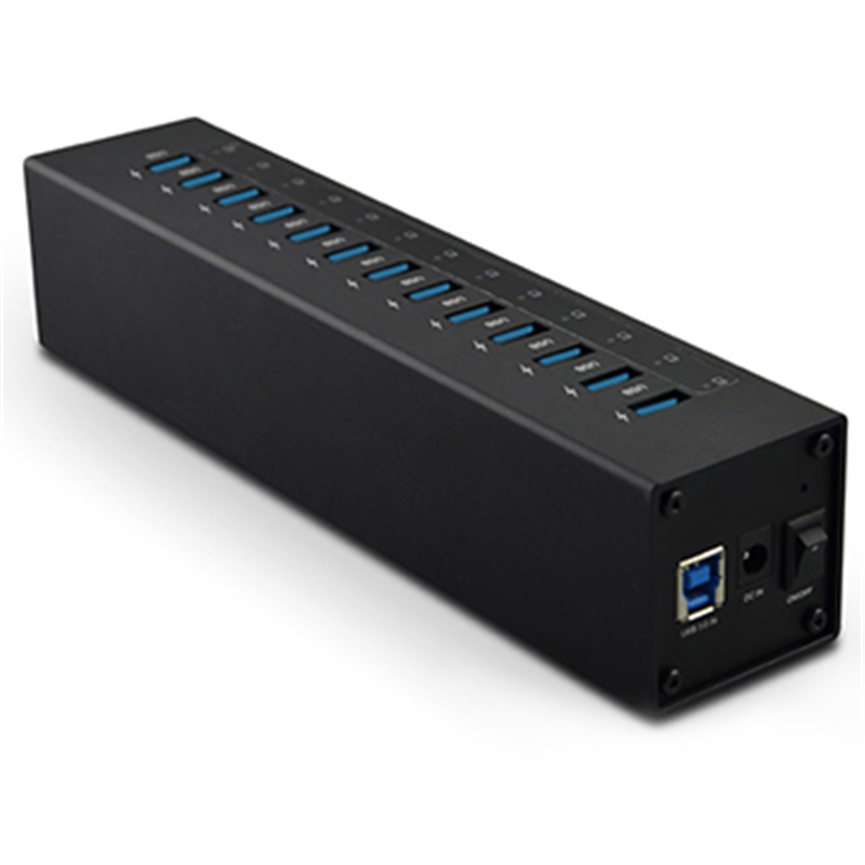
The 13 Port USB 3.0 HUB B-13 provides a practical solution for users who need additional USB connectivity for workstations, storage devices, and peripherals.
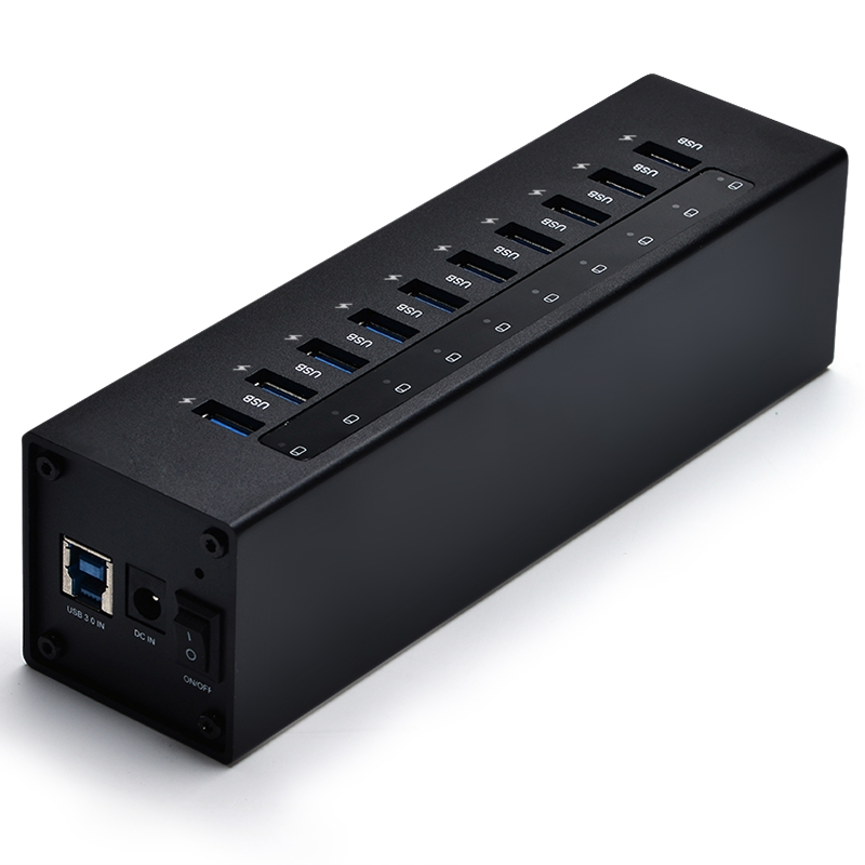
The 13 Port USB 3.0 HUB B-13 provides a practical solution by adding 13 additional USB SuperSpeed ports to a compatible host system. Built to comply with USB 3.0 standards, the hub supports a maximum data transfer rate of up to 5Gbps, making it suitable for high-speed USB data connectivity.
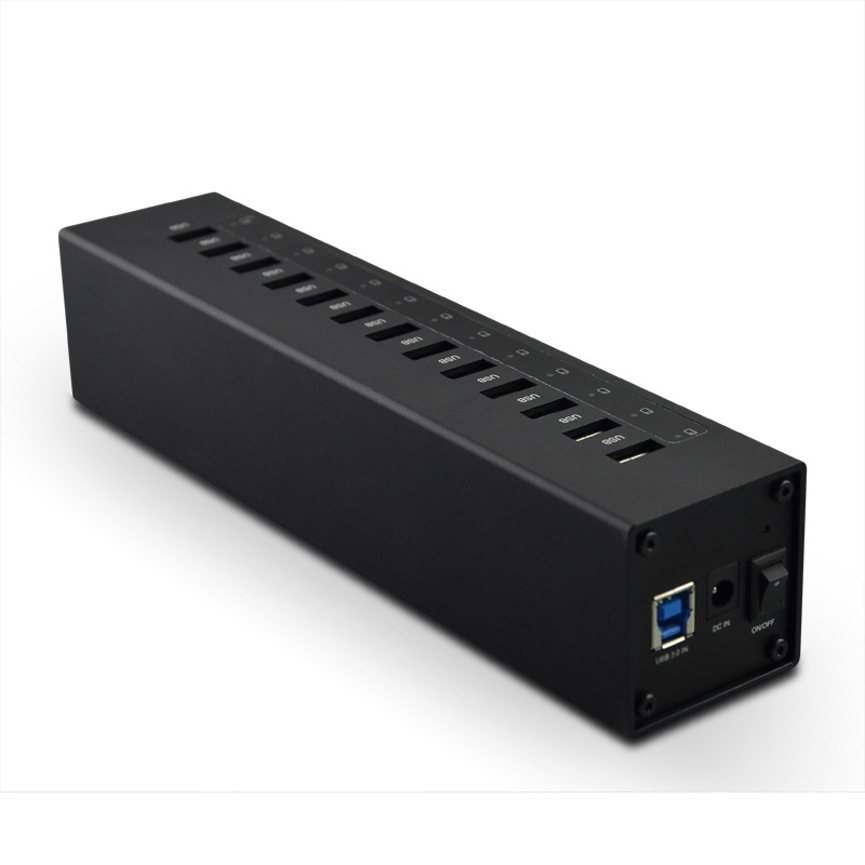
The B-13 also features an industrial-grade rugged metal enclosure, giving it a durable design for professional and demanding working environments. An over-current detection and protection circuit provides an additional layer of protection when multiple USB devices are connected.
Listed under the Data & Hub and USB 3.0 HUB categories, the B-13 is designed for users who need expanded USB connectivity while maintaining USB 3.0 SuperSpeed capability.
What Is the 13 Port USB 3.0 HUB B-13?
The B-13 is a 13-port USB 3.0 hub designed to expand the number of available USB connections on a compatible computer or host device.
Instead of relying only on the limited number of USB ports built into a computer, users can connect the B-13 to create access to 13 additional USB SuperSpeed ports.
This makes the hub useful for multi-device environments where several USB peripherals need to be connected at the same time.
The B-13 complies with the Universal Serial Bus 3.0 Specification and supports a maximum theoretical data transfer rate of 5Gbps.
Its rugged metal enclosure further positions the product for professional, technical, and industrial-style applications.
Key Specifications
| Specification | Details |
| Product | 13 Port USB 3.0 HUB |
| Model | B-13 |
| USB Standard | USB 3.0 |
| Additional Ports | 13 USB SuperSpeed ports |
| Maximum Data Transfer Rate | Up to 5Gbps |
| Enclosure | Industrial-grade rugged metal |
| Protection | Over-current detection and protection circuit |
| USB Compliance | Universal Serial Bus 3.0 Specification |
| Product Categories | Data & Hub, USB 3.0 HUB |
| Related Tags | Industrial USB 3.0 Hub, USB Flash Reader |
13 Additional USB SuperSpeed Ports
The most notable feature of the B-13 is its 13-port configuration.
A standard computer may not provide enough USB ports for a workstation with multiple peripherals. Constantly disconnecting devices to free up a port can interrupt productivity and make cable management more difficult.
The B-13 provides 13 additional USB SuperSpeed connections, allowing users to create a more centralized USB environment.
This can be particularly useful when multiple compatible USB devices need to remain connected simultaneously.
Why a 13-Port Hub Can Be Useful
A higher port count can benefit environments where USB devices are frequently connected and disconnected.
For example, a technical workstation may require several storage devices, flash drives, readers, and other peripherals at the same time.
Rather than using several smaller hubs, a 13-port hub can provide a single centralized expansion point.
USB 3.0 SuperSpeed Connectivity
The B-13 complies with USB 3.0 standards and the Universal Serial Bus 3.0 Specification.
It supports a maximum data transfer rate of up to 5Gbps, making it suitable for compatible high-speed USB data applications.
USB 3.0 provides greater theoretical bandwidth than USB 2.0, making it particularly useful for workflows involving larger files and higher-speed peripherals.
However, the 5Gbps figure should be understood as a maximum theoretical interface rate, rather than a guaranteed real-world file-transfer speed.
Factors That Affect Actual Transfer Performance
Real-world performance depends on several factors, including:
- Host computer capability
- Connected USB device
- Storage-device performance
- USB cable quality
- File type and size
- System workload
- USB device compatibility
- Shared bandwidth
- Operating-system and driver performance
For example, a USB 2.0 device connected through the B-13 cannot automatically achieve USB 3.0 performance. The connected device remains limited by the USB standard it supports.
Industrial-Grade Rugged Metal Enclosure
The B-13 features an industrial-grade rugged metal enclosure, making its physical design suitable for professional environments where durability is important.
Compared with a basic lightweight consumer USB hub, a rugged metal enclosure can provide a more robust construction and professional appearance.
This makes the B-13 particularly relevant to fixed workstations, technical environments, IT setups, and other locations where equipment may be used frequently.
Advantages of Rugged Construction
The metal enclosure can provide:
- Durable physical construction
- Professional appearance
- Suitability for demanding workspaces
- A stable housing for multiple USB connections
- Better fit for technical and industrial-style installations
The enclosure complements the hub’s high port count and SuperSpeed connectivity, making the B-13 more appropriate for professional applications than a basic low-port consumer hub.
Over-Current Detection and Protection
The B-13 includes an over-current detection and protection circuit design.
When multiple USB devices are connected to one hub, different devices may have different current requirements. Monitoring current conditions is therefore an important consideration in multi-device USB environments.
The B-13’s specified over-current protection is designed to help detect and protect against excessive-current conditions.
This provides an additional layer of protection when operating a number of compatible USB devices through the hub.
It is important to note that the supplied specifications specifically mention over-current detection and protection. They do not specify other electrical protection functions such as over-voltage, surge, or short-circuit protection.
Applications of the B-13 USB 3.0 HUB
The B-13 can be used in a variety of professional and technical environments.
1. IT Workstations
IT professionals may need to connect multiple USB devices for configuration, maintenance, testing, data transfer, and other technical tasks.
The 13-port configuration provides substantial USB expansion from a single hub.
2. Data Transfer
USB 3.0 connectivity and the up-to-5Gbps maximum interface rate make the B-13 suitable for compatible data-transfer workflows.
Users working with external storage or other high-speed USB peripherals can benefit from additional SuperSpeed connections.
3. USB Flash Reader Applications
The supplied product tags include USB flash reader, indicating relevance to USB flash and reader-related applications.
The B-13 itself should be described as a USB 3.0 hub rather than a dedicated flash reader unless additional manufacturer specifications confirm dedicated reader functionality.
Its 13 USB ports can nevertheless provide expanded connectivity for compatible USB flash readers and related peripherals.
4. Industrial-Style Environments
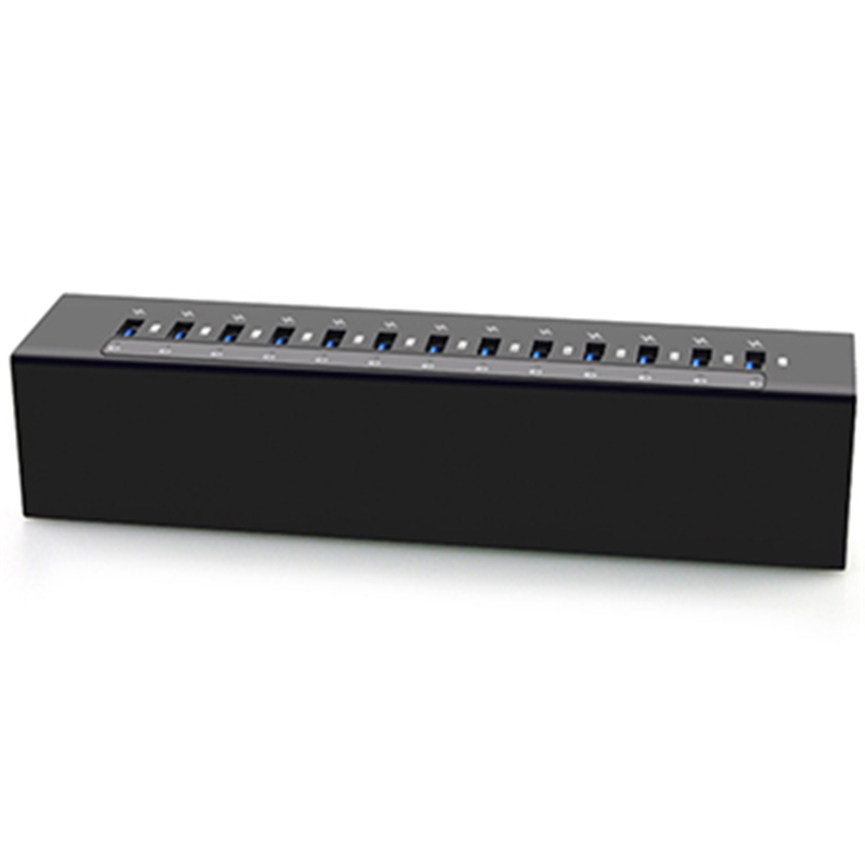
The industrial-grade rugged metal enclosure makes the B-13 appropriate for environments where durable equipment construction is preferred.
This may include technical workstations, equipment rooms, testing areas, and professional installations.
5. Multi-Device Workstations
Users who regularly work with multiple USB devices can use the B-13 as a central USB expansion point.
Its 13 ports reduce the need to repeatedly swap connected devices.
B-13 for Storage and Data Workflows
USB 3.0 hubs can be especially useful in environments involving multiple storage devices.
When compatible USB 3.0 storage hardware is connected, the B-13 provides the USB connectivity required for accessing those devices through the host system.
However, actual storage performance depends heavily on the storage device itself.
A high-performance SSD, for example, may have capabilities beyond those of a slower flash drive. The hub provides the interface, but it does not automatically determine the maximum performance of every connected device.
Understanding the 5Gbps Specification
The B-13’s 5Gbps maximum data transfer rate is one of its important technical specifications.
It is useful to distinguish between:
Interface speed: the maximum theoretical data rate supported by the USB 3.0 interface.
Real-world speed: the actual performance achieved during a particular data-transfer operation.
Real-world speeds can be lower because of protocol overhead, device limitations, storage performance, system workload, and other factors.
Therefore, the 5Gbps specification should be used as an indication of the hub’s USB 3.0 interface capability rather than a guarantee that every file transfer will occur at 5Gbps.
B-13 vs. a Basic USB Hub
The B-13 offers several features that distinguish it from a basic USB expansion hub.
| Feature | B-13 USB 3.0 HUB | Basic USB Hub |
| Additional Ports | 13 | Varies |
| USB Standard | USB 3.0 | Varies |
| Maximum Interface Rate | Up to 5Gbps | Varies |
| Enclosure | Rugged metal | Varies |
| Over-Current Protection | Yes, specified | Varies |
| Industrial-Grade Design | Yes | Varies |
| Multi-Device Connectivity | Yes | Yes |
The B-13 combines a high port count with USB 3.0 SuperSpeed connectivity, rugged construction, and specified over-current protection.
B-13 vs. USB 2.0 Hub
USB 3.0 and USB 2.0 hubs differ primarily in their supported interface capabilities.
| Feature | B-13 USB 3.0 HUB | USB 2.0 Hub |
| USB Standard | USB 3.0 | USB 2.0 |
| Maximum Stated Data Rate | Up to 5Gbps | Lower than USB 3.0 |
| SuperSpeed | Yes | No |
| Port Expansion | 13 ports | Varies |
| Rugged Metal Design | Yes | Varies |
| Over-Current Protection | Specified | Varies |
For users working with compatible high-speed devices, USB 3.0 provides greater theoretical bandwidth than USB 2.0.
How to Use the 13 Port USB 3.0 HUB
Step 1: Connect the Hub to the Host
Connect the B-13 to a compatible host computer or system using the appropriate connection.
Step 2: Connect USB Devices
Connect compatible USB peripherals, storage devices, readers, or other equipment to the available ports.
Step 3: Allow the Host to Detect Devices
The operating system should recognize compatible connected equipment according to its normal USB device support.
Step 4: Begin Data or Peripheral Tasks
Once the connected devices are recognized, they can be used for their intended functions.
Step 5: Monitor the Connected Devices
When using multiple devices simultaneously, ensure all equipment is compatible with the hub and operating within its intended specifications.
Best Practices for Using the B-13
Use USB 3.0-Compatible Devices
To take advantage of USB 3.0 SuperSpeed capabilities, connect devices that support USB 3.0 or an equivalent compatible standard.
Use Appropriate USB Cables
Cable quality and specification can affect data-transfer performance. Use cables suitable for the USB standard required by the connected devices.
Avoid Expecting 5Gbps in Every Situation
The 5Gbps rating represents the maximum theoretical interface speed. Actual transfer rates depend on the entire system.
Organize Connected Devices
With 13 available ports, cable organization becomes increasingly important. Labeling or grouping cables can make a multi-device workstation easier to manage.
Check Device Compatibility
Before connecting specialized equipment, verify that the host computer, hub, cables, and peripheral devices support the required standards.
What to Consider Before Choosing a 13-Port USB Hub
Number of Ports
Consider how many devices need to remain connected simultaneously. The B-13 provides 13 additional USB SuperSpeed ports.
USB Standard
If high-speed data transfer is important, verify that your devices support USB 3.0.
Physical Construction
For demanding environments, a rugged metal enclosure may be preferable to a lightweight consumer design.
Protection Features
Over-current detection and protection can be particularly relevant when multiple devices are connected.
Host Compatibility
Always confirm that the host system supports the required USB connection and functionality.
Frequently Asked Questions
What is the B-13?
The B-13 is a 13 Port USB 3.0 HUB designed to add 13 additional USB SuperSpeed ports to a compatible host system.
How many USB ports does the B-13 provide?
The B-13 provides 13 additional USB SuperSpeed ports.
What is the maximum data transfer speed?
The B-13 supports a maximum data transfer rate of up to 5Gbps.
Is the B-13 compliant with USB 3.0?
Yes. The B-13 is specified as compliant with USB 3.0 standards and the Universal Serial Bus 3.0 Specification.
Does the B-13 have over-current protection?
Yes. It includes an over-current detection and protection circuit design.
Is the B-13 an industrial USB hub?
The product is tagged as an industrial USB 3.0 hub and features an industrial-grade rugged metal enclosure, making it suitable for professional and industrial-style environments.
Can the B-13 be used with USB flash readers?
The product is tagged with USB flash reader, indicating relevance to flash-reader applications. However, the exact compatibility of a particular reader should be verified before use.
Does the B-13 guarantee 5Gbps for every connected device?
No. Up to 5Gbps is the maximum theoretical USB 3.0 interface rate. Actual speeds depend on the host, connected devices, cables, storage hardware, and other system factors.
Can USB 2.0 devices be connected?
Compatible earlier-generation USB devices may work through a USB 3.0 hub, but their performance remains limited by the capabilities of the connected device and USB standard.
Is the B-13 suitable for professional workstations?
Yes. Its 13-port design, USB 3.0 connectivity, rugged metal enclosure, and over-current protection make it suitable for multi-device professional and technical workstations.
Conclusion
The 13 Port USB 3.0 HUB B-13 is designed for users who need substantial USB connectivity without compromising on USB 3.0 SuperSpeed capability.
With 13 additional USB SuperSpeed ports, compliance with the Universal Serial Bus 3.0 Specification, and a maximum theoretical data transfer rate of up to 5Gbps, the B-13 provides a practical solution for multi-device data and peripheral environments.
Its industrial-grade rugged metal enclosure adds durable construction, while the over-current detection and protection circuit provides an additional layer of protection for compatible multi-device setups.
The B-13 is well suited to professional workstations, IT environments, data-transfer workflows, technical installations, and applications involving multiple USB peripherals or USB flash-reader equipment.
For users who require a high-port-count USB 3.0 hub with a rugged design, the B-13 provides a centralized connectivity solution focused on port expansion, SuperSpeed data connectivity, durability, and protection.