Introduction
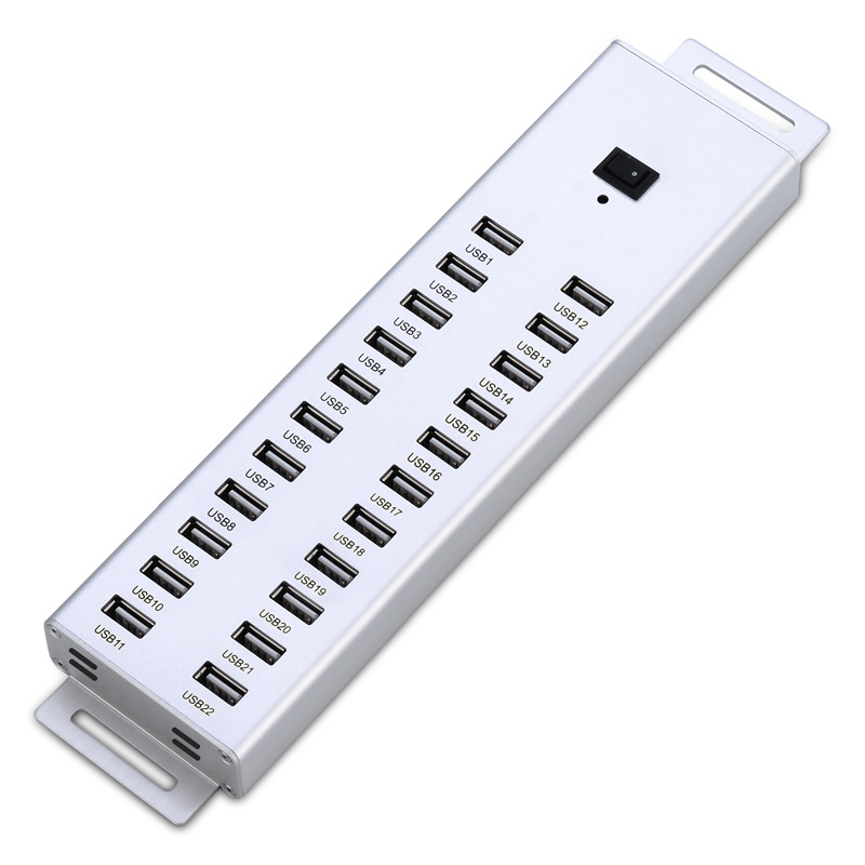
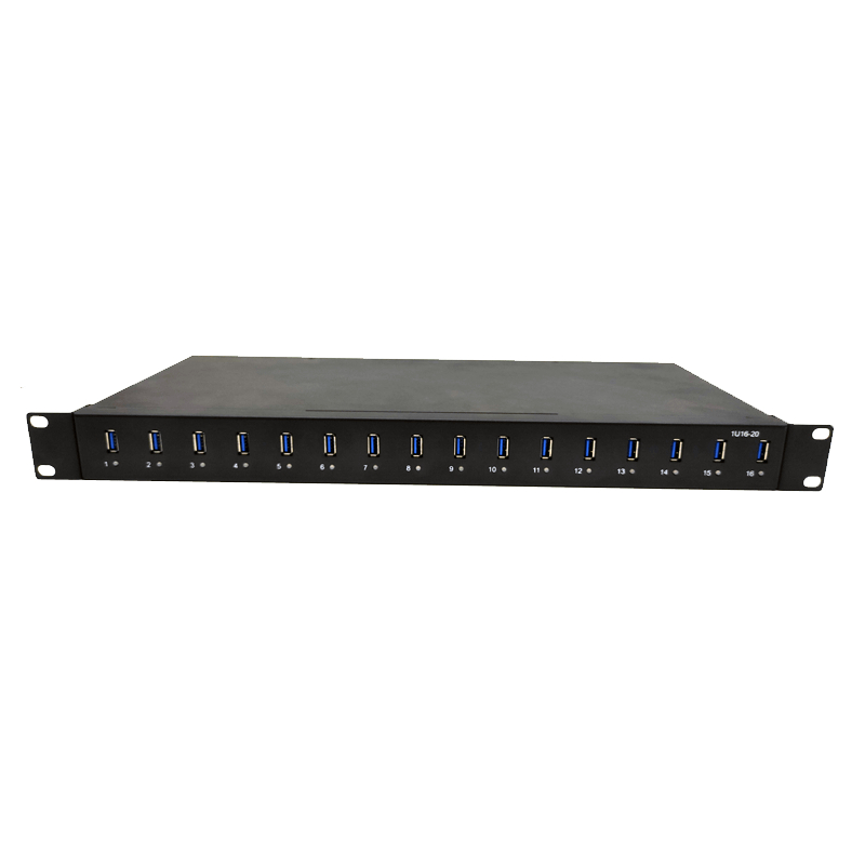
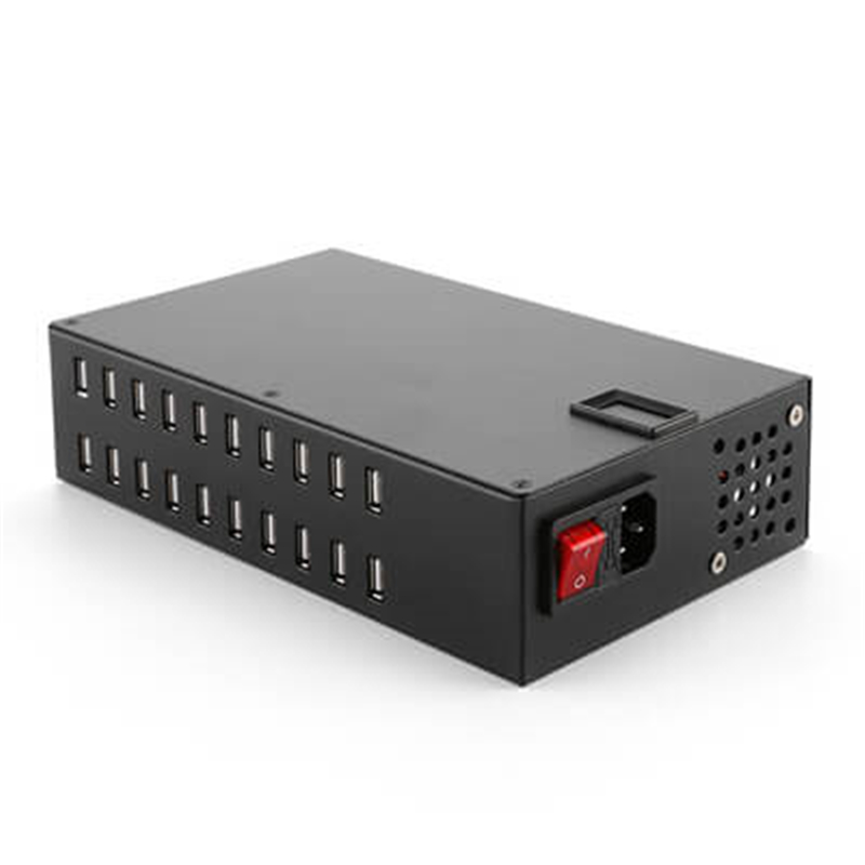
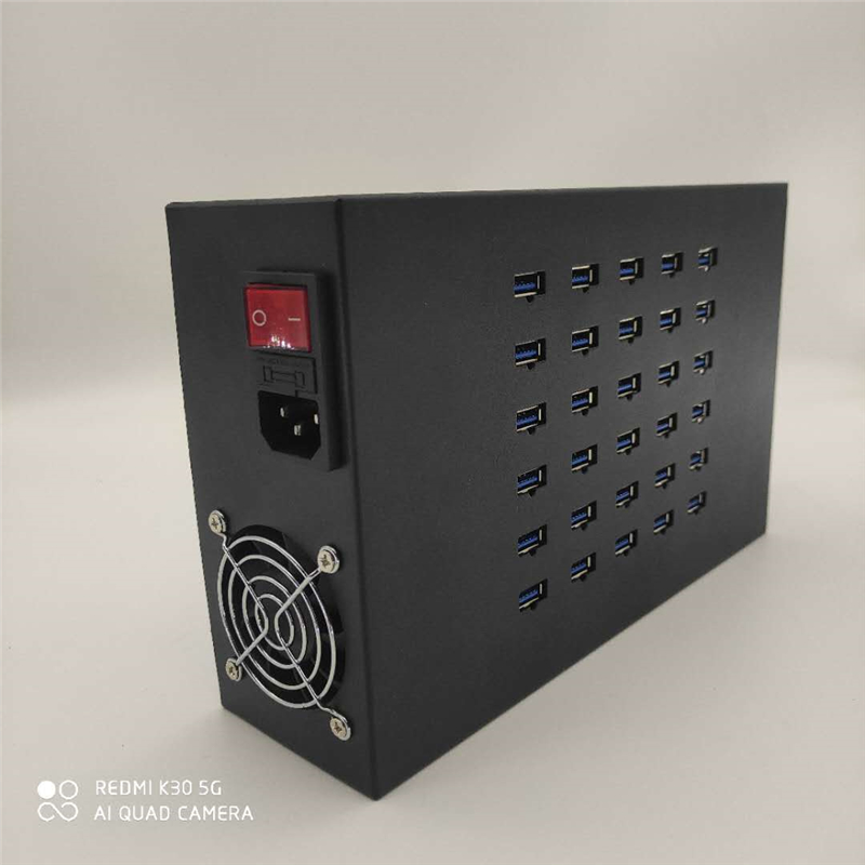
30 Port Charge Sync Hub A-32 is designed for high-capacity charging and synchronization of multiple mobile devices from a centralized workstation. Businesses, IT departments, service centers, educational institutions, and device-management environments often need a centralized solution that can handle multiple devices at the same time.
The 30 Port Charge & Sync HUB A-32 is designed for high-capacity multi-device connectivity. According to the supplied product specification, the hub can simultaneously sync and charge up to 30 mobile devices and provides a maximum charge output of 2.4A per USB port.
The A-32 is also described as supporting USB data transfer, compatible software synchronization, and device-specific charge-level management. These capabilities make it suitable for environments where large numbers of mobile devices need to be connected and managed from a centralized workstation.
There are, however, two points in the supplied specifications that should be verified before publishing a final technical datasheet. The description refers to USB 2.0 data transfer rates up to 5Gbps, while 5Gbps is associated with USB 3.x rather than the conventional USB 2.0 specification. The description also states both up to 30 mobile devices and up to 20 iPads, iPods, iPhones, or other USB-charged devices. These may refer to different operating modes or could be a specification error.
What Is the 30 Port Charge & Sync HUB A-32?
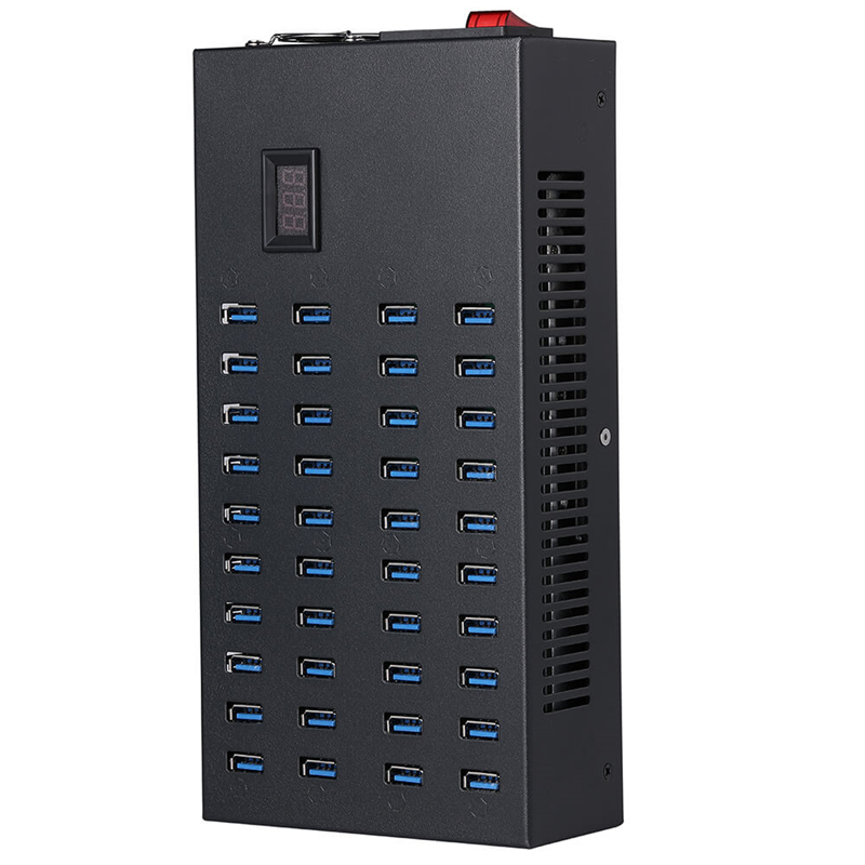
The A-32 is a high-capacity USB Charge & Sync HUB designed to provide centralized connectivity for multiple mobile devices.
Its primary purpose is to combine charging and synchronization in one multi-port solution.
According to the supplied specifications, the A-32 provides:
- 30-port connectivity
- Simultaneous charging and synchronization
- Up to 2.4A maximum charge output per USB port
- USB data connectivity
- Synchronization using compatible software
- Device-specific charge-level management
- Support for mobile devices including iPads, iPods, and iPhones
- Industrial USB HUB positioning
This type of centralized system can be useful when a business or organization needs to manage numerous devices without relying on many individual chargers and computer connections.
30-Port Design for Multi-Device Management
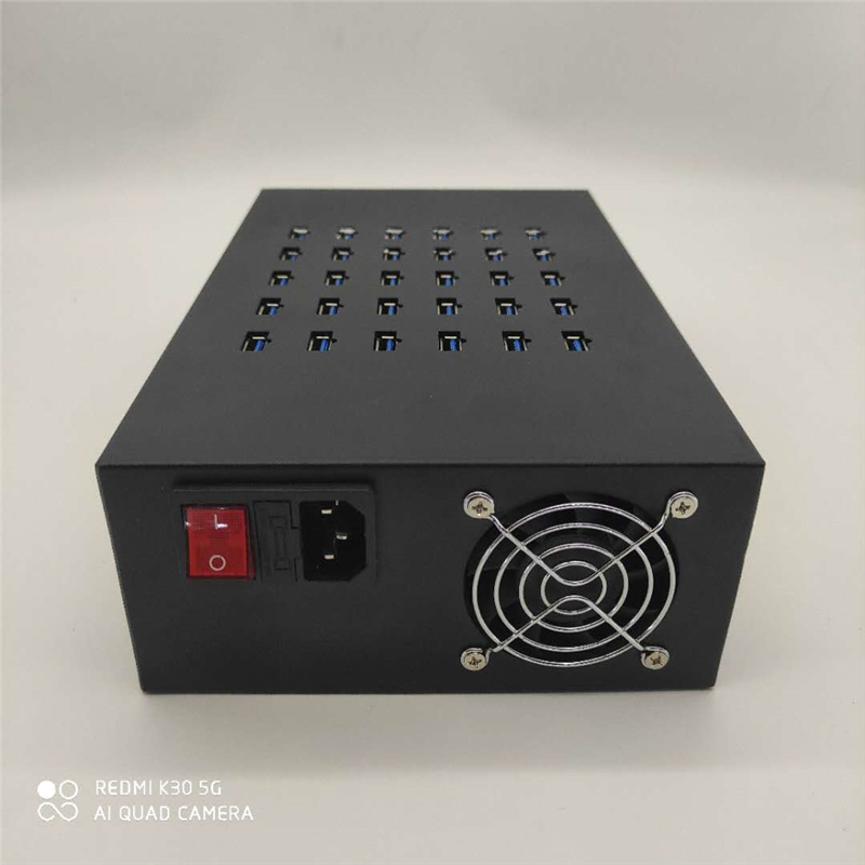
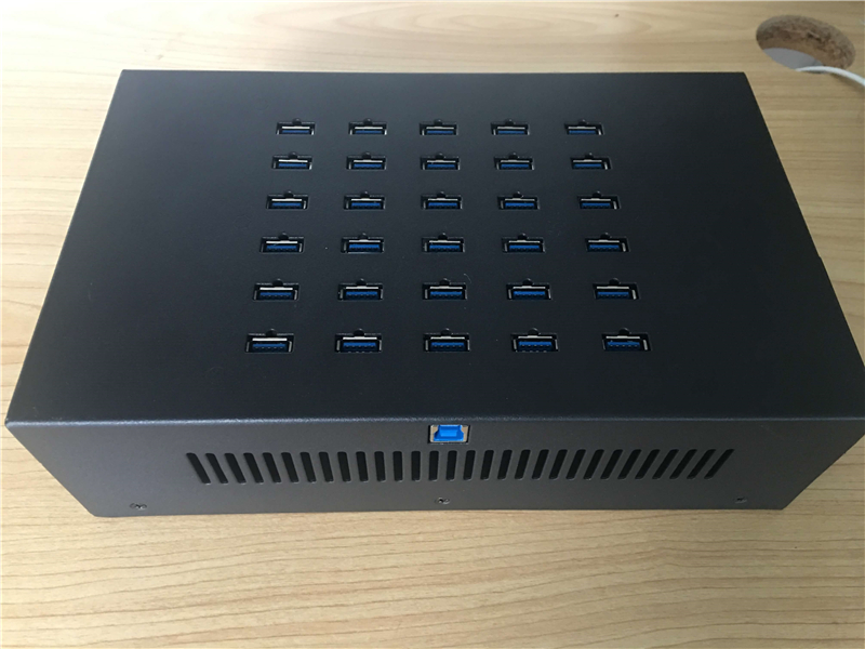
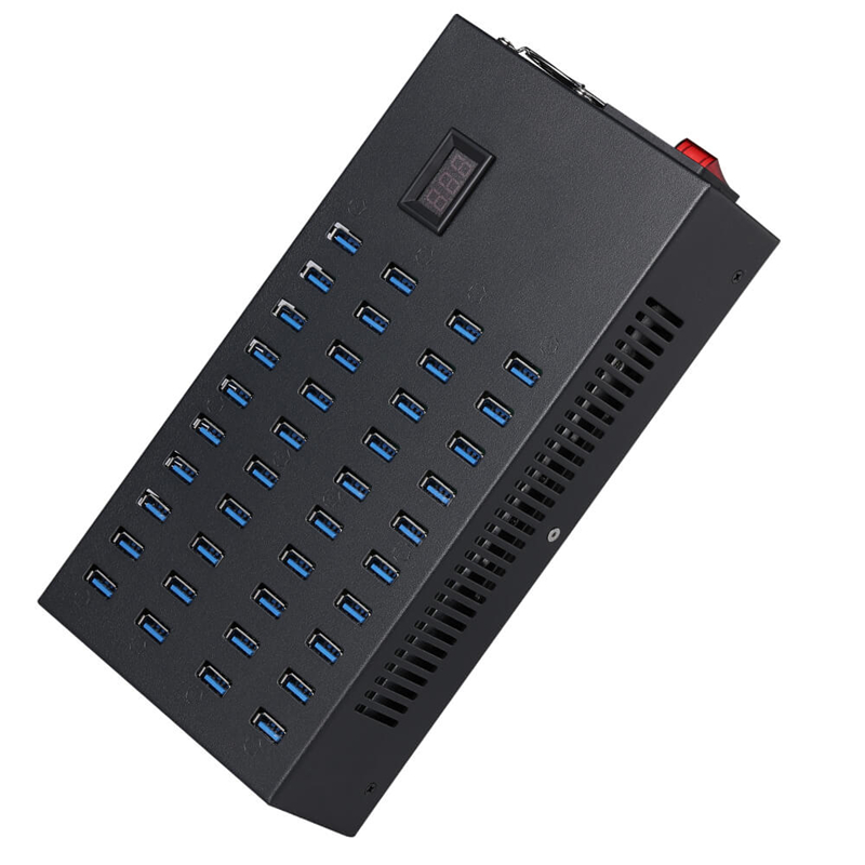
The defining feature of the A-32 is its 30-port configuration.
A workstation with a large number of smartphones or tablets can quickly run out of available USB connections. A high-port-count hub provides a centralized location where multiple compatible devices can be connected.
The supplied specification states that the A-32 can simultaneously sync and charge up to 30 mobile devices.
This makes the product potentially useful for:
- IT departments
- Device-management teams
- Schools and educational institutions
- Smartphone service centers
- Tablet management operations
- Device refurbishment environments
- Commercial service facilities
- Testing and synchronization workstations
The actual number of devices that can be charged and synchronized simultaneously depends on the hub’s internal architecture, available power, connected devices, cables, software, and operating conditions.
Up to 2.4A Maximum Charging Output Per USB Port
The A-32 is specified with a maximum charge output of 2.4A per USB port.
This is an important specification for multi-device charging applications.
The 2.4A figure represents the maximum stated current capability of an individual USB port. It should not be interpreted as a guarantee that every connected device will continuously draw 2.4A.
Actual charging current depends on the connected device and its charging requirements.
Factors affecting charging behavior can include:
- Device battery condition
- Charging circuitry
- Device power requirements
- Cable quality
- Device compatibility
- Internal power management
- Simultaneous device usage
Therefore, the A-32’s 2.4A specification should be presented as a maximum per-port capability, rather than a guaranteed charging current.
Intelligent Charge-Level Management
The supplied specification states that the A-32 provides each USB port with the optimum charge level for the connected device.
This is particularly useful when different types of mobile devices are connected simultaneously.
For example, the product description specifically references charging of iPads and notes up to 1.1A as needed for quick-charging iPads.
This 1.1A figure should not be interpreted as the universal charging rate for every device. Instead, it is a stated example of the charging level provided for compatible iPad charging requirements.
Different devices can have different current requirements, so actual charging behavior can vary.
Charging and Synchronization in One Hub
The A-32 combines two important functions: charging and synchronization.
A charging-only hub primarily focuses on supplying power, while a charge-and-sync hub is designed to support both power and data-related workflows.
This can be valuable when organizations need to:
- Connect multiple mobile devices.
- Charge those devices.
- Synchronize compatible devices.
- Transfer or manage data.
- Perform device-related software tasks.
- Disconnect and replace devices as needed.
By centralizing these functions, the A-32 can help create a more organized device-management workstation.
USB Data Transfer Capability
The supplied specification states that the A-32 supports USB 2.0 data transfer rates up to 5Gbps.
This specification should be verified with the manufacturer before publication, because 5Gbps is not the standard maximum data rate normally associated with USB 2.0. A 5Gbps rate is generally associated with USB 3.x generations.
Since the product is also categorized as a USB 3.0 HUB, the 5Gbps figure may have been intended to describe USB 3.0 connectivity rather than USB 2.0.
For an accurate product page, the manufacturer should confirm whether the correct specification is:
- USB 2.0 with its corresponding maximum rate, or
- USB 3.0 with a maximum rate of up to 5Gbps.
Until confirmed, it is safer not to rewrite the specification as a definite USB 2.0 5Gbps capability.
Device Synchronization Using Compatible Software
The A-32 is described as being able to sync USB devices using compatible software.
This means the hub can be part of a device-management workflow where connected smartphones, tablets, or other USB devices communicate with a host computer.
Synchronization can be useful for:
- Device configuration
- Data management
- File synchronization
- Software-related workflows
- Device testing
- Mobile-device administration
The actual synchronization process depends on the device, operating system, software, drivers, USB connection, and compatibility of the particular workflow.
Therefore, “syncs any USB device” should be understood as being subject to the required compatible software and hardware environment.
Applications of the A-32 Charge & Sync HUB
IT Departments
IT teams may manage a large collection of company smartphones and tablets.
A centralized charge-and-sync hub can help technicians connect multiple devices for charging, synchronization, maintenance, and configuration.
Educational Institutions
Schools and training centers may have many tablets or mobile devices used by students and staff.
A high-capacity hub can provide a centralized point for managing compatible devices.
Smartphone Service Centers
Repair and service businesses can use multi-port charging and synchronization equipment as part of their device-management workflow.
The A-32 can help technicians keep multiple devices connected during testing or software-related tasks.
Tablet Management
Organizations using multiple tablets can benefit from centralized charging and synchronization.
The A-32 can help reduce the need for numerous individual charging and data connections.
Device Refurbishment
Refurbishment operations often handle multiple mobile devices during testing, preparation, and software-related procedures.
A centralized hub can help organize these workflows and provide simultaneous access to multiple devices.
Technical Specifications
| Specification | Details |
| Product | 30 Port Charge & Sync HUB |
| Model | A-32 |
| Port Capacity | 30 ports |
| Simultaneous Mobile Devices | Up to 30, according to supplied specification |
| Maximum Charging Output | 2.4A per USB port |
| Data Function | USB data transfer and synchronization |
| Synchronization | Compatible USB devices using compatible software |
| Stated iPad/iPhone/iPod Capacity | Up to 20 devices, according to supplied specification |
| Stated iPad Charging Example | Up to 1.1A as needed |
| Product Category | Industrial USB HUB / USB 3.0 HUB |
| Charging Function | Yes |
| Sync Function | Yes |
Specification Note
Two supplied specifications require confirmation:
- “USB 2.0 data transfer rates up to 5Gbps” — 5Gbps is normally associated with USB 3.x rather than USB 2.0. Since the product is categorized as a USB 3.0 HUB, the manufacturer should confirm the correct USB standard and speed.
- 30 devices vs. 20 devices — the product description says it simultaneously syncs and charges up to 30 mobile devices, but later specifies charging and syncing up to 20 iPads, iPods, iPhones, or other USB-charged devices. The manufacturer should confirm whether the 20-device figure applies to a particular mode or device type.
These points should be resolved before using the specifications as a final technical datasheet.
Understanding the 2.4A Per-Port Rating
The A-32’s 2.4A maximum per USB port should be interpreted carefully.
It does not mean that:
- Every device will always draw 2.4A.
- Every device charges at the same speed.
- The entire hub automatically provides 2.4A simultaneously to every port.
- A device that supports less current will be forced to accept 2.4A.
Instead, 2.4A represents the stated maximum capability of an individual port.
The connected device determines how much current it actually accepts, subject to the hub’s power-management system.
This distinction is especially important when managing a large number of mobile devices simultaneously.
30 Devices vs. 20 Devices: What Should the Product Page Say?
The supplied specifications contain two different device-count statements.
The first says:
“Simultaneously Syncs and Charges Up to 30 Mobile Devices.”
Later, the specification says:
“Charges and syncs up to 20 iPads, iPods, iPhones or other USB-charged…”
Because these figures are different, the safest product-page approach is to retain both statements with a clarification note until the manufacturer confirms the intended configuration.
It would be inappropriate to silently change the specification to 20 or 30 without confirmation.
For SEO content, the product can therefore be described as a 30-port Charge & Sync HUB, while the 20-device statement can be identified as a specification requiring clarification.
A-32 Compared with a Standard USB Hub
| Feature | A-32 Charge & Sync HUB | Standard USB Hub |
| Port Capacity | 30 ports | Usually fewer |
| Charging | Yes | Depends on model |
| Synchronization | Yes | Depends on model |
| Maximum Stated Current | 2.4A per port | Varies |
| Multi-Device Management | Designed for high-capacity use | Depends on port count |
| Mobile Device Support | Stated | Depends on model |
| USB Data | Yes | Depends on model |
| Industrial USB Category | Yes | Varies |
| Device-Aware Charging | Stated | Not always available |
The A-32 is designed specifically around high-capacity charging and synchronization rather than simply adding a few USB ports to a computer.
Benefits of the A-32
Centralized Device Management
Multiple compatible devices can be connected in one location rather than being distributed across numerous individual chargers.
High Port Capacity
Thirty ports provide substantial connectivity for multi-device environments.
Charging and Syncing Together
Combining charging and synchronization can simplify workflows where devices need both power and data communication.
Device-Specific Charging
The supplied specifications indicate that the hub provides an appropriate charge level according to connected-device requirements.
Professional Applications
Its industrial USB HUB categorization and high port count make it relevant to professional device-management environments.
How to Use the 30 Port Charge & Sync HUB
Step 1: Prepare the Workstation
Choose a suitable location with enough space for the hub, cables, and connected devices.
Step 2: Connect the Hub
Connect the A-32 to the appropriate host computer or system according to the manufacturer’s instructions.
Step 3: Connect Compatible Devices
Attach smartphones, tablets, iPads, iPods, or other supported USB devices.
Step 4: Allow Device Recognition
Give the host computer and operating system time to recognize the connected devices.
Step 5: Start the Required Software
Use compatible synchronization or device-management software where required.
Step 6: Manage Charging and Synchronization
The connected devices can then be used for the intended charging, synchronization, data, or device-management workflow.
Best Practices for Multi-Device Charging and Syncing
Use Suitable Cables
Cable quality can affect both charging and data communication. Use cables appropriate for the connected device and required USB standard.
Do Not Assume Every Device Charges at 2.4A
The 2.4A figure is the maximum stated per-port capability. Actual charging depends on each device.
Organize Cables
With up to 30 ports, cable management is essential. Labeling cables and devices can simplify troubleshooting and device identification.
Verify Software Compatibility
Synchronization depends on compatible software. Confirm that the software supports the devices being managed.
Confirm the Manufacturer’s USB Specification
Because the supplied description combines USB 2.0 with a 5Gbps rate, confirm the exact USB standard before publishing the final technical specification.
Confirm the Device-Capacity Specification
Verify whether the intended simultaneous charging and synchronization capacity is 30 devices generally and 20 devices for a particular device category or operating mode.
What to Consider Before Buying
Port Capacity
The A-32 provides 30 ports, making it suitable for high-volume device management.
Charging Requirements
If your devices require a specific charging current, compare their requirements with the stated 2.4A maximum per port.
Data Requirements
Verify the exact USB standard and data-transfer rate required for your workflow.
Software
Confirm that the synchronization software supports the smartphones, tablets, iPads, or other devices being connected.
Device Count
Clarify the difference between the stated 30-device capacity and the separate 20-device statement before purchasing for a specific deployment.
Frequently Asked Questions
How many ports does the A-32 have?
The A-32 is a 30-port Charge & Sync HUB.
How many devices can it charge and sync?
The supplied specification states that it can simultaneously charge and sync up to 30 mobile devices. A separate specification mentions up to 20 iPads, iPods, iPhones, or other USB-charged devices, so the exact capacity should be confirmed with the manufacturer.
What is the maximum charging output?
The maximum stated charging output is 2.4A per USB port.
Will every device charge at 2.4A?
No. 2.4A is the maximum stated port capability. Actual charging current depends on the connected device and its charging requirements.
Does the A-32 support synchronization?
Yes. It is designed to sync compatible USB devices using compatible software.
Can it charge iPads?
Yes. The supplied specification specifically includes iPads and states that up to 1.1A may be provided as needed for quick-charging iPads.
Can it charge iPhones and iPods?
The supplied specifications state that the hub charges and syncs iPads, iPods, iPhones, and other USB-charged devices.
Does the A-32 support USB 3.0?
The product is categorized as a USB 3.0 HUB, but the supplied description also refers to USB 2.0 data transfer rates up to 5Gbps. Because this combination requires clarification, the exact USB standard and maximum speed should be confirmed with the manufacturer.
Is 5Gbps a USB 2.0 speed?
No. A 5Gbps rate is normally associated with USB 3.x rather than conventional USB 2.0. The product specification should therefore be verified before publication.
Is the A-32 suitable for professional use?
Yes, the product is categorized as an Industrial USB HUB and is designed around high-capacity charging and synchronization for multiple mobile devices.
Conclusion
The 30 Port Charge & Sync HUB A-32 is designed as a high-capacity solution for organizations that need to connect, charge, and synchronize multiple mobile devices from a centralized workstation.
Its key stated features include 30-port connectivity, up to 2.4A maximum charging output per USB port, USB data connectivity, compatible-software synchronization, and device-specific charge-level management.
The product is particularly relevant to IT departments, educational environments, repair centers, refurbishment operations, and other organizations managing multiple smartphones, tablets, iPads, and similar USB devices.
Before publishing or purchasing based on the technical specifications, two details should be confirmed: the stated USB 2.0/5Gbps combination and the difference between the stated 30-device and 20-device capacities. Confirming these points will ensure that the final product listing accurately represents the A-32’s actual technical capabilities.
Once those specifications are verified, the A-32 can be positioned as a professional, high-capacity Charge & Sync HUB for centralized multi-device management.