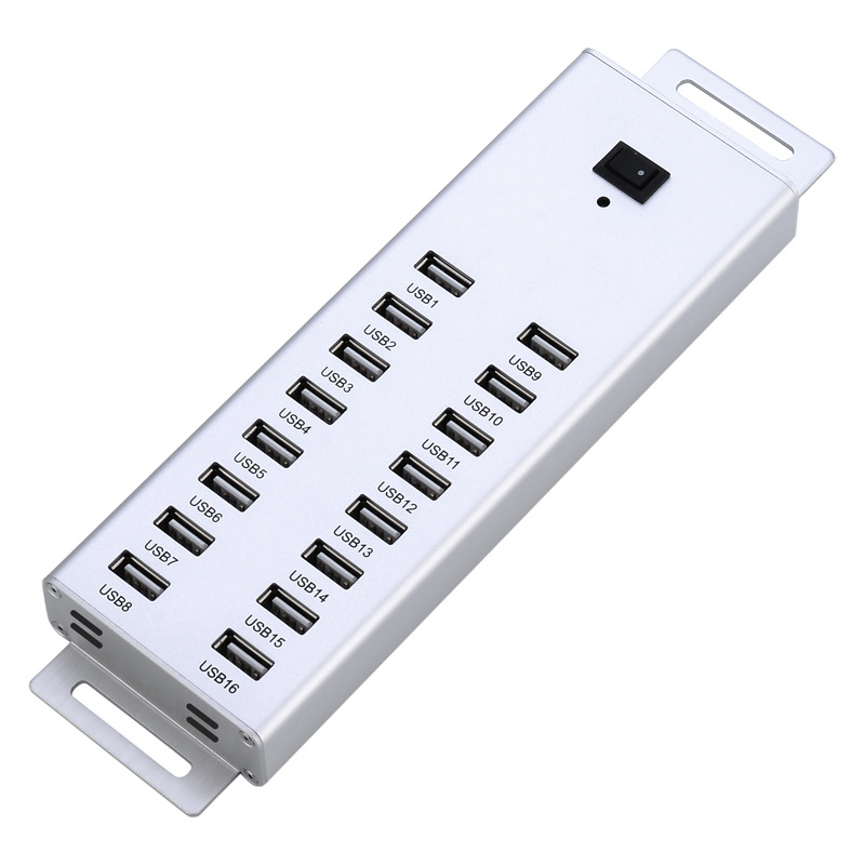
16 Port USB 2.0 HUB – Expand Connectivity with a Powered Multi-Port Solution
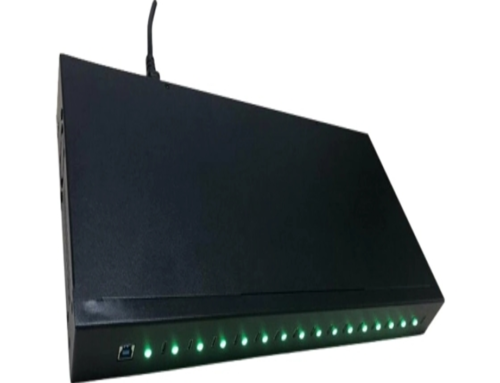
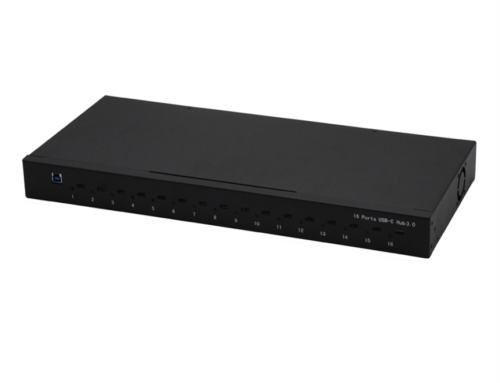
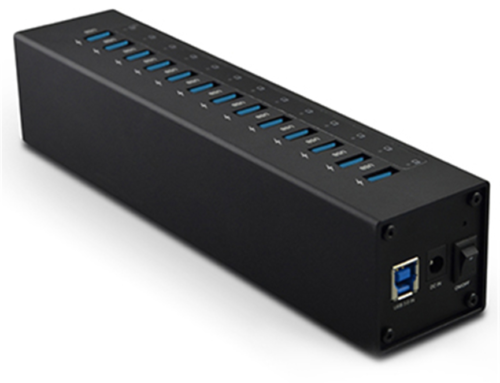
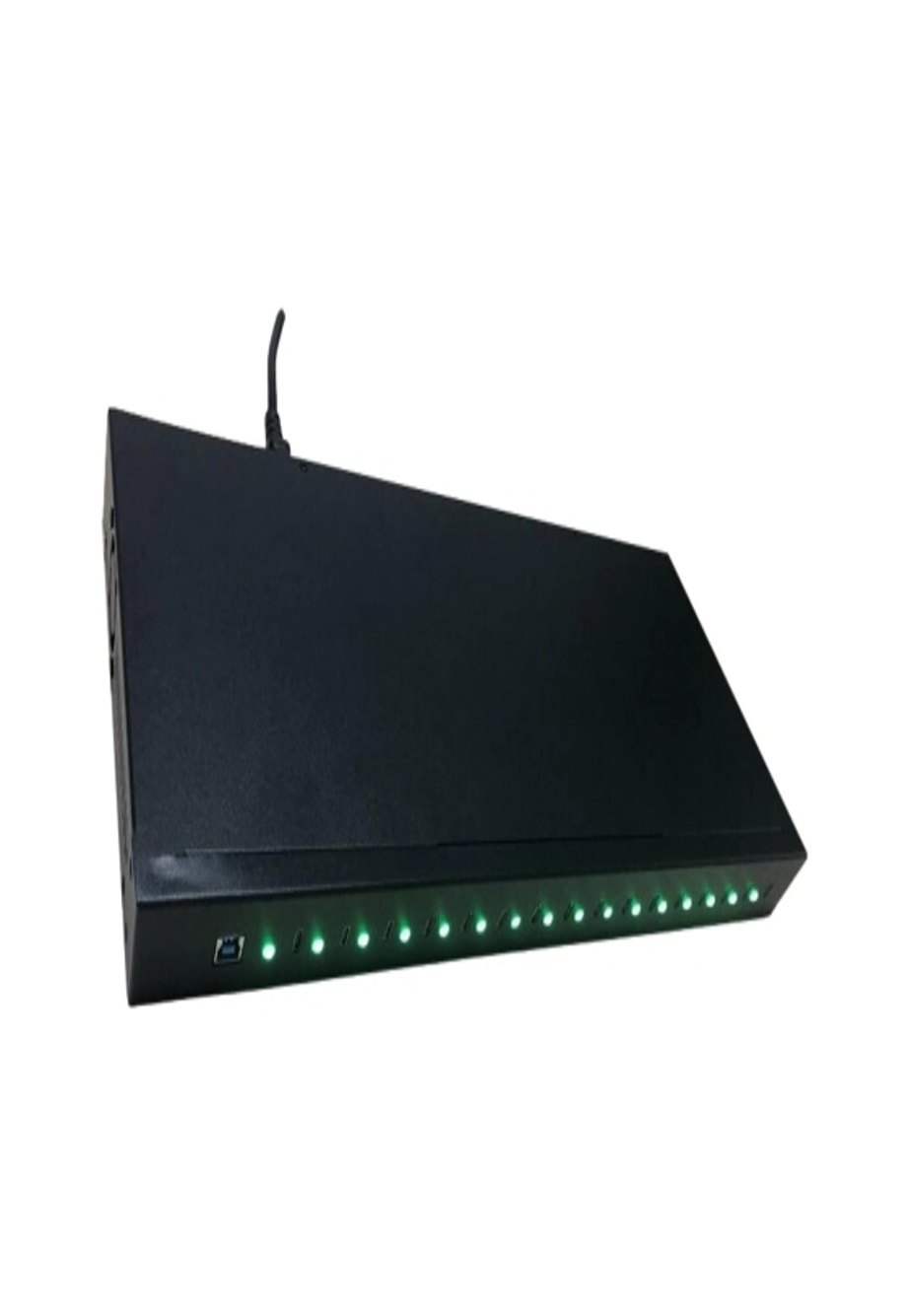
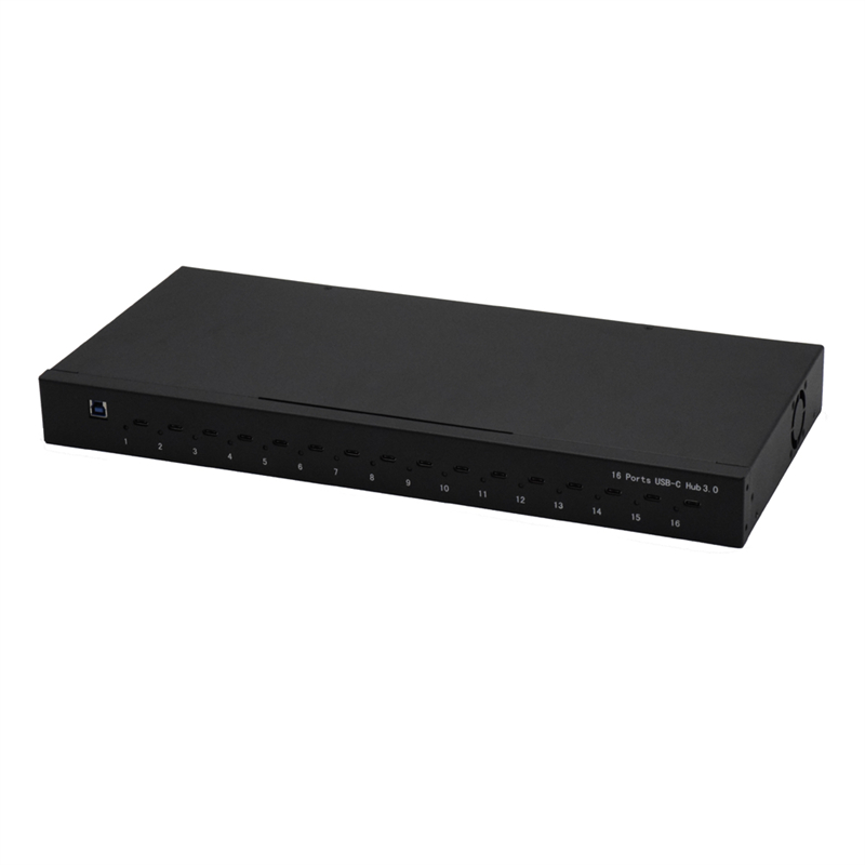
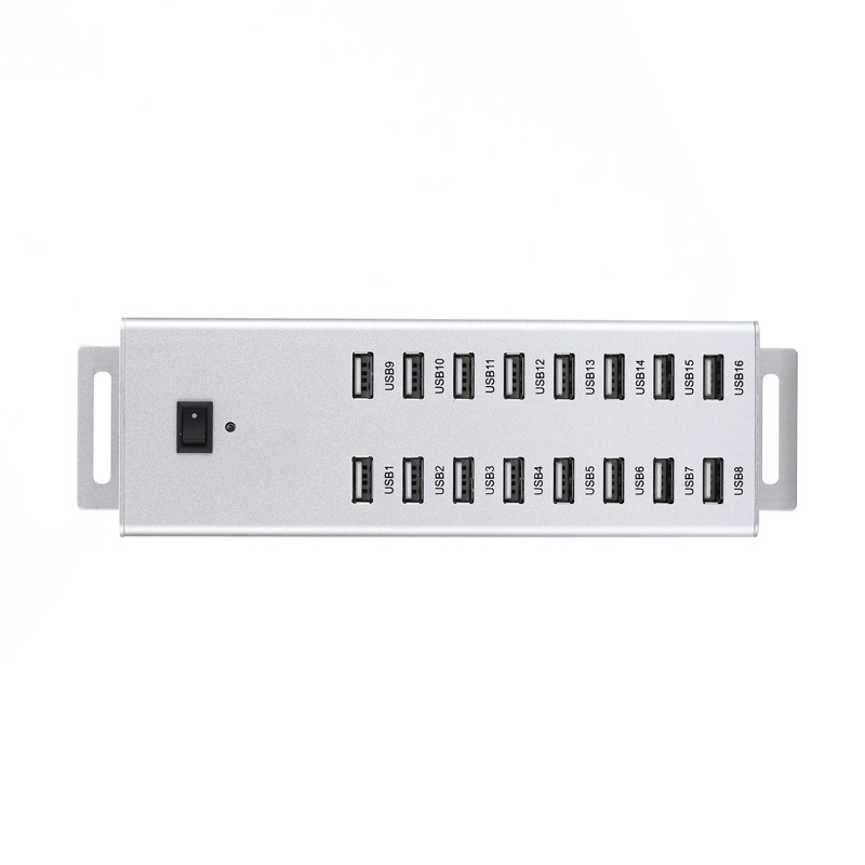
The 16 Port USB 2.0 HUB provides a centralized solution for expanding USB connectivity in workstations and multi-device environments.
The hub also specifies a maximum output of 5V 1.5A, providing a defined output specification for compatible connected devices.
Its combination of high port count, external power, aluminum construction, and mounting hardware makes it suitable for workstations, laboratories, offices, technical environments, and other applications where multiple USB connections are required.
What Is a 16 Port USB 2.0 HUB?
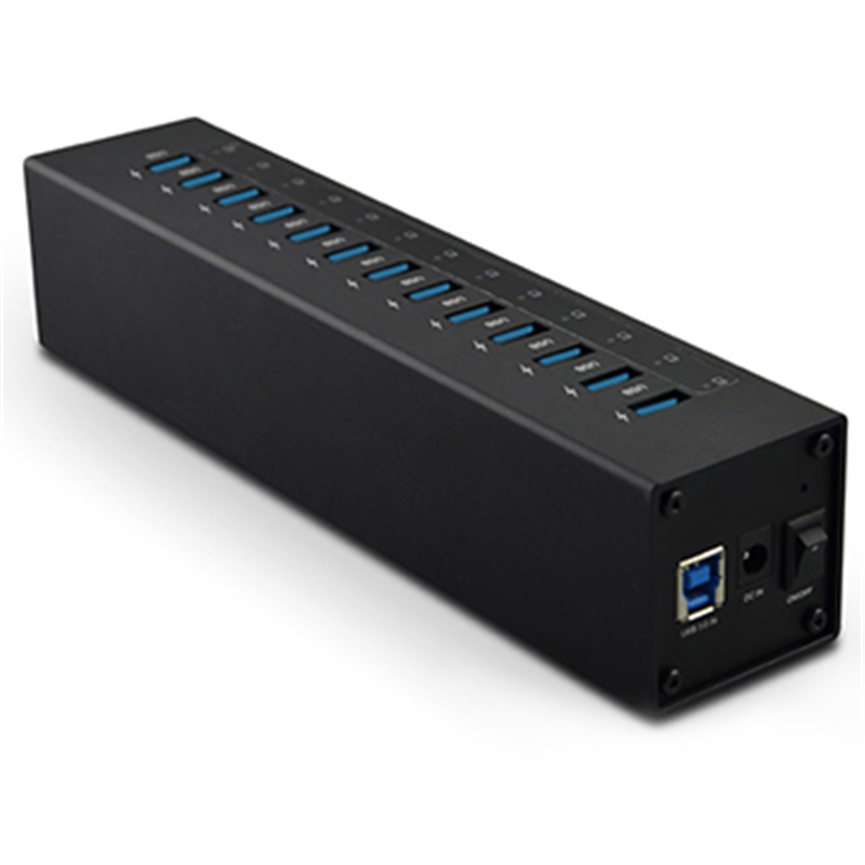
A 16 Port USB 2.0 HUB is an external USB connectivity device that expands one computer connection into multiple USB ports.
Instead of relying only on the limited number of USB ports built into a computer, users can connect the hub and gain access to 16 USB ports.
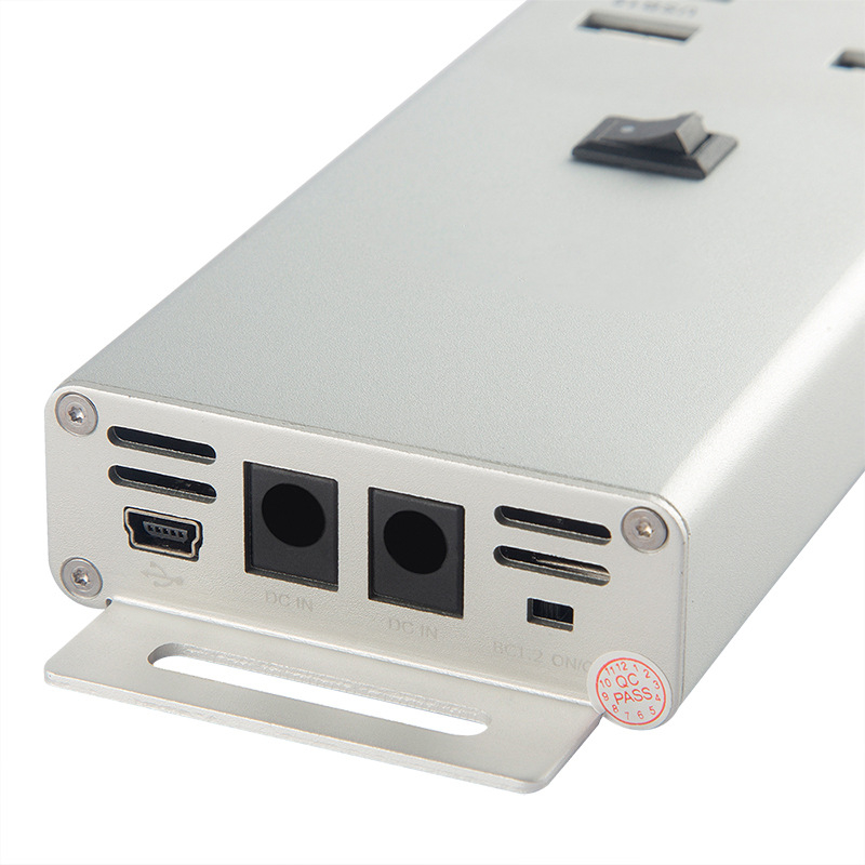
The product uses the USB 2.0 interface and comes with a dedicated USB 2.0 data cable for connecting the hub to the host computer or compatible system.
Because it includes a separate power adapter, the hub is externally powered rather than depending entirely on the host computer’s USB port for its operating power.
Key Specifications
| Specification | Details |
| Product Type | 16 Port USB 2.0 HUB |
| USB Ports | 16 |
| USB Standard | USB 2.0 |
| Data Cable | USB 2.0 data cable |
| Power Adapter | 19V 4.2A |
| Power Cord | Included |
| Maximum Output | 5V 1.5A |
| Housing | Aluminum |
| Mounting Hardware | 2 mounting brackets |
| Categories | All Product, Data & Hub, USB 2.0 HUB |
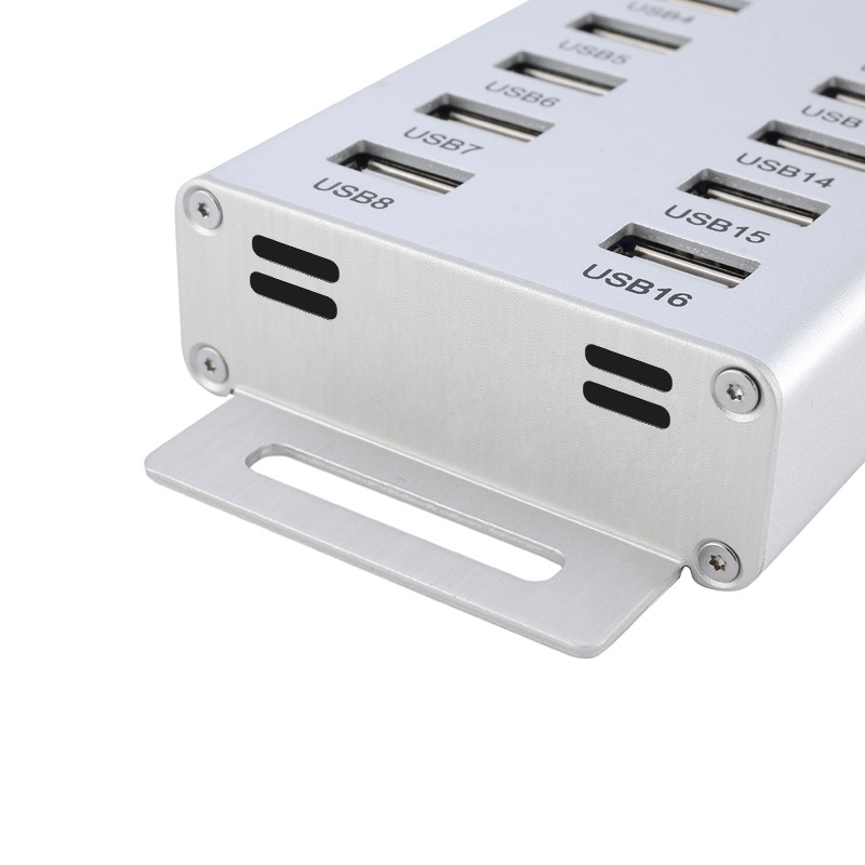
16 USB Ports for Expanded Connectivity
The primary advantage of this USB hub is its 16-port configuration.
A computer with a limited number of built-in USB ports may not provide enough connections for a busy workstation. Adding a 16-port hub can significantly expand the number of USB peripherals that can be connected from a centralized location.
This can be useful for setups involving several types of USB equipment, including:
- USB storage devices
- Keyboards
- Mice
- USB peripherals
- Data-transfer devices
- Compatible USB accessories
- Other USB 2.0-compatible equipment
The actual compatibility of a connected device depends on the device itself and the USB connection requirements.
USB 2.0 Connectivity
The hub uses the USB 2.0 standard, making it appropriate for peripherals and workflows that do not require newer USB generations.
USB 2.0 is commonly used for general peripheral connectivity and many everyday USB devices. The supplied specifications identify the product as a USB 2.0 hub but do not provide a specific maximum data-transfer rate in the product description.
Therefore, it is best to avoid assuming a particular transfer speed beyond the stated USB 2.0 standard.
Users should also remember that connecting a newer USB device to a USB 2.0 hub does not make the overall connection operate at a newer USB generation’s capabilities.
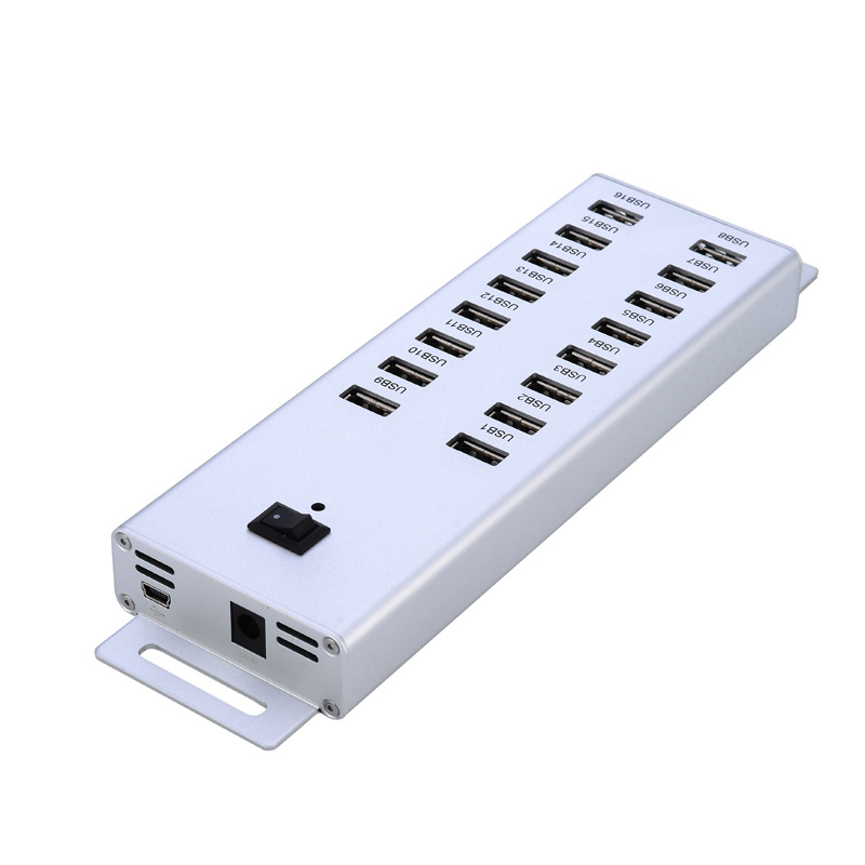
Dedicated 19V 4.2A Power Adapter
The 16 Port USB 2.0 HUB includes a 19V 4.2A power adapter.
The adapter provides external power to the hub, which is particularly relevant for a multi-port design intended to connect numerous USB devices.
The electrical rating can be expressed as approximately:
19V × 4.2A = 79.8W
This is approximately an 80W-rated adapter based on the supplied voltage and current specifications.
However, this figure should be understood as the adapter’s electrical rating. It should not be interpreted as 79.8W or 80W being available from each USB port.
The hub’s specified maximum output is 5V 1.5A, and actual power available to connected devices depends on the hub’s internal power distribution and the requirements of the devices being connected.
Maximum Output of 5V 1.5A
The product specification states a maximum output of 5V 1.5A.
Using the basic power relationship:
5V × 1.5A = 7.5W
Therefore, the stated maximum output corresponds to approximately 7.5W under the specified voltage and current conditions.
This is an important distinction from the 19V 4.2A power adapter rating. The adapter supplies power to the hub, while the 5V 1.5A figure describes the stated maximum output specification.
The maximum output should not automatically be interpreted as a guaranteed 1.5A output from every one of the 16 ports simultaneously. The supplied specifications do not state a per-port 1.5A rating.
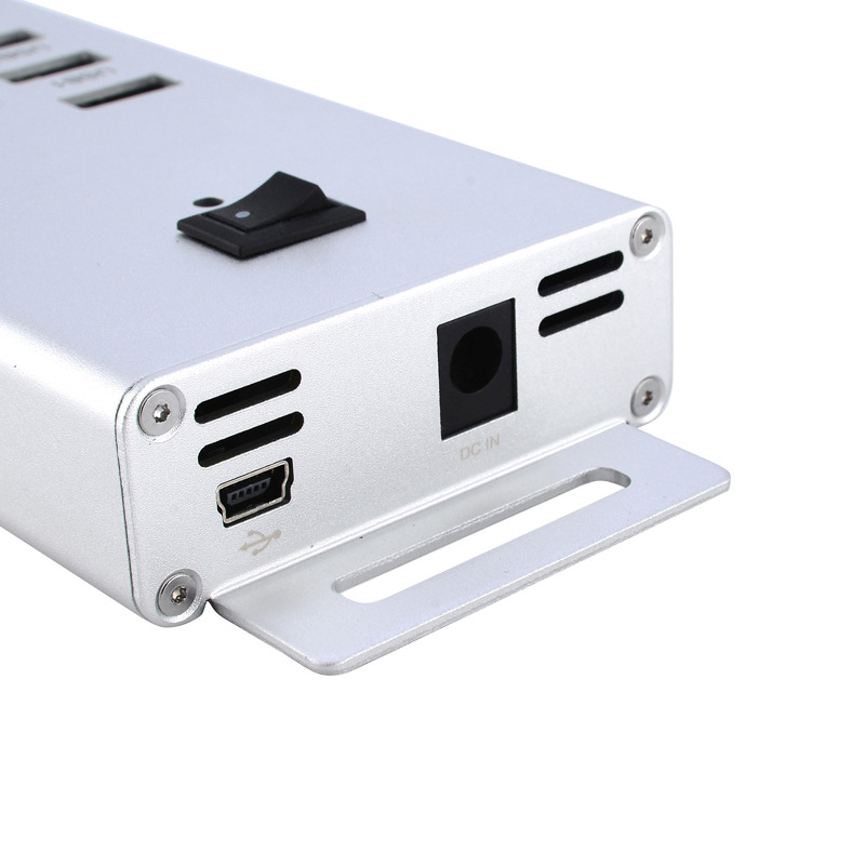
Aluminum Housing for a Professional Installation
The hub features an aluminum housing, providing a durable metal enclosure for the device.
Aluminum construction can be particularly useful in environments where equipment needs a more robust enclosure than a basic plastic desktop hub.
It can also provide a clean, professional appearance for:
- Office workstations
- IT environments
- Technical work areas
- Laboratories
- Device-management stations
- Commercial installations
- Equipment rooms
The supplied specifications do not state the exact aluminum grade, thickness, dimensions, or environmental rating, so these details should be confirmed separately if they are important for a specific installation.
Two Mounting Brackets Included
The product includes two mounting brackets, giving users additional flexibility when positioning the hub.
Mounting hardware can be useful when the hub needs to remain in a fixed location instead of sitting loosely on a desk.
A fixed installation can help:
- Keep the workstation organized
- Reduce cable movement
- Maintain a consistent equipment layout
- Make USB ports easier to access
- Create a dedicated USB connectivity station
The exact mounting method and compatible surfaces should be checked before installation.
USB 2.0 Data Cable Included
The hub comes with a USB 2.0 data cable.
This cable provides the connection between the hub and the host computer or compatible system.
Using the supplied cable can simplify installation because the basic host connection does not require a separate cable purchase.
For the best results, users should ensure that the host computer has a compatible USB connection and that the connected devices are appropriate for the hub’s USB 2.0 interface.
Power Cord Included
In addition to the 19V 4.2A power adapter, the product includes a power cord.
Having the adapter and power cord included makes the hub more convenient to deploy as a centralized powered USB solution.
Before installation, users should verify that the supplied power equipment is suitable for the electrical requirements of their region and installation environment.
Why Use a Powered 16-Port USB Hub?
A high-port-count hub provides more than simply additional USB sockets. It can help create a more organized connection system for workstations with multiple peripherals.
A powered design is particularly relevant when multiple USB devices are connected because the hub has an external power source rather than relying solely on the host computer’s USB connection.
This can be beneficial for environments where several peripherals are connected at the same time.
Common advantages include:
- 16 USB ports from one centralized hub
- External power through a dedicated adapter
- USB 2.0 connectivity
- Aluminum housing
- Included mounting brackets
- Included USB 2.0 data cable
- Included power cord
- Defined 5V 1.5A maximum output specification
Applications of the 16 Port USB 2.0 HUB
The high port count makes this hub suitable for a range of environments.
Office Workstations
An office workstation may require connections for keyboards, mice, USB storage, printers, scanners, and other peripherals. A 16-port hub can centralize these connections.
IT Departments
IT teams frequently work with multiple USB peripherals and devices. A centralized USB hub can provide additional connectivity without repeatedly swapping cables.
Technical Workstations
Technical environments may require several USB-connected devices simultaneously. The 16-port configuration can help reduce the need for constant reconnection.
Laboratories
Laboratory workstations can contain multiple USB peripherals and compatible instruments. The hub can provide additional connectivity where required.
Device Management
Organizations managing multiple USB-connected devices can use a centralized hub to simplify the physical connection arrangement.
Commercial Installations
The aluminum housing and mounting brackets can make the hub suitable for installations where a fixed, organized USB connectivity point is preferred.
How to Set Up the 16 Port USB 2.0 HUB
Setting up the hub can be approached as a straightforward multi-device connectivity process.
Step 1: Choose the Installation Location
Place the hub on a stable surface or use the supplied mounting brackets if a fixed installation is preferred.
Step 2: Connect the Power Equipment
Connect the 19V 4.2A power adapter and supplied power cord according to the manufacturer’s installation instructions.
Step 3: Connect the Data Cable
Use the supplied USB 2.0 data cable to connect the hub to the host computer or compatible system.
Step 4: Connect USB Devices
Connect compatible USB peripherals to the available USB ports.
Step 5: Organize the Cables
Arrange the cables so that they do not place unnecessary strain on the USB connectors or interfere with other equipment.
Step 6: Check Device Recognition
Confirm that the connected devices are recognized correctly by the host system.
Power and Connectivity Considerations
When using a 16-port hub, it is important to distinguish between the power adapter rating, hub output specification, and USB port count.
The product includes a 19V 4.2A adapter, equivalent to approximately 79.8W based on the stated electrical ratings.
However, the product specifies a maximum output of 5V 1.5A. These figures describe different parts of the power system and should not be combined to claim a specific per-port charging capability.
The actual behavior of connected devices can depend on:
- The device’s USB requirements
- The host computer
- The hub’s internal power distribution
- USB cable quality
- Number of devices connected
- Device power consumption
For data-intensive applications, users should also consider that the hub is based on USB 2.0.
16 Port USB 2.0 HUB vs Basic USB Hub
| Feature | 16 Port USB 2.0 HUB | Basic USB Hub |
| Number of Ports | 16 | Usually fewer |
| USB Standard | USB 2.0 | Varies |
| External Power | 19V 4.2A adapter | Varies |
| Maximum Output | 5V 1.5A | Varies |
| Housing | Aluminum | Varies |
| Mounting Brackets | 2 included | Often not included |
| USB Data Cable | Included | Varies |
| Power Cord | Included | Varies |
| Fixed Installation | Supported with mounting brackets | Depends on design |
| Multi-Device Connectivity | Yes | Yes |
The main distinction is the combination of 16 ports, external power, aluminum housing, and mounting hardware.
Best Practices for Using the Hub
Avoid Overloading the System
Although the hub provides 16 USB ports, the number of connected devices does not automatically mean every port can deliver maximum output simultaneously. Consider the power requirements of the connected equipment.
Use Suitable USB Cables
Use cables appropriate for the USB devices being connected. Damaged or unsuitable cables can cause unreliable connections.
Keep the Hub Accessible
If devices are frequently connected and disconnected, position the hub where the ports can be accessed without excessive cable strain.
Secure the Mounting Hardware
If using the mounting brackets, ensure the hub is securely attached to an appropriate surface.
Keep Connections Organized
With up to 16 USB connections, cable organization becomes increasingly important. Labeling cables can be useful in professional or technical environments.
Consider USB 2.0 Requirements
If your workflow requires higher USB data-transfer performance, verify whether USB 2.0 is suitable before deployment.
Who Is This USB Hub For?
The 16 Port USB 2.0 HUB is particularly relevant for users who need a large number of USB connections in one location.
Potential users include:
- Offices
- IT departments
- Technical workstations
- Laboratories
- Commercial installations
- Device-management environments
- Shared workspaces
- Educational facilities
- Workshops
- Computer workstations
Its high port count is especially useful where multiple USB peripherals need to remain connected simultaneously.
Frequently Asked Questions
How many USB ports does this hub have?
The hub provides 16 USB ports.
What USB standard does it use?
The product uses USB 2.0 and includes a USB 2.0 data cable.
What power adapter is included?
The hub includes a 19V 4.2A power adapter.
What is the maximum output?
The supplied specification states a maximum output of 5V 1.5A.
Is the power adapter’s rating the same as the USB output?
No. The 19V 4.2A specification describes the power adapter, while 5V 1.5A is the stated maximum output specification. They should not be treated as the same electrical rating.
Does the hub come with mounting hardware?
Yes. The product includes two mounting brackets.
Is the housing made from aluminum?
Yes. The product features an aluminum housing.
Does the product include a data cable?
Yes. A USB 2.0 data cable is included.
Is a power cord included?
Yes. The product specification lists a power cord as included.
Is this hub suitable for high-speed USB 3.0 devices?
The hub is a USB 2.0 hub, so users should not expect USB 3.0 performance from the hub. Devices connected through it operate within the capabilities of the USB 2.0 connection.
Can all 16 ports be used at the same time?
The hub provides 16 USB ports for connecting multiple devices. However, actual simultaneous operation depends on the connected devices, host system, available power, and the hub’s internal power distribution.
Conclusion
The 16 Port USB 2.0 HUB provides a centralized way to expand USB connectivity for workstations and multi-device environments. With 16 USB ports, USB 2.0 connectivity, a 19V 4.2A power adapter, power cord, two mounting brackets, aluminum housing, and a maximum output specification of 5V 1.5A, it is designed for users who need extensive USB connectivity in an organized setup.
The externally powered design makes it suitable for environments where several USB peripherals need to be connected through one centralized hub. Its aluminum enclosure and included mounting brackets further support professional and fixed installations.
For offices, IT environments, laboratories, technical workstations, and other multi-device setups, the 16 Port USB 2.0 HUB can help reduce port limitations and provide a more organized connection point.
When selecting the hub for a particular application, users should consider the USB 2.0 interface, connected-device requirements, power requirements, cable compatibility, and physical mounting needs. The 19V 4.2A adapter rating should be treated as the adapter’s input-side power capability, while the stated 5V 1.5A figure represents the specified maximum output and should not be interpreted as 1.5A from every port simultaneously.
With its combination of high port count, external power, aluminum construction, and mounting accessories, this 16-port USB 2.0 solution is designed for centralized USB connectivity where multiple peripherals need to be connected and managed efficiently.