The 4 Ports USB 3.0 HUB with Switch B-04 is designed for modern computers, industrial equipment, technical workstations, and professional systems may not always provide enough USB ports for all required peripherals. In fixed installations, simply adding a small desktop hub may also not be practical because the equipment may need secure mounting and a more durable enclosure.
The 4 Ports USB 3.0 HUB with Switch B-04 is designed to expand USB connectivity while providing features suited to professional and industrial installations. The hub adds four additional USB High Speed ports and supports data speeds of up to 5Gbps.
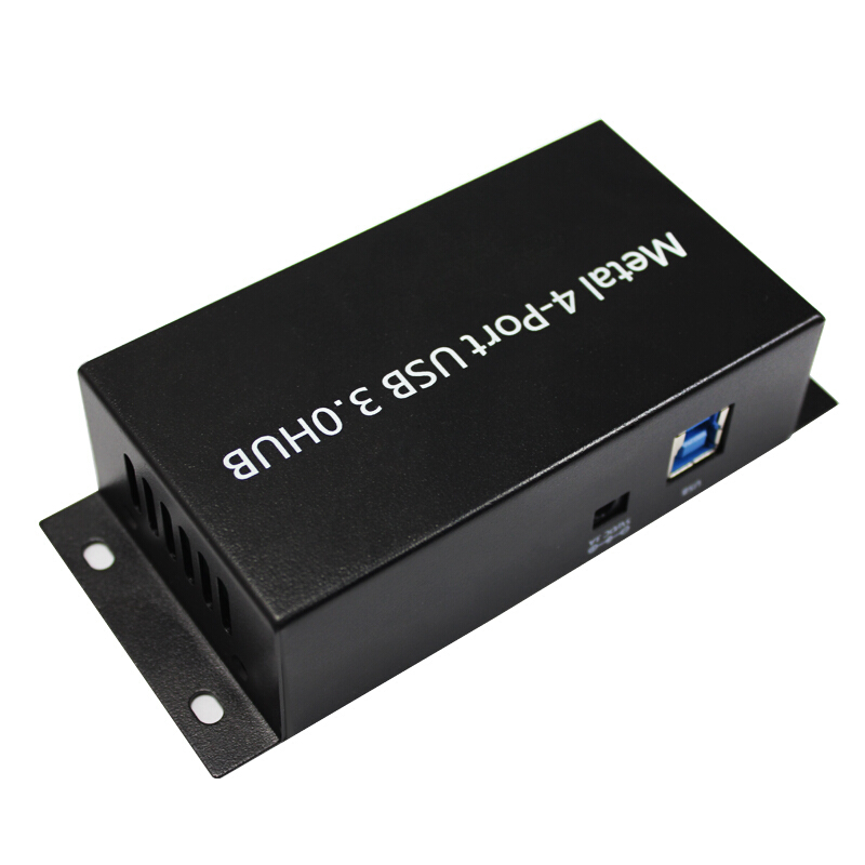
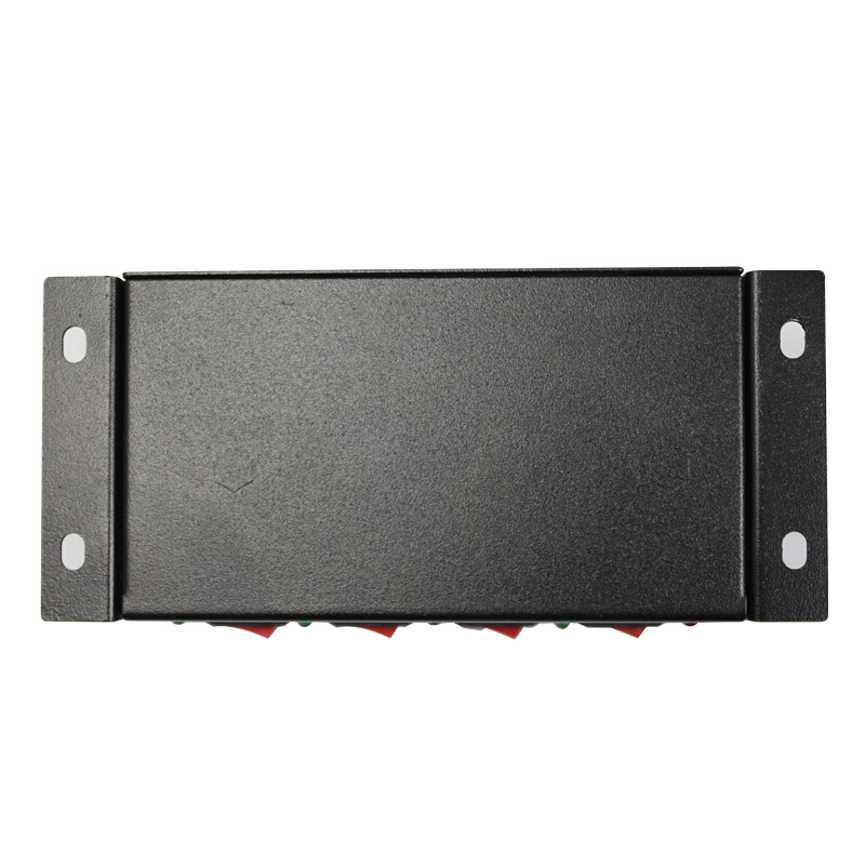
The B-04 is fully compliant with USB 3.0 specifications and features an industrial-grade rugged metal enclosure. It also provides current protection throughout and supports multiple installation methods, including DIN rail, wall, and surface mounting.
This combination makes the B-04 a practical option for users who need additional high-speed USB connectivity in a secure, fixed, or industrial-style installation.
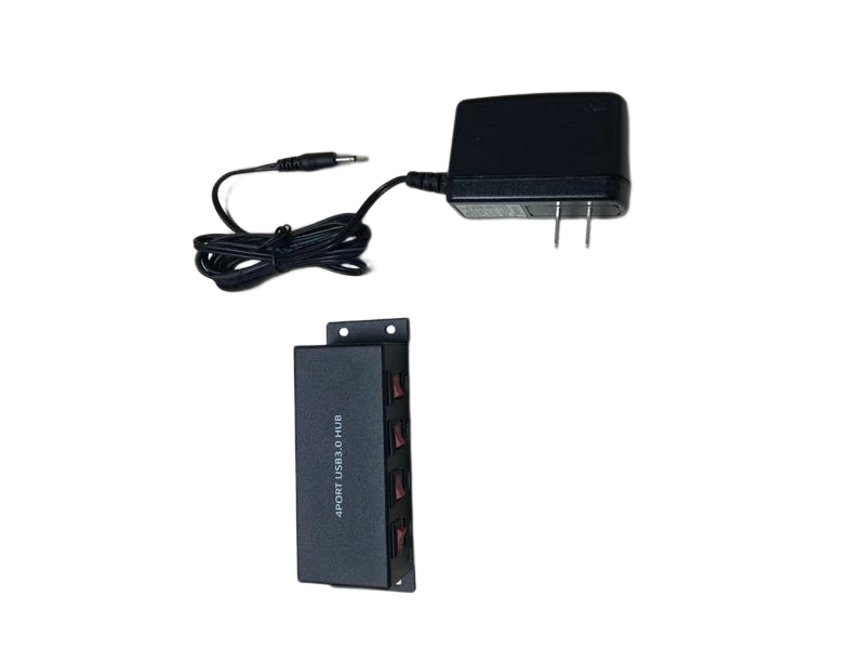
What Is the B-04 4 Ports USB 3.0 HUB?
The B-04 is a four-port USB 3.0 hub designed to add additional USB High Speed connections to a compatible host system.
A USB hub allows multiple USB devices to communicate through a single host connection. This can be useful when a computer, industrial controller, workstation, or other compatible system does not have enough available USB ports.
The B-04 provides four additional ports while focusing on durability and flexible mounting.
Its main features include:
- Four additional USB High Speed ports
- USB 3.0 compliance
- Data speeds up to 5Gbps
- Current protection throughout
- Industrial-grade rugged metal enclosure
- DIN rail mounting
- Wall mounting
- Surface mounting
The product is categorized under Data & Hub and USB 3.0 HUB, reflecting its primary role as a high-speed connectivity expansion device.
4 Ports USB 3.0 HUB with Switch — Key Specifications
| Feature | Specification |
| Model | B-04 |
| Product Type | 4 Ports USB 3.0 HUB with Switch |
| USB Standard | USB 3.0 |
| Additional Ports | 4 USB High Speed ports |
| Maximum Data Speed | Up to 5Gbps |
| USB Compliance | Fully compliant with USB 3.0 specifications |
| Protection | Current protection throughout |
| Enclosure | Industrial-grade rugged metal |
| Mounting Options | DIN rail, wall, and surface mount |
| Main Function | USB connectivity expansion |
| Categories | All Product, Data & Hub, USB 3.0 HUB |
The supplied specifications do not provide details such as power-input requirements, individual port power output, dimensions, operating temperature range, or the exact functionality of the switch. These details should be confirmed from the manufacturer’s technical documentation when needed.
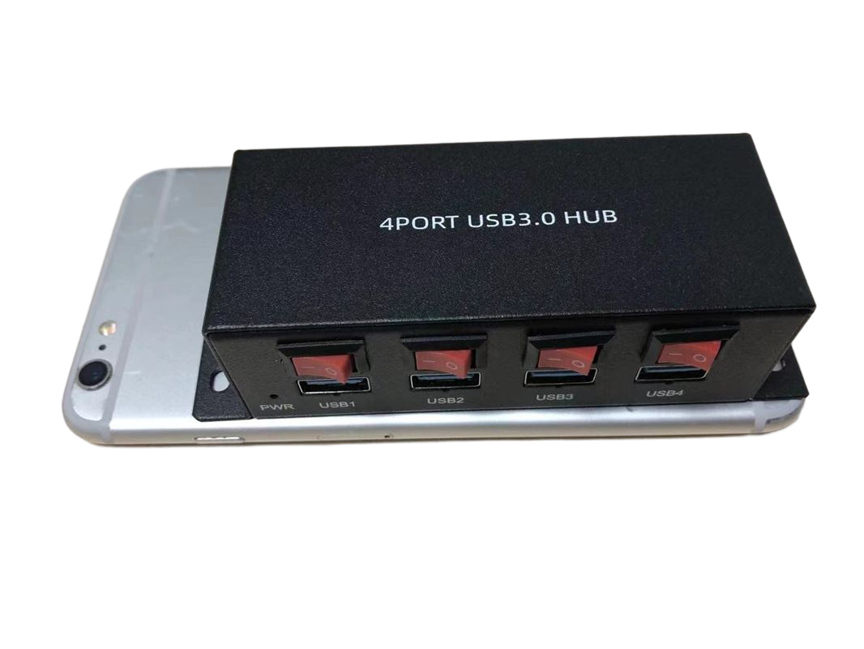
5Gbps USB 3.0 Data Speed
One of the primary benefits of the B-04 is its stated 5Gbps data speed.
USB 3.0 is designed for high-speed data communication, making the B-04 suitable for applications where connected USB devices need more bandwidth than older USB standards provide.
Potential devices can include:
- USB storage devices
- External drives
- Flash drives
- USB adapters
- Cameras
- Data-transfer peripherals
- Compatible industrial equipment
The 5Gbps figure represents the stated maximum interface data rate. It should not be interpreted as a guaranteed file-transfer speed in every real-world situation.
Actual performance can vary depending on the host system, connected device, USB cable, storage hardware, software, file sizes, and other components involved in the transfer.
Fully Compliant with USB 3.0 Specifications
The B-04 is specified as fully compliant with USB 3.0 specifications.
This makes it appropriate for users who specifically require USB 3.0 connectivity and compatibility.
USB 3.0 can provide substantially higher data-transfer capability than USB 2.0. However, the connected device also needs to support the relevant USB standard to take advantage of higher performance.
For example, connecting a USB 2.0 peripheral to the B-04 does not turn that peripheral into a USB 3.0 device. Its performance remains limited by the capabilities of the device itself.
Similarly, suitable USB 3.0 cables should be used when high-speed data transfer is required.
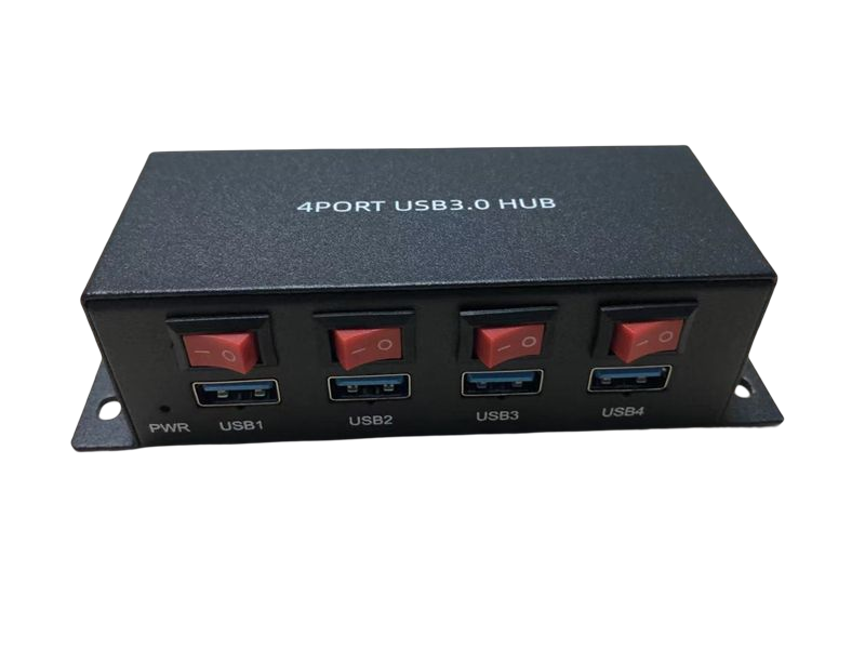
Four Additional USB High Speed Ports
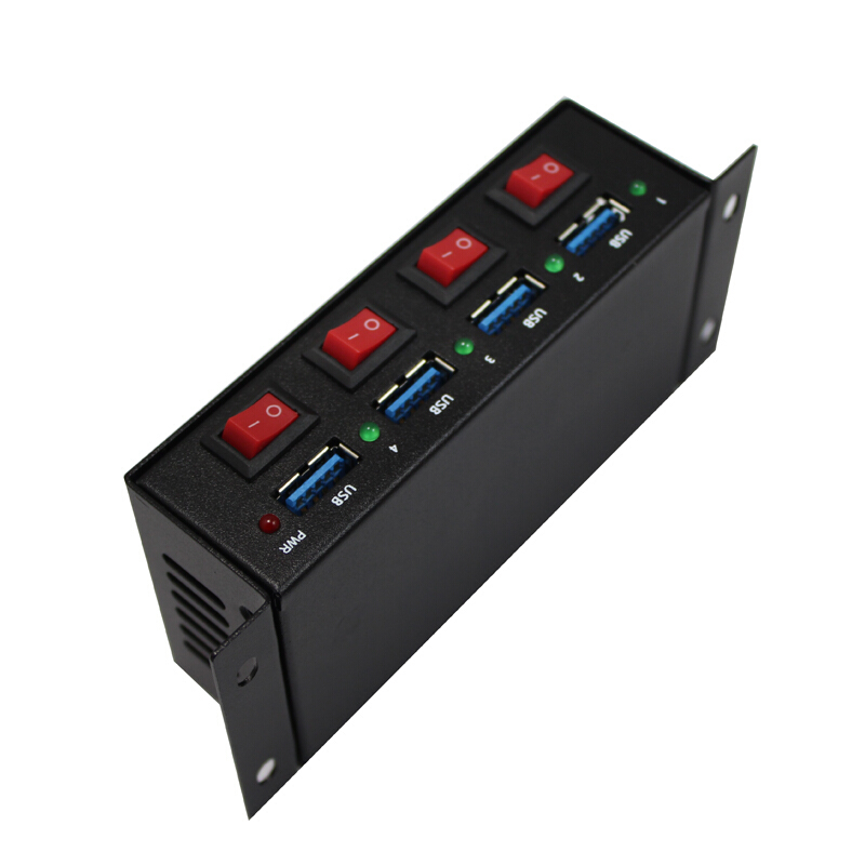
The B-04 adds four additional USB High Speed ports.
This configuration can be useful when a system needs several extra USB connections without requiring a very large multi-port hub.
Users may connect compatible peripherals such as storage devices, cameras, adapters, input devices, and other USB equipment.
Four ports can provide a practical balance between connectivity expansion and installation size, particularly for professional workstations and fixed equipment.
Current Protection Throughout
The B-04 includes current protection throughout.
Protection is an important consideration in professional USB installations because multiple connected peripherals can have different electrical characteristics and operating requirements.
The current-protection feature provides an additional protective mechanism within the hub’s design.
However, it should not be interpreted as protection against every possible electrical problem. Users should still follow the manufacturer’s installation instructions and use compatible equipment and cables.
Industrial-Grade Rugged Metal Enclosure
The B-04 features an industrial-grade rugged metal enclosure design.
A rugged enclosure is particularly useful when USB connectivity is required in environments where equipment may be permanently installed or exposed to more demanding working conditions than a typical desktop setup.
The metal housing complements the hub’s mounting options and helps create a more secure installation.
Rather than simply sitting loose on a desk, the B-04 can be integrated into a fixed equipment arrangement using an appropriate mounting method.
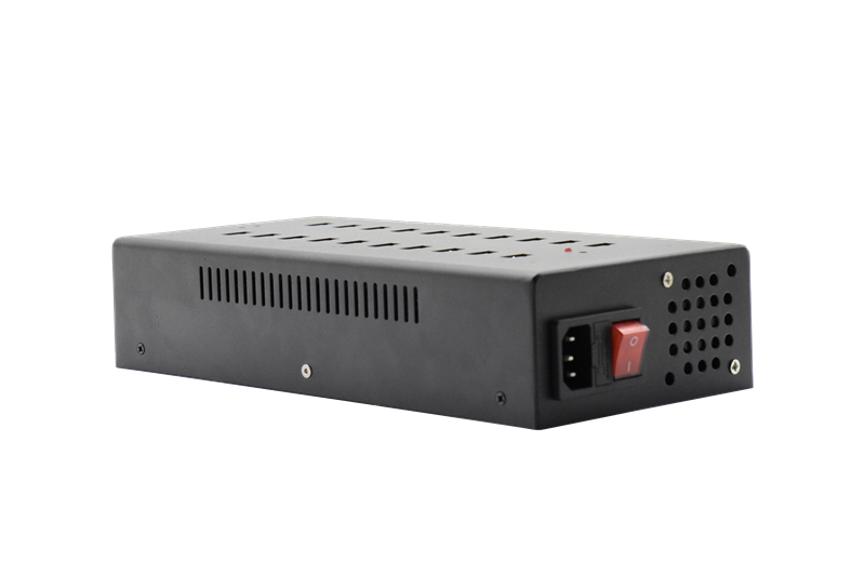
DIN Rail Mounting
The B-04 supports DIN rail mounting, making it suitable for installations where DIN rail equipment is already used.
DIN rail mounting can help keep equipment securely positioned inside suitable control cabinets, technical enclosures, or other professional installations.
Potential benefits include:
- Secure equipment placement
- Organized installation
- Reduced surface-space requirements
- Easier integration with other mounted equipment
- Convenient access to USB connections
Before installation, users should confirm that the available DIN rail arrangement and mounting hardware are appropriate for the B-04.
Wall and Surface Mounting
In addition to DIN rail mounting, the B-04 supports wall and surface mounting.
This provides flexibility when the installation environment does not use a DIN rail.
For example, a technical workstation may use surface mounting, while a wall-mounted equipment arrangement may benefit from wall installation.
Multiple mounting choices allow users to select the configuration that best fits the available space and equipment layout.
USB Hub with Switch
The product name identifies the B-04 as a USB 3.0 HUB with Switch.
The supplied specifications do not explain the exact electrical or operational function of the switch. Therefore, the switch should not be described as a specific power switch, port switch, or data switch without manufacturer confirmation.
For product buyers, this is an important detail to verify if the switch function is a key purchasing requirement.
Industrial USB 3.0 Connectivity
Industrial USB connectivity often requires more than simply adding extra ports.
In fixed technical environments, users may need:
- Secure mounting
- Durable enclosure construction
- High-speed USB communication
- Electrical protection
- Organized installation
The B-04 combines these characteristics in one compact four-port hub.
Its rugged metal enclosure and mounting flexibility can make it more suitable for professional installations than a basic consumer desktop hub.
Applications of the B-04
Industrial Workstations
Industrial workstations may require USB connections for peripherals, storage devices, adapters, and other equipment.
The B-04 can provide four additional USB 3.0 ports in a mountable format.
Technical Workstations
Engineers and technicians often use multiple USB devices during testing, configuration, maintenance, and data-management activities.
The B-04 can expand available USB connectivity without requiring a larger multi-port hub.
IT Environments
IT teams may need additional USB connections for storage devices, adapters, diagnostic tools, and peripherals.
The USB 3.0 interface provides high-speed connectivity for compatible equipment.
Data-Transfer Applications
The stated 5Gbps maximum data speed can be useful for compatible USB 3.0 storage and data-transfer devices.
Actual performance will depend on the complete data path.
Equipment Cabinets
DIN rail mounting makes the B-04 potentially useful for equipment cabinets and other organized technical installations.
Commercial Installations
Businesses can use the hub where USB connectivity is needed in a fixed professional environment rather than on a conventional desktop.
Benefits of the 4 Port USB 3.0 HUB
High-Speed Connectivity
The B-04 supports data speeds up to 5Gbps according to the supplied specifications.
Four Additional Ports
It adds four USB High Speed ports to a compatible host system.
Rugged Construction
The industrial-grade metal enclosure is designed for professional installation environments.
Multiple Mounting Options
DIN rail, wall, and surface mounting provide installation flexibility.
Current Protection
Current protection throughout adds a protective feature to the USB hub’s design.
Compact Expansion
Four additional ports provide useful connectivity expansion without requiring a large 10-, 16-, or 20-port hub.
B-04 vs Standard USB Hub
| Feature | B-04 USB 3.0 HUB | Standard USB Hub |
| Additional Ports | 4 | Varies |
| USB Standard | USB 3.0 | Varies |
| Maximum Data Speed | Up to 5Gbps | Depends on model |
| Enclosure | Industrial-grade rugged metal | Varies |
| Current Protection | Specified | Depends on model |
| DIN Rail Mounting | Yes | Usually not available |
| Wall Mounting | Yes | Depends on model |
| Surface Mounting | Yes | Depends on model |
| Intended Use | Professional/industrial installations | General-purpose connectivity |
The B-04 is differentiated by its combination of USB 3.0 high-speed connectivity, rugged construction, current protection, and flexible mounting options.
How to Install the B-04 USB Hub
Step 1: Choose the Mounting Method
Determine whether DIN rail, wall, or surface mounting is appropriate for your installation.
Step 2: Secure the Hub
Install the B-04 using the appropriate mounting method and manufacturer’s hardware or instructions.
Step 3: Connect the Host
Connect the hub to the compatible host computer or system using an appropriate USB connection.
Step 4: Connect USB Devices
Attach compatible USB peripherals to the four available ports.
Step 5: Check the Cables
For high-speed data applications, ensure that the cables being used are appropriate for USB 3.0 connectivity.
Step 6: Test the Connections
Confirm that the host system recognizes the connected devices and that the equipment operates correctly.
Best Practices for USB 3.0 Installations
Use suitable USB 3.0 cables: The quality and specification of the cable can affect high-speed data performance.
Match device capabilities: A USB 3.0 hub cannot increase the native capability of a USB 2.0 or older device.
Keep cables organized: Proper cable routing reduces accidental disconnections and makes maintenance easier.
Use secure mounting: Select the mounting option that best matches the installation environment.
Avoid unnecessary cable stress: Even with a rugged metal enclosure, USB connectors should not be subjected to excessive pulling or bending.
Follow installation requirements: Current protection is an additional protective feature, not a replacement for proper electrical practices.
Verify system compatibility: Confirm that the host computer or equipment supports the required USB connectivity.
What to Consider Before Buying
Number of Ports
The B-04 provides four additional USB ports. Consider whether this capacity is sufficient for your equipment.
Required Data Speed
The hub supports up to 5Gbps. If high-speed data transfer is important, verify that the host, connected devices, and cables also support the required USB 3.0 performance.
Installation Method
Consider whether you need DIN rail, wall, or surface mounting.
Physical Durability
The rugged metal enclosure can be beneficial for fixed professional and industrial-style installations.
Protection
Current protection is included, but connected equipment and installation conditions should still meet appropriate requirements.
Power Specifications
The supplied product information does not include detailed power-input or port-level power specifications. Confirm these specifications if your application has specific electrical requirements.
Switch Function
Because the product is called a “HUB with Switch,” verify the exact function of the switch before purchasing if this feature is important to your setup.
Frequently Asked Questions
How many ports does the B-04 provide?
The B-04 adds four additional USB High Speed ports.
What USB standard does it support?
The B-04 is fully compliant with USB 3.0 specifications.
What is the maximum data speed?
The stated maximum data speed is 5Gbps.
Can the B-04 be installed on a DIN rail?
Yes. DIN rail mounting is supported.
Can it be wall mounted?
Yes. The product supports wall mounting.
Can it be surface mounted?
Yes. Surface mounting is also supported.
Does it have a rugged enclosure?
Yes. The B-04 features an industrial-grade rugged metal enclosure.
Does the hub have current protection?
Yes. The supplied specifications state current protection throughout.
Is it suitable for industrial environments?
The combination of rugged metal construction, current protection, and DIN rail/wall/surface mounting is designed for professional and industrial-style installations.
Does it support 5Gbps on every connected device?
The product supports a maximum interface data speed of up to 5Gbps. Actual performance depends on the host system, connected device, cable, software, and other factors.
Will a USB 2.0 device operate at 5Gbps on this hub?
No. A USB 2.0 device remains limited by its own USB capabilities.
What does the switch do?
The supplied specifications identify the product as a hub with a switch but do not explain the switch’s exact function. This should be confirmed with the manufacturer.
Conclusion
The 4 Ports USB 3.0 HUB with Switch B-04 is a compact USB connectivity expansion solution designed for professional, technical, and industrial-style installations.
It provides four additional USB High Speed ports, supports a stated maximum data speed of 5Gbps, and is fully compliant with USB 3.0 specifications. These features make it suitable for connecting compatible high-speed USB peripherals and equipment.
The B-04 also offers features that are particularly useful for fixed installations. Its industrial-grade rugged metal enclosure, current protection throughout, and support for DIN rail, wall, and surface mounting provide flexibility beyond that of a typical desktop USB hub.
The hub can be considered for industrial workstations, technical equipment, IT environments, data-transfer applications, equipment cabinets, and commercial installations where additional USB connectivity is required.
For high-speed applications, users should remember that 5Gbps is the stated maximum interface speed, not a guaranteed real-world transfer rate. The actual performance depends on the host system, USB devices, cables, software, and other components in the connection.
Before purchasing, it is also worth confirming specifications that were not included in the supplied product information, particularly the hub’s power requirements, individual port power capabilities, dimensions, operating conditions, and the exact function of its switch.
With its combination of USB 3.0 connectivity, four additional ports, rugged metal construction, current protection, and flexible mounting options, the B-04 4 Ports USB 3.0 HUB with Switch provides a practical solution for expanding USB connectivity in demanding professional environments.