Introduction
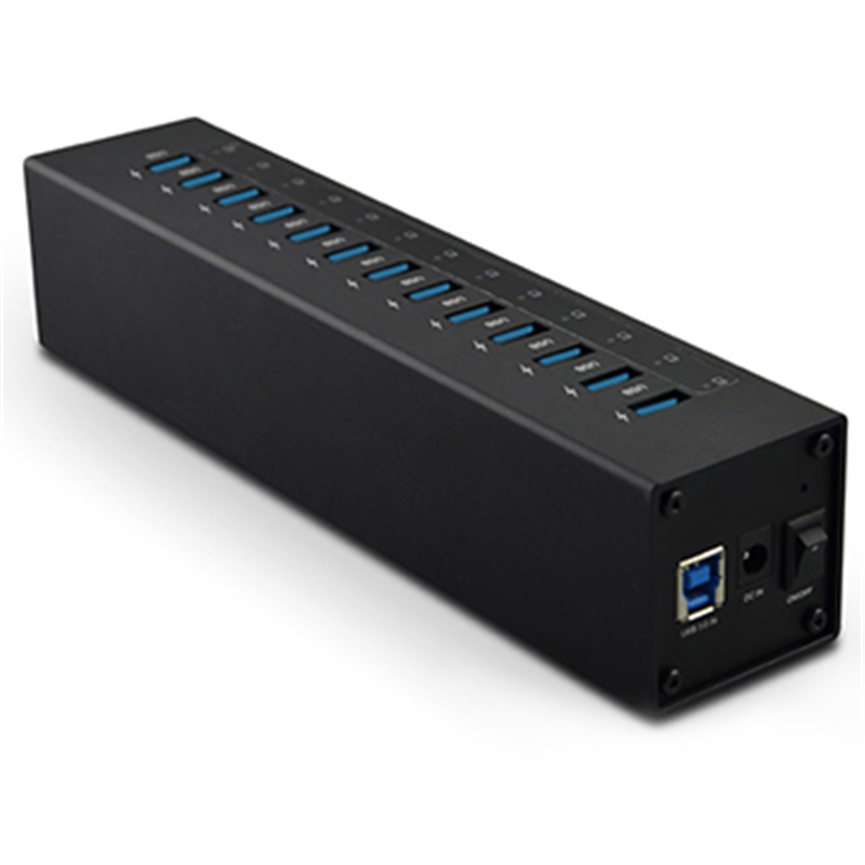
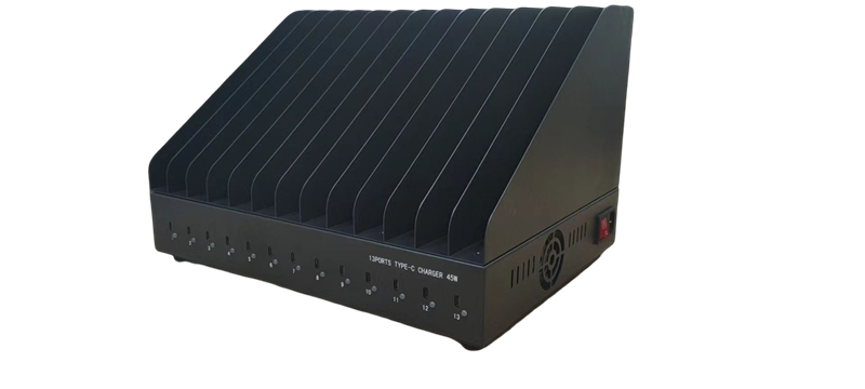
The 13 Ports USB C Charger provides a centralized charging solution for workplaces, classrooms, offices, laboratories, and other environments with multiple USB-C devices.
Managing these devices with separate chargers can quickly lead to crowded desks, tangled cables, limited electrical outlets, and an inefficient charging process. A centralized charging solution can make it easier to organize multiple devices while providing the power required for everyday operation.
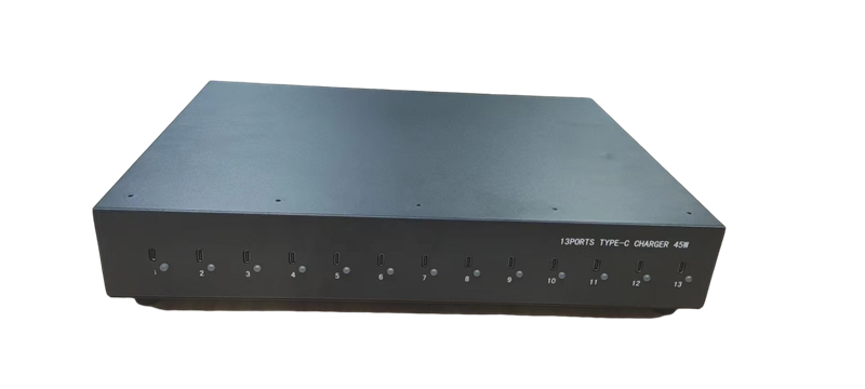
The 13 Ports USB C Charger is designed for multi-device charging, offering 13 USB Type C ports with up to 45W charging output per port. It also features a built-in 700W power supply, device dividers, cable management, LED status indicators, and multiple protection features.
With compatibility for many USB-C devices, including laptops, tablets, and smartphones, this charger can provide a centralized charging solution for environments where several devices need to remain powered and organized.
What Is a 13 Ports USB C Charger?
A 13 Ports USB C Charger is a multi-device charging station equipped with thirteen USB Type C ports.
Unlike a conventional single-port charger, this type of charging station is designed to accommodate several devices at the same time. Each port can provide up to 45W charging output, according to the product specifications.
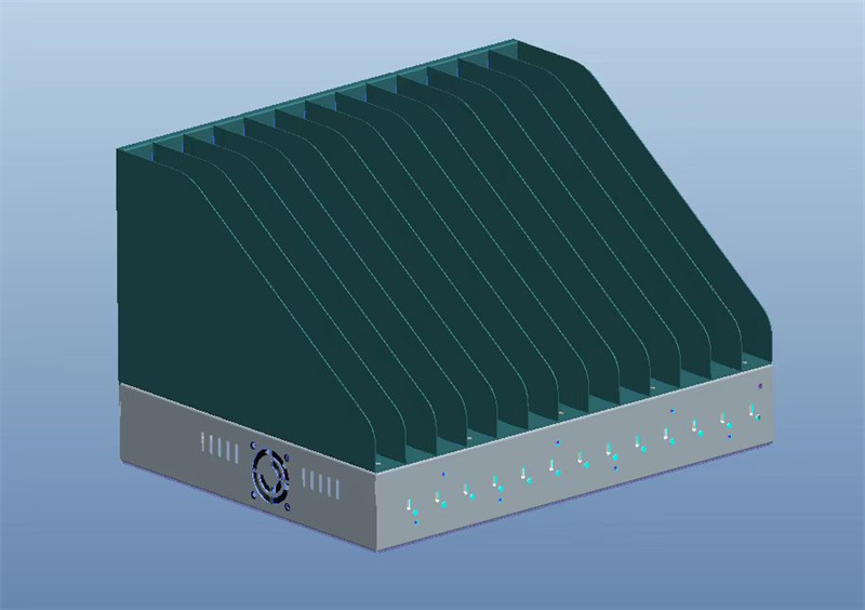
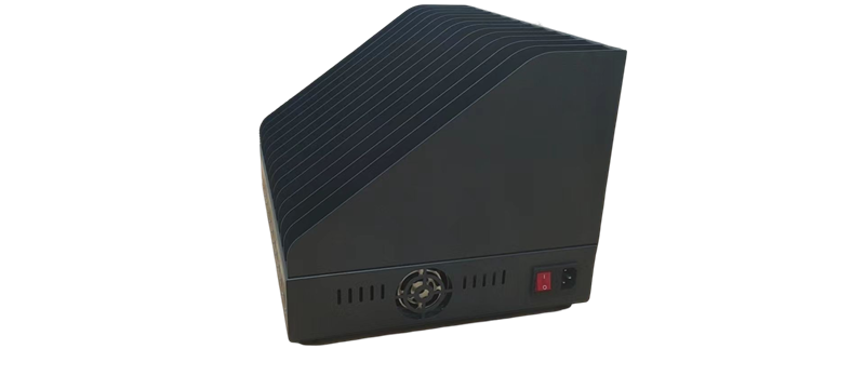
The charger also incorporates physical dividers to help separate connected devices and cable-management features to keep charging cables organized.
Its 700W built-in power supply provides the overall electrical capacity required for a high-volume multi-device charging setup.
Key Features at a Glance
- 13 USB Type C charging ports
- Up to 45W output per port
- 700W built-in power supply
- Overcurrent protection
- Overvoltage protection
- Overheat protection
- Short-circuit protection
- LED power status indicator
- LED charging status for each port
- Device dividers
- Integrated cable management
- Compatible with many USB-C laptops, tablets, and smartphones
How Does a 13 Port USB C Charger Work?
The charger connects to an appropriate electrical power source and distributes power through its thirteen USB-C ports.
Users can connect compatible devices to individual ports. Each port can provide up to 45W according to the product specification, while the built-in power supply provides the overall capacity for the charging system.
The charging process can be summarized as:
AC Power → 700W Power Supply → USB-C Charging Ports → Connected Devices
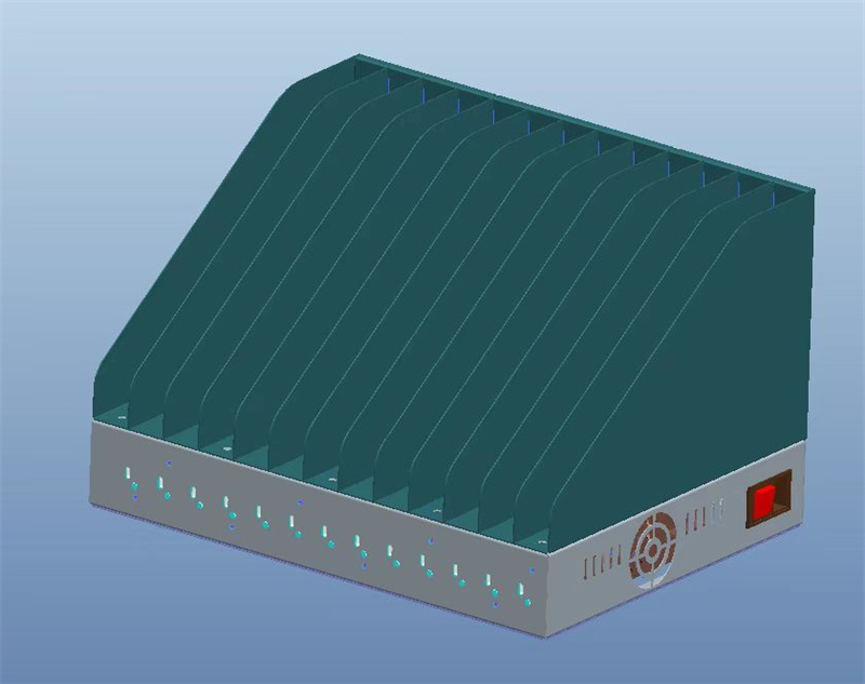
The individual LED indicators provide users with visual information about power or charging status, depending on the indicator configuration.
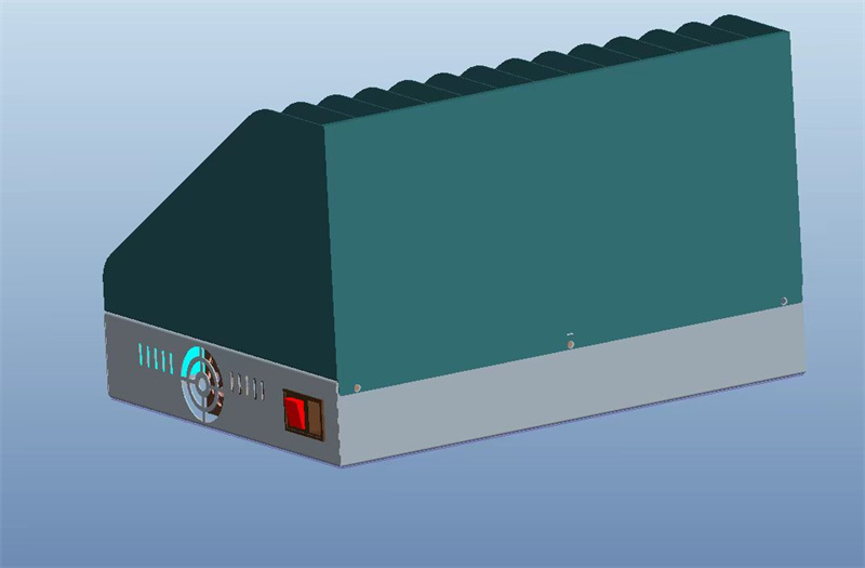
The device dividers provide dedicated spaces for connected equipment, while the cable-management system helps keep charging cables organized.
Key Features of the 13 Ports USB C Charger
13 USB Type C Ports
The charger provides 13 USB Type C ports, allowing multiple compatible devices to be connected simultaneously.
This makes it suitable for environments where several employees, students, customers, or users need access to charging at the same time.
Instead of distributing individual chargers throughout a workspace, organizations can establish one centralized charging area.
Up to 45W Charging Per Port
Each Type C port provides up to 45W charging output, according to the product specifications.
This higher output makes the charger suitable for a broader range of devices than low-power USB charging stations.
Compatible laptops, tablets, smartphones, and other USB-C devices can potentially be connected, provided their charging requirements are compatible with the charger’s specifications.
Actual charging performance depends on the connected device, cable, charging protocol, battery condition, and other factors.
700W Built-In Power Supply
The charger includes a 700W power supply, providing the overall power capacity for the multi-port system.
A high-capacity power supply is important when multiple devices are connected at the same time.
However, the 700W figure represents the charger’s overall power-supply capacity and should not be interpreted as a guarantee that all thirteen ports will continuously deliver 45W simultaneously under every operating condition.
| Specification | Details |
| Product Type | 13 Ports USB C Charger |
| Number of Ports | 13 |
| Port Type | USB Type C |
| Maximum Output per Port | Up to 45W |
| Built-In Power Supply | 700W |
| Compatible Devices | Laptops, tablets, smartphones and other USB-C devices |
| Protection | Overcurrent, overvoltage, overheat, short circuit |
| Status Indicators | LED |
| Device Organization | Dividers |
| Cable Management | Integrated |
| Primary Application | Multi-device charging |
Built-In Protection Features
Charging multiple electronic devices requires appropriate power management and protection.
The 13-port USB-C charger includes several protection mechanisms designed to help safeguard the charging system and connected devices.
Overcurrent Protection
Overcurrent protection is designed to help prevent excessive current from passing through the charging system.
This can be important when multiple devices are connected simultaneously.
Overvoltage Protection
Overvoltage protection helps protect against voltage conditions exceeding the supported operating range.
Overheat Protection
High-power charging systems can generate heat during operation. Overheat protection helps manage excessive temperature conditions.
Short-Circuit Protection
Short-circuit protection provides an additional safety layer in the event of an electrical short.
These protection features are particularly valuable in multi-device charging environments where numerous devices are connected to one power system.
LED Status Indicators
The charger features LED indicators to provide visual information about power and charging status.
A power-status LED can help users quickly determine whether the charging station is receiving power.
Individual LED indicators can also help users identify the current charging status of connected devices, depending on the product’s indicator configuration.
This is especially useful when many devices are connected at once because users can quickly check the charging station without disconnecting each device.
Device Dividers for Better Organization
Charging multiple laptops, tablets, or smartphones on one desk can create a disorganized workspace.
The included device dividers help create separate spaces for individual devices.
Instead of placing all connected devices on top of one another, users can organize them into dedicated sections.
This can improve:
- Device organization
- Workspace appearance
- Cable management
- Accessibility
- Charging convenience
For schools and offices, physical separation can also make it easier to identify which device belongs to which user.
Integrated Cable Management
Cable clutter is one of the common problems associated with multi-device charging.
Thirteen connected devices can potentially mean thirteen charging cables running across a desk or counter.
The charger’s cable-management design helps keep cables neat and tidy.
A well-organized cable system can reduce tangling and make it easier to connect or disconnect devices.
Why Cable Management Matters
Good cable management can:
- Reduce cable clutter
- Make ports easier to access
- Improve workspace organization
- Reduce unnecessary cable strain
- Make device identification easier
- Create a cleaner professional appearance
Devices Compatible With a 13 Port USB C Charger
The charger is designed to work with many USB-C devices.
Potential applications include:
- USB-C laptops
- Tablets
- Smartphones
- Portable monitors
- USB-C accessories
- Other compatible electronics
The charger can be particularly useful for organizations that use several different types of USB-C devices.
Before connecting any device, users should verify that its charging requirements are compatible with the charger’s output specifications.
Applications of a 13 Port USB C Charging Station
A high-output multi-port USB-C charger can be used in many professional environments.
| Environment | Application |
| Offices | Charging employee laptops, tablets and smartphones |
| Schools | Charging student devices |
| Universities | Managing shared electronic equipment |
| Hotels | Charging guest or staff devices |
| Retail Stores | Charging operational tablets and phones |
| Training Centers | Charging multiple laptops and tablets |
| Service Centers | Device testing and charging |
| Conference Rooms | Centralized meeting-device charging |
| Coworking Spaces | Shared device charging |
| Commercial Facilities | Managing multiple USB-C devices |
13 Port USB C Charger for Laptops
One important advantage of a higher-output USB-C charging station is its ability to support compatible laptops.
Many modern laptops use USB-C Power Delivery for charging. A charger capable of providing up to 45W per port may be suitable for certain USB-C laptops, depending on the laptop’s charging requirements.
However, not every laptop can operate or charge at the same rate.
Before using the charger with a laptop, check:
- Required charging wattage
- USB-C PD compatibility
- Cable power rating
- Manufacturer charging specifications
A laptop that requires more than the available 45W may charge slowly or may not receive sufficient power for normal operation.
13 Port USB C Charger for Schools
Schools and educational institutions increasingly use laptops and tablets for teaching and classroom activities.
Managing a large number of student devices can create charging challenges.
A thirteen-port USB-C charging station provides a centralized location where devices can be stored and charged.
The built-in dividers are particularly useful in educational environments because they provide individual spaces for devices.
At the end of a class, students can return devices to the charging station, connect the appropriate cables, and leave them ready for the next session.
13 Port USB C Charger for Offices
Offices may use laptops, smartphones, tablets, and other USB-C equipment every day.
A centralized charging station can help employees avoid searching for available outlets or individual chargers.
The device dividers and cable-management system also help maintain a professional workspace.
For shared offices or meeting rooms, a multi-port USB-C charging station can provide convenient access to charging for multiple users.
13 Port USB C Charger vs. Individual Chargers
A centralized charger offers several organizational advantages over using individual adapters.
| Feature | Individual Chargers | 13 Port USB C Charger |
| Charging Ports | One per charger | 13 centralized ports |
| Device Capacity | Depends on number of adapters | Up to 13 connected devices |
| Cable Management | Often difficult | Integrated cable management |
| Device Organization | Separate locations | Dedicated dividers |
| Status Monitoring | Individual | LED indicators |
| Workspace Efficiency | Lower with many devices | Higher |
| Power Infrastructure | Multiple adapters | Centralized system |
Individual chargers may still be appropriate for personal use, but a centralized system can be more practical for organizations managing multiple devices.
Factors to Consider When Choosing a 13 Port Type C Charger
Check Device Requirements
Different devices require different amounts of charging power.
Before connecting laptops, tablets, or smartphones, verify their USB-C charging specifications.
Consider the Required Wattage
The charger provides up to 45W per port. Determine whether this meets the requirements of your devices.
Consider Total Power Demand
Although the charger has a 700W power supply, actual power consumption depends on the devices connected and their charging requirements.
Check Cable Ratings
High-power USB-C charging requires appropriate cables. A cable that cannot support the required power may limit charging performance.
Consider Workspace Organization
If the charger will be used for many devices, dividers and cable management can be important features.
Look for Safety Features
Protection against overcurrent, overvoltage, overheating, and short circuits can be valuable in a high-capacity charging environment.
Best Practices for Multi-Device Charging
Use Compatible Cables
Always use cables appropriate for the connected device and charging power.
Keep the Charger Ventilated
High-power equipment should have sufficient ventilation according to the manufacturer’s recommendations.
Organize Devices Properly
Use the built-in dividers to prevent devices from being stacked or placed unnecessarily close together.
Keep Cables Organized
Use the cable-management system to prevent cables from becoming tangled.
Monitor Charging Status
The LED indicators can help users identify power and charging status.
Inspect Equipment Regularly
Check cables, connectors, and the charging station for visible signs of damage.
Frequently Asked Questions
What is a 13 Ports USB C Charger?
A 13 Ports USB C Charger is a centralized multi-device charging station equipped with thirteen USB Type C ports for compatible electronics.
How much power does each port provide?
Each port provides up to 45W of charging output, according to the product specifications.
What is the total power supply?
The charger includes a 700W built-in power supply.
Can it charge laptops?
Yes, compatible USB-C laptops can be charged if their power requirements are within the charger’s supported output.
Can it charge smartphones?
Yes. Compatible USB-C smartphones can be connected to the available charging ports.
Can tablets be charged?
Yes. Compatible USB-C tablets can be charged through the Type C ports.
Does the charger have safety protection?
Yes. It includes protection against overcurrent, overvoltage, overheating, and short circuits.
What are the dividers used for?
The dividers create separate spaces for individual devices, helping keep laptops, tablets, and smartphones organized during charging.
Why is cable management important?
Cable management helps keep the charging area neat and tidy, reduces cable tangling, and makes individual connections easier to identify and access.
Does it show charging status?
Yes. LED indicators are provided to show power status and the current charging status for each port according to the product specifications.
Conclusion
The 13 Ports USB C Charger is designed to provide a centralized, organized, and high-capacity charging solution for modern USB-C devices. With 13 Type C ports, up to 45W output per port, and a 700W built-in power supply, it can support a wide range of compatible laptops, tablets, smartphones, and other electronics.
Its integrated protection features provide additional safeguards for multi-device charging, while LED indicators make it easier to monitor power and charging status.
The physical dividers help keep devices separated, and the integrated cable-management system addresses one of the most common problems associated with charging multiple devices: tangled and disorganized cables.
For offices, schools, universities, hotels, training centers, service facilities, and other environments that manage several USB-C devices, a 13 port USB C charging station can provide a more efficient alternative to maintaining numerous individual chargers.
When selecting a multi-port Type C charger, users should consider device compatibility, charging wattage, total power requirements, cable specifications, safety features, and workspace organization. With the right setup, a centralized USB-C charging station can make daily device charging simpler, cleaner, and more manageable.