Introduction
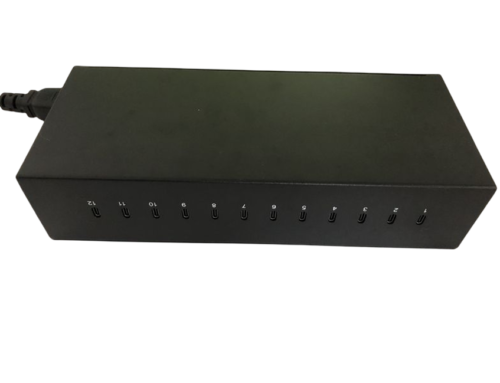
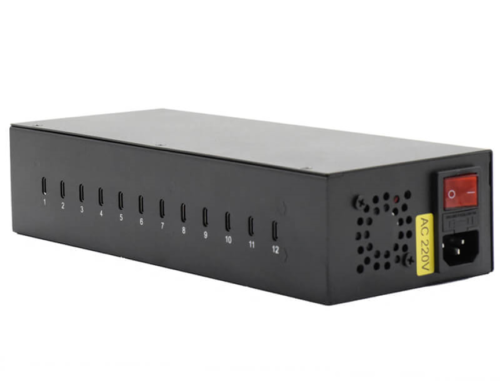
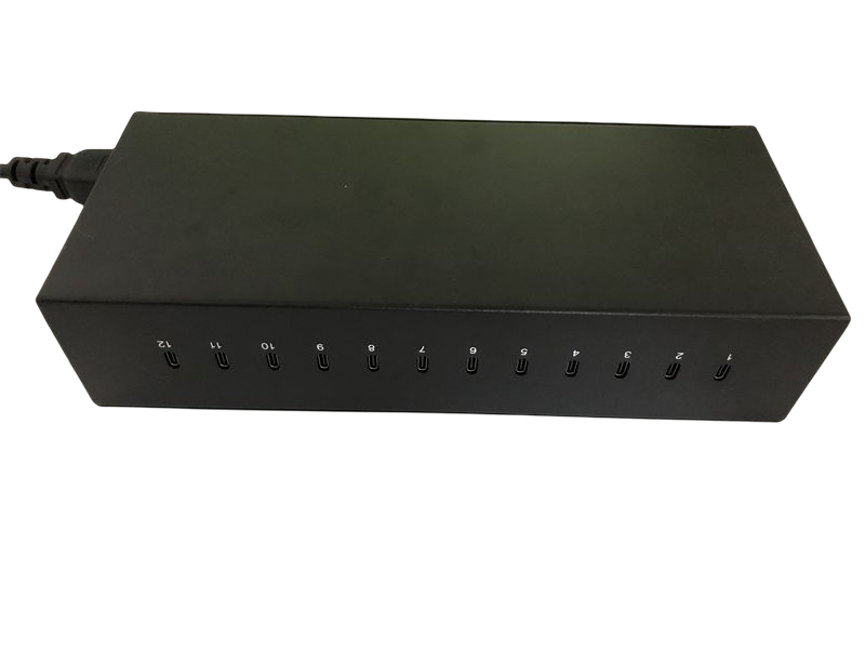
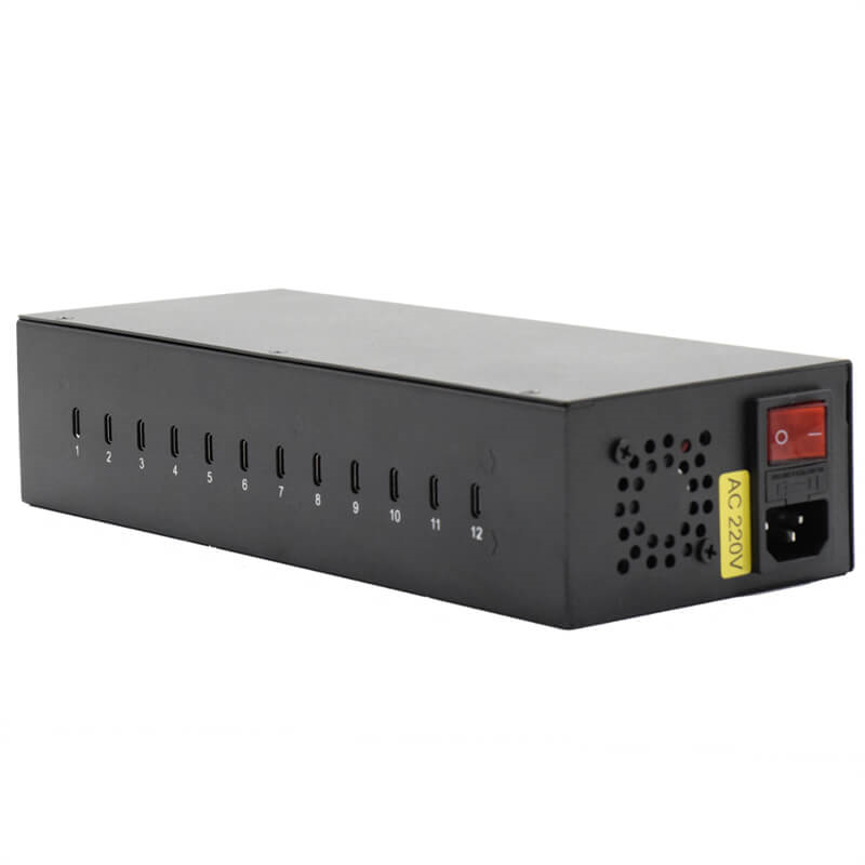
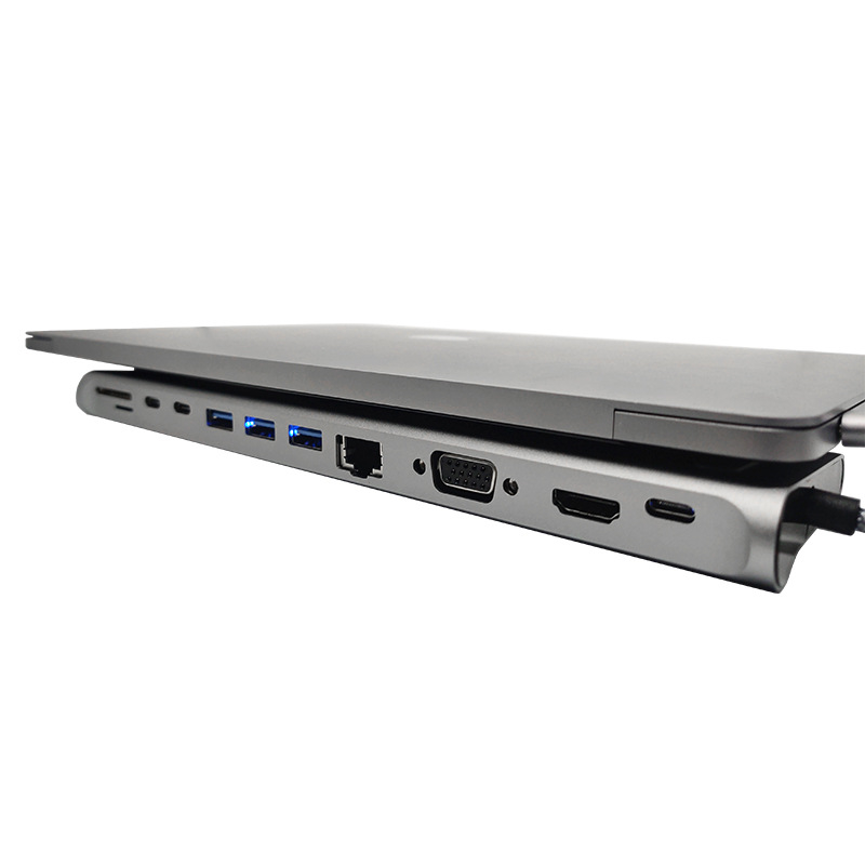
The 12-in-1 USB-C Hub T282 provides a centralized connectivity solution for compatible laptops, PCs, and other USB-C devices. While USB-C provides a convenient and versatile connection, many devices have a limited number of physical ports. This can make it difficult to connect multiple peripherals and accessories at the same time.
The 12-in-1 USB-C Hub T282 is designed as a multi-function connectivity solution for users who need to expand the available connections on a compatible USB-C device.
With its 12-in-1 design, the T282 is positioned as a centralized hub for connecting multiple supported peripherals through a USB-C connection. This type of solution can be useful for laptop users, office workstations, home offices, educational environments, and other setups where additional connectivity is required.
The T282 is listed under the Data & Hub and USB C HUB product categories, highlighting its role as a USB-C connectivity and expansion product.
Because the supplied product information does not specify the individual ports, data-transfer rates, video capabilities, charging wattage, Power Delivery profiles, or other electrical specifications, those details should be confirmed from the manufacturer’s technical documentation before purchase or installation.
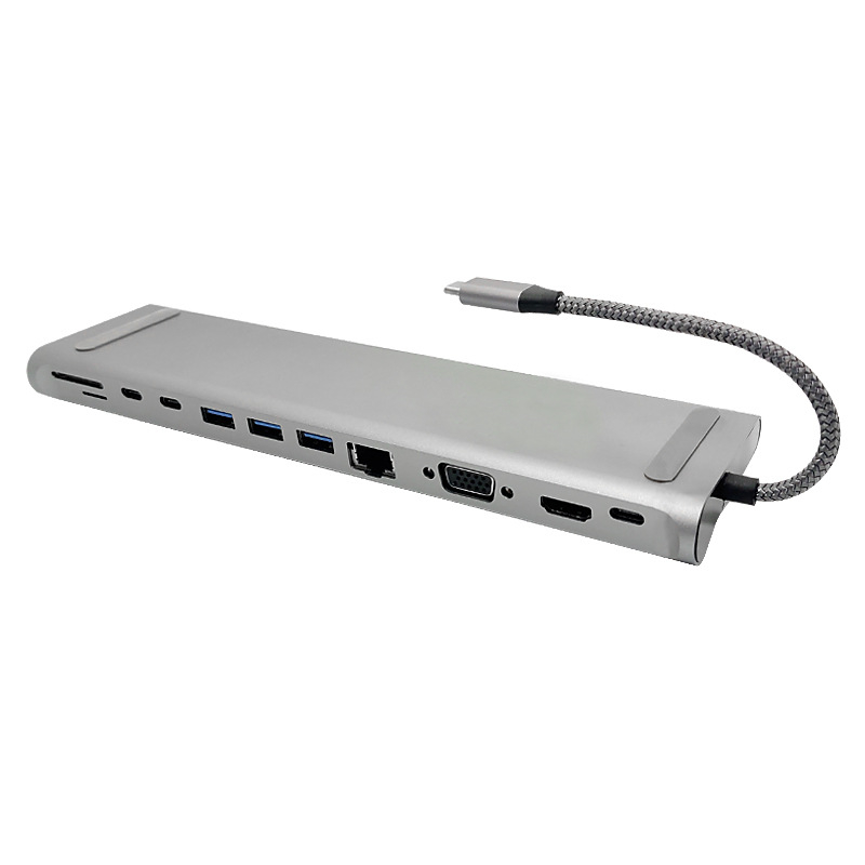
What Is the 12-in-1 USB-C Hub T282?
The T282 is a 12-in-1 USB-C Hub designed to expand connectivity for compatible devices.
A USB-C hub allows a host device with a compatible USB-C connection to access additional peripheral connections through a centralized accessory.
This can be particularly useful for modern laptops that prioritize slim designs and therefore provide fewer physical ports.
Instead of connecting every peripheral directly to the computer, users can use a multi-port USB-C hub as a central connection point.
Key Product Information
| Specification | Details |
| Product | 12-in-1 USB-C Hub |
| Model | T282 |
| Hub Type | Multi-function USB-C Hub |
| Product Category | Data & Hub |
| USB-C Category | USB C HUB |
| Number of Functions/Connections | 12-in-1 |
| Individual Port Types | Not specified in supplied information |
| Data Transfer Rate | Not specified |
| Video Output | Not specified |
| Power Delivery | Not specified |
| Charging Output | Not specified |
This specification approach keeps the product information accurate without assigning capabilities that have not been provided.
Why Use a 12-in-1 USB-C Hub?
The main purpose of a multi-port USB-C hub is connectivity expansion.
Many modern laptops have a small number of physical connections. A user may need to connect several accessories, but the computer itself may not have enough suitable ports.
A 12-in-1 hub can provide a centralized way to manage multiple compatible connections.
For example, depending on the exact port configuration of the T282, a user may be able to connect different types of peripherals through the hub. However, because the individual T282 ports have not been specified here, users should check the product’s detailed port layout before selecting it for a particular setup.
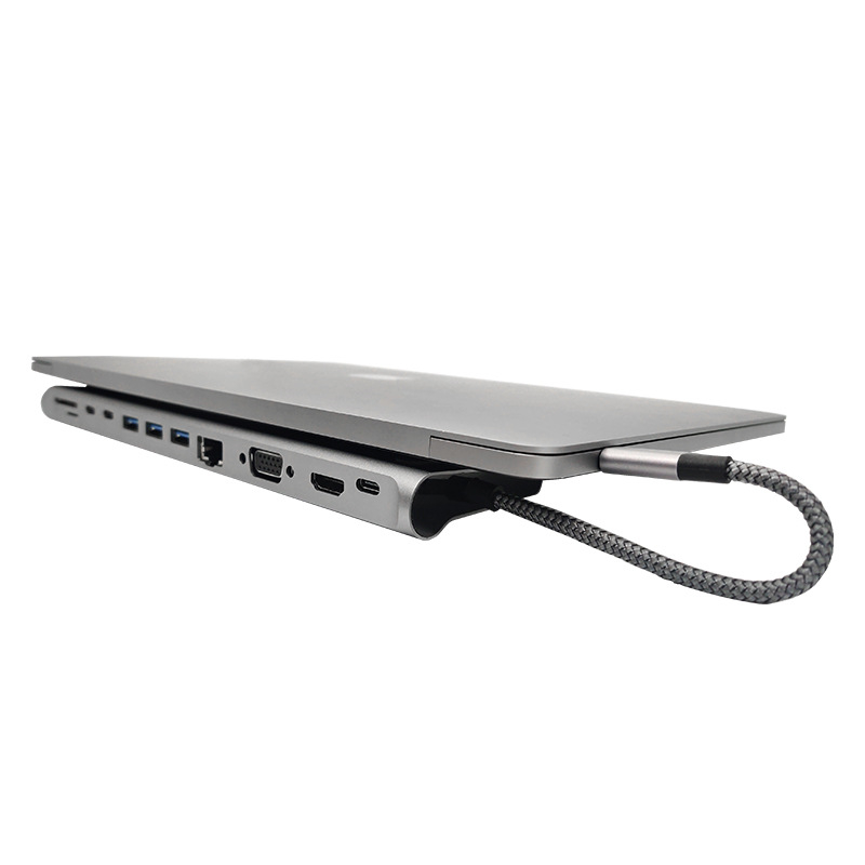
Centralized Connectivity for Modern Workstations
A USB-C hub can help create a cleaner workstation by providing one central connection point for supported peripherals.
For laptop users, this can be especially convenient when switching between mobile and desktop-style working.
Instead of repeatedly connecting several accessories directly to a laptop, the hub can remain connected to the workstation accessories while the laptop connects to the hub.
This can make a desk setup easier to organize and can reduce the need to repeatedly plug and unplug individual devices.
Suitable for Laptop Users
The T282 can be relevant to users who work primarily from laptops and need additional connectivity.
A laptop may be used for work, study, communication, content creation, administration, or other activities while additional peripherals are required.
A USB-C hub provides a practical expansion point between the laptop and those compatible accessories.
Before using the T282, users should confirm that their computer’s USB-C port supports the functions required by the hub. USB-C is a connector type, and not every USB-C port supports the same capabilities.
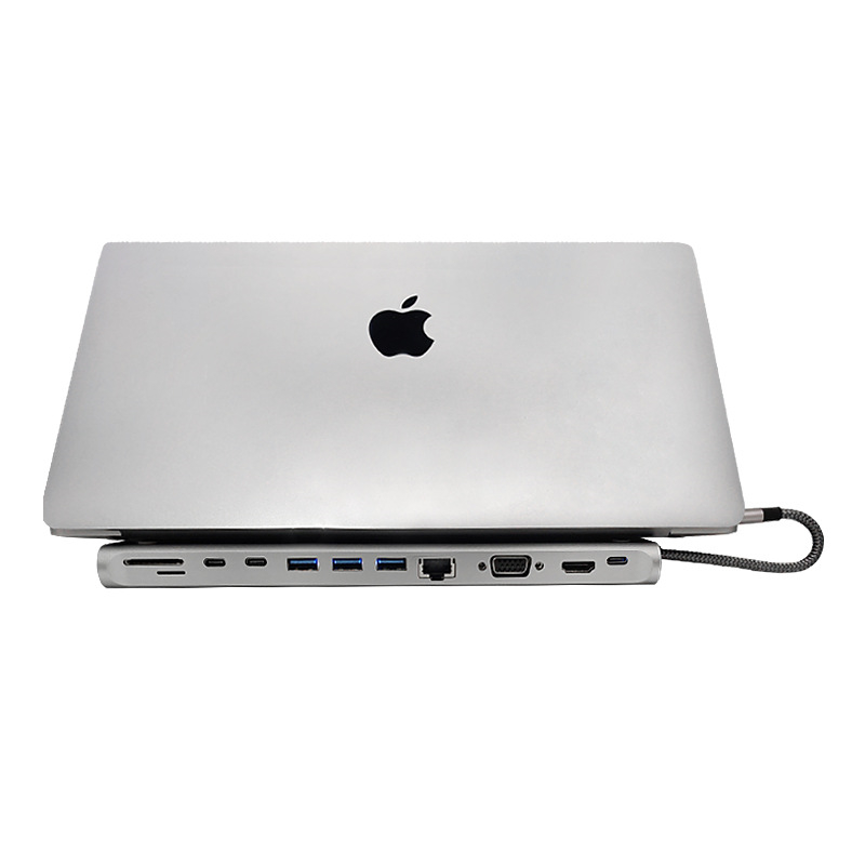
USB-C Does Not Guarantee Every Function
One of the most important considerations when purchasing a USB-C hub is understanding that USB-C describes the connector/interface, not every capability available through that connector.
Different USB-C ports can support different combinations of:
- Data transfer
- Display output
- Charging
- Power Delivery
- Alternate modes
- Peripheral connectivity
Therefore, users should check the specifications of both the T282 and their host computer before relying on a particular function.
For example, if a user requires external display support, the computer’s USB-C port must support the appropriate video functionality, and the hub itself must provide a compatible video output.
The supplied information for the T282 does not specify video output, so a particular display resolution or multi-monitor capability should not be assumed.
12-in-1 Design
The 12-in-1 designation indicates that the T282 is designed around multiple connectivity functions or connections.
A multi-function hub can reduce the number of separate adapters needed for a workstation.
Instead of carrying several individual accessories, users can potentially use one centralized hub for the supported connections they require.
However, the exact meaning of the 12-in-1 configuration depends on the manufacturer’s detailed port specification. Since the supplied information does not list those ports, users should verify the complete port layout before purchasing.
What to Check in the Port Layout
When evaluating the T282, consider whether its available connections match the peripherals you use regularly.
For example, check whether you need:
- USB peripheral connections
- External storage connectivity
- Display connectivity
- Audio connectivity
- Memory-card connectivity
- Network connectivity
- Charging or Power Delivery
- Other specialized interfaces
Only the ports actually provided by the T282 should be relied upon for these functions.
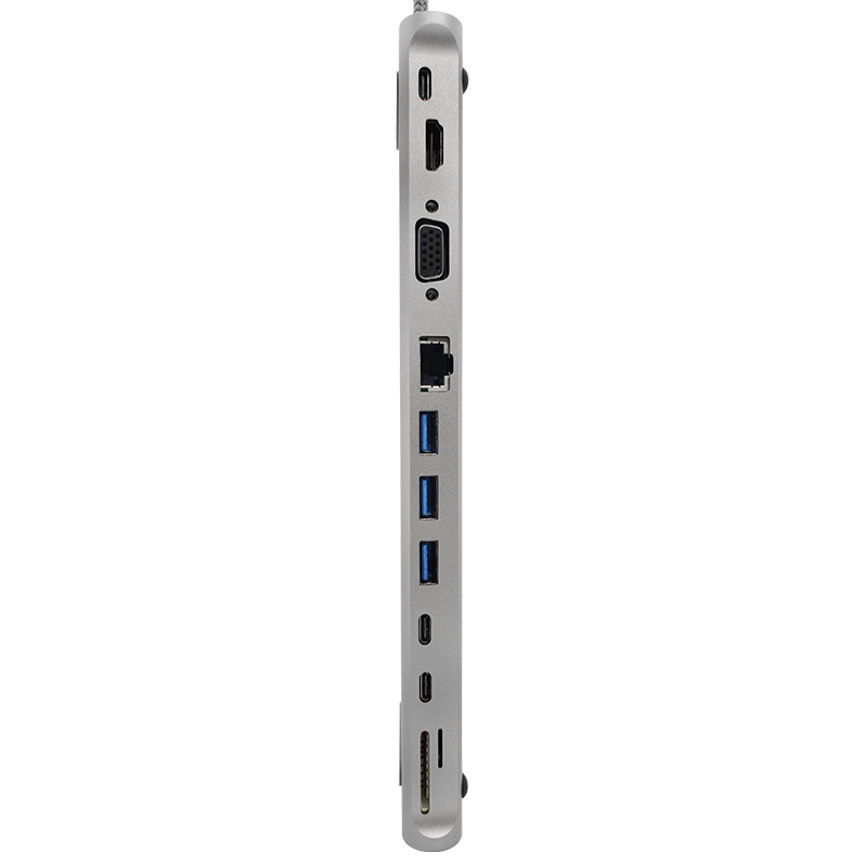
Benefits of a Multi-Port USB-C Hub
Expanded Connectivity
The primary advantage is the ability to expand the connectivity options of a compatible host device.
Centralized Setup
A single hub can provide a central connection point for multiple supported accessories.
Cleaner Workstation
Using one hub can help reduce the number of individual adapters and cables connected directly to the computer.
Convenient Laptop Expansion
Laptop users can benefit from having additional connectivity without permanently changing the computer’s built-in port configuration.
Flexible Use
A multi-port hub can be useful in home offices, professional workstations, educational setups, and mobile working environments.
T282 for Home Office Setups
A home office often combines a laptop with several peripherals.
Depending on the exact configuration of the T282, a USB-C hub can serve as a central point between the laptop and compatible workstation accessories.
This can make it easier to transition between mobile and desktop-style working.
For example, a user can keep the hub connected to the workstation and connect the laptop to the hub when starting work.
The exact peripherals supported should always be checked against the T282’s official port specifications.
T282 for Business Workstations
Business users often work with multiple accessories and external devices.
A centralized USB-C hub can simplify workstation connectivity and help reduce cable congestion around the laptop.
The T282 may therefore be relevant for:
- Office desks
- Administrative workstations
- Shared work areas
- Meeting spaces
- Reception desks
- Flexible workstations
- Laptop-based business setups
Again, the suitability for a particular setup depends on whether the hub provides the required ports and capabilities.
T282 for Students and Education
Students increasingly use laptops as their primary computing devices.
A multi-port USB-C hub can provide useful connectivity expansion when a student needs to connect several compatible accessories.
It can be particularly convenient for users who move between classrooms, study spaces, libraries, and home.
The compact nature commonly associated with USB-C hubs can also make them convenient to carry, although the exact physical dimensions and weight of the T282 have not been supplied.
T282 for Travel
A USB-C hub can be useful for users who frequently travel with a laptop.
Rather than carrying multiple individual adapters, a multi-function hub can act as a single connectivity accessory.
However, portability depends on the physical dimensions and weight of the specific T282 model, which are not included in the supplied specifications.
Compatibility Considerations
Before selecting the T282, users should check several compatibility factors.
Check the Host USB-C Port
Make sure the computer or device has a compatible USB-C port.
Not all USB-C ports provide identical capabilities.
Check Required Functions
Identify the exact functions needed from the hub before purchase.
If external displays, high-speed storage, networking, or charging are required, confirm that the T282 provides the relevant ports and specifications.
Check Operating System Compatibility
USB peripherals may depend on operating-system support or drivers. Users should confirm compatibility with their specific computer platform.
Check Power Requirements
If the intended setup involves charging or powering devices through the hub, verify the hub’s exact power specifications.
The supplied T282 information does not provide a charging wattage or Power Delivery specification, so a specific charging capability should not be assumed.
USB-C Hub vs. Individual Adapters
A multi-port hub can offer a more centralized solution than carrying several separate adapters.
| Feature | 12-in-1 USB-C Hub T282 | Individual Adapters |
| Multiple Connections | Yes, 12-in-1 design | Usually one function each |
| Centralized Connectivity | Yes | No |
| Cable Management | Potentially simpler | Can require multiple adapters |
| Laptop Expansion | Designed for this purpose | Depends on adapter |
| Port Configuration | Model-specific | Function-specific |
| Portability | Single hub | Multiple accessories may be required |
The right choice depends on the user’s required connections. A multi-port hub is particularly useful when several different interfaces are needed in one workstation.
How to Choose the Right USB-C Hub
Choosing a USB-C hub should begin with identifying the devices and peripherals you need to connect.
1. List Your Required Connections
Write down the peripherals you use regularly and identify the connector each one requires.
2. Check the Hub’s Port Configuration
Make sure the T282 includes the ports needed for those peripherals.
3. Check Data Requirements
If you regularly transfer large files, confirm the hub’s supported USB standard and maximum data rate.
The current supplied specifications do not state a specific data-transfer speed for the T282.
4. Check Display Requirements
If external monitors are important, verify the exact video outputs and supported resolutions.
No specific video-output specification has been provided for the T282 in the information supplied here.
5. Check Charging Requirements
If charging through the hub is required, verify whether the exact model supports the necessary charging or Power Delivery requirements.
6. Check Host Compatibility
Confirm that your laptop or computer supports the USB-C functions required by the hub.
Best Practices for Using the T282
Keep the Hub Securely Connected
Ensure the USB-C connection is firmly seated when using multiple peripherals.
Avoid Unnecessary Adapters
Where possible, connect compatible peripherals directly to the appropriate hub ports instead of adding unnecessary conversion adapters.
Verify Device Requirements
Some peripherals have specific bandwidth, power, or interface requirements. Confirm these requirements before connecting them through the hub.
Keep Software Updated
Maintain the operating system and relevant device drivers on the host computer where appropriate.
Do Not Assume Unsupported Specifications
Because USB-C hubs vary considerably, users should rely on the manufacturer’s specifications for exact port types, data speeds, video capabilities, and charging performance.
Frequently Asked Questions
What is the T282?
The T282 is a 12-in-1 USB-C Hub designed to expand connectivity for compatible USB-C devices.
How many functions does the T282 provide?
The product is identified as a 12-in-1 USB-C Hub. The exact individual ports and functions should be confirmed from the manufacturer’s detailed specification.
Is the T282 a USB-C hub?
Yes. The product is categorized as a USB C HUB and Data & Hub product.
Does the T282 support 4K?
A specific 4K video-output specification has not been provided in the supplied information. Therefore, 4K support should be confirmed before purchasing for a 4K display setup.
Does the T282 support Power Delivery?
No specific Power Delivery specification has been supplied. Users requiring charging through the hub should confirm the manufacturer’s detailed specifications.
What is the data-transfer speed of the T282?
The supplied information does not state a maximum data-transfer speed. A specific speed should therefore not be assumed.
Can the T282 be used with laptops?
The product is designed as a USB-C hub, making it intended for compatible USB-C devices. Users should verify the host device’s USB-C capabilities and the exact T282 compatibility requirements.
Is the T282 suitable for a workstation?
A 12-in-1 hub can be useful for workstation connectivity, particularly when a laptop needs additional peripheral connections. The exact suitability depends on the ports required by the user’s setup.
Is the T282 portable?
The supplied specifications do not provide its dimensions or weight, so portability should be evaluated using the manufacturer’s physical specifications.
Conclusion
The 12-in-1 USB-C Hub T282 is designed to provide expanded connectivity through a centralized USB-C solution.
Its 12-in-1 configuration makes it relevant to users who need multiple connections for a laptop or other compatible USB-C device, while its placement within the Data & Hub and USB C HUB categories reflects its focus on connectivity expansion.
The T282 can be considered for home offices, business workstations, educational environments, shared desks, and other setups where additional USB-C connectivity is needed.
For the most accurate purchasing decision, users should verify the complete port configuration, data-transfer speed, video support, charging capabilities, and host-device compatibility against their specific requirements. These specifications were not included in the supplied product information and should not be assumed.
With the correct compatibility checks, a multi-port USB-C hub such as the T282 can provide a centralized and convenient way to expand the connectivity of modern computers.