Introduction
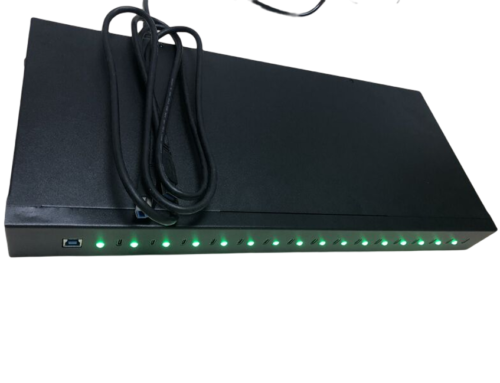
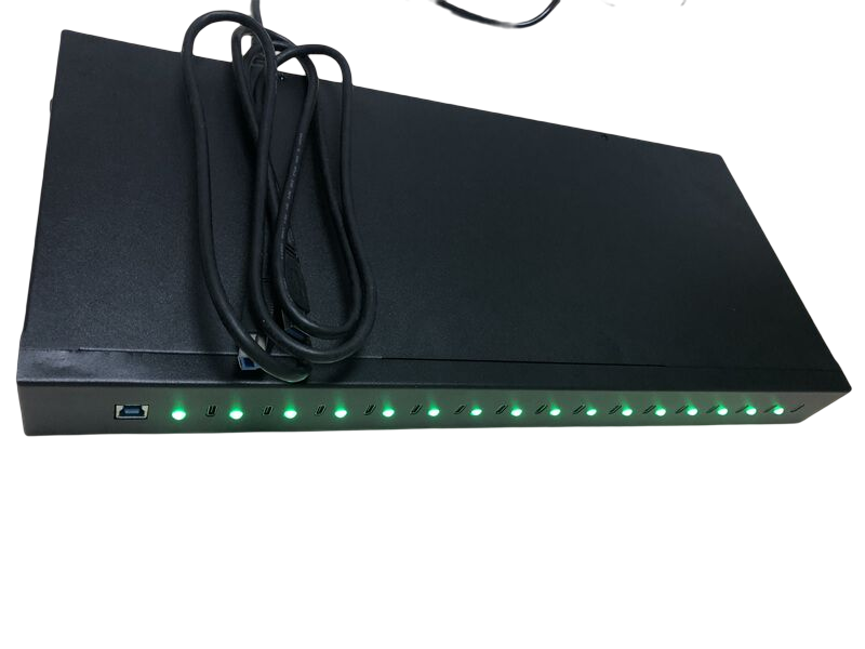
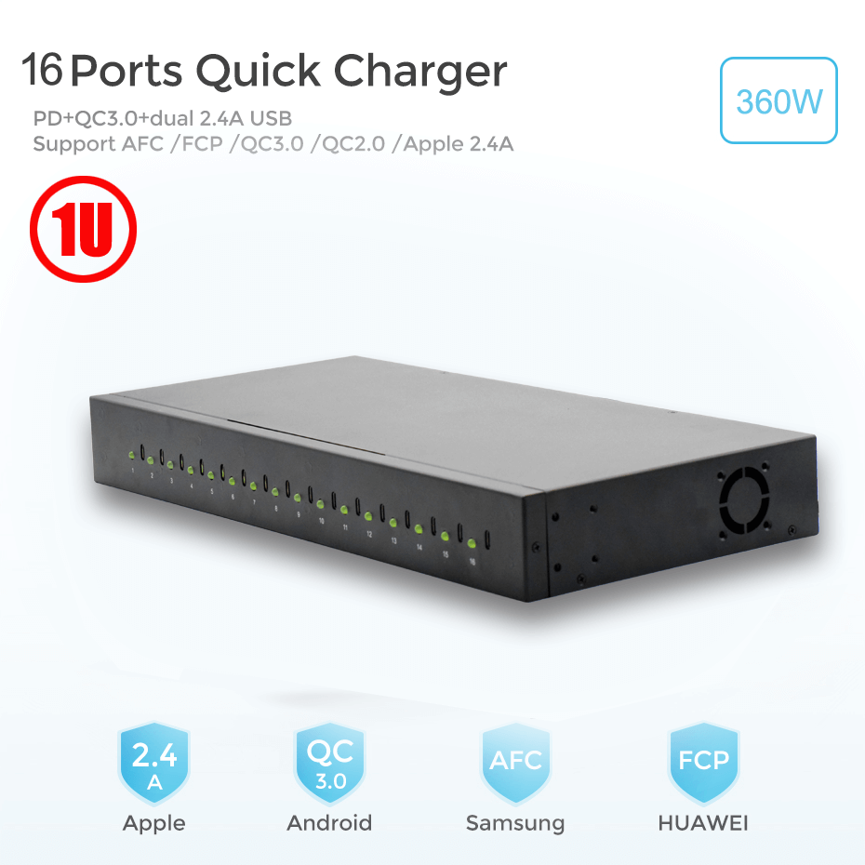
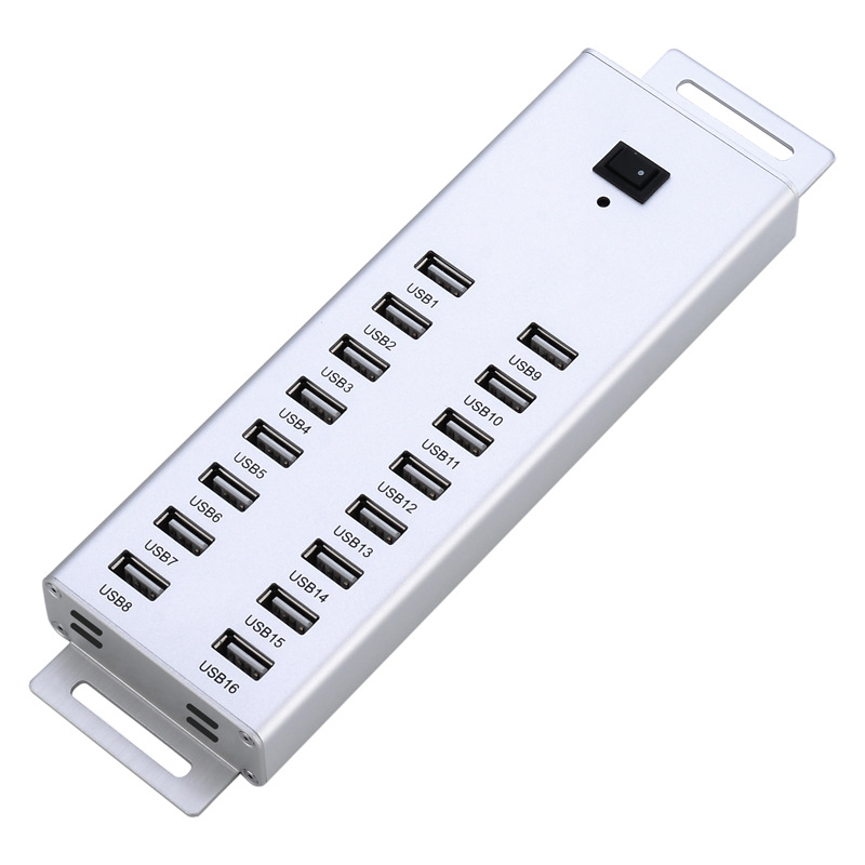
16 Ports Type C Charging Cart provides a centralized solution for charging and managing multiple Type-C devices in schools, offices, training centers, healthcare facilities, and commercial environments.In schools, offices, training centers, healthcare facilities, and commercial environments, a centralized charging solution can make device management much more organized.
The 16 Ports Type C Charging Cart is designed to provide centralized charging for multiple Type-C devices while also offering the mobility needed in environments where devices need to be moved between rooms or work areas.
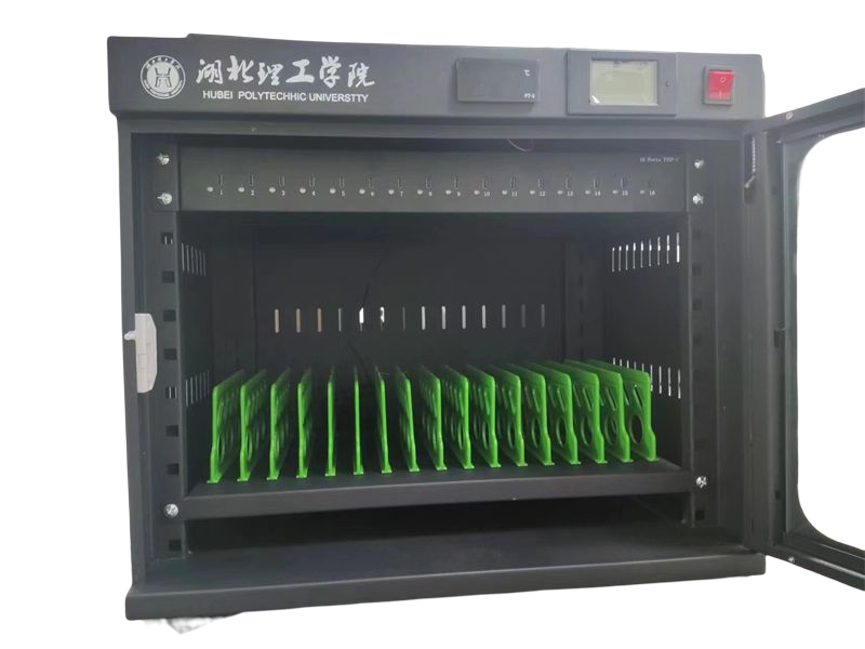
The cart features 16 Type-C charging ports, with each port offering an output option of 20W, 45W, or 65W, according to the supplied product specifications. It also includes a sturdy metal frame, robust power cord, built-in safety circuit, and mobile design.
These features make the charging cart suitable for organizations that need a practical way to charge multiple devices in one centralized location.
What Is a 16 Ports Type C Charging Cart?
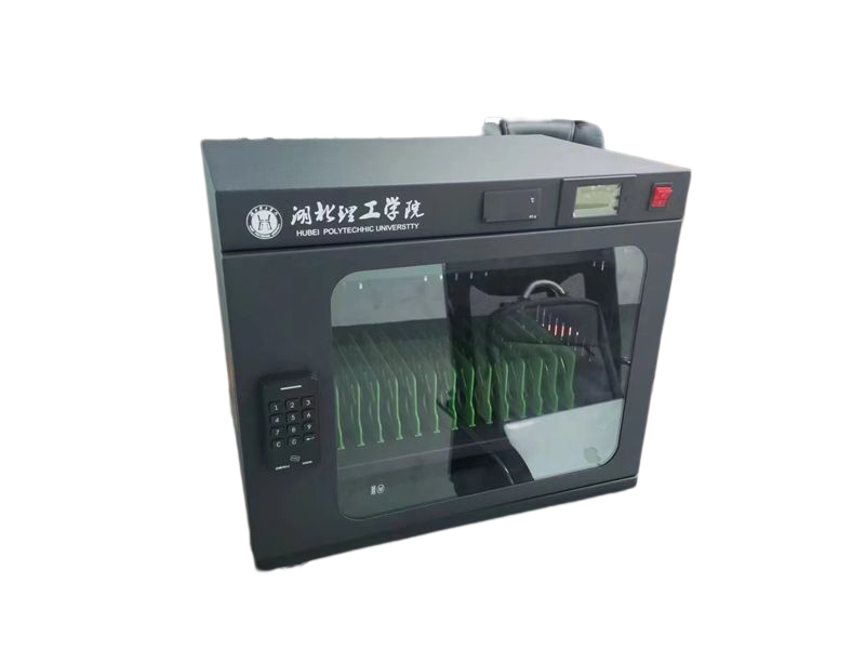
A 16 Ports Type C Charging Cart is a mobile charging station designed to organize and charge multiple USB Type-C devices simultaneously.
Unlike a basic desktop charger, a charging cart combines charging capacity with a physical structure that can accommodate multiple devices and be moved when required.
The 16-port configuration allows organizations to create a centralized charging point for a group of devices.
The cart can be useful for:
- Tablets
- Smartphones
- USB Type-C laptops
- Educational devices
- Business devices
- Other compatible Type-C equipment
Exact device compatibility should always be confirmed based on the device’s charging requirements and USB-C power specifications.
Type C Charging Cart: Key Specifications
The following table summarizes the specifications provided for the product.
| Specification | Details |
| Product Name | 16 Ports Type C Charging Cart |
| Number of Ports | 16 Type-C ports |
| Output Options | 20W, 45W, or 65W per port |
| Frame | Sturdy metal frame |
| Power Connection | Robust power cord |
| Safety | Built-in safety circuit |
| Mobility | Designed to be easy to move |
| Product Category | Charger Series / Charging Cabinet |
| Main Function | Centralized multi-device charging |
The actual charging performance will depend on the connected device, cable, charging protocol, and selected power configuration.
16 Type-C Charging Ports for Multiple Devices
The most important feature of this charging cart is its 16 Type-C ports.
Instead of having separate chargers distributed across desks, classrooms, or work areas, users can bring multiple devices to one centralized charging location.
This can help create a more consistent charging routine.
For example, an organization managing 16 tablets could collect the devices at the end of the day, place them in the designated charging area, connect the USB-C cables, and leave the devices ready for the next session.
Centralized Charging Workflow
A typical workflow can look like this:
Collect Devices → Place on Charging Cart → Connect Type-C Cables → Charge → Disconnect → Return Devices
This simple process can help reduce the time spent searching for individual chargers.
20W, 45W, and 65W Charging Options
Another major feature of the charging cart is its support for different output levels.
Each port can offer 20W, 45W, or 65W, depending on the product configuration and connected-device requirements.
These power levels provide flexibility for different types of USB-C devices.
| Output | Typical Use Case* |
| 20W | Smartphones and lower-power devices |
| 45W | Tablets and selected portable devices |
| 65W | Higher-power tablets, laptops and compatible devices |
*Actual requirements vary by device. These examples are general use cases and should not be treated as guaranteed compatibility.
Why Multiple Power Levels Matter
Not every USB-C device requires the same amount of power.
A smartphone may require significantly less power than a USB-C laptop. Having higher-power options can therefore make a charging cart more versatile for organizations managing different device categories.
The 65W option, in particular, can provide substantially more power than a basic phone charger when used with a compatible device.
Sturdy Metal Frame for Everyday Use
A charging cart needs to withstand regular handling, movement, and repeated use.
The product is designed with a sturdy metal frame, providing a solid structural foundation for a busy charging environment.
A metal construction can be particularly useful in:
- Schools
- Offices
- Training centers
- Libraries
- Healthcare facilities
- Retail environments
- Corporate meeting areas
The robust structure is intended to support a more dependable device-management setup.
Easy to Move Around
Mobility is another important characteristic of the charging cart.
In environments where devices are shared between different rooms, a fixed charging cabinet may not always be the most convenient solution. A mobile cart can allow staff to move the charging setup when necessary.
For example, a school may need to move devices between:
- Classrooms
- Computer rooms
- Libraries
- Training rooms
- Meeting spaces
Similarly, an organization may need to move a group of devices from an office to a conference room.
A mobile charging cart provides greater flexibility for these situations.
Robust Power Cord
The charging cart includes a robust power cord designed to provide a dependable connection to the electrical supply.
Since the cart may be used to charge multiple devices, reliable power connectivity is an important part of the overall charging setup.
Users should always follow appropriate electrical safety practices and ensure that the charging environment is suitable for the equipment being used.
Built-In Safety Circuit
Charging multiple devices from one centralized station requires attention to electrical safety.
The 16 Ports Type C Charging Cart includes a built-in safety circuit, according to the supplied product specifications.
This feature is designed to support safer operation when multiple devices are connected.
However, users should still follow basic safety practices, including:
- Use compatible charging cables.
- Do not use damaged cables.
- Keep connectors clean and dry.
- Avoid using damaged devices.
- Do not overload electrical connections beyond their intended capacity.
- Follow the manufacturer’s operating instructions.
A built-in safety system is an important feature, but it should be considered part of a complete safe-use approach rather than a replacement for proper handling.
Benefits of a 16 Port Type C Charging Cart
1. Charge Multiple Devices in One Place
The 16-port design allows multiple compatible devices to be connected to one centralized charging solution.
This can make daily charging routines much easier to manage.
2. Flexible Power Options
With 20W, 45W, and 65W output options, the cart can accommodate devices with different power requirements.
3. Mobile Charging
Unlike a fixed charging station, a cart can be moved between different areas when required.
4. Durable Construction
The sturdy metal frame is designed for environments where equipment may be used frequently.
5. Centralized Device Management
A dedicated charging location makes it easier to establish a consistent process for collecting, charging, and returning devices.
6. Reduced Charger Clutter
Instead of maintaining numerous individual charging adapters throughout a workspace, organizations can use one centralized charging cart.
Applications of a 16 Ports Type C Charging Cart
Schools and Classrooms
Education is one of the most practical applications for a multi-device charging cart.
Schools may provide students with tablets or laptops for digital learning. After use, devices can be returned to a centralized charging cart.
Teachers and administrators can then have a designated place for charging and managing shared devices.
Example School Workflow
Students Use Devices → Devices Are Collected → Devices Go to Charging Cart → Devices Charge → Ready for Next Class
This can make device management more consistent between lessons.
Offices and Corporate Workplaces
Businesses increasingly rely on smartphones, tablets, and laptops for communication and daily operations.
A charging cart can provide a central charging area for:
- Company tablets
- Shared smartphones
- USB-C laptops
- Presentation devices
- Training equipment
It can also be useful in meeting and conference environments.
Training Centers
Training organizations may provide participants with temporary devices.
A mobile charging cart allows staff to keep these devices organized between sessions.
The cart can be moved into a training room when needed and returned to a storage area afterward.
Libraries
Libraries, universities, and educational centers may manage shared tablets and other digital devices.
A centralized charging cart can help staff maintain device readiness without relying on multiple scattered chargers.
Healthcare Environments
Healthcare organizations may use tablets and mobile devices for communication, information access, documentation, and operational activities.
A centralized mobile charging solution can help keep shared devices ready for use.
Specific healthcare applications should always follow the facility’s equipment, electrical, cleaning, and safety requirements.
Retail and Commercial Businesses
Retail businesses may use tablets and smartphones for:
- Inventory management
- Customer service
- Employee training
- Product information
- Mobile sales activities
- Internal communication
A charging cart can provide a dedicated location for maintaining these devices.
Charging Cart vs. Traditional Chargers
A traditional charging setup can work well when only a few devices need power. However, managing a larger device fleet can become complicated.
| Feature | Individual Chargers | 16-Port Type C Charging Cart |
| Device Capacity | Usually one device per charger | Up to 16 devices |
| Mobility | Limited | Designed to be moved |
| Cable Organization | Can become cluttered | Centralized charging area |
| Power Options | Varies by charger | 20W / 45W / 65W options |
| Storage Structure | Usually none | Cart-based structure |
| Device Management | Individual | Centralized |
| Suitable for Shared Devices | Moderate | High |
| Safety Features | Depends on charger | Built-in safety circuit |
The best option depends on the number and type of devices an organization needs to manage.
Choosing Between 20W, 45W, and 65W
Selecting the appropriate charging output should start with the requirements of the devices.
20W
A 20W configuration can be suitable for compatible lower-power devices such as many smartphones and smaller mobile devices.
45W
45W can provide more charging capacity for compatible tablets and other medium-power USB-C equipment.
65W
65W is useful for compatible higher-power devices, including certain USB-C laptops and larger portable computers.
However, a device does not automatically consume the full available wattage. The device’s charging system determines how much power it requests.
For example, connecting a device that requires 30W to a 65W-capable port does not necessarily mean the device will receive 65W. Actual power delivery depends on compatibility and charging negotiation.
Important Factors When Selecting a Charging Cart
Number of Devices
Determine how many devices need to be charged simultaneously.
For organizations managing up to 16 devices, a 16-port configuration can provide a practical centralized setup.
Device Type
Identify whether the fleet consists primarily of smartphones, tablets, laptops, or a combination.
Different devices can have significantly different charging requirements.
Power Requirements
Check the recommended charging power for each device before selecting a 20W, 45W, or 65W configuration.
Mobility
If devices need to move between rooms, a mobile cart can be more convenient than a fixed cabinet.
Construction
A sturdy frame is important when the cart will be moved and used frequently.
Safety
Look for appropriate safety features and follow the manufacturer’s recommended operating procedures.
Best Practices for Managing Devices on a Charging Cart
A charging cart works best when organizations establish a simple device-management system.
Label Devices
Use asset numbers or simple labels to identify individual devices.
Organize Charging Cables
Keep cables arranged so that users can quickly connect and disconnect devices.
Inspect Cables Regularly
Check cables for visible damage, bent connectors, or other signs of wear.
Maintain a Charging Routine
Establish a regular time for collecting and charging shared devices.
Avoid Unnecessary Movement
Although the cart is designed to be mobile, move it carefully and only when necessary.
Keep the Charging Area Organized
A clean and organized charging area can make it easier to identify devices and reduce cable tangling.
Why a Mobile Charging Cart Is Useful for Modern Organizations
As schools and businesses continue to use larger numbers of mobile devices, charging infrastructure becomes an important part of technology management.
A charging cart addresses several common challenges simultaneously:
Multiple Devices + Different Power Requirements + Device Mobility + Centralized Charging
The result is a more structured approach to managing mobile equipment.
Instead of having employees or students search for individual chargers, devices can be returned to one dedicated charging point.
This is especially valuable for organizations where devices are shared between multiple users.
Frequently Asked Questions
How many devices can the charging cart support?
The product is designed with 16 Type-C charging ports, allowing up to 16 compatible devices to be connected.
What charging power is available?
Each port is specified to offer 20W, 45W, or 65W, depending on the selected product configuration.
Can it charge laptops?
It can be suitable for compatible USB-C laptops when the selected configuration provides sufficient power and the laptop supports USB-C charging at the required level. Device compatibility should be confirmed before deployment.
Is the charging cart portable?
Yes. The product is specifically designed to be easy to move around, making it suitable for environments where devices need to be transferred between different rooms.
Is the frame durable?
The product features a sturdy metal frame, designed to provide a robust structure for regular use.
Does it have safety protection?
According to the supplied specifications, the cart includes a built-in safety circuit.
Can I charge smartphones and tablets together?
Yes, compatible Type-C smartphones and tablets can be managed together, provided their charging requirements are supported by the selected configuration.
Does a 65W port force 65W into every device?
No. A compatible device generally draws the power it requires according to its charging system and negotiated power level. The 65W specification represents the available output capability, not a requirement that every device consume 65W.
Conclusion
The 16 Ports Type C Charging Cart provides a centralized and mobile solution for organizations that need to charge multiple USB Type-C devices.
With 16 charging ports, flexible 20W, 45W, or 65W output options, a sturdy metal frame, robust power cord, and built-in safety circuit, the cart is designed around the practical requirements of multi-device charging.
Its mobility makes it particularly useful for schools, offices, training centers, libraries, healthcare facilities, retail businesses, and other environments where devices are frequently shared or moved between locations.
For organizations looking to replace scattered individual chargers with a more organized and flexible charging system, a 16 Ports Type C Charging Cart can provide a practical foundation for centralized device management.