Introduction
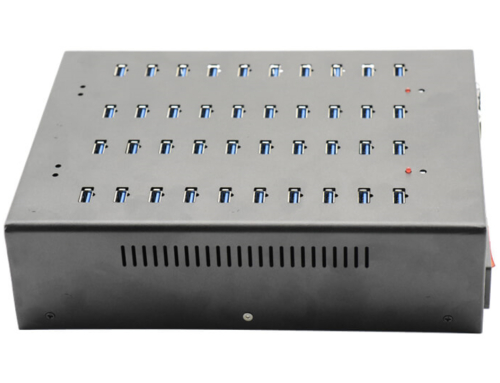
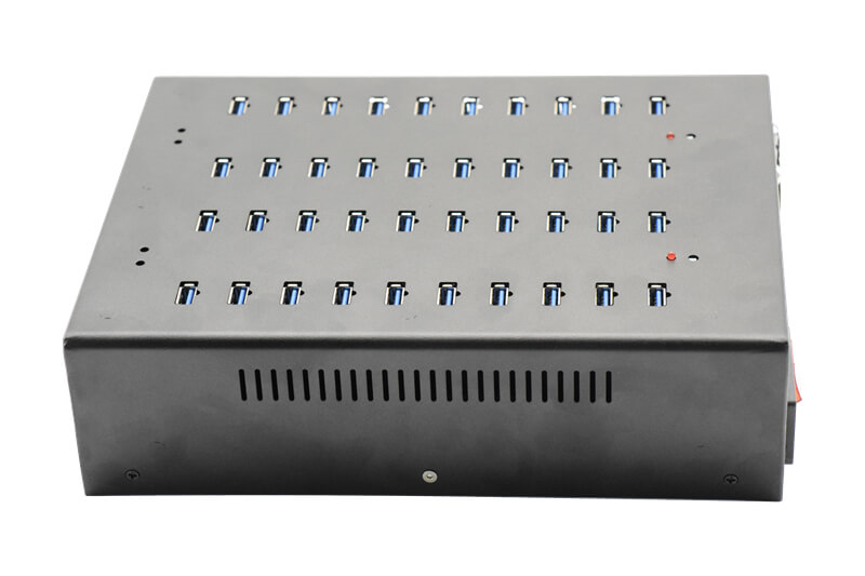
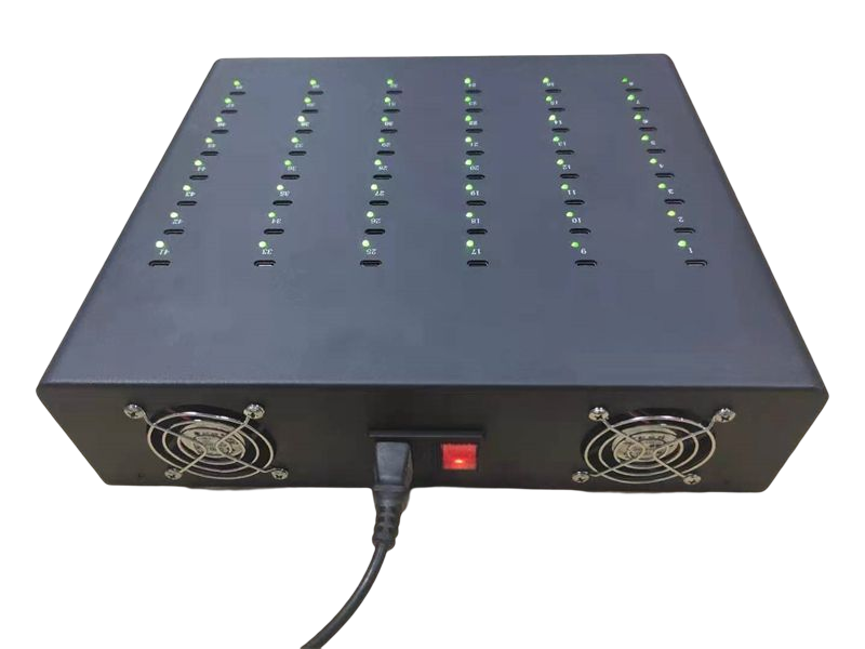
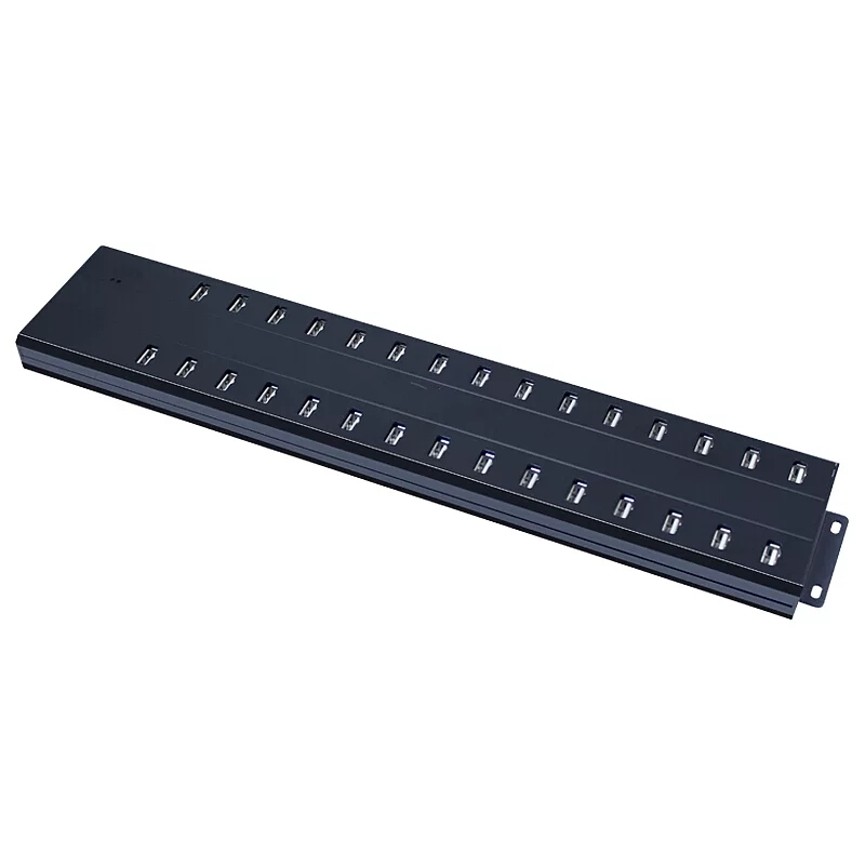
32 Port USB Hub A-32 provides a centralized solution for connecting, charging, and syncing multiple USB devices in schools, offices, and professional environments. Connecting every tablet, smartphone, camera, or e-reader individually can result in crowded workspaces, multiple charging accessories, and a less organized device-management process.
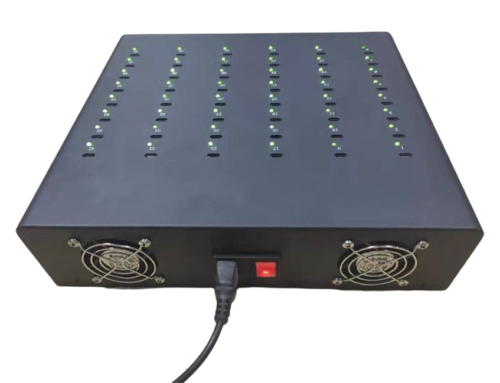
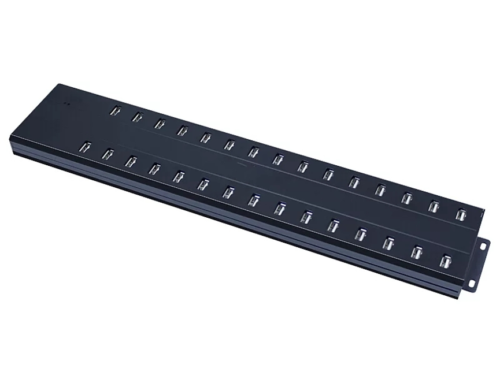
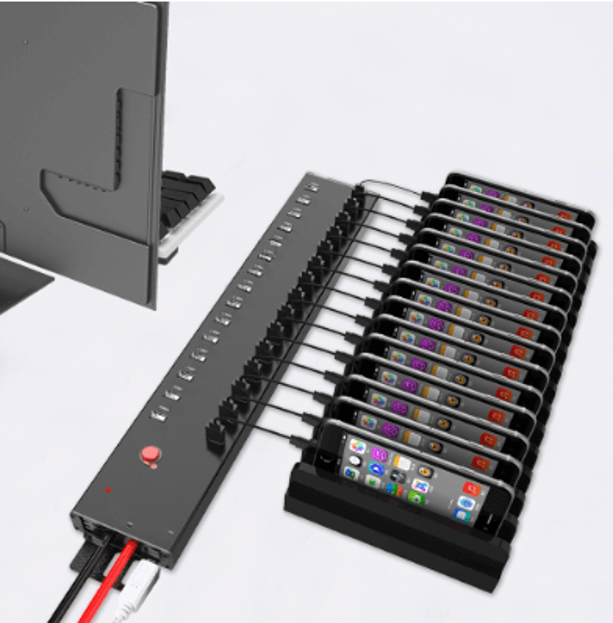
The 32 Ports USB 2.0 HUB A-32 is designed to provide a centralized solution for these multi-device environments. It supports syncing and/or charging multiple tablets, smartphones, and other personal electronic devices through a high-capacity USB hub configuration. The 32 Port USB Hub offers a centralized platform for managing multiple USB-connected devices.
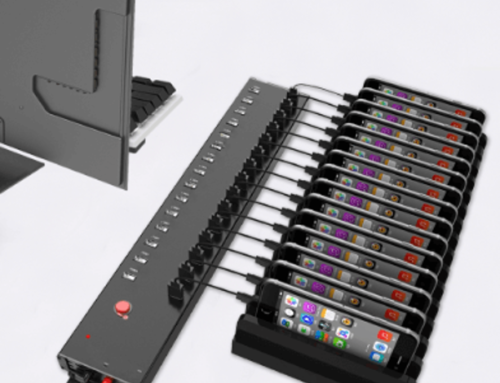
The manufacturer states that the A-32 can charge up to 30 USB-chargeable devices, with examples including iPads, iPods, tablet PCs, smartphones, e-readers, and GoPro cameras.
This makes the A-32 particularly useful for organizations that regularly manage a large collection of portable electronics. Schools and offices are specifically recommended applications, while its industrial USB hub classification also makes it relevant to professional device-management and technical environments.
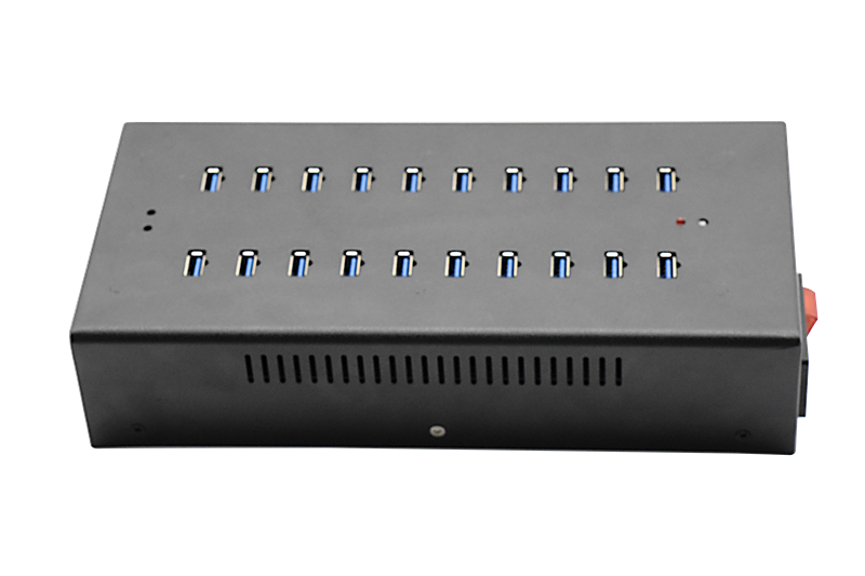
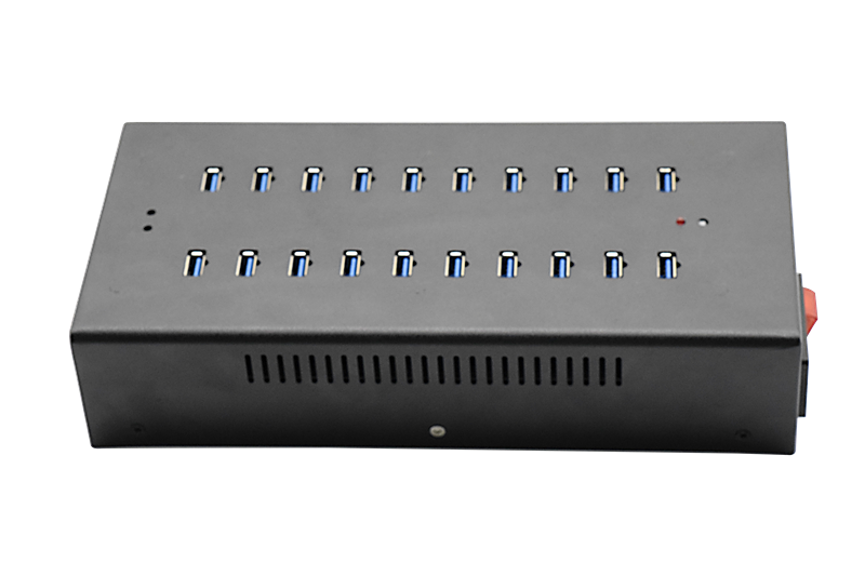
What Is the 32 Ports USB 2.0 HUB A-32?
The A-32 is a 32-port USB 2.0 hub designed to provide centralized connectivity for multiple USB devices.
A standard computer typically has a limited number of USB ports. When several devices need to be connected simultaneously, users may need additional hubs or adapters. The A-32 addresses this requirement by providing a high-capacity USB connection platform.
Its intended functions include:
- Charging compatible USB devices
- Syncing compatible devices
- Connecting multiple personal electronic devices
- Centralizing device management
- Supporting school and office environments with multiple USB devices
The product description specifically mentions support for tablets, smartphones, iPads, iPods, tablet PCs, e-readers, GoPro cameras, and other USB-chargeable devices.
Key Specifications
| Feature | Specification |
| Model | A-32 |
| Product | 32 Ports USB 2.0 HUB |
| USB Standard | USB 2.0 |
| Port Count | 32 |
| Charging Capacity | Up to 30 USB-chargeable devices |
| Main Functions | Syncing and/or charging |
| Example Devices | iPads, iPods, tablet PCs, smartphones, e-readers, GoPro cameras |
| Recommended Environments | Schools, offices, and other multi-device environments |
| Product Categories | All Product, Charge & Sync Hub, Data & Hub, Industrial USB HUB, USB 2.0 HUB |
The specifications above reflect the supplied product information. Additional electrical specifications, such as individual port charging current, total power rating, input requirements, and detailed data-transfer performance, have not been provided and should be confirmed separately if required.
32 USB Ports for Multi-Device Connectivity
The defining feature of the A-32 is its 32 USB ports.
A large number of USB ports can be particularly valuable when several devices need to be connected in the same location. Instead of repeatedly disconnecting one device to make room for another, users have access to a centralized high-capacity hub. Organizations can use the 32 Port USB Hub to simplify multi-device charging and synchronization.
This can be useful in environments such as:
- Classrooms
- Computer labs
- School technology departments
- Offices
- IT departments
- Device testing areas
- Service centers
- Training facilities
- Professional workstations
A high-port-count hub can also simplify cable organization by allowing devices to be grouped around one centralized connection point.
Charging Up to 30 USB Devices
One of the key specifications of the A-32 is its ability to charge up to 30 devices capable of being charged through a USB cable.
The manufacturer gives several examples of compatible device categories, including:
- iPads
- iPods
- Tablet PCs
- Smartphones
- E-readers
- GoPro cameras
- Other USB-chargeable personal electronics
The stated charging capacity of 30 devices is distinct from the hub’s physical port count of 32. In other words, the product has 32 USB ports, while the supplied specification specifically states charging capacity for up to 30 devices.
Users should therefore use the manufacturer’s stated 30-device charging capacity when planning a charging deployment rather than automatically assuming that all 32 ports are intended for simultaneous charging.
Supporting Tablets and Tablet PCs
Tablets are widely used in educational institutions, businesses, training centers, and other professional environments.
The A-32 can provide a centralized USB connection point for compatible tablets and tablet PCs. This can help simplify charging routines when multiple devices need to be prepared for use.
For example, a school may collect classroom tablets at the end of the day and connect them to a centralized charging station. An office may similarly use the hub for shared tablets used by employees or visitors.
The actual charging behavior will depend on each tablet’s charging requirements and compatibility with the USB charging setup.
Smartphone Charging and Management
Smartphones are another major category of USB-powered devices.
In an office or professional environment, employees may use multiple smartphones for communication, testing, demonstrations, or other business activities.
A centralized hub can provide a dedicated location where compatible smartphones can be connected and charged.
This can help reduce the need for numerous separate chargers and make it easier to maintain a consistent charging area. The 32 Port USB Hub can connect smartphones, tablets, iPads, e-readers, and other compatible devices.
For organizations that also need to synchronize data, the hub’s charge-and-sync positioning can provide an additional function beyond simple power delivery.
iPad and iPod Support
The product description specifically mentions iPads and iPods.
This makes the A-32 relevant to environments that use Apple mobile devices as part of their technology inventory.
Schools, training centers, libraries, offices, and other organizations can use centralized USB connectivity to organize compatible devices in one location.
Users should use the appropriate cables for their particular device models and verify the required charging and synchronization setup before deployment.
E-Reader Charging
The A-32 can also be used with compatible e-readers.
E-readers are commonly charged through USB connections and may be used in schools, libraries, offices, and shared environments.
A centralized multi-port hub can provide a convenient charging point for multiple e-readers without requiring a separate charger for every device.
As with other USB-powered products, actual charging performance depends on the individual e-reader and its charging requirements.
GoPro Camera Support
The manufacturer also lists GoPro cameras among the examples of devices that can be charged through the A-32.
This can be useful in environments where multiple portable cameras are used, such as educational programs, training activities, media teams, technical projects, or shared equipment rooms.
A centralized hub can make it easier to return multiple cameras to a common charging location after use.
The A-32 should be considered a USB charging and connectivity solution rather than a dedicated camera charger, and compatibility should be checked for specific camera models.
Syncing and Charging in One Hub
The A-32 is categorized as a Charge & Sync Hub, supporting workflows that involve both charging and data synchronization.
These two functions serve different purposes.
Charging supplies electrical power to a compatible device.
Synchronization allows data to be transferred or managed between a compatible device and host system through an appropriate USB connection and software environment.
This combination can be useful for organizations that need to maintain multiple devices while also performing data-related tasks.
For example, a school technology department may need to charge several tablets while managing compatible device content. An office IT department may similarly need to connect multiple mobile devices for administrative or testing purposes.
The exact synchronization capabilities depend on the connected devices, host system, USB cables, software, and operating environment.
USB 2.0 Connectivity
The A-32 uses USB 2.0 technology.
USB 2.0 is a widely adopted USB standard that can support compatible peripherals and mobile devices for connectivity and synchronization.
For many everyday device-management tasks, USB 2.0 can provide the necessary connection between a host computer and connected devices.
However, users should not assume that every connected device will achieve the same real-world performance. Data-transfer results can depend on:
- Host computer capabilities
- Connected device
- USB cable
- Software
- Operating system
- USB configuration
- Number of simultaneous connections
The product’s USB 2.0 classification also should not be interpreted as a specific charging speed. Charging performance is dependent on the device and the hub’s electrical design.
Recommended for Schools
The A-32 is specifically recommended for schools.
Educational institutions may have large numbers of tablets, iPads, e-readers, smartphones, and other portable electronics. Keeping these devices charged and organized can become a daily management challenge. With its high-capacity design, the 32 Port USB Hub is suitable for schools, offices, and professional environments.
The A-32 can support a centralized approach to device handling.
Possible school applications include:
- Classroom tablet charging
- iPad charging stations
- Computer laboratory device management
- Library e-reader charging
- Technology department equipment management
- Training-room device charging
- Shared student-device management
A centralized hub can also help establish a consistent process for collecting devices, charging them, and returning them to classrooms or users.
Recommended for Offices
The product is also specifically recommended for offices.
Modern workplaces may have many USB-powered devices, including smartphones, tablets, cameras, and shared electronics.
A dedicated multi-port USB hub can provide a central location for charging and connecting these devices.
Potential office applications include:
- Employee smartphone charging
- Shared tablet charging
- IT device management
- Meeting-room device charging
- Demonstration equipment
- Testing and support workstations
This can help keep charging equipment organized rather than distributing multiple individual adapters throughout the office.
Industrial and Professional Applications
The A-32 is also categorized as an Industrial USB HUB, making it relevant to professional and technical environments.
Potential applications can include:
- IT departments
- Device testing
- Electronics service centers
- Technical workstations
- Device management stations
- Training environments
- Commercial facilities
- Shared technology workspaces
Specific industrial deployment should always be evaluated against the installation environment and the electrical and operational requirements of the connected devices.
Main Benefits of the A-32
High Port Capacity
Thirty-two USB ports provide a centralized connection point for a large number of compatible devices.
Supports Up to 30 Devices for Charging
The product description specifically states charging capacity for up to 30 USB-chargeable devices.
Wide Range of Devices
The supplied examples include smartphones, tablets, iPads, iPods, tablet PCs, e-readers, and GoPro cameras.
Charging and Synchronization
The product is designed for workflows involving both charging and syncing.
Centralized Device Management
Organizations can manage multiple devices from a single USB hub rather than relying entirely on separate chargers.
Suitable for Schools and Offices
The manufacturer specifically recommends the A-32 for schools, offices, and other environments with multiple USB devices.
A-32 vs Individual Device Chargers
| Feature | A-32 32 Ports USB 2.0 HUB | Individual Chargers |
| Centralized Setup | Yes | No |
| USB Port Capacity | 32 | Depends on charger |
| Multi-Device Management | Yes | Limited |
| Stated Charging Capacity | Up to 30 devices | Depends on number of chargers |
| Syncing Capability | Supported as a hub function | Depends on charger |
| Cable Organization | Centralized | More distributed |
| Ideal Environment | Schools, offices, professional setups | Individual users |
The main advantage of the A-32 is centralization. It is designed to help organizations manage multiple USB devices from one location.
How to Use the 32 Ports USB 2.0 HUB
1. Select the Installation Location
Choose a stable location where the hub and connected devices can be easily accessed. The 32 Port USB Hub provides centralized connectivity for multiple USB devices.
2. Connect the Hub
Connect the hub to the appropriate host system and power source according to the manufacturer’s instructions.
3. Prepare Compatible Cables
Use appropriate USB cables for each connected smartphone, tablet, camera, e-reader, or other device.
4. Connect the Devices
Connect compatible devices to the available USB ports.
5. Charge the Devices
Allow the devices to charge according to their individual requirements.
6. Synchronize When Needed
For supported devices, use the appropriate host computer and software to perform synchronization.
7. Disconnect Devices Safely
Once charging or synchronization is complete, disconnect devices carefully and return them to their designated locations.
Best Practices for Multi-Device Management
Use Appropriate Cables
A multi-device environment may require many USB cables. Use cables that are appropriate for the devices being connected.
Label Devices
Schools and offices can benefit from labeling devices and cables to make ownership and device assignment easier to track.
Keep Cables Organized
Thirty or more USB connections can create significant cable clutter. Organize cables to reduce tangling and unnecessary stress on connectors.
Check Device Compatibility
Different devices can have different charging and synchronization requirements. Confirm compatibility before deploying large numbers of devices.
Monitor the Charging Area
A centralized charging station should be positioned where staff can monitor connected equipment.
Consider USB 2.0 Requirements
If your workflow involves large data transfers, verify that USB 2.0 provides the performance required by your devices and applications.
What to Consider Before Buying
Number of Devices
Compare the number of devices in your environment with the stated charging capacity of up to 30 devices.
Physical Port Requirement
The A-32 provides 32 USB ports, giving users additional connection capacity beyond the stated 30-device charging specification.
Device Types
Confirm compatibility with the exact smartphones, tablets, iPads, e-readers, cameras, or other devices you intend to use.
Charging Requirements
Check the charging requirements of the devices before deploying a large-scale charging setup.
Data Synchronization
If syncing is important, verify that your devices, cables, host computer, software, and operating system support the intended synchronization workflow.
USB Standard
The A-32 uses USB 2.0. Organizations requiring newer USB standards or higher data-transfer performance should evaluate whether USB 2.0 meets their needs.
Frequently Asked Questions
How many ports does the A-32 have?
The A-32 is specified as a 32 Ports USB 2.0 HUB.
How many devices can it charge?
The supplied product information states that it can charge up to 30 devices capable of being charged through USB cable.
Can it charge smartphones?
Yes. Smartphones are specifically included in the product description.
Can it charge tablets?
Yes. Tablets and tablet PCs are listed among the supported device types.
Does it support iPads?
Yes. iPads are specifically mentioned by the manufacturer.
Can it charge iPods?
Yes. iPods are also included in the product description.
Can it be used with e-readers?
Yes, compatible USB-chargeable e-readers are among the examples provided.
Can GoPro cameras be connected?
GoPro cameras are specifically listed as an example of a USB-chargeable device supported by the product.
Is the A-32 suitable for schools?
Yes. Schools are specifically identified as a recommended application.
Is it suitable for offices?
Yes. Offices are also specifically listed as a recommended environment.
Does it support both charging and syncing?
Yes. The product is described as supporting syncing and/or charging and is categorized as a Charge & Sync Hub.
Is it a USB 2.0 hub?
Yes. The A-32 is specified as a USB 2.0 HUB.
Conclusion
The 32 Ports USB 2.0 HUB A-32 is a centralized multi-device USB solution designed for organizations that need to connect, charge, and synchronize multiple compatible electronic devices.
With 32 USB ports and a stated ability to charge up to 30 USB-chargeable devices, the A-32 provides substantial connectivity capacity for schools, offices, technical workspaces, and other environments where multiple USB devices are used.
The product description specifically identifies iPads, iPods, tablet PCs, smartphones, e-readers, and GoPro cameras, demonstrating its intended use across a broad range of personal electronics.
Its charge-and-sync functionality also makes it useful beyond simple charging. Compatible devices can be connected to a centralized workstation for charging and supported synchronization tasks, helping organizations establish a more organized device-management workflow.
Schools caBecause the supplied information does not include detailed electrical output specifications, users should verify the exact charging requirements, power configuration, and synchronization compatibility for their devices before deployment.n use the A-32 for classroom tablets and iPads, while offices can use it for smartphones, tablets, shared devices, and IT equipment. Professional environments can also consider it for device testing, service, and centralized USB management.
For organizations seeking a high-capacity USB connectivity solution for multiple portable electronics, the A-32 32 Ports USB 2.0 HUB offers a practical centralized platform for charging, syncing, and managing compatible devices.