Introduction
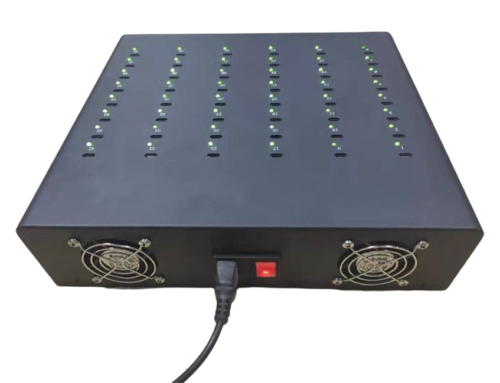
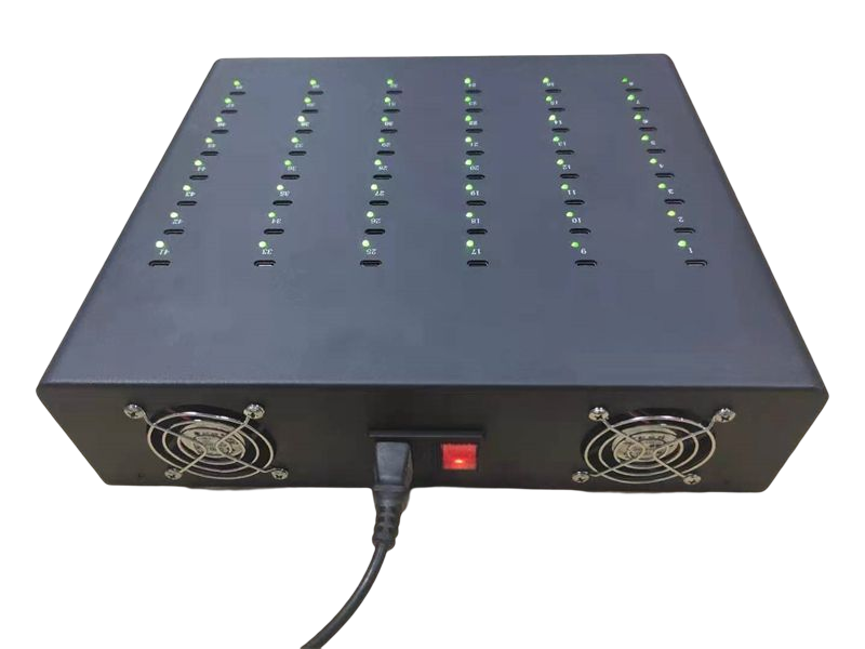
40 Port USB Hub A-40 provides high-capacity USB connectivity and charging for environments managing multiple devices.Using individual chargers and adapters for every device can also result in a cluttered workspace and make device management more complicated.
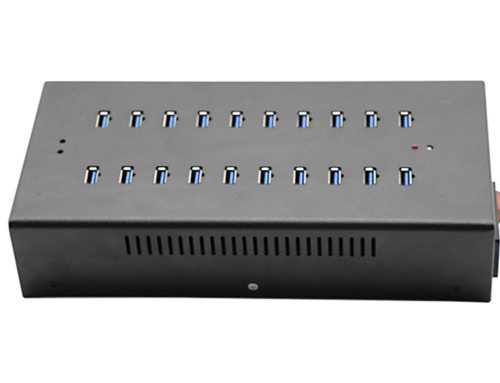
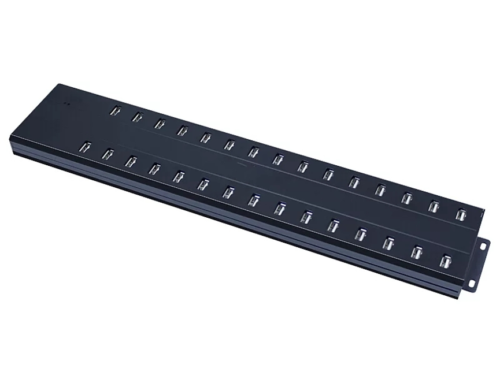
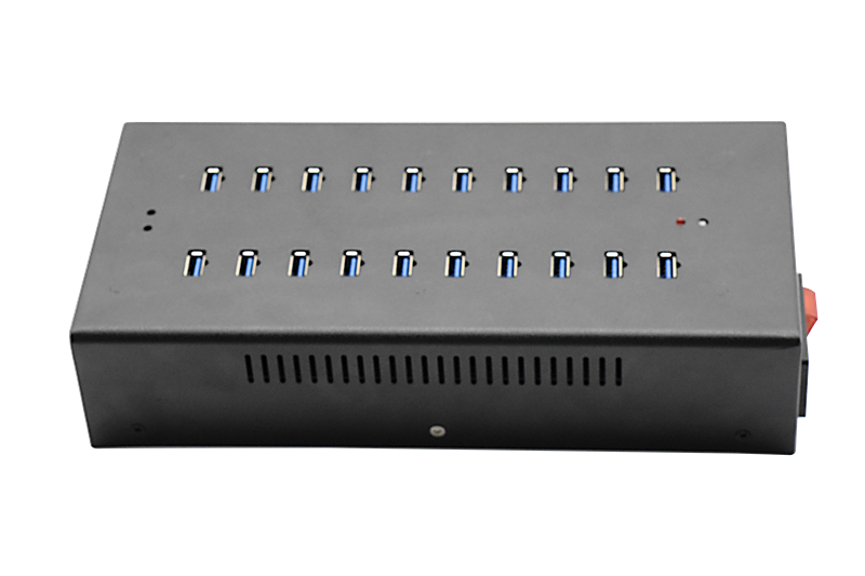
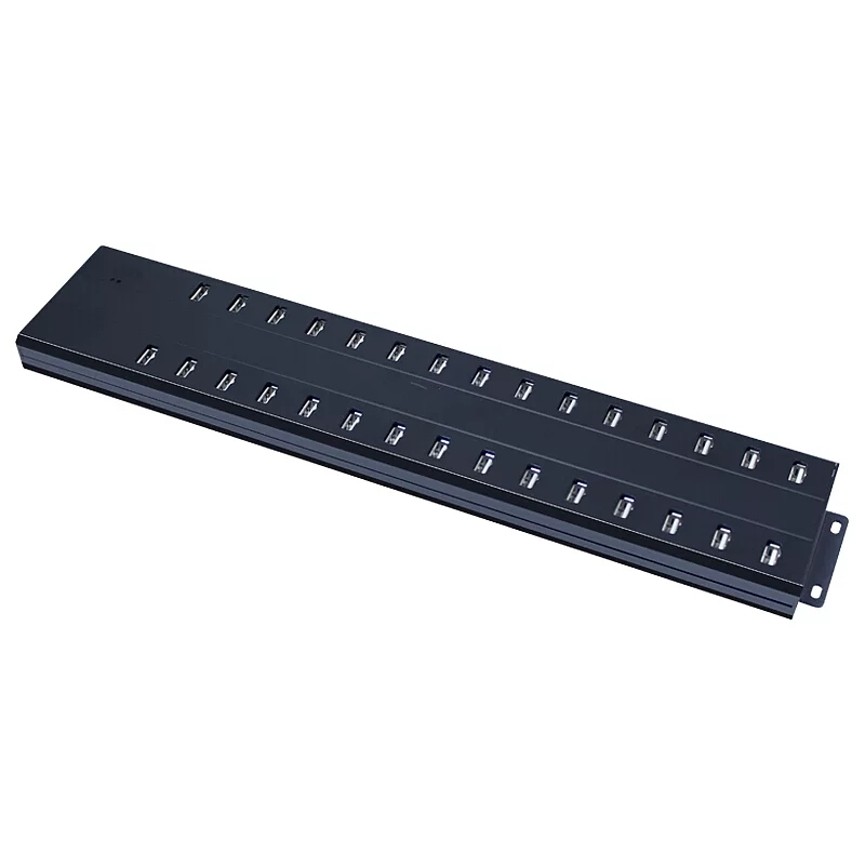
The 40 Ports USB 2.0 HUB A-40 is designed to provide high-capacity USB connectivity and charging for environments where multiple devices need to be connected or charged.
With 40 USB ports, the A-40 offers a centralized solution for managing a large number of compatible USB devices. Each port provides up to 5V, 2.4A, or 12W of charging power, while the hub supports data transfer rates of up to 480Mbps.
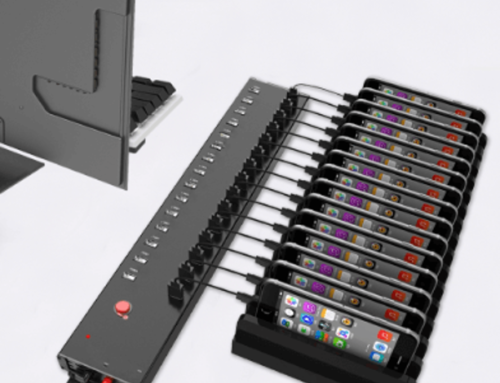
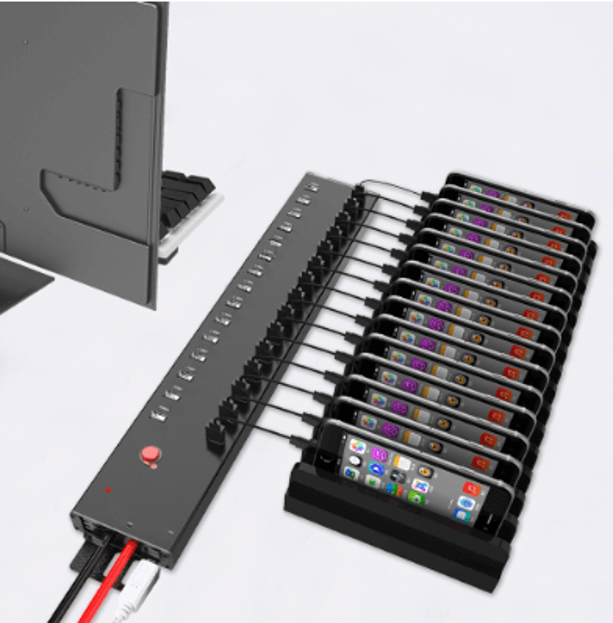
The A-40 is also compatible with a range of commonly used mobile devices, including iPads, iPods, iPhones, Android tablets, and Android smartphones. LED indicators provide a convenient visual signal for ports in use, helping users monitor connected devices.
Its backward compatibility with previous USB generations further improves flexibility when working with different USB devices.
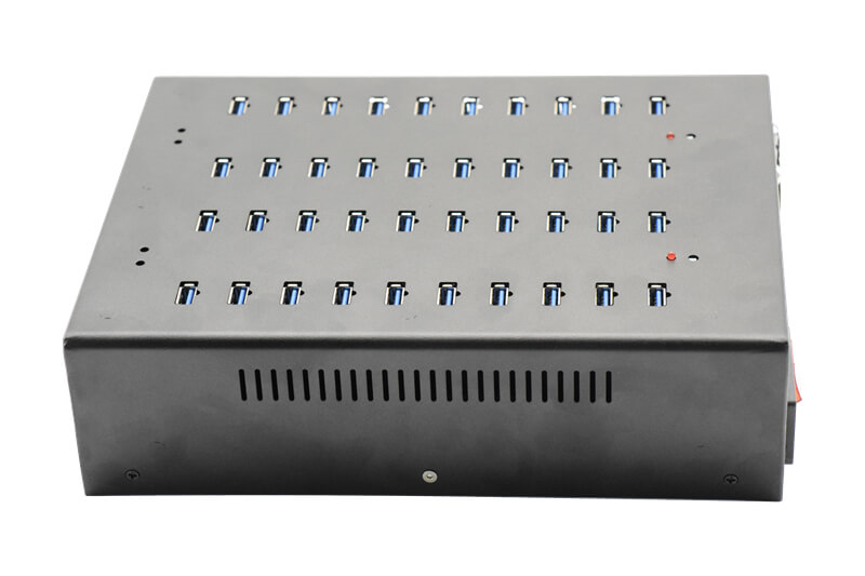
What Is the A-40 40 Ports USB 2.0 HUB?
The A-40 is a 40-port USB 2.0 hub designed for high-capacity multi-device connectivity and charging.
A USB hub expands the number of USB connections available from a host system. Instead of connecting every peripheral individually to a computer or other host, users can manage multiple USB devices through a centralized hub. Overall, the 40 Port USB Hub offers a practical solution for high-capacity USB connectivity.
The A-40 takes this concept further by providing 40 ports, making it particularly useful for environments where many USB devices are used at the same time.
It combines:
- 40 USB ports
- USB 2.0 connectivity
- Up to 480Mbps data transfer
- Up to 5V/2.4A charging per port
- Up to 12W charging power per port
- LED port-use indicators
- Backward compatibility with previous USB generations
- Support for iPad, iPod, iPhone, Android tablets, and smartphones
Key Specifications
| Feature | Specification |
| Model | A-40 |
| Product Type | 40 Ports USB 2.0 HUB |
| Number of Ports | 40 |
| USB Standard | USB 2.0 |
| Maximum Data Transfer Rate | Up to 480Mbps |
| Charging Voltage | Up to 5V per port |
| Maximum Charging Current | Up to 2.4A per port |
| Maximum Charging Power | Up to 12W per port |
| Port Indicators | LED indicators |
| Compatibility | iPad, iPod, iPhone, Android tablets and smartphones |
| Backward Compatibility | Previous USB generations |
| Recommended Environments | Schools, offices, and multi-device environments |
The stated 5V × 2.4A = 12W calculation matches the supplied per-port charging specification. The 12W figure should be understood as the maximum stated charging capability per port; actual charging depends on the connected device and its charging requirements.
40 USB Ports for High-Capacity Device Management
The most prominent feature of the A-40 is its 40 USB ports.
A high port count is useful for organizations that regularly manage many tablets, smartphones, and other USB devices.
For example, a school may have a large number of student tablets, while an office may need to manage smartphones and other USB-powered equipment. Having a centralized hub can simplify the physical organization of these devices.
Instead of spreading charging equipment across multiple locations, a 40-port hub provides a single centralized connection point.
The large port capacity can also be useful for:
- Device charging
- USB synchronization
- Device management
- IT workstations
- Classroom device management
- Smartphone and tablet servicing
- Shared workspaces
The actual number of devices that can be charged simultaneously at their maximum possible power depends on the hub’s overall power architecture and system-level limitations. The supplied specifications establish the per-port capability but do not provide a separate overall power rating.
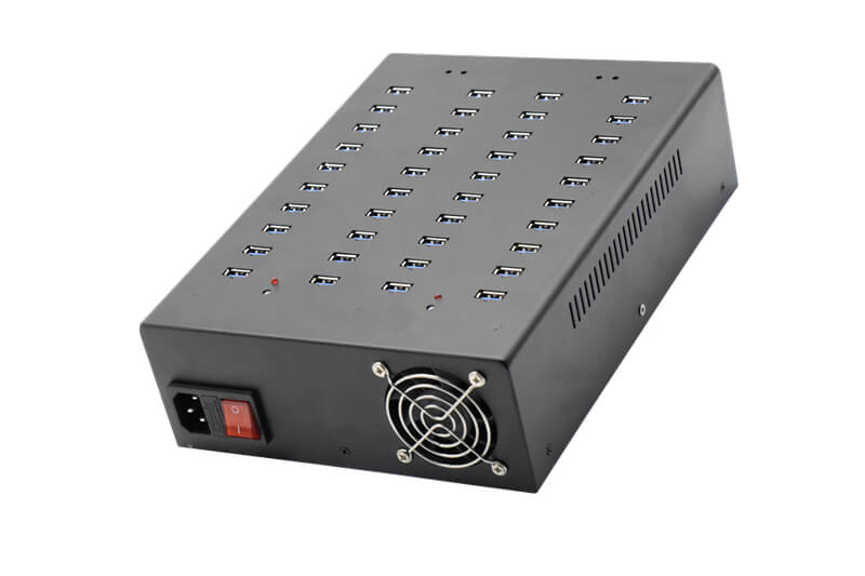
Up to 12W Charging Per Port
The A-40 provides up to 5V and 2.4A per port, which corresponds to a maximum of 12W per port.
The calculation is straightforward:
5V × 2.4A = 12W
This gives each port a stated maximum charging capability of 12W.
However, maximum available power and actual device charging power are not always the same. A connected smartphone or tablet determines how much power it draws based on its charging circuitry, battery condition, charging requirements, and compatibility.
Therefore, the A-40 should not be understood as forcing 12W into every connected device. Instead, 12W represents the maximum stated capability of each port.
Charging iPads, iPhones and Android Devices
The A-40 is specified as compatible with several common categories of mobile devices, including:
- iPad
- iPod
- iPhone
- Android tablets
- Android smartphones
This makes it suitable for environments where different brands and device types need to be managed from the same charging station. The 40 Port USB Hub is also suitable for offices and shared workspaces.
For example, an educational environment may use iPads alongside Android tablets, while an office may have a mixture of iPhones and Android smartphones.
Users should use suitable USB cables for each device and confirm that the specific device and cable combination supports the required charging behavior.
USB 2.0 Data Transfer Up to 480Mbps
In addition to charging, the A-40 supports USB 2.0 data transfer rates up to 480Mbps.
USB 2.0 provides a well-established connectivity standard for a wide range of peripherals and mobile devices.
The stated 480Mbps is the maximum USB 2.0 interface data rate. Actual data-transfer performance can be lower depending on the host system, connected device, cable, software, data type, and other factors.
For environments focused primarily on device charging and basic synchronization, USB 2.0 can provide a practical connectivity standard.
It is important to remember that connecting a device through a USB 2.0 hub does not increase the device’s native data-transfer capabilities.
LED Indicators for Easy Monitoring
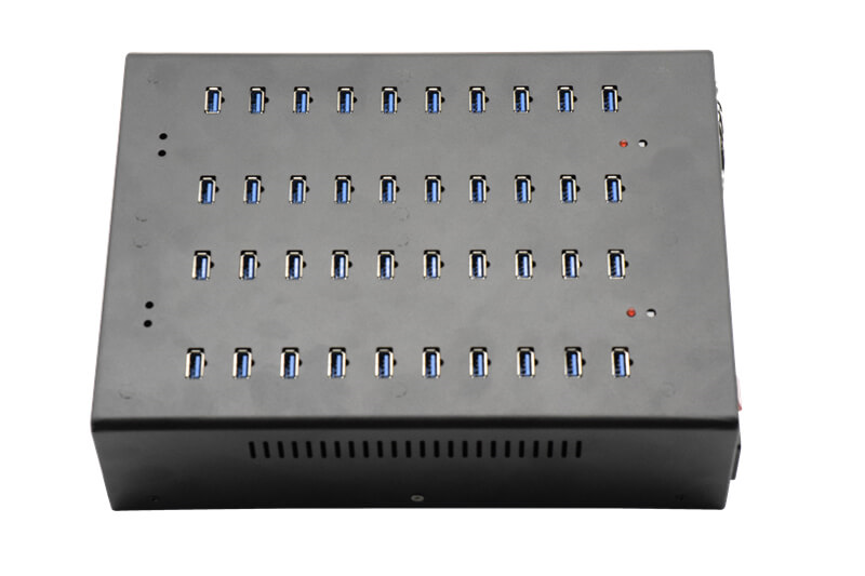
The A-40 includes LED indicators that signal ports in use.
When managing a large number of devices, visual indicators can make it easier to identify which ports are currently active.
This can be useful when:
- Checking connected devices
- Monitoring a charging setup
- Troubleshooting connections
- Identifying occupied ports
- Managing multiple devices simultaneously
Instead of checking every connected device individually, users can use the port indicators as a quick visual reference.
Backward Compatibility with Previous USB Generations
The A-40 is backward compatible with previous USB generations.
This is useful for environments that use a mixture of newer and older USB equipment.
Organizations do not necessarily need to replace every existing USB peripheral simply because they are introducing a USB 2.0 hub. Compatibility still depends on the particular device and connection, but backward compatibility provides greater flexibility when managing mixed USB equipment.
Designed for Schools and Offices
The A-40 is specifically recommended for schools, offices, and other environments where multiple USB devices are used.
Schools
Educational institutions may have numerous tablets and other USB devices that need regular charging and management.
A centralized 40-port hub can simplify the charging infrastructure and help organize devices in one location.
Offices
Modern workplaces may have multiple smartphones and USB-powered devices used by employees.
A centralized charging and connectivity solution can reduce charger clutter and make shared device charging easier to manage.
Training Centers
Training facilities often provide devices to multiple users. A high-capacity USB hub can support a centralized device-management setup.
IT Departments
IT teams may need to connect and manage several mobile devices during configuration, maintenance, testing, or synchronization tasks.
Service and Device Management Environments
Businesses that work with multiple smartphones and tablets can benefit from a high-port-count charging and connectivity solution.
Benefits of the 40 Ports USB 2.0 HUB A-40
High Port Capacity
With 40 USB ports, the A-40 is designed for environments that need to manage many devices from a centralized location.
12W Maximum Charging per Port
Each port provides up to 5V/2.4A, equivalent to 12W of stated maximum charging power.
USB 2.0 Data Connectivity
The hub supports data transfer rates up to 480Mbps for compatible devices and applications.
Broad Mobile Device Compatibility
The stated compatibility includes iPads, iPods, iPhones, Android tablets, and Android smartphones.
Easy Port Monitoring
LED indicators help identify ports that are in use.
Backward Compatibility
Support for previous USB generations makes the hub suitable for mixed-device environments. Schools can use the 40 Port USB Hub to manage and charge multiple tablets and smartphones.
Centralized Device Management
A single multi-port hub can help reduce the need for numerous separate charging connections.
A-40 vs Individual USB Chargers
| Feature | A-40 40-Port USB 2.0 HUB | Individual USB Chargers |
| Number of Connections | 40 ports | Usually one or a few per charger |
| Maximum Charging per Port | Up to 12W | Depends on charger |
| Data Connectivity | USB 2.0, up to 480Mbps | Usually charging-focused |
| Port Monitoring | LED indicators | Varies |
| Device Management | Centralized | Distributed |
| Best For | Multi-device environments | Individual users/devices |
| Workspace Organization | Centralized solution | Can require many adapters |
The A-40 is particularly suited to situations where many devices need to be managed together rather than charged individually.
A-40 vs Smaller USB Hubs
| Feature | A-40 | Smaller USB Hub |
| Port Count | 40 | Usually fewer |
| USB Standard | USB 2.0 | Varies |
| Maximum Data Rate | 480Mbps | Depends on model |
| Maximum Charging | 12W per port | Depends on model |
| LED Indicators | Yes | Varies |
| Multi-Device Use | High capacity | Low to moderate capacity |
| Suitable Environment | Schools, offices, large device setups | Desktop/general use |
The primary difference is capacity. The A-40 is designed for users who need a significantly larger number of USB connections.
How to Use the A-40 USB Hub
Step 1: Select the Installation Location
Choose a stable and accessible location where the connected devices can be organized safely.
Step 2: Connect the Hub
Connect the A-40 according to the manufacturer’s installation requirements.
Step 3: Prepare Your USB Cables
Use appropriate USB cables for the devices you plan to connect.
Step 4: Connect Your Devices
Connect compatible iPads, iPods, iPhones, Android tablets, smartphones, or other USB devices to the available ports.
Step 5: Check the LED Indicators
Use the LED indicators to identify ports that are in use.
Step 6: Monitor Charging and Data Activity
Confirm that connected devices are charging or communicating correctly.
Best Practices for Managing 40 USB Devices
Use suitable cables: Different devices may require different USB cable types. Use cables appropriate for the device and intended function.
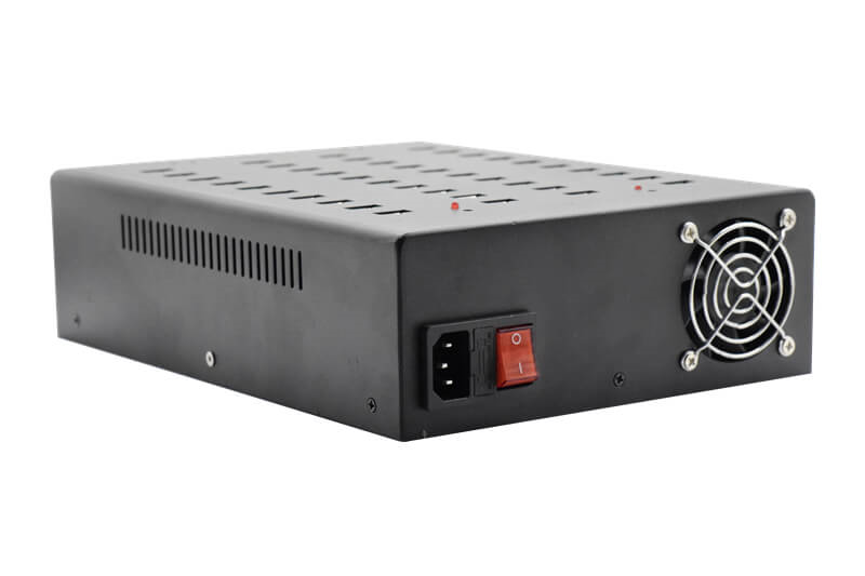
Keep cables organized: With 40 ports, cable management becomes especially important. Organized cables make devices easier to identify and reduce clutter.
Avoid unnecessary cable strain: Keep connected cables routed in a way that minimizes pulling and bending around USB connectors.
Monitor connected devices: LED indicators can help users quickly identify active ports.
Check device requirements: The 12W maximum per-port capability does not mean every device will draw 12W.
Plan device placement: Arrange tablets and smartphones so that users can easily connect and remove them without disturbing neighboring connections.
Consider total system capacity: The supplied specifications provide a per-port charging rating but do not specify the hub’s overall power rating. For installations involving many simultaneously charging devices, confirm the system-level power specifications.
What to Consider Before Buying
Port Count
The A-40 provides 40 ports, making it appropriate for large multi-device environments. Make sure the number of connections matches your requirements.
Charging Requirements
Each port is specified for up to 5V/2.4A or 12W. Check the charging requirements of the devices you plan to connect.
Data Transfer
The A-40 supports USB 2.0 data transfer up to 480Mbps. If your workflow requires higher-speed data transfer than USB 2.0 provides, a different USB standard may be more appropriate.
Device Compatibility
The supplied compatibility includes iPad, iPod, iPhone, Android tablets, and Android smartphones.
Cable Requirements
Use suitable cables for each device and verify that the cable supports the required charging or data function.
Overall Power Capacity
Per-port charging capability should not be confused with total system power. If many devices will charge simultaneously, confirm the manufacturer’s overall power specifications.
Frequently Asked Questions
How many ports does the A-40 have?
The A-40 has 40 USB ports.
What USB standard does it use?
The A-40 is a USB 2.0 hub.
What is the maximum data-transfer speed?
It supports data transfer rates of up to 480Mbps.
How much charging power does each port provide?
Each port provides up to 5V and 2.4A, which equals a maximum stated charging power of 12W per port.
Can it charge iPads?
Yes. The supplied specifications specifically list iPad compatibility.
Does it support iPhones?
Yes. iPhone is among the listed compatible device categories.
Can Android smartphones and tablets be connected?
Yes. The product information specifies compatibility with Android tablets and smartphones.
Does the A-40 have LED indicators?
Yes. LED indicators signal ports that are in use.
Is the A-40 backward compatible?
Yes. It is specified as backward compatible with previous USB generations.
Is it suitable for schools?
Yes. The product is specifically recommended for schools and other environments where multiple USB devices are used.
Is it suitable for offices?
Yes. Offices are among the recommended environments for the A-40.
Does every device receive exactly 12W?
No. 12W is the maximum stated capability per port. Actual power draw depends on the connected device and its charging requirements.
Can all 40 ports simultaneously deliver their maximum 12W?
The supplied information specifies up to 12W per port but does not provide a separate overall system power rating. Therefore, a total 480W system output should not be assumed without manufacturer confirmation.
Is 480Mbps guaranteed during every file transfer?
No. 480Mbps is the maximum USB 2.0 interface data rate. Real-world performance can vary depending on the host, device, cable, software, and other factors.
Conclusion
The 40 Ports USB 2.0 HUB A-40 is designed for schools, offices, and other environments where a large number of USB devices need to be connected, charged, or managed from a centralized solution.
With 40 USB ports, the A-40 provides substantial connectivity capacity for multi-device environments. Each port supports up to 5V/2.4A, or 12W, of stated maximum charging capability, while USB 2.0 data connectivity supports transfer rates of up to 480Mbps. The 40 Port USB Hub provides centralized connectivity for multiple USB devices.
The hub’s compatibility with iPads, iPods, iPhones, Android tablets, and Android smartphones makes it suitable for mixed-device environments. LED indicators further simplify device management by showing which ports are in use, while backward compatibility helps accommodate previous USB generations.
For organizations managing many devices, centralized charging and connectivity can make daily device handling more organized and convenient than relying on numerous individual chargers.
It is important to distinguish the 12W maximum per-port capability from the total power capacity of the complete hub. The supplied specifications do not state an overall system power rating, so users planning to charge many devices simultaneously should confirm the manufacturer’s total power specifications.
Likewise, the stated 480Mbps represents the maximum USB 2.0 interface data rate rather than a guaranteed real-world transfer speed.
Overall, the A-40 40 Ports USB 2.0 HUB offers a high-capacity solution for centralized USB connectivity and charging, making it a practical choice for schools, offices, IT environments, training facilities, and other workplaces where managing numerous USB devices is part of the daily workflow.