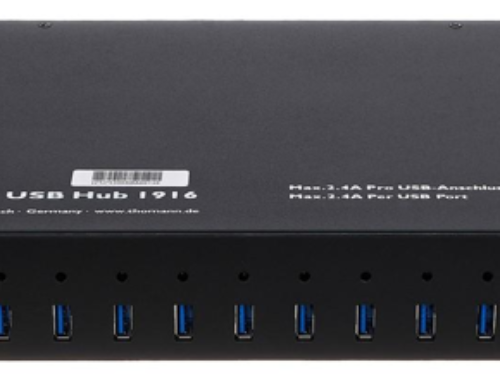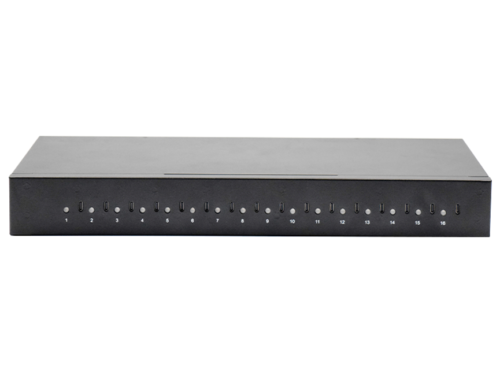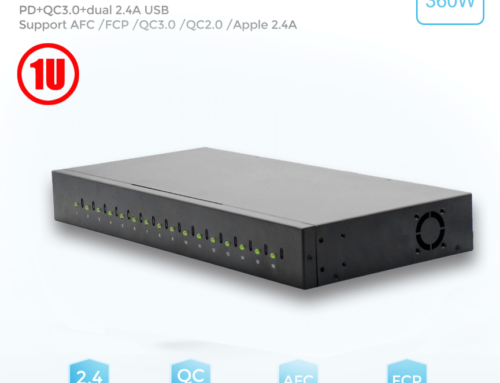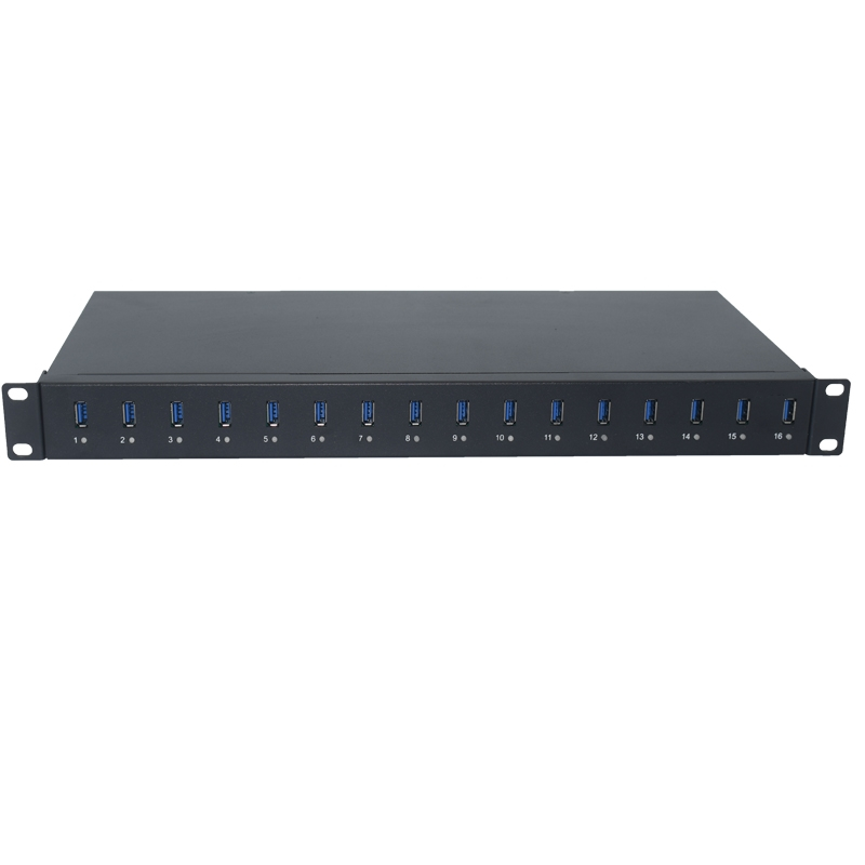
19-Inch Rackmount 16-Port USB Charge & Sync Hub A-16
Rackmount 16-Port USB Hub A-16 is designed for centralized USB connectivity and charge-and-sync applications in professional environments.
The Ladagogo A-16 19-Inch Rackmount 16-Port USB Charge & Sync Hub is designed as a professional USB 2.0 connectivity and charge-and-sync solution. It provides multiple downstream USB connections, supports USB 2.0 data rates up to 480Mbps, offers backward compatibility with USB 1.1, and includes LED indicators for monitoring port conditions and power status.
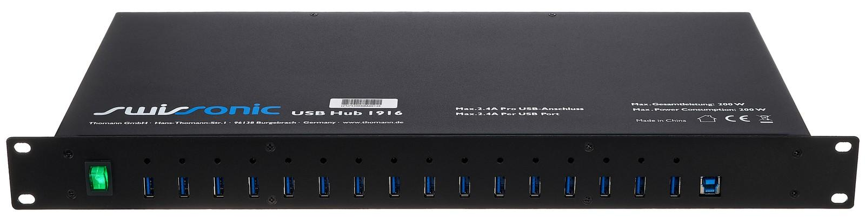
The product is designed around a 19-inch rackmount installation, making it suitable for structured equipment environments where USB connectivity needs to be organized within a rack or centralized equipment area.
With support for high-speed, full-speed, and low-speed USB operation, the A-16 is intended to accommodate a range of compatible USB devices while providing centralized port management.
What Is the A-16 Rackmount USB Hub?
The A-16 is a multi-port USB 2.0 hub designed for professional and commercial environments.
The supplied specifications identify the product as a 19-inch rackmount 16-port USB charge and sync hub, while the technical description also specifies USB 2.0 functionality and multiple USB operating speeds.
The hub is designed to provide centralized downstream USB connectivity, allowing multiple compatible devices to communicate with a host system through one organized installation.The Rackmount 16-Port USB Hub supports USB 2.0 connectivity and multiple compatible devices.
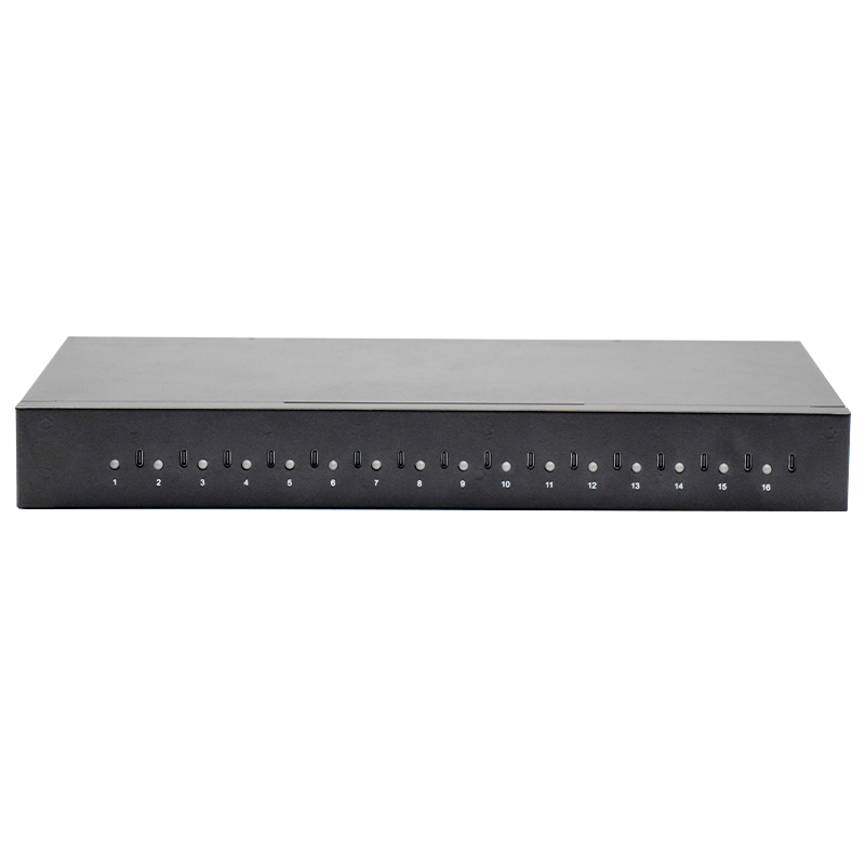
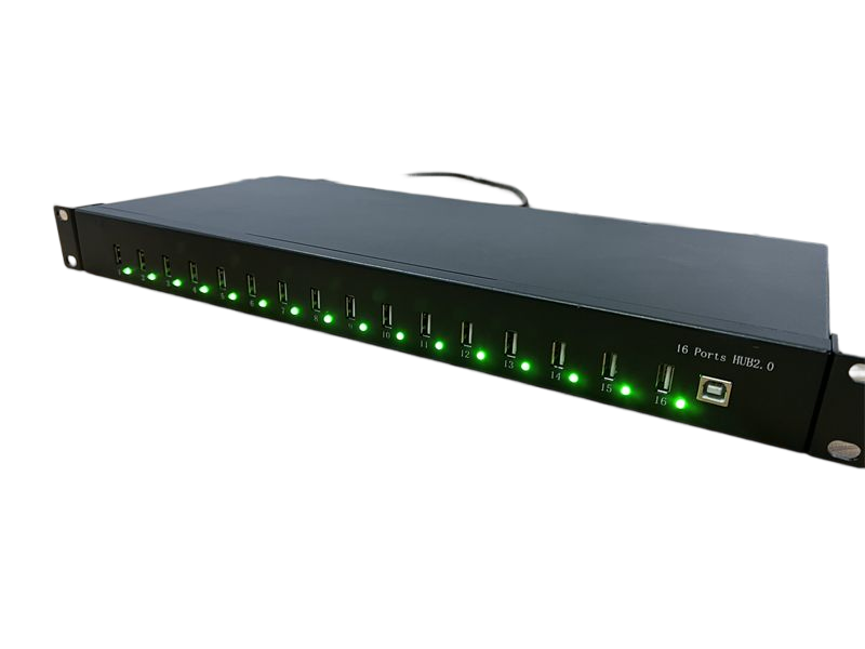
Its LED status indicators provide a convenient visual reference for individual ports and power status.
Rackmount 16-Port USB Hub: Key Specifications
| Specification | A-16 Details |
| Model | A-16 |
| Product Type | Rackmount USB Charge & Sync Hub |
| USB Standard | USB 2.0 |
| Backward Compatibility | USB 1.1 |
| USB Speed | Up to 480Mbps |
| Supported Speeds | 480Mbps, 12Mbps, 1.5Mbps |
| Port Status | LED indicators |
| Power Status | LED indicator |
| Operating Mode | Self-powered |
| Multi-TT | Supported |
| Simultaneous Transactions | Up to 16 non-periodic transactions |
| Mounting | 19-inch rackmount design |
| Categories | Charge & Sync Hub, Charger Series, Charging Cabinet, Industrial USB HUB, USB 2.0 HUB |
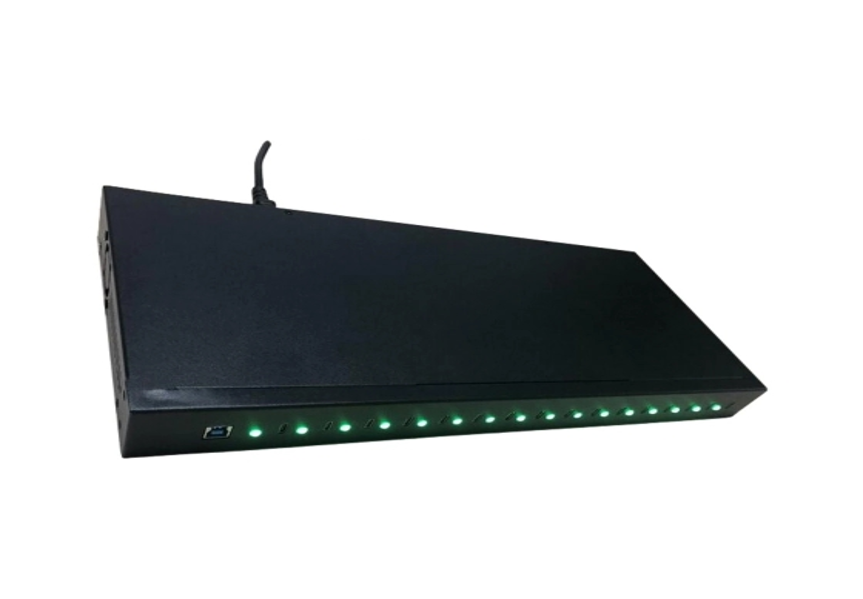
USB 2.0 Connectivity
The A-16 is specified as being compliant with the USB 2.0 specification.
USB 2.0 provides a widely established interface for connecting peripherals and compatible devices to a computer or host system.
The product also supports earlier USB 1.1 specifications, providing backward compatibility for compatible devices that use the older USB standard.
This makes the hub suitable for environments where a combination of USB generations may need to be connected through the same centralized infrastructure.
480Mbps High-Speed USB 2.0
The A-16 supports USB 2.0 high-speed operation at up to 480Mbps.
It also supports the lower USB speed classes specified in the product information:
| USB Speed Class | Maximum Stated Speed |
| High-Speed | 480Mbps |
| Full-Speed | 12Mbps |
| Low-Speed | 1.5Mbps |
These are USB interface speed classifications rather than guaranteed real-world file-transfer speeds.
Actual data-transfer performance can be lower depending on the connected device, host system, USB cables, file characteristics, software, and overall system workload.
For example, a USB device designed for a lower USB speed will operate according to its supported capabilities even when connected to a USB 2.0 hub.
Backward Compatibility With USB 1.1
The product is specified as being backward compatible with USB Specification Revision 1.1.
Backward compatibility can be useful in professional environments where older USB peripherals remain part of an existing workflow.
Instead of replacing every older USB peripheral immediately, organizations can use compatible equipment with a hub that supports multiple USB speed classes.
This can be particularly relevant for technical workstations, laboratories, legacy equipment, and long-running commercial installations.
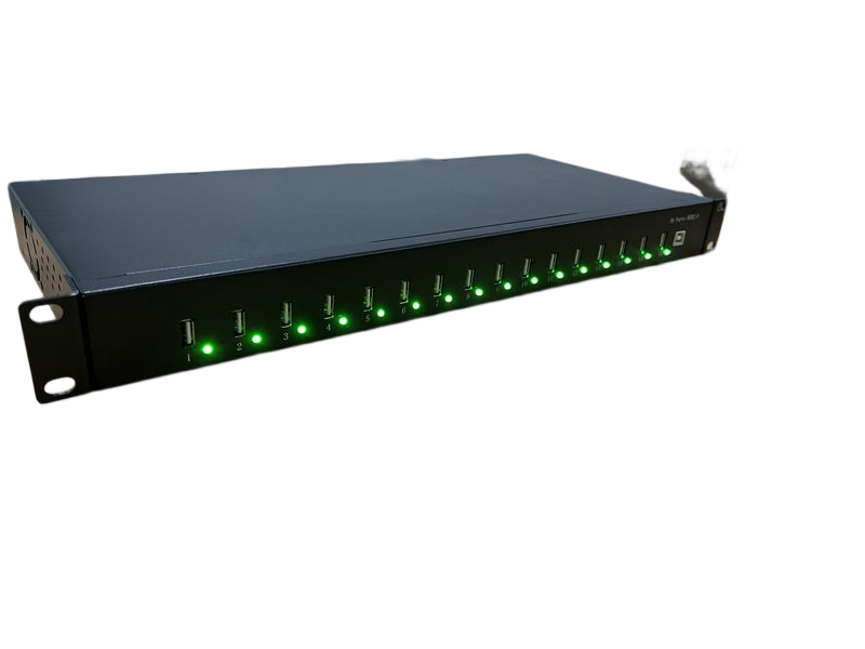
16-Port Charge and Sync Configuration
The product is marketed as a 16-port USB Charge & Sync Hub, making multi-device management one of its core applications.
The supplied technical description, however, contains a conflicting statement referring to 20 downstream USB 2.0 ports.
Because the product name and model information identify the unit as a 16-port hub, while the specification text mentions 20 downstream ports, the exact physical port count should be confirmed from the manufacturer’s current hardware documentation before publishing a definitive port count on a product listing.
For SEO and product-content purposes, the safest model-specific description is to retain the supplied product name: A-16 19-inch Rackmount 16-Port USB Charge & Sync Hub.
This avoids silently changing the product’s advertised configuration.
LED Indicators for Port Status
One of the useful management features of the A-16 is its LED status indication.
The supplied information states that LEDs provide the port condition for each port and indicate power status.
For a multi-port USB installation, visual status indicators can make device management easier.
Instead of checking every connection manually, users can use the LEDs as a quick visual reference for the hub’s port activity and power condition.
LED indicators can help with:
- Identifying active port conditions
- Monitoring individual connections
- Checking power status
- Troubleshooting connections
- Managing multiple connected devices
- Maintaining an organized rack installation
The supplied information does not specify the exact meaning of each LED color or flashing pattern, so those details should be confirmed from the manufacturer’s documentation.
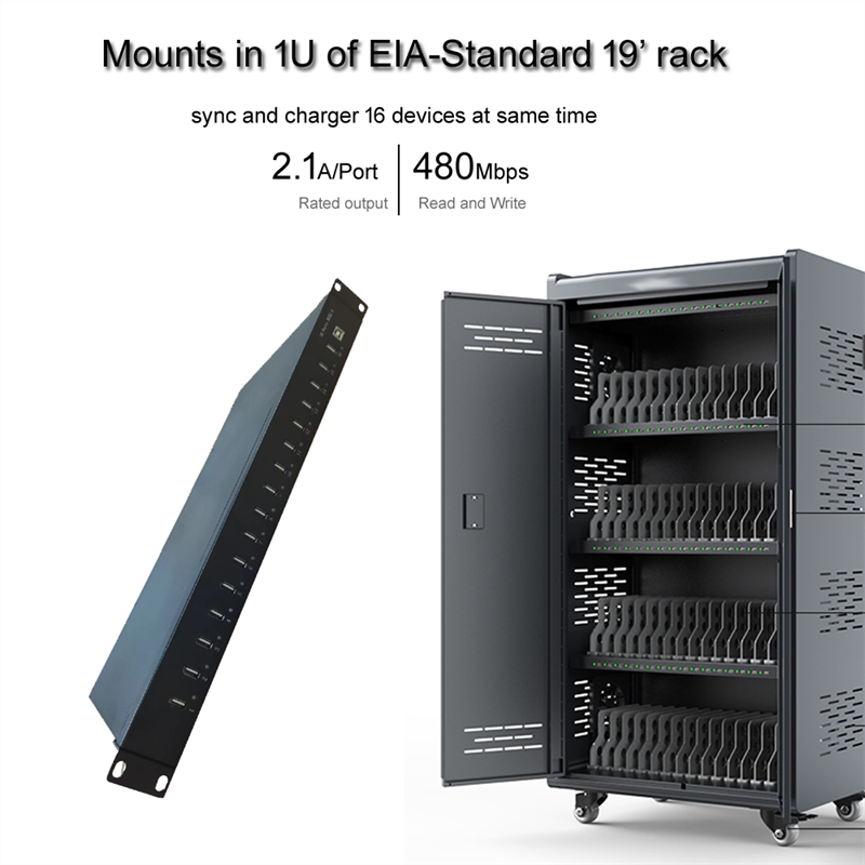
Self-Powered USB Hub
The A-16 supports a self-powered operating mode.
A self-powered USB hub uses its own power source rather than depending entirely on power supplied through the host computer’s USB connection.
This type of architecture is useful for multi-device environments because the hub is designed around an externally powered configuration.
The exact power input rating, adapter specification, or total electrical output is not included in the supplied product information, so those values should not be assumed.
Multi-TT Architecture
The specification identifies support for multiple transaction translators per hub, commonly referred to as Multi-TT.
Transaction translators are associated with handling USB traffic between different USB speed classes.
A Multi-TT architecture can be useful when multiple USB devices operating at different speeds are connected to the same hub.
The supplied specification also states support for 16 simultaneous non-periodic transactions, which relates to the hub’s USB transaction-handling capability.
These technical features are particularly relevant to professional USB environments where multiple devices may be communicating at the same time.
What Is Multi-TT?
A USB 2.0 hub can encounter situations where devices operating at different USB speeds share the same hub.
A transaction translator helps manage communication between the USB 2.0 high-speed hub and compatible lower-speed USB devices.
A Multi-TT design provides multiple transaction translators rather than relying on a single shared translator arrangement.
This can be beneficial in multi-device environments where several USB peripherals may be communicating simultaneously.
However, actual performance depends on the connected devices, host controller, software, and overall USB architecture.
Rackmount Design for Professional Installations
The A-16 is designed for 19-inch rack mounting, making it suitable for structured equipment environments.
Rack mounting is particularly useful for organizations that want to keep their USB infrastructure organized alongside other IT or technical equipment.
Potential rack-based environments include:
- Server rooms
- IT departments
- Equipment rooms
- Commercial facilities
- Laboratories
- Device management areas
- Technical workstations
- Industrial environments
The rackmount format can help reduce desktop clutter and keep USB connectivity equipment in a defined location.
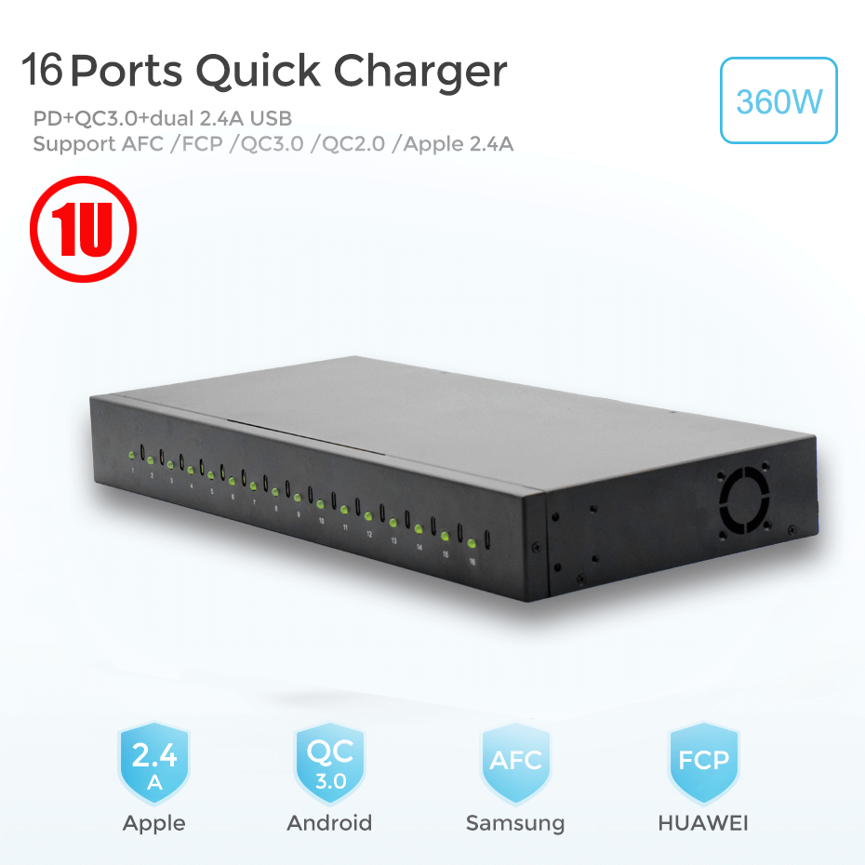
The supplied information does not explicitly state the rack height in rack units, so the product should not automatically be described as a confirmed 1U device unless the manufacturer’s physical specifications verify it.
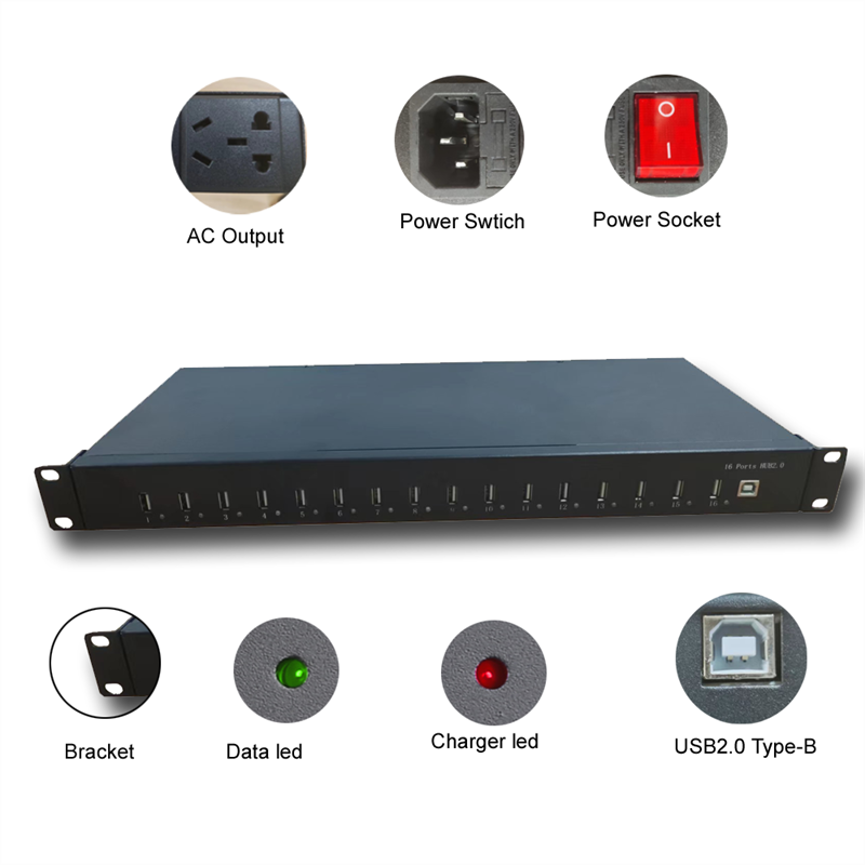
USB Charge and Sync Applications
The A-16 is positioned as a Charge & Sync Hub, making it suitable for workflows that involve both device connectivity and charging-related use. The Rackmount 16-Port USB Hub is suitable for IT departments, laboratories, schools, service centers, and commercial environments.
USB synchronization can be useful when multiple compatible devices need to communicate with a host computer.
Potential applications include:
Device Management
Organizations managing multiple USB-connected devices can use a centralized hub to simplify connections.
Education
Schools and training environments may use multiple USB devices that need to be connected or synchronized from one location.
IT Workstations
IT teams can use centralized USB connectivity when working with several peripherals and devices.
Service Centers
Repair and service environments may need multiple USB connections during testing and device preparation.
Commercial Installations
A rack-mounted USB hub can provide a more organized solution for businesses operating multiple USB-connected devices.
High-Speed, Full-Speed, and Low-Speed USB Support
The A-16 supports three USB speed classifications listed in its specifications:
High-Speed – 480Mbps
This is the maximum USB 2.0 high-speed interface rate stated for the hub.
Full-Speed – 12Mbps
This is associated with USB full-speed devices.
Low-Speed – 1.5Mbps
This is used by compatible lower-speed USB peripherals.
Supporting multiple speed classes makes the hub more versatile for environments where different types of USB devices are connected.
However, the connection speed is ultimately limited by the capabilities of the connected device and the USB communication path.
A-16 vs Basic USB Hub
| Feature | A-16 Rackmount USB Hub | Basic USB Hub |
| USB Standard | USB 2.0 | Varies |
| USB 1.1 Compatibility | Yes | Varies |
| Maximum USB Speed | 480Mbps | Varies |
| Supported Speed Classes | 480Mbps / 12Mbps / 1.5Mbps | Varies |
| LED Port Status | Yes | Varies |
| Power Status Indicator | Yes | Varies |
| Self-Powered Mode | Yes | Varies |
| Multi-TT | Yes | Not always |
| Rackmount Design | 19-inch | Usually no |
| Charge & Sync Positioning | Yes | Usually general connectivity |
| Professional Installation | Designed for this use | Depends on model |
The A-16 is distinguished by its combination of USB 2.0 functionality, status monitoring, self-powered operation, Multi-TT architecture, and rackmount installation.
Benefits of the A-16 Rackmount USB Hub
Centralized Connectivity
The hub provides a centralized connection point for multiple compatible USB devices.
Professional Rack Installation
Its 19-inch rackmount format makes it suitable for structured technical environments.
LED Monitoring
Individual port and power status indicators help users monitor the system.
USB 2.0 Compatibility
Support for USB 2.0 provides compatibility with a broad range of USB peripherals.
USB 1.1 Backward Compatibility
Older compatible USB devices can continue to be used through the hub.
Multiple USB Speed Classes
The hub supports high-speed, full-speed, and low-speed USB operation.
Self-Powered Operation
The self-powered architecture is suited to multi-device environments.
Multi-TT Support
Multiple transaction translators support USB communication involving different speed classes.
How to Set Up a Rackmount USB Hub
Step 1: Choose the Rack Location
Select an appropriate location within the 19-inch rack where the hub can be securely installed.
Step 2: Install the Hardware
Secure the hub using the appropriate rack hardware according to the manufacturer’s installation instructions.
Step 3: Connect Power
Connect the hub to its appropriate external power source for self-powered operation.
Step 4: Connect the Host
Connect the hub to the host computer or compatible system using the appropriate USB connection.
Step 5: Connect USB Devices
Connect compatible USB peripherals to the available downstream ports.
Step 6: Check LED Indicators
Use the port and power LEDs to verify the operating condition of the connections.
Step 7: Confirm Device Recognition
Check the host computer to ensure the connected USB devices are recognized correctly.
Best Practices for Professional USB Hub Deployment
Use Compatible USB Devices
Check the USB requirements of every device before connecting it to the hub.
Consider USB Speed
Remember that USB 2.0 supports up to 480Mbps, while connected devices may operate at lower speeds.
Keep Rack Cabling Organized
With multiple USB connections, cable organization becomes important for accessibility and maintenance.
Monitor Port Indicators
Use the LED indicators as a quick reference when troubleshooting connections or checking device activity.
Maintain Appropriate Power
Because the hub supports self-powered operation, use the correct power source specified for the unit.
Avoid Unsupported Power Claims
The supplied specifications do not provide a per-port charging wattage or current rating. Therefore, the A-16 should not be advertised with an invented per-port charging output.
Who Should Use the A-16?
The A-16 can be useful for organizations that require centralized USB connectivity in a structured installation.
Potential users include:
- IT departments
- Schools
- Laboratories
- Service centers
- Commercial businesses
- Technical workstations
- Industrial environments
- Device-management facilities
- Server-room installations
- Shared equipment areas
Its rackmount design makes it particularly relevant to users who prefer centralized equipment installation instead of loose desktop hubs.
Frequently Asked Questions
What is the A-16?
The A-16 is a 19-inch rackmount USB Charge & Sync Hub designed around USB 2.0 connectivity and multi-device management.
What USB standard does it support?
The hub supports USB 2.0 and is backward compatible with USB 1.1.
What is the maximum USB 2.0 speed?
The supplied specification states support for up to 480Mbps high-speed operation.
Does it support older USB devices?
Yes. The product specification states backward compatibility with USB 1.1.
Does the hub have LED indicators?
Yes. LEDs provide information about individual port conditions and power status.
What USB speeds are supported?
The supplied specifications identify 480Mbps, 12Mbps, and 1.5Mbps speed classes.
What does Multi-TT mean?
Multi-TT refers to a hub architecture using multiple transaction translators to manage USB traffic involving different speed classes.
Is the A-16 self-powered?
Yes. The product supports a self-powered operating mode.
Is it designed for rack mounting?
Yes. The product is specified as a 19-inch rackmount hub.
Does the product support charging and syncing?
The product is categorized and marketed as a USB Charge & Sync Hub, supporting centralized USB device connectivity. Specific charging wattage or per-port current specifications are not provided in the supplied information.
How many ports does the A-16 have?
The product title identifies it as a 16-port hub, while one supplied technical line mentions 20 downstream USB 2.0 ports. Because these specifications conflict, the exact physical port count should be confirmed from the manufacturer’s current technical documentation before publishing a definitive number.
Is the A-16 a USB 3.0 hub?
No. The supplied technical specification describes it as a USB 2.0 hub, with a maximum stated speed of 480Mbps. The product category includes USB 2.0 HUB and Industrial USB HUB.
Conclusion
The Ladagogo A-16 19-Inch Rackmount USB Charge & Sync Hub is designed to provide centralized USB connectivity for professional, commercial, and industrial environments.
Its key features include USB 2.0 support, backward compatibility with USB 1.1, up to 480Mbps high-speed operation, support for 12Mbps and 1.5Mbps USB speed classes, LED port and power indicators, self-powered operation, Multi-TT architecture, and 19-inch rackmount installation.
These features make the A-16 suitable for environments where multiple USB devices need to be connected and monitored from a centralized location. The rackmount design is particularly useful for IT rooms, technical workstations, commercial installations, laboratories, and other structured equipment environments.
The LED indicators provide convenient visual monitoring, while Multi-TT support is relevant to installations where USB devices operating at different speed classes are used together.
One important specification point should be verified before final product publication: the supplied description identifies the product as a 16-port hub, but another specification line states that it provides 20 downstream USB 2.0 ports. The exact hardware configuration should therefore be confirmed from the manufacturer’s current product documentation.
For organizations looking for a professional rack-mounted USB 2.0 solution with centralized device connectivity, status monitoring, self-powered operation, and compatibility with multiple USB speed classes, the A-16 provides a structured approach to USB device management.